We’ve been thinking a lot about musical structures over these last few posts. Today we’re going to look into some rhythmic concerns, and in particular, figure out how to turn a discrete signal of instantaneous events into something that actually looks like music.
Recall that we’ve been working with a Signal a type, which is a continuous function of Time -> a, packaged along with a set of “interesting times” that we might be interested in looking at. We smuggle discrete events into these interesting times. But what makes a time interesting?
One immediate answer, musically, is “when something happens.” That something could be a point in the meter, a chord change, the beginning of a note, the end of a note, a modulation, the return of a motif, every time an A is played, etc. Essentially, whenever you might think a time is interesting :)
Of these, we’re primarily going to focus on the beginning and end of notes today. Since once we’ve sorted that bit out, we have the better part of a musical MVP. It’s not going to be anywhere close to the vision, but it’s a necessary step along the path.
So what we’ve built so far is an Event type, which demarks instantaneous and momentary things. We have a Signal type which models things-over-time. It seems likely that in order to play notes we’re going to want a Signal of Events of something. Let’s say MIDI notes for now, since it’s an obvious sort of “computer music” interface.
The problem of course is that Events are instantaneous, but audible things are not; they necessarily have a duration. I played around with data structures in the style of interval trees for a long time before coming to the conclusion that that way lies folly.
Instead what seems to be the play is to explicitly model Spans:
dataSpan a =Span { duration ::Time , getSpan :: a }deriving stock (Eq, Ord, Show, Functor, Foldable, Traversable, Generic)
and then just generate them in our Signal. So rather than talk about Event MIDINote, we instead use Event (Span MIDINote). This is very much in the style of “regular old music scores” where there is explicit syntax for encoding the span of a note:
Rhythmic symbols
If you’re not familiar with music notation, the top line contains (after the funny “c” thing) the symbols for sounded notes. The first symbol takes up one unit of time, the next takes half that, and so on and so forth. The bottom line, in corresponding columns, are the same durations, except for silences rather than for sounded notes.
Anyway, the point here is namely that musicians are very much in the habit of thinking about “how long does this note sound for?” So attaching the Span to the note we want to play isn’t a very far-fetched idea at all.
That being said…
It turns out to be a drag to have to always be sticking durations on things. I suspect the pain is already internalized in some sort of Stockholm Syndrome, because every written notation and every computer program for music requires you to write down the damn durations.
As it happens, writing down the durations in advance is not very compositional. For example, if we stretch the time domain of our Signal (which is very reasonable and possible, since it’s just a function Time -> a), we’d expect the note durations to stretch too! But they can’t, since we’d have the type:
stretch ::Rational->Signal a ->Signal a
which you’ll notice is polymorphic in a. Of course, we could do some ad-hoc bullshit where we stick in a typeclass constraint for “stretchable things” but this is the way of madness.
What if, instead, we were to derive the durations? After all, we already know when everything is, temporally-speaking. The first type that comes to mind for something like this would be:
SF (Event a) (Event (Span a))
that is, a function over Signals, which takes an input stream of events and outputs a stream of events with a duration attached to them. What duration? Presumably until the next event! While this is a perfectly fine type (and isn’t very hard to implement), it has the obvious downside that it can’t represent silence. If a sound spans until the next sound, then there’s nowhere to stick any silence!
What I ended up with was to take two input event streams:
spanning ::SF (Event (), Event a) (Event (Span a))
where the Event () stream indicates changes and the Event a stream indicates beginnings of notes. Thus a note spans until the next Event a or Event () — whichever comes first.
The implementation is not very tricky. We use our primitive
ev2ev :: ([(Time, a)] -> [(Time, b)]) ->SF (Event a) (Event b)
and zip together the events with the tail of the events, taking the difference in their times. All that’s left is to combine the event streams, which is exactly what the Alternative instance on Event does:
spanning ::SF (Event (), Event a) (Event (Span a))spanning = proc (end, a) ->dolet merged =Just<$> a <|>Nothing<$ end ev2ev (\es -> catMaybes$zipWith (\(t1, ema) (t2, _) ->case ema ofJust a ->Just (t1, Span (t2 - t1) a)Nothing->Nothing ) es$drop1 es ) -< merged
I don’t know about you, but I think this is pretty cool. For two different reasons. The first is that we’ve accidentally just derived the notion of a musical voice, which is to say a logical grouping of musical events into something that could be sung by a person, or played on an instrument. Voices and (most) instruments only make one note at a time, which is exactly the postcondition of spanning.
The other cool thing here is that now we can change note lengths in the same way we can change chords and modulations — namely by doing transformations in SF. You can imagine a Signal Tension which describes how much tension the composer wants you to feel through the journey of the song. By deriving an event stream out of the modulating Tension, where events happen frequently in high tension situations, and less often under low tension, we can automatically drive note durations from our Tension parameter! I haven’t used a lot of DAWs, but my understanding is (and the clankers agree) that almost(?) no DAWs support duration as an automation. So we might be in terra nova over here!
Perhaps you’re starting to get a taste that maybe all of this “solving music” isn’t such a pipe dream after all. There’s clearly still a huge distance to travel before we’re anywhere close to anything useful, but the primitives do seem to be pulling their weight.
Of course, nobody wants to call spanning by hand, so next time we’ll see about finding nicer ways of generating horizontal structures.
Ah, yes indeed! I actually started out defining an Applicative for Wane, but
convinced myself that it wouldn't satisfy the laws. Maybe I was a little too
quick to dismiss it.
This multi-compile package looks interesting. But neither your article
or the README for the package have examples of running it. Do I type M-x
multi-compile?
No, the command is actually M-x multi-compile-run. I probably should have
mentioned that at least once when writing about it.
In the upstream repo the information is located at the very end of the README.
It probably should be mentioned much earlier.
That said, I was surprised to see your comment about having to set
vc-handled-backends to nil because otherwise vc interferes with
magit, as I have not seen any such conflicts myself, and I made the
transition to project.el several years ago.
Maybe it's not worth it to get into it: you obviously found a
straightforward workaround, and perhaps there's additional background
that you simply didn't include, or I'm over-interpreting "interfere"
when you just mean some quirk that I just no longer notice having lived
with it for long enough—but it seemed worth it to mention that this
may not be universal, and thus might be worth looking into?
I did a search through my commit history and found that I disabled it in August
2024:
Disable VC completely
Apparently VC was activated when loading the config as all of it is in git
repos (thanks to straight). This resulted in a question about following a
symbolic link in a git repo (thanks to 'vs-follow-links being set to 'ask). I
could have turned off the asking, but since I prefer to use magit anyway and I
don't use any other VCS I decided to turn VC off completely for now.
Yes, there's a type in there, vs-follow-links should be vc-follow-symlinks I
believe.
We’ve been chatting for a few days about my vision for a constructive model of music. So far it’s been rather loosey-goosey; lots of vibes, some semantics, but nothing in the way of implementation. Today let’s get our boots muddy and do enough implementation that we have something concrete to talk about.
Events and Signals
In particular, in Musical Signals we discussed a Signal type that is a continuous function of time, equipped with a set of interesting times that we actually care about. In addition, we proposed an Event type that we will use in conjunction with Signals to signify sparse, discrete functions over time.
Let’s begin with Event. It’s just a little newtype wrapper around Maybe:
newtypeEvent a =MkEvent { eventToMaybe ::Maybe a }deriving stock (Foldable, Traversable, Generic)derivingnewtype (Functor, Applicative, Monad, Eq, Ord, Show, Alternative, Semigroup, Monoid){-# COMPLETE Event, NoEvent #-}patternEvent :: a ->Event apatternEvent a =MkEvent (Just a)patternNoEvent ::Event apatternNoEvent=MkEventNothingevent :: b -> (a -> b) ->Event a -> bevent b f =maybe b f . eventToMaybe
As discussed in the footnote on that page, perhaps we want to not export the Event pattern, the MkEvent constructor, or the Applicative/Monad instances. That seems likely like the way to go, but I haven’t yet put much thought into whether it solves all the problems. So let’s export them for now (because they are genuinely useful!) and circle back at some point in the future.
My idea for implementing Signal is to keep around a bunch of continuous segments of function, each of which might have a time-of-interest at the exact instant that the segment starts. A Segment is defined thusly:
dataSegment a =Segment { segVal ::Maybe a , segment ::Time-> a-- ^ Must be meaningfully defined for the *entirety* of time! }deriving stock Functor
The obvious Applicative Segment instance has the wrong semantics here, so we don’t provide it. The problem being that segVal corresponds to a value of the function at a time of interest. Which is to say, that if segVal is ever Just, it must remainJust as we ap our way through it! But Applicative isn’t powerful enough to do that, because filling in the missing data would require us to know what Time we should be sampling the function at.
We address the problem with a new combine function:
-- | Like 'liftA2' for 'Segment', when we have a concrete time to sample at.combine ::Time-> (a -> b -> c) ->Segment a ->Segment b ->Segment ccombine t f (Segment a fa) (Segment b fb) =Segment ( asum [ liftA2 f a b , fmap (f (fa t)) b , fmap (flip f (fb t)) a ]) (liftA2 f fa fb)
The asum here attempts to fill in the interesting value by combining the Maybes. If that fails, it then tries to fill it in by fmapping over either individual interesting value.
Collecting our Segments into a Signal requires a few helper functions: merge takes two sorted lists of pairs, and computes a sorted list of These. The idea being that if both lists have a key at the same index, we keep both of them around. If only one has a value, we tag it with which list it came from:
-- | Specialized 'Data.Align.align' for sorted pairs.merge ::Ord a => [(a, b)] -> [(a, c)] -> [(a, These b c)]merge [] ys =fmap (fmapThat) ysmerge (x : xs) [] =fmap (fmapThis) (x : xs)merge xx@((tx, x) : xs) yy@((ty, y) : ys) =casecompare tx ty ofLT-> (tx, This x) : merge xs yyGT-> (ty, That y) : merge xx ysEQ-> (tx, These x y) : merge xs ys
We use merge to define joining, which does a scanl of two sorted lists of Segments. The idea here is that the two lists are effectively interval trees, and the intervals are not guaranteed to line up. So we use a scanl hold onto the old value of each until it gets replaced with a new value.
joining ::Ord a=>Segment b->Segment c-> [(a, Segment b)]-> [(a, Segment c)]-> [(a, (Segment b, Segment c))]joining a0 b0 as bs=drop1$scanl (\(_, (a, b)) (t, th) ->case th ofThis a' -> (t, (a', open b))That b' -> (t, (open a, b'))These a' b' -> (t, (a', b')) ) ( error"unused initial time argument" , (a0, b0) )$ merge as bsopen ::Segment a ->Segment aopen s = s { segVal =Nothing }
With all that ceremony out of the way, we’re ready to define Signals, which contain an original Time -> a function with no interesting timepoints, and then a sorted list of new Segments.
-- | A piecewise function, built out of 'Segment' intervals.dataSignal a=Signal (Time-> a)-- ^ The function before we have switched to any 'Segment'. [(Time, Segment a)]-- ^ Sorted by time.deriving stock Functor
Of course, this is not the only possible implementation of Signal, nor am I claiming it’s the best one. It’s just one that I came up with that satisfied all the laws and wasn’t slower than molasses. I’ve also got a relatively-fresh new baby, so a lot of this got written on very little sleep. Anyway…
Despite Segment not admitting an Applicative instance, Signal does, because it keeps track of where each Segment begins.
instanceApplicativeSignalwherepure a =Signal (pure a) mempty liftA2 f (Signal a as) (Signal b bs)=Signal (liftA2 f a b)$fmap (uncurry$ \t -> (t,) .uncurry (combine t f))$ joining (SegmentNothing a) (SegmentNothing b) as bs
We can show that Signal preserves the semantics we gave by giving projections out of it into the semantic domain:
sample ::Signal a -> (Time-> a)sample (Signal fa []) t = fa tsample (Signal fa ((t0, sa) : as)) t =casecompare t t0 ofLT-> fa tEQ->case sa ofSegmentNothing f -> f tSegment (Just a) _ -> aGT-> sample (Signal (segment sa) as) t
This function is the continuous-μ given by our semantics. The discrete-μ is called values:
values ::Signal a -> [(Time, a)]values (Signal _ as) = mapMaybe (traverse segVal) as
which returns a sorted list of interesting times (and their associated values.) In the Signal (Event a) case, we have a more useful function, which gets only those values which actually contain a discrete value:
Signals are nice representations of interesting-things-over-time. But the mental model of abstract modular synthesizers is not about interesting-things-over-time. It’s about ways of transforming and combining interesting-things-over-time.
Haskell has some deep-cut notation for this, namely the -XArrows extension and its related proc notation. Long-time readers of the blog will know that we’re nostrangers to arrows here!
But as a very quick recap, given instances of Category and Arrow:
classCategory a where id :: a x x (.) :: a y z -> a x y -> a x zclassCategory a =>Arrow a where arr :: (b -> c) -> a b c (***) :: a b c -> a b' c' -> a (b, b') (c, c')
we gain access to proc notation, which is very convenient for composing arrow values:
proc input -> a <- foo -< input b <- bar -< (input, a)let output = qux a b returnA -< output
This notation is syntactic sugar for the egregious:
arr qux.id*** bar. arr (\i -> (snd i, i)).id*** foo. arr (\i -> (i, i))
which I think we can all agree is slightly less readable than the proc notation.
The rough vibes here is that Category a abstracts the notion of what a function is. Rather than using Haskell -> arrows, we can instead use a-arrows. The Category methods (.) and id do exactly what you’d expect — composition and identity of a-arrows.
The Arrow a class extends this with some way of turning arbitrary Haskell arrows into a-arrows, as well as a way to run two different a-arrows on the fst and snd of a (Haskell) product type. The exact semantics of what that looks like depends on your a-arrow type (much like the exact semantics of do notation depend on your choice of a monad!)
Anyway, to pull back to musical transformations. If we were to find some sort of music-aware Arrow instance, proc-notation is exactly what we’d want in order to “run patches” in our abstract modular synthesizer. That is to say, it provides the plumbing for moving music in and out of transformations. As a teaser for what’s to come, here’s a little example from my sandbox:
-- A horizontal pattern describing an unfolding dyadic voice-leading that-- descends by fifth, before swapping the voices by moving away from one-- another.divergence = replicateH 12$foldMap dnote [ voiceLead 03 , expand 01 ]song = horizontal $ resize 0.25$ proc i ->do-- Compute an abstract voice leading over time vl <- liftH msumE <<< divergence -< i-- Apply that voice leading to the first two notes of a triad ns <- replicateH 12$ with id-< applyVoiceLeading vl $ chord triad returnA -< ns
which describes this this nice little dyad expansion:
Dyad Expansion
If we replace the last line with:
-- Convert the "polyphony" into "counterpoint"let (lo :> hi :>Nil) = toV ns-- Clamp the lo voice so it stays within its register lo' <- liftH $ clampOctave (-9, 0) 0.5-< lo-- Convert the "counterpoint" back into "polyphony" returnA -< fromV $ lo' :> hi :>Nil
we get this:
Clamped Dyad Expansion
and of course we can also clamp the upper voice:
-- Clamp the voices so they stay within their registers lo' <- liftH $ clampOctave (-9, 0) 0.5-< lo hi' <- liftH $ clampOctave (0, 7) 0.5-< hi-- Convert the "counterpoint" back into "polyphony" returnA -< fromV $ lo' :> hi' :>Nil
and we get this:
Doubly-Clamped Dyad Expansion
Now I’ll be the first to admit that this is a completely unusable DSL. But it does actually work! And if you squint, you can sort of see the modular synthesizer idea at play. Inside the proc notation, we are sampling all of our Signals simultaneously, but routing the output of (eg) the voice leading into the input of replicateH $ with id, which is what builds out the rhythmic pattern. Then we take the output of that, separate it into Signals of its constituent voices, and feed those into clampOctave, which moves a Signal’s notes into the given range of scale degrees.
Something cool but not pictured here, clampOctave takes a second argument (the 0.5) which tells it to look into the future and not perform any displacement if it would need to move again within that 0.5 of a measure. This is some sort of “retro-hysteresis” where signals can depend on their future values! Which sounds crazy when you’re thinking about wiring up synthesizers, but much less crazy when you’re sitting down writing out a score. Of course the notes in your score can depend on notes that happen later on in the song! One of the many benefits of explicitly modeling time in Signals.
Signal Functions
Hopefully you’re excited to see how we go about doing any of this acausal wizardry stuff. But it all starts from getting proc notation working. Which, recall, means we need a type to give an Arrow instance to.
Behold, the signal function (SF):
newtypeSF a b =SF { runSF ::Signal a ->Signal b }deriving (Functor, Applicative) via WrappedArrowSF aderiving (Semigroup, Monoid) via Ap (SF a) b
which you will note is literally a function between Signals. Its Category instance comes immediately from Haskell functions’ instance:
instanceCategorySFwhereid=SFidSF g .SF f =SF (g . f)
The Arrow instance is similarly straightforward — separate out the product, run the functions on each half, then use the applicative instance to combine them back into a single Signal:
instanceArrowSFwhere arr =SF.fmapSF f ***SF g =SF$ \sg -> liftA2 (,) (f $fmapfst sg) (g $fmapsnd sg)
That’s really all there is to it! We can give some means of introducing SFs:
constS ::Signal a ->SF x aconstS =SF.const
as well as a few primitives whose definition we don’t have time to get into:
-- | Create a single occurrence of an Event at the given time.at ::Time-> a ->SF x (Event a)-- | Convert a discrete stream into a continuous one, by holding the value of-- the last event seen.hold :: a ->SF (Event a) a-- | Like 'hold', but backwards in time. Hold the value of the /next/ event that-- will occur.fhold :: a ->SF (Event a) a-- | Stateful folds over EventsscanE :: (s -> a -> (s, b)) -> s ->SF (Event a) (Event b)-- | Full-scale rewrites of Event streamsev2ev :: ([(Time, a)] -> [(Time, b)]) ->SF (Event a) (Event b)-- | Run the first SF until the 'Event' occurs, then switch into the-- continuation.switch ::SF a (b, Event c) -> (c ->SF a b) ->SF a b
(for completeness’ sake, there ought to be time-reverse versions of scanE and switch too!)
This seems like a good place to leave it for now. In the next post we’ll discuss how to turn all of this abstract machinery into something that actually resembles music.
In the last post, we discussed the algebraic structure of horizontal structures. But I realized I haven’t actually communicated the argument behind why we might care about that algebraic structure. So rather than diving directly into the technical stuff I had planned for today, let’s hash that out first.
If you recall, where we ended up was an abstract type Signal a which I claim is a precursor to horizontal musical structures, with the following common algebras:
typeSignal ainstanceFunctorSignalinstanceApplicativeSignalinstanceFoldableSignalinstanceSemigroup a =>Semigroup (Signal a)instanceSemigroup a =>Monoid (Signal a)
It’s worth considering what each of these ideas means, musically. And once we’ve sorted that out, it’s worth thinking about what other musical structure we might want on top.
We can think about a Signal a as being a continuous function of as over time, combined with a set of times that we’re actually interested in. So what exactly does that mean? The continuous function part is just there to fill in the details when we change our minds about what times we want to look at.
With our Functor instance, we can do per-note (or per-whatever is held in the horizontal structure) transformations. For example, fmap (+ 1) transforms
C-D-E-F
into
D-E-F-G
But it also does more interesting things; fmap (!! 1) (where !! n selects voice n) transforms
Inversions of C
into
E-G-C-E
Furthermore, nobody says the a in Signal a need be something that is musically meaningful. A Signal is just a function from time to something; so we could do something crazy like building a Signal DayName that is a week-long signal moving from Monday to Sunday at a rate of one a day. We could then use the Functor instance to transform these labels into something more musically meaningful — perhaps into motifs or numbers of repeats, or something like that.
Our Semigroup instance gives us a <> operation, which combines things that happen at the same time. What it means to “combine things” depends on the things being combined. But as a little vibe check, we can use <> to smush together two little motifs:
C-x-E-xC-F-G-x
into
C-F-EG-x
This example one is very vibes, so don’t read TOO much into it. The important part is that “things that happen at the same time get smushed together.” We’ll discuss in MUCH MORE DETAIL sometime in the future what sorts of smushing might be musically meaningful.
The Applicative structure is very similar to the Semigroup, except that instead of smushing things together, we can run a function that depends on the values in both things. This one is unfortunately impossible to show in standard musical notation, and wiring up some custom visualization isn’t a good use of my nanowrimo time.
But let’s use our IMAGINATION instead. Imagine a voice-leading that looks like this (realized over a C-major triad):
Abstract voice leading
We can use our applicative instance to retarget the voice leading over any other chord. For example, given this one:
C-D-B
Invoking liftA2 applyVoiceLeading over these two musical pieces gives us this remarkable chord progression:
Something odd
If you’re familiar with lots of harmony, you can see that both progressions are structurally equivalent — a neo-Riemannian P transform, followed by an efficient voice leading from CM to E#M, followed by the outer two voices switching pitch classes by moving in opposite directions.1
Of course, nothing requires us to use the same chord throughout. We can apply our same voice leading pattern to a series of changing chords, for example:
Changing chords
which results in
Voice leading over changing chords
You’ll notice we’re getting very interesting results without doing much work at all. I picked some random voice leadings and some random chords, and the computer did all of the work of figuring out what notes I’m gesturing at.
Some other things you could do with this: instead of voice leadings, put scalar modulations. Or note durations! Or put voice numberings and project chords down to individual voices (which is different than the functor case, because here we can change which voice gets to sound.) Better yet, do all of the above, continuously, at different time scales.
What I think this ends up looking like in practice is something akin to a modular synthesizer. You can plug the outputs of different signals into the inputs of others. But unlike any modular synthesizer you’ve ever played with, here our signals are allowed to carry macroharmonies, voice leadings, modulations, tension, motifs, rhythm, registral expansion, dynamics, timbre, or even just arbitrary mathematical functions.
That’s probably enough for now. In the next post we’ll actually get around to looking at the implementation of Signal and then giving better composable semantics around it.
The last blog post served as an overview of my music project — what it is, why it is, and roughly what success will look like. Today we’ll get into some of the nitty gritty details that will help put the project onto a firm footing.
In order to have any chance of not confusing ourselves, we must first be precise about what exactly it is we’re talking about. That means we’ll have to model out some types, and, importantly what those types mean. Recall that one of our desiderata is that whatever it is we’re building must be capable of expressing any music from any culture from any time period, including those times and cultures which do not yet exist.
The trick then is to make a series of extensible types, each one providing some aspect of functionality, and letting people compose them together for themselves. Future users can add their own types with their own functionality, and reuse as much of the system that is meaningful to reuse.
By my reckoning, music is made up of some combination of the following:
some notion of time, generally considered to be rhythmic content, or “horizontal structures.”
some notion of simultaneity, generally considered to be chords, polyphony, or “vertical structures.”
things that can happen, generally considered to be musical content of some sort. Perhaps this is pitches (as in musical scores), or waveforms (as in musical playback.)
As a placeholder to get our bearings, let’s imagine the first two elements as types:
typeHorizontal atypeVertical a
and postulate both a Pitch and Waveform type for item three:
typePitchtypeWaveform
By composing these types in different ways, different ideas of music fall out. Several examples:
Horizontal Pitch is a simple tune, the sort you can whistle
Vertical Pitch is a single chord.
Horizontal (Vertical Pitch) is what you get at a campfire from someone who only knows how to play chords on the guitar. In the jargon, this is “polyphonic” music.
Vertical (Horizontal Pitch) is multiple independent tunes happening simultaneously. In the jargon, this is “contrapuntal” music.
Vertical (Horizontal Waveform) is what you get in a DAW — independent tracks, each of which lets you move recorded samples along its own timeline.
Of course, this is all vibes right now, since we haven’t discussed what exactly any of these types actually are. But this should be enough to wet your whistle; if we can deliver types that match these vibes, we clearly have an amazing starting point.
As a point of note, this first step is where I went wrong in my last public attempt. There I postulated that all music is what here would be described as Vertical (Horizontal a). And I gave unsatisfying answers for what Vertical and Horizontal are, to boot!
Shame. Sorrow.
Anyway. Let’s leave Vertical alone for now, and focus our attention on Horizontal, since it seems to be the crux of the interesting stuff here. However, rather than using up the musically-relevant name Horizontal, let’s go with Signal, since we’re going to be building up this idea in several pieces.
By our vibes, a Signal is a time-based structure. Which is to say, it ought to describe two things: 1) what happens, and 2) when it happens. That’s a pretty big constraint on the search space; the only other question is whether it ought to be continuous or discrete. In the continuous case, we have:
μ (Signal a) =Time-> a
and in the discrete:
μ (Signal a) = [(Time, a)] -- ordered by monotonically ascending Time
where μ should be read as “the meaning of.” That is to say, we’re trying to pin down the semantics of Signal without saying anything about how we’re actually going to implement this thing.
This is my first point of confusion. Composition (in the programming sense) is significantly better with the Time -> a denotation, but when I listen to music I “hear” it “discretely.” I think. Maybe. Like I said, I am confused.
Rather than choose between these two options, I am cheating and choosing BOTH. HA HA HA. This is intellectually dishonest, but it’s a decision that needs to be made early on, and making progress seems to be dependent on choosing something. Hopefully when everything has clarified down the road, we can return to this decision and make a better choice.
Sorry, let me back up. What the hell am I talking about? I have the advantage of knowing where I’m going, so I imagine it’s pretty disjointed without that. Concretely, I am torn between a few things:
The discrete choice vibes better with my classical piano training, where “music” is rendered as a score with discrete symbols on a page
I have a strong bias towards being able to generate these symbols on a page with this system I’m making
But the discrete choice doesn’t admit nearly as much algebraic structure. For example, it seems very desirable to have an applicative structure on Signal. The usual list applicative is seems musically meaningless (taking the cartesian product of all the notes in a piece? yeah ok). What seems more likely is a pointwise “zippy” applicative. But in a discrete framing, there isn’t enough data to combine two Signal structures that are out of phase with one another.
So, the unsatisfying solution here is to just do both. Rather than picking between a discrete and a continuous representation, just keep both around:
μ (Signal a) = (Time-> a, SetTime)
That is, represent the Signal structure as a continuous function out of time, but also keep track of a set of interesting times!
We get quite a lot of nice algebraic structure on top of this thing:
μ (Signal a) = (Time-> a, SetTime)instanceFunctorSignalwhere μ (fmap f a) = first (fmap f) (μ a)instanceApplicativeSignalwhere μ (pure a) = (const a, mempty) μ (liftA2 f a b) = (liftA2 f *** (<>)) (μ a) (μ b)instanceSemigroup a =>Semigroup (Signal a) where μ (a <> b) = μ a <> μ binstanceMonoid a =>Monoid (Signal a) where μ mempty=memptyinstanceFoldableSignalwhere μ (foldMap f a) =uncurryfoldMap (μ a)
which I always take as a sign that I’m on the right track.
Armed with Signal, we can give some rudimentary combinators on it. For example, we can lift functions:
stepwise :: a -> [(Time, a)] ->Signal aμ (stepwise a0 []) =pure a0μ (stepwise a0 ((t0, a) : as)) = \t ->case t < t0 ofTrue-> a0False-> μ (stepwise a as)
Attentive readers will notice that nothing yet ever actually introduces any times-of-interest into a Signal. Here is where my earlier belly-aching comes back to bite. I’d LIKE VERY MUCH to be able to say “discrete Signals have a different type than continuous ones.” So maybe we add an Event type:
with the implicit promise that if you have a Signal (Event a)then it must be a discrete Signal! Unfortunately, this is not the sort of promise we can keep; it’s trivial to construct a densely packed Signal of Events:
notActuallyDiscrete ::Signal a ->Signal (Event a)μ notActuallyDiscrete =fmapJust. μ
Alas. Shame. Sorrow.
Nevertheless, we are just going to ignore this issue, and pretend like any Signal (Event a) must be discrete and sparse! I am eminently aware of how disappointed Conal would be by my motivated reasoning here. I’m disappointed in myself! Unfortunately I don’t have a better answer other than to split up the continuous and discrete cases, but that throws away a bunch of the compositionality that I want. I am confident there is a better solution here but damned if I know what it is.1
Anyway, I’m writing this in the darkness at 5am before my family awakens, but I hear stirring so it’s probably time to stop. If you have any lovely ideas about how to solve this discrete/continuous discrepancy, I’d love to hear them.
Next we’ll look at signal functions, and give to-my-knowledge a novel application of Arrows for music.
One titillating idea is to simply not expose any introductory forms for Event. I haven’t explored this much, since it would mean we don’t get an applicative functor over Event. Thinking about it now, it’d still be fine to expose the Nothing-analogous constructor, so we could still give mempty. And perhaps this is the first motivating case I’ve ever found for giving only a Apply instance instead of a full Applicative.↩︎
It’s November. And you know what that means. National Novel Writing Month. Rather than writing a novel, I thought it’d be fun to do something like in 2016 when I wrote my first textbook. But this time around, I’m going to bash out all of the ideas about a constructive theory of music that have been banging around in my head for a few years.
Many years ago, I read Composing Contracts: an adventure in financial engineering, in which Haskell King Simon Peyton Jones descends unwittingly into the world of financial instruments. And being a “red-blooded functional programmer,” he designs a bunch of combinators which model the entire complexity of dozens of financial instruments, as well as an infinitely many that nobody had ever thought to ask for.
This paper has always been wildly inspirational to me, and alongside Compiling to Categories, is the clearest example of the power of pure, strongly-typed, functional programming, and its ability to model the wider, messier world.
The goal is, and has always been, to develop something equivalent to Brent Yorgey’s amazing diagrams library. Diagrams is a combinator library in Haskell which abstracts away the “how” of drawing a picture from the “what picture do you want to draw?” For example, here’s how you draw a Sierpinski triangle:
sierpinski 1= triangle 1sierpinski n = s=== (s ||| s) # centerXwhere s = sierpinski (n-1)
which you might notice is exactly the obvious definition of what a Sierpinski triangle is — recursive copies of itself arranged in a triangle.
So the question I’ve been chasing for years is “what is an equivalently elegant approach to composing music?” I spent a goodchunk of my holiday season last year struggling to find a good starting point here. With the benefit of hindsight, and of being a year older and wiser, I’ve made a great deal of progress since then.
But before diving into exactly what that progress means, I think it’s worth discussing what explicitly the goals here are (and what they are not.) Some desiderata:
The system must be capable of expressing any music, from any culture, from any time (this includes music and styles that do not yet exist.)
It must be easy to get good results out of the system.
Understanding the system should teach you something about music.
These three desiderata are an extreme set of constraints on the solution space. Desideratum 1 means that we can’t take anything for granted. For example, we cannot assume that there are 12 pitch classes, since this would immediately eliminate microtonal music. Nor can we privilege harmonic function, since this isn’t an idea that seems to be shared by non-Western traditional music.
Desideratum 2 means that we can’t be happy with only a mathematical model. Yes, to a first approximation, set theory can describe anything, but lots of things are pretty egregious to articulate in set theory! This gives rise to the need for musically-meaningful combinators. I think the [kaleidoscope diagram] is a striking visual example of this idea. It’s a piece of code that given any image whatsoever can produce a new image which is a kaleidoscope of that thing. With a little hand waving here, you can imagine a set of musical combinators which approach a given motif, which ramp up the tension, which introduce syncopation, which produce senses of resolution. This also means we must put a great deal of thought into how musical ideas are represented, and how they can be combined.
Desideratum 3 means we can’t just hand the problem off to some LLM or some other probabilistic mechanism.
Under these constraints, it’s immediately evident that almost no existing music theory is up to the task. As best I can tell, the field of music theory is primarily focused on analysis of existing music rather than on general techniques for creating new music. Perhaps an argument can be made that you must be able to spot greatness in order to produce it for yourself, but this is relatively unconvincing to me. Attempting to perform post-hoc analysis of music without a constructive theory seems analogous to decompiling computer code without a language to decompile it into. At best you might find some statistical patterns (V chords often go to I), but this doesn’t seem like it ought to lend itself much to actually writing good music. Will it out-compete a Markov chain trained on the same probabilities?
The best we can do with most existing music theory is (to the extent that it is constructive [which is extremely few and far between]) relegate it to combinator status. A grammar of functional harmony can exist as a DSL on top of the core music structures. Voice leading spaces ala Tymoczko1 can be expressed by their own notions of pitch, alongside operations and elimination forms.
So that’s the overview. All in all, it’s a very ambitious project. I am not interested in hearing from you if you think this cannot be done. If you’re right, I’ll end up with egg on my face, but that’s my problem. However, if this is the sort of thing that piques your interest as much as it has mine, please do get in touch.
In the next post we’ll discuss the denotative elements of music.
Dmitri Tymoczko has the distinction of being the only music theorist I’ve found who is precise enough to be more than not even wrong. Rather amazingly, he also seems to be right! Coincidence?↩︎
In this Haskell Interlude, we sat down with Tom Schrijvers, the head of the Functional Programming team at KU Leuven. He has been a prolific contributor to the foundations of Haskell, with many papers pushing the boundaries of the Haskell type system, programming with effects, and applications of functional programming.Our conversation was a whirlwind tour through Tom's long and wide publication history, with lots of tangents and ideas about functional programming, logic programming, constraints, DSLs, composition, program calculation, and other great stuff.
LC-3 assembly is an educational programming language. It is simple enough that complex programs can be written directly in it without needing a compiler, and thus it is often used in teaching assembly. An LC-3 textual assembly program is compiled to a binary object file by an assembler, and then executed by a virtual machine. Writing a virtual machine for LC-3 is a fun little exercise. However, in this post, we implement a disassembler for compiled LC-3 binaries back to textual assembly programs.
LC-3 has a simple instruction set with only 18 instructions. It works with eight 16-bit registers (numbered from 0 to 7), and 16-bit addressable memory. LC-3 instructions are also 16-bit, with first four bits used for opcodes, and the rest for instruction arguments.
<noscript></noscript>
LC-3 Instruction Set Architecture
There are instructions for doing arithmetic and bitwise logical operations, conditional branching, executing subroutines, loading from and storing to memory, handling interrupts and doing system calls. Some of them take source, destination, and base registers as arguments (SR, DR, and BR respectively in the diagram above). Others take integer immediate values, program counter, and address offsets (imm, PCOffset, and offset respectively in the diagram above). The TRAP instruction take a code for the syscall to execute. Notice that we count the bits from right to left, zero-indexed.
When written in the textual assembly format, we use mnemonics for the opcodes and syscalls. The eight registers are written as R0 to R7. The instructions can be labeled and referred from other instructions using them. Let’s start by looking at a simple LC-3 assembly file:
; LC−3 Program that prints; "Hello World!" to the console.ORIGx3000LEAR0,HW; load address of stringPUTS; print string to consoleHALT; halt programHW.STRINGZ"Hello World!"; string data.END
As seen above, the assembly file can also contain assembler directives such as .STRINGZ, .FILL, .BLKW, .ORIG, and .END. Quoting the lc3asm docs:
.ORIG
tells the assembler where in memory to place the LC-3 program.
.FILL
tells the assembler to set aside the next location in the program and initialize it with the value of the operand.
.BLKW
tells the assembler to set aside some number of sequential memory locations (BLocK of Words) in the program.
.STRINGZ
tells the assembler to initialize a sequence of n + 1 memory locations; the argument is a sequence of n characters, inside double quotation marks; the first n words of memory are initialized with the zero-extended ASCII codes of the corresponding characters in the string; the final word of memory is initialized to 0.
.END
tells the assembler where the program ends; any characters that come after .END are ignored by the assembler.
We assemble the program with the lc3asm assembler, and then execute the resultant binary with the lc3 VM1:
$ lc3as hello.asm
$ lc3 hello.obj
Hello World!
It works as expected! As much fun as it would be to write an assembler and a VM, in this post, we don’t assemble or run LC-3 programs, we disassemble them. We don’t care what the instructions do, only how they are encoded.
Unlike an object file generated from X86 or Arm assembly, an LC-3 object file does not contain section tables separating code from data, symbol tables indicating function and variable names, relocation information, or debug symbols2. It contains only raw binary instructions and data that are freely intermixed in a single address space. This is made necessary by the fact that LC-3 has only 16-bit addressable memory. So data blocks and read-write memory addressed from code has to be within \(2^{16}\) bits or 8192 bytes of the code addressing it.
Consider these bytes:
0100 0001 0000 0000    ; Instruction: JSRR R6
0100 0001 0000 0000    ; Or is it data?
A disassembler looking only at binary code has no context. A 16-bit word that decodes perfectly as a legal instruction may actually be a character, a part of a packed string, a number/byte literal, or a memory address. We need context to decode correctly, so the disassembler works in multiple passes:
First, we decode instructions that are unambiguous.
Then, we use the context of the decoded instructions to speculatively decode the rest of the instructions/data. We repeat this till a fixed point is reached.
The Register type enumerates the eight LC-3 registers. The Flag type represents the condition codes used for conditional jumping, which are negative, zero and positive.
The TrapRoutine type enumerates the eight standard LC-3 trap codes used for doing IO and halting the programs:
Code
Description
GETC
Reads one character from STDIN.
OUT
Prints one character to STDOUT.
PUTS
Prints a null-terminated ASCII one-character-per-word string to STDOUT.
IN
Prints a prompt to STDOUT and reads one character from STDIN.
PUTSP
Prints a null-terminated ASCII two-characters-per-word string to STDOUT.
HALT
Halts the program execution.
UNKNOWN
Represents an unknown trap routine code.
The Instruction type is the heart of the disassembler. It doesn’t represent only the real LC-3 instructions, but also adds more constructors that are useful for disassembling:
ADD to TRAP are the real LC-3 instructions.
INVALID represents the one reserved opcode 1101 that the ISA defines as invalid3.
RAW is for capturing raw encoded binary data.
CHAR represents a single character.
STRING represents a string, that is a sequence of characters.
LABEL is a textual label used to annotate instructions that other instructions may jump to. It doesn’t exist in binary data, and is inserted by the disassembler.
SPECULATION is a speculated instruction. It holds both the original instruction decoded from the binary data, and the guessed instruction depending on the context.
This representation lets us handle ambiguous data. Also note that we capture the raw bytes in some instructions like BR and JSR.
Finally, BinCode represents entire 16-bit binary code, and Object is the type for representing an LC-3 object file with an origin address and the binary code.
Each LC-3 instruction has a 4-bit opcode, and many have 3-bit register or flag fields. So, we define two new types: Tribit (3-bit) and Nibble (4-bit), with pattern synonyms for exhaustive pattern matching.
By defining patterns B0000 through B1111, we map directly to the ISA specification. For example, B0101 visually shows the bit pattern for the AND opcode. GHC’s COMPLETE pragma enforces exhaustiveness, so no fallback cases are needed. The smart constructor functions tribit and nibble take the least significant 3 or 4 bits of the passed 16-bit parameter respectively, and return respective typed bits.
decodeRegister ::Word16->RegisterdecodeRegister = tribit >>> \caseB000->RegR0B001->RegR1B010->RegR2B011->RegR3B100->RegR4B101->RegR5B110->RegR6B111->RegR7decodeTrapRoutine ::Word8->TrapRoutinedecodeTrapRoutine = \case0x20->TrapGETC0x21->TrapOUT0x22->TrapPUTS0x23->TrapIN0x24->TrapPUTSP0x25->TrapHALT n ->TrapUNKNOWN n
We see the bit patterns in action here. The trap routines codes are as defined in the ISA.
Next, the decodeInstruction function extracts the opcode nibble (the most significant four bits), and decodes the arguments by calling decodeInstruction', which dispatches on the opcodes:
First, we extract and decode the destination and first source register. Then depending on the sixth bit, we either decode the second source register or the value. The value is sign extended by calling the helper function signExtendedBits. When decoding the second register, if we find that the forth and fifth bits are not 0, that means this is not a valid ADD instruction. In that case, we return the raw bytes wrapped in the RAW constructor, because the malformed instructions are far more likely to be data that happens to have an opcode prefix. Capturing them as RAW lets us treat them as data in the later steps.
This same pattern is used in decoding other instructions as well: extract and decode registers, flags, and values, and check fixed bits for validity. If valid, return the decoded instruction, or else the raw bytes.
In case no flags are set, the instruction is likely to be an ASCII character instead with the high byte set to b0000_0000, so we add a special check for that. Note that we capture the raw byte in the output instruction, to be used later.
The RET and JMP instructions have same opcode, but differ in the bits 7–9, which are set to 111 for RET. Note that the function also checks for the fixed bits, failing which it returns a RAW instruction.
<noscript></noscript>
LC-3 RET/JMP Instruction
decodeInstruction' instr B1100=case (tribit $ instr `shiftR`9, instr .&.0b111111) of (B000, 0) ->case tribit $ instr `shiftR`6ofB111->RETTribit n ->JMP$ decodeRegister n _ ->RAW instr
Decoding the LD, LDI and LDR instructions is a straightforward matter of decoding their registers and offsets. Notice that the LD and LDI instructions also capture the raw bytes.
disassembleInstrs, the function below, is our main entry point to disassembling the binary code. It runs in the ST monad so that we can work with a mutable vector of instructions.
First we allocate the mutable vector, and then we do a basic disassembly of the binary code into it by calling disassembleInstr. After that, we go over the disassembled instructions in fixInstrs, and use heuristics to guess better ones. Finally, we clean up by combining the character data and inserting the labels, and return the final immutable vector of instructions.
disassembleInstr is where our first heuristic is applied. We go over the binary code vector element-by-element, decoding each raw word using the decodeInstruction function we wrote earlier. But we don’t stop there, we do an additional check. If a freshly decoded instruction is one of some TRAP instructions, preceded by some particular instructions, we use it to further disassemble some data. We recognize these three patterns:
LDR0,pcOffset followed by OUT: This pattern loads a character at the relative pcOffset into the R0 registers and prints it. If we see this pattern, we know that the instruction at current index plus pcOffset is a character. So we disassemble it immediately as a character in disassembleChar.
LEAR0,pcOffset followed by PUTS: This signals that the data at the relative pcOffset is a null-terminated one-character-per-word string. So we disassemble it character-by-character till we reach the null bit in disassembleW16String.
LEAR0,pcOffset followed by PUTSP: This pattern is for a null-terminated two-characters-per-word string, so we disassemble accordingly in disassembleW8String.
disassembleChar ::MInstructions s ->Int->MaybeWord16->ST s ()disassembleChar instructions idx = \caseJust raw -> MV.write instructions idx $CHAR$Char.chr$fromIntegral rawNothing->return ()disassembleW16String ::BinCode->MInstructions s ->Int->ST s ()disassembleW16String code instructions idx =dolet raw = code UV.!? idx disassembleChar instructions idx rawcase raw ofJust0->return ()Nothing->return () _ -> disassembleW16String code instructions (idx +1)disassembleW8String ::BinCode->MInstructions s ->Int->ST s ()disassembleW8String code instructions idx =case code UV.!? idx ofJust raw ->dolet b1 = raw .&.0b1111_1111 b2 = (raw `shiftR`8) .&.0b1111_1111 MV.write instructions idx $STRING$map (Char.chr.fromIntegral) [b1, b2] unless (raw ==0) $ disassembleW8String code instructions (idx +1)Nothing->return ()
These patterns are very common and almost standard, so we can confidently use them for detecting character and string data. Also, note the checks in the beginning of disassembleInstr that prevent already disassembled char/string data from being overwritten.
At this point, we have decoded the instructions and char/string data. But there are more possibilities of improving the disassembly quality.
In this pass, we revisit the decoded instructions and correct them based on their targets and neighbours:
fixInstrs ::MInstructions s ->ST s ()fixInstrs instructions =dolet codeSize = MV.length instructions backwardChanged <-or<$> forM [codeSize -1, codeSize -2..0] (fixInstr instructions) forwardChanged <-or<$> forM [0.. codeSize -1] (fixInstr instructions) when (backwardChanged || forwardChanged) $ fixInstrs instructions
fixInstrs runs till a fixed point is reached, that is to say, till the instructions stop changing. It does a backward sweep with the fixInstr function, then a forward sweep, then repeats until no changes occur. We do this because a rewrite can create conditions for another rewrite. Doing this till a fixed point is reached is safe because of the way fixInstr is written: it only changes code-like instructions to data-like instructions, and never the other way. That makes the whole pass monotonic, causing it to eventually terminate. We do the sweep in both directions to make the changes order-independent. Next up is fixInstr:
dataTargetCheck=MayBeData|MustBeCode|NoCheckfixInstr ::MInstructions s ->Int->ST s BoolfixInstr instructions idx = MV.read instructions idx >>= \caseLD {..} -> changeInstr instructions NoCheck pcOffset raw idxLDI {..} -> changeInstr instructions NoCheck pcOffset raw idxST {..} -> changeInstr instructions MayBeData pcOffset raw idxSTI {..} -> changeInstr instructions NoCheck pcOffset raw idxJSR {..} -> changeInstr instructions MustBeCode pcOffset raw idxBR {..} -> changeInstr instructions MustBeCode pcOffset raw idx _ ->returnFalse
The idea behind fixInstr is that, certain instructions that point to other instructions are likely to be data. Different instructions have different confidence levels for their target addresses, encoded as TargetCheck:
MustBeCode, used for JSR, BR: If the target is known to be data or does not exist, this instruction must be wrong, because these instructions are for jumping to code. Rewrite the instruction to RAW.
MayBeData, used for ST: ST may or may not point to data. But if the instruction is in a neighbourhood that mostly has data, it is very likely to be data itself. Rewrite such instruction as SPECULATION, capturing both the data and instruction forms.
NoCheck, used for LD, LDI, STI: The target doesn’t strongly indicate code or data. However, if pcOffset is 0 as well, the instruction is likely to be data if present in a data-heavy neighbourhood. In such case, rewrite as SPECULATION, otherwise ignore.
changeInstr below carries out the actual rewrites:
The two helper predicates distinguish definite data and speculative data:
isDataInstr ::Instruction->BoolisDataInstr = \caseCHAR _ ->TrueSTRING _ ->TrueRAW _ ->TrueSPECULATION oi _ -> isDataInstr oi _ ->FalseisSpeculatedDataInstr ::MaybeInstruction->BoolisSpeculatedDataInstr = \caseJust (SPECULATION _ si) -> isDataInstr siJust i -> isDataInstr i _ ->False
isDataInstr checks for CHAR, STRING, RAW, and the original side of SPECULATION. isSpeculatedDataInstr checks for the speculative data alternative.
Note how speculative data can cause neighbouring instructions to become data, but cannot alone cause a branch/call instruction to change, thus limiting speculation from spreading.
disassemble simply pretty prints each disassembled instruction and wraps the result with .ORIG and .END directives from LC-3 assembler format. Here is the pretty printer:
The instructions are rendered in the LC-3 assembly syntax. RAW words become .FILLxNNN directives. STRING values become .STRINGZ"..." with proper escape sequences. SPECULATION instructions are rendered with both interpretations: the speculated data form followed by the original instruction as a comment. This preserves ambiguity for human review.
The registers are printed as R0–R7. Numeric values are prefixed with #, and the escape sequences (\n, \t, etc.) are properly encoded in strings. The trap routines are looked up by their standard codes and output as their names.
Amazing! We assembled the disassembled program and ran it, and it produced the same output. The assembly is also pretty much the same.
To make sure the disassembler works correctly, let’s run it on a the binary code for a larger program: lc3-fizzbuzz.asm that output the solution for the Fizzbuzz problem.
$ lc3as lc3-fizzbuzz.asm           # assemble
$ lc3 lc3-fizzbuzz.obj > out1      # run and capture output
$ cat lc3-fizzbuzz.obj | lc3d > lc3-fizzbuzz-dis.asm  # diassemble
$ lc3as lc3-fizzbuzz-dis.asm       # assemble the disassembly
$ lc3 lc3-fizzbuzz-dis.obj > out2  # run and capture output
$ diff out1 out2 && echo "Same!"   # diff the outputs
Same!
It works perfectly. You can also see the word-wise diff between original and disassembled assembly below:
The data section at the end is different because the string merging pass in our code merges the .FILL data with the .STRINGZ data that follows. Other than that, the assembly is pretty much the same, ignoring the generated label names. Perfect!
Building a disassembler for a format without metadata is a fun exercise. You have to find the patterns in the data, come up with heuristics, and use them to write your disassembler. You may need to go over the output multiple times to refine it. While the approach here is specific to LC-3, the principles generalize to other code/data separation problems in binary analysis and reverse engineering.
The full code for this disassembler is available here.
If you have any questions or comments, please leave a comment below. If you liked this post, please share it. Thanks for reading!
I patched the VM to not print HALT when halting.↩︎
Most LC-3 assemblers produce .sym files containing the debug symbols. But we don’t use them for disassembling the binaries in this post.↩︎
Actually, the ISA defines 1101 opcode as reserved for future use.↩︎
Thanks for reading this post via feed. Feeds are great, and you're great for using them. ♥
TL;DR I’m releasing a beta version of Hypha,
an experimental CLI tool for Haskell development which
can be useful to explore your project dependencies, read documentation offline without the need
of generating Haddock files, and use LLM harnesses and tools without hammering Hackage or Hoogle.
Think of Hypha as an offline-first, enhanced version of your Cabal store.
Albeit developed making extensive use of generative AI, Hypha itself can be used without any LLM: the data is
yours, everything it caches is held locally, and it does not make calls to
external AI services. Hypha can be used offline, and despite being designed for use together
with an AI harness, it doesn’t require one.
In this blog post I’ll discuss the rationale behind this tool, what it does and how it does it.
An important disclaimer: Hypha was born as an experiment in AI-assisted development and as such it has been developed via
heavy usage of LLMs, using a mix of proprietary state-of-the-art models but also open weights ones, to assess
capabilities, strengths and weaknesses of each of them. In a sense, I have been mostly wearing
the “Architect Hat” for Hypha (see my talk from the Haskell Foundation AI workshop).
Hypha is currently in an early-beta stage, and while I have happily been using it for a few months now,
it’s probably not free from bugs or inconsistencies. I’d be delighted to receive feedback and/or bug
reports on the Hypha repo.
This post is deliberately written using a personal style as it reflects my own choices, both in style
and form. For the readers who might desire to know, this post is 100% human-written!
The problem(s)
LLM interactions are mostly stateless and not cache friendly
Generative AI is a particularly divisive topic these days, with some companies and programming language communities embracing it,
while others reject everything that an LLM has ever produced. Independently of which side you might be, the
advent of AI harnesses like Claude Code, OpenCode or Pi created a lot of stress for websites, including Hackage.
Every time somebody asks an LLM “What’s the signature of mapConcurrentlyBounded?”1 or “Can you find me a
generalised version of this function?” there are two possibilities: either this information is already
cached in the AI harness context, and can be served straight away (saving time and tokens)
or it’s not. If there is a cache miss, the AI may:
grep through the codebase for existing uses of that function,
try to reconstruct the type signature from usage and return
a first approximation of an answer;
otherwise, try to find the exact source code for the requested function.
We might be in luck, with the source code already resident on our computer; that
would be the case at least in a few scenarios:
The package has been specified in your cabal.project as a source-repository-package (and thus
Cabal checked out the relevant Git repo somewhere in the project’s dist-newstyle);
The package has been downloaded from Hackage before, and it’s available compressed as a tarball
inside Cabal’s cache;
If you are a Nix user, the package would be somewhere
in your Nix store.
In the scenarios above, the LLM might provide you with the right answer, but it’s a fairly
non-deterministic process, because it varies according to the quality of the LLM one is using; weaker
models might ignore the fact you want the signature for a specific version of a specific package, and
just blindly give you any signature matching any version of the package. Similarly, if you are
using an AI harness from within a sandbox (like you should!) the harness might not be able
to find the cached information at all if the sandbox is blocking the cache path.
In unlucky cases, if we try to ask an LLM for the source code or
the precise signature of mapConcurrentlyBounded, the AI could end up downloading the tarball of
the async package from Hackage, unpacking it locally in a temporary directory, grepping it,
finding the definition and returning it to the user.
This is a lot of wasted effort, because if we ask the same question again in a separate session,
chances are the temporary file has been pruned or simply the LLM has no memory of the past interaction,
so the tarball ends up being downloaded afresh, hitting Hackage again.
The problem is made worse by the
fact that sometimes (and I have been guilty of this in the past, as well) it’s so damn tempting to just
point the AI harness to Hackage and then ask generic questions, and that creates unnecessary stress on a
critical piece of infrastructure for the Haskell community.
Which version of async, anyway?
Another problem that we face when using LLMs to ask questions about our source code and its dependencies
is that it might not be clear from the context which version of async we mean: if we paste in a prompt
the Hackage link to async , we are implicitly assuming that we mean to explore the most recent version,
which might not be true in the constraints of our project: maybe we are forced to use a specific subset of
async versions which didn’t even have mapConcurrentlyBounded available!
What about token consumption?
As you can imagine, doing this kind of “stateless” interaction is not just wasteful in terms of HTTP
traffic, but also in terms of token consumption; the LLM has to download the tarball, unpack it, understand
its structure (at the very least grep for the requested information, and then read chunks of the source file
to extract what’s needed), and there is very little room for caching this information given everything is
done in an ad-hoc fashion.
What’s worse is that all this precious knowledge is sometimes lost the minute
we wrap up the session (or our temporary directory is pruned): once we have done the hard work
we cannot get more out of it (for example exploring reverse dependencies for a package, or figuring out when
a function got removed between versions, or how a function is implemented internally and why).
What if a package is not on Hackage?
As said above, surprisingly that’s the easiest case, as the information would
be stored in the dist-newstyle directory. But this relies on the LLM figuring
out that the requested package is available as a source-repository-package in
our cabal.project, which might not be immediately obvious and it might result
in a few wasted calls to Hackage (bad) or web searches to figure things out.
Modern LLMs are getting quite good at avoiding this, but not
everybody is running expensive state-of-the-art models.
Given all the above, what do we do, then?
A quick tour of Hypha
Finally, we are ready to take a quick tour of Hypha;
hopefully at the end of this tour you will have enough information to let you decide if you want to
use it or not (and I hope you will!). If you’d like to try it yourself, see the
installation instructions on the docs site
and run cabal build all --dry-run to generate the Cabal build plan for your project.
Let’s start with a concrete example. Suppose we are working on a project, and we have a type like this:
We know our basic Haskell and we know sort exists, but here we want something a bit different:
we don’t want to sort based on the Ord instance, but rather we would like to sort log entries on their
timestamp, so ideally we would like to have a variant of sort which accepts a custom function to sort
over a field.
We vaguely remember such function exists somewhere in base, but we don’t remember its name.
Of course we could go on Hackage, find the definition of sort and look for similarly-named functions
within that module. But that would make the tutorial much more boring! :-) Jokes aside, this is not about what
you, a human, would do, it’s about creating the most efficient and easy-to-use path for an AI harness.
hypha lookup
What we can do instead is to ask hypha about the existence of such function:
> hypha lookup'Ord b => (a -> b) -> [a] -> [a]'actions:base/Data.List/sortOn: hypha symbol base/Data.List/sortOnbase/GHC.Exts/sortWith: hypha symbol base/GHC.Exts/sortWithbase/GHC.OldList/sortOn: hypha symbol base/GHC.OldList/sortOncontainers/Data.Containers.ListUtils/nubOrdOn: hypha symbol containers/Data.Containers.ListUtils/nubOrdOnresult:providers:- mod: Data.Listname: sortOnpkg: basesig:"Ord b => (a -> b) -> [a] -> [a]"tier: local-hoogle- mod: GHC.Extsname: sortWithpkg: basesig:"Ord b => (a -> b) -> [a] -> [a]"tier: local-hoogle- mod: GHC.OldListname: sortOnpkg: basesig:"Ord b => (a -> b) -> [a] -> [a]"tier: local-hoogle- mod: Data.Containers.ListUtilsname: nubOrdOnpkg: containerssig:"Ord b => (a -> b) -> [a] -> [a]"tier: local-hooglequery:"Ord b => (a -> b) -> [a] -> [a]"
This is lookup’s main purpose: giving you a concrete entry point for discovering functions you might
have already available transitively in your build plan but you don’t know where they are or how they are
called. Internally, lookup queries Hoogle (offline first, remote once only on a cache miss), and the
result of lookup is a list of candidates all satisfying the requested type signature.
What makes lookup useful is that it is not limited to just locally-cached packages in your project.
This means you or an LLM can use lookup as the initial gateway to access relevant information, saving
the time of looking things up in two different data sources, while protecting the integrity of the
infrastructure by trying to be as cache-friendly as possible.
hypha symbol
Lo and behold, we have now found that sortOn exists and it seems to be the function we are looking for.
The next step would be to get a bit more information about it, which we can do via the symbol command:
> hypha symbol base/Data.List/sortOnactions:module_index: hypha module base/Data.Listpackage_info: hypha package baseview_source: hypha source base/Data.List/sortOnresult:defined_in:component: basemodule: Data.OldListhaddock_raw:" Sort a list by comparing the results of a key function applied to each\n element. @sortOn f@ is equivalent to @sortBy (comparing f)@, but has the\n performance advantage of only evaluating @f@ once for each element in the\n input list. This is called the decorate-sort-undecorate paradigm, or\n Schwartzian transform.\n\n Elements are arranged from lowest to highest, keeping duplicates in\n the order they appeared in the input.\n\n >>> sortOn fst [(2, \"world\"), (4, \"!\"), (1, \"Hello\")]\n [(1,\"Hello\"),(2,\"world\"),(4,\"!\")]\n\n @since 4.8.0.0"kind: functionmodule: Data.Listname: sortOnpackage: basesignature:"sortOn :: Ord b => (a -> b) -> [a] -> [a]"version:'4.16.4.0'
As you can see, the output includes two major “blocks”:
An actions block, which are like breadcrumbs to suggest to an LLM where to go next (as we will see later);
The result block, which includes useful information like haddock_raw, which allows answering some
easy questions immediately (think if the question was “what does sortOn do?”).
If desired, it’s possible to select only a subset of fields from the result block via the --select option:
> hypha symbol base/Data.List/sortOn --select"version, haddock_raw"actions:module_index: hypha module base/Data.Listpackage_info: hypha package baseview_source: hypha source base/Data.List/sortOnresult:haddock_raw:" Sort a list by comparing the results of a key function applied to each\n element. @'sortOn' f@ is equivalent to @'sortBy' ('comparing' f)@, but has the\n performance advantage of only evaluating @f@ once for each element in the\n input list. This is called the decorate-sort-undecorate paradigm, or\n <https://en.wikipedia.org/wiki/Schwartzian_transform Schwartzian transform>.\n\n Elements are arranged from lowest to highest, keeping duplicates in\n the order they appeared in the input.\n\n The argument must be finite.\n\n ==== __Examples__\n\n >>> sortOn fst [(2, \"world\"), (4, \"!\"), (1, \"Hello\")]\n [(1,\"Hello\"),(2,\"world\"),(4,\"!\")]\n\n >>> sortOn length [\"jim\", \"creed\", \"pam\", \"michael\", \"dwight\", \"kevin\"]\n [\"jim\",\"pam\",\"creed\",\"kevin\",\"dwight\",\"michael\"]\n\n ==== __Performance notes__\n\n This function minimises the projections performed, by materialising\n the projections in an intermediate list.\n\n For trivial projections, you should prefer using 'sortBy' with\n 'comparing', for example:\n\n >>> sortBy (comparing fst) [(3, 1), (2, 2), (1, 3)]\n [(1,3),(2,2),(3,1)]\n\n Or, for the exact same API as 'sortOn', you can use `sortBy . comparing`:\n\n >>> (sortBy . comparing) fst [(3, 1), (2, 2), (1, 3)]\n [(1,3),(2,2),(3,1)]\n\n @since base-4.8.0.0"version:'4.20.2.0'
hypha source
Following the same “stream of consciousness” that an LLM would also follow, the next step
(depending on the original query, of course) would be to take a look at the source code for sortOn,
which, as you might guess, is available via the source command:
> hypha source base/Data.List/sortOnresult:line: 1819module: GHC.Internal.Data.OldListpackage: ghc-internalpath: /home/alfredo/.cache/hypha/source/ghc-internal-9.1003.0/src/GHC/Internal/Data/OldList.hssnippet:|-- the projections in an intermediate list.---- For trivial projections, you should prefer using 'sortBy' with--'comparing', for example:---->>> sortBy (comparing fst)[(3, 1),(2, 2),(1, 3)]-- [(1,3),(2,2),(3,1)]---- Or, for the exact same API as 'sortOn', you can use `sortBy . comparing`:---->>>(sortBy . comparing)fst [(3, 1),(2, 2),(1, 3)]-- [(1,3),(2,2),(3,1)]---- @since base-4.8.0.0sortOn :: Ord b =>(a-> b)->[a]->[a]sortOn f =map snd . sortBy (comparing fst). map (\x-> let y = f x in y `seq`(y, x))--|Construct a list from a single element.---- ==== __Examples__---->>> singleton True--[True]---->>> singleton [1, 2, 3]--[[1,2,3]]---->>> singleton 'c'--"c"--symbol: sortOn
From here we can just read the implementation, query other ancillary functions etc.
hypha module
More often than not, discovering one function makes us curious about its neighbours: if Data.List
has sortOn, what else is in there that we have been re-implementing by hand? LLMs have a tendency to
hand-roll a lot of things, so this is a nice arrow to have in our quiver. We can use the module
command for that:
That by default gives us the version of base and Data.List which is specific to our build plan,
but we can also ask for a specific version using this alternative syntax:
hypha module base-4.10.0.0/Data.List
This is especially nice as it can be used by an LLM to easily diff the resulting YAML to
spot missing functions, deprecations, removals, etc.
hypha package
In the same vein it’s possible to have a holistic view on a whole package using the package command,
which has the effect you might imagine:
Everything we have seen so far is also available as a Claude plugin
which can be installed to use hypha directly inside a Claude Code session. For example, we might want to ask:
/hypha:hypha-lookup mapConcurrentlyBounded
And this is what you would see:
● Bash(cabal run -v0 hypha -- lookup mapConcurrentlyBounded 2>&1 | head -60)
  ⎿  actions:
       async/Control.Concurrent.Stream/mapConcurrentlyBounded: hypha symbol async/Control.Concurrent.Stream/mapConcurrentlyBounded
     result:
       providers:
         - mod: Control.Concurrent.Stream
           name: mapConcurrentlyBounded
           pkg: async
           sig: "mapConcurrentlyBounded :: Int -- ^ Maximum concurrency -> (a -> IO b) -- ^ Function to map over the input values -> [a] -- ^ List of input values -> IO [b] -- ^ List of output values"
           tier: cache
       query: mapConcurrentlyBounded

● mapConcurrentlyBounded found, tier cache:

  mapConcurrentlyBounded
    :: Int              -- ^ Maximum concurrency
    -> (a -> IO b)      -- ^ Function to map over the input values
    -> [a]              -- ^ List of input values
    -> IO [b]           -- ^ List of output values

  Package async, module Control.Concurrent.Stream. No haddock body beyond arg comments.
Serving interactive documentation
One of the side goals of the project was to fix an old pet peeve of mine, by providing an easily-accessible,
offline-first UI to browse and navigate Haskell documentation, at least of those packages I use daily.
Back when I was on Mac OS for development,
I used Dash, which supported GHC Haskell (essentially, base) documentation alongside the ability to
download so-called “docsets” for Haskell packages.
Unfortunately I couldn’t find an equally-satisfying
alternative in Linux land; the closest I’m aware of is Zeal but, at the time of writing this blog post,
it didn’t support documentation from Hackage. Even when I was using Dash, though, I wasn’t completely
satisfied with it either, mostly because if you decided to download a docset for a package,
the program would silently download revisions for each new version out there, making it difficult to do
precise querying.
hypha server
For all these reasons, given the fact the hard work was already done for the AIs, I have decided to also
bolt on a server which can be run locally in order to browse the documentation. You start it with a single command:
The homepage gives you an immediate sense of what Hypha knows about your project. The sidebar is split
into two groups:
Project, for the packages that make up your own codebase, and
Dependencies, for everything else in the build plan.
Notice that the Project group is not limited to libraries: in the
screenshot you can see that Hypha tracks every component of the project, including its executables
(hypha:exe:hypha and hypha:exe:hypha-mcp), and the same goes for sub-libraries. This works because
Hypha does not stop at plan.json: for every unit in the plan whose source directory is known, it also
reads the corresponding .cabal stanza, so it knows exactly which components exist and which modules
each one exposes.
The “docset” hypha server exposes is not any collection of packages,
but it’s an exact snapshot, version-by-version of all your project’s dependencies. This eliminated for
me the all-too-frequent pattern of checking in the build plan which version of a package I was using, taking note
of its version, searching for the package on Hackage, selecting the required version and finally browsing
through the documentation.
Browsing the documentation
Clicking on a module opens its documentation page. The header shows the usual metadata, the module
description is rendered in full, and on the right hand side you get a panel listing the symbols the
module exports, grouped by kind, a bit like the module pages on Hackage, or like Dash. Every entry in
the panel is interactive: clicking it brings up a symbol card with the signature and its Haddock
documentation, and from there you can jump to the source:
If the same package re-exports the same symbol in multiple places, that is
tracked by a little +N on the bottom of the search result (in the screenshot
that’s the case for mapAccumL, and the exports are explicitly reported):
It’s also possible to restrict the search results in the bar to consider only the symbols within
a given package simply by pressing the small “in <pkg>” button next to the search bar. This is useful when multiple packages export heavily-overloaded
function names (e.g. lookup), and it will return in the dropdown menu only symbols for the given package:
The plan-aware approach also covers dependencies that do not come from Hackage at all. If your project
pins a package via a source-repository-package stanza in its cabal.project, Hypha reads the
plan.json and learns exactly which git repository and which commit your dependency is pinned to. It
means that it’s possible to browse not-on-Hackage dependencies as well:
Last but not least, from a symbol you can jump straight to its definition. If you have already built
the Haddock documentation for a package (for example via documentation: True in your Cabal config),
Hypha will happily serve that. Otherwise, Hypha tries to cheat by rendering documentation from the source code on the fly,
to not pay the full price for building a huge tree of Haddock documentation offline; in that case the
rendering is not as pretty as Haddock, and the source view is not hyperlinked like on Hackage:
A legitimate question is whether or not having a tool which implements interactive documentation browsing
is a useful addition to the ecosystem. Why can’t we just build the full Haddock documentation for
all our local packages and be done with it? Conversely, what are the advantages of using hypha server
compared to solutions like Flora?
Building offline Haddock documentation
The most obvious alternative to the Hypha server would be to build the offline Haddock documentation,
for example by setting documentation: True in your Cabal config.
That would certainly work and it’s a defensible approach; what you gain by using Hypha
is that if you already have the offline documentation, the Hypha server would happily serve it, and on top of
that you also get features like holistic search across all your transitive dependencies, whereas the typical
offline-Haddock approach would be to open the documentation of your root package and then drill down to the
individual dependencies by following the cross-package links in the type signatures. Even
cabal haddock-project, which gives you a nice landing page, only indexes your local packages
(tools like cabal-hoogle can get you a project-wide search, but at the price of a full documentation build).
Of course, if you haven’t built (or don’t want to build) the offline documentation then the Hypha server
experience is somewhat less polished than the one you would get by using just Haddock; due to the fact
that Hypha only parses the package sources but skips the rest of the compilation pipeline, TH
splices won’t get evaluated and thus they are invisible to Hypha, and the source view is not hyperlinked
like Haddock’s – if that means a lot to you, that is certainly an important difference to be aware of.
Flora
Flora is a great project that gives a powerful query system to search for a specific package;
however, to the best of my knowledge Flora piggybacks on Hackage itself for browsing the documentation.
Visiting a page like the one for containers shows
valuable information like dependencies, dependents, the versions etc, but clicking on “Documentation”
redirects to Hackage.
In a nutshell, I think every approach is valuable and defensible, and there is no silver bullet:
hypha server shines if all we want is to get started quickly by having holistic search of all our
project’s dependencies at the right versions and without having to compile anything, at the cost of
the quality of documentation in some cases. Using Haddock offline is what gives you the best accuracy
at the cost of a slightly less ergonomic experience for discovering functions by fuzzy searching from the
root of the package. Flora is great if you want to search for a particular project or build artifact
(like an executable), has a great API reference which
makes it suitable for being used programmatically and supports search modifiers
like depends: and exe: which Hackage doesn’t have.
Goals and related work
Before designing Hypha, I explored the solution space, and to my knowledge, these are the projects
that existed last spring when I did my survey:
Both projects have their own merits, and I encourage you to look into them!
I don’t like to comment on the design and implementation of other packages,
as I think the only constructive stance for open source projects is to be grateful that somebody took the time
out of their lives to contribute back to the community.
Rather than saying why I didn’t use one or the other,
perhaps it would be more interesting to say what I wanted in the first place,
and why I have decided to design Hypha. I wanted a tool which was:
Capable of figuring out which packages and which versions my project was using just by inspecting the
plan.json available for each cabal project (at least after you run cabal build all --dry-run);
Offline-first: it should be possible to work offline on an airplane or in a coffee shop
without an internet connection;
Cache-friendly: we shouldn’t hammer Hackage or any other web service with AI harnesses more than it’s
strictly necessary, i.e. we should take good care of our open source infrastructure;
Implemented using the CLI Printing Press approach rather
than as an MCP server;
Useful for machines (i.e. non-interactive) but also humans (i.e. I could make sense of the output of the tool even if hypha
were to be called standalone);
Helpful for interactively navigating
documentation via a UI on top of what the CLI was already providing;
A playground to experiment with AI-assisted development without being worried about violating
any project’s ethos or contribution guidelines, or trying to shoehorn in features which projects might
not want to support.
MCP vs CLIs
One of the most fundamental questions when building a piece of software which should be AI-first is to
ask ourselves “How is the LLM going to consume it?” and, up until recently, the one and only answer was
“exposed as an MCP server”. But what is exactly an MCP server?
MCP stands for Model Context Protocol
and, as the documentation states, is “an open-source standard for connecting AI applications to external systems”.
The super TL;DR is best explained with a concrete example. Suppose you want to connect your AI
to your Postgres database, for some data analysis: how do you “teach” the AI how to connect to Postgres,
how to query data, etc.? How do you do this remotely? By writing an MCP server you are essentially publishing
(some or all of) the atomic operations that this service supports behind an API. So you could imagine that (naively, disregarding any consideration about security, SQL injection etc.)
you could expose an operation like db_read(table, sql_query) which the AI could call and that your
MCP server could implement however it wants. Now, the next time you ask the AI to query some data, internally
the harness would make a request to the registered MCP server, calling the API corresponding to the db_read
operation, and giving you back the result.
The advantage of using MCP is clear:
It’s an open source standard, so it’s something that most harnesses and LLM websites support;
It can be hosted anywhere and exposed remotely, so you can connect your favourite service and
access the MCP server from within a web chat, for example.
The disadvantage of using an MCP server is that you have to build it in the first place, obviously,
but you also pay a roundtrip price as the
information has to travel back and forth using JSON-RPC 2.0,
and it produces verbose results, so it is not immediately the most context/token friendly option if you really care about those things.
In the past few months, a new trend emerged: just use a CLI!
If you think about it, it makes sense: LLMs have been trained on a ton of Bash code, so they know very well
how to write Bash scripts and how to call Unix tools. In the example above, we could have a little CLI wrapping
our blessed operations and just ask an AI harness to use it (for example: echo <my_sql_query> | my-cli db_read <table> -).
This is obviously a very local-centric solution (we cannot natively “publish” the CLI) and is not standard
(i.e. AIs wouldn’t know how to connect to your CLI natively). However, we can easily wrap our CLI in an MCP server, to get the best of both worlds: locally our AI harness
can call the CLI directly, without paying the token cost for full JSON, but we can still get the benefit
of the MCP server when it matters. This is the approach taken by the wonderful
CLI Printing Press project, which gives you the
ability to produce a CLI wrapping many public-facing services, including an MCP server and a cache
to make things more efficient.
This is the route I went for Hypha as well; not using CLI Printing Press directly, but borrowing from
its manifesto. The Hypha repository ships a hypha CLI, a hypha-mcp binary, and a Claude plugin that
teaches Claude to query them.
Conclusion
We have covered the basics, and if you are still interested the
Hypha documentation site has everything you need to get started.
I hope I have made a convincing case on why Hypha might be useful, despite it having been mostly coded via
an LLM. Even though it’s beta and there are still bugs to be fixed (and many more to be discovered) I
have found it useful on more than one occasion, especially as a documentation browser. Please get in touch if you have
any feedback and consider filing an issue for anything that you think should work but doesn’t!
For the entirety of this section I’m using async and the mapConcurrentlyBounded function
it exposes as an example to discuss the problems highlighted below, but the narrative generalizes to
any Haskell package.↩︎
Nix developer shells are one of my favorite Nix features.
They let you spin up a full environment with every tool you need.
That way, you never have to worry about manually installing dependencies or messing up your system.
They’re also a lifesaver for onboarding – new team members can get to work with one command:
nix develop
But real projects often need services like databases or message queues.
You usually want to run these locally so you can play with data without affecting anyone else, and this is where Nix shells currently fall short.
There’s been some progress in this area, but I think we can still do better.
In this tutorial, we’ll walk through a hands-on setup to bridge this gap.
We’ll build a lightweight NixOS VM that runs battle-tested Nixpkgs services managed by systemd.
To follow along, all you need to know is how to set up a basic Nix flake, use a Nix dev shell, and write simple NixOS modules.
By the end, you’ll have a reproducible, production-grade service stack ready for local development with a single command.
The current landscape
Running backing services locally alongside an application isn’t a new challenge.
We already have container orchestrators like Docker Compose and Podman Compose, as well as native process supervisors like Hivemind or dekit.
The Nix ecosystem takes this a step further by combining dependency provisioning and process management into a single workflow via tools like devenv or devbox.
(Shout out to devshell as well, though its service support is currently limited to PostgreSQL.)
These are great projects – I’m a devenv user myself – but I have two gripes with the current approach:
We’re reinventing the wheel
Nixpkgs already has a massive library of service modules.
Yet, tools like devenv end up re-implementing them from scratch.
To me, that’s a waste of effort.
You end up with subtle differences and manual porting between projects instead of just using the battle-tested definitions we already have.
Yet another process manager.
devshell starts PostgreSQL with a shell script, Devbox uses Process Compose, and devenv even has a custom process manager.
Don’t get me wrong, this does the job, but it’s one more thing to learn that only exists in development.
That knowledge doesn’t help you when you’re actually running things in production.
And then there’s the risk of eventually running into corner cases where the two environments behave in subtly different ways.
That’s what Nix was supposed to fix, right?
My ideal solution?
I want to use the exact same service modules from Nixpkgs and orchestrate them with a tool I can use in production, like systemd.
Running a NixOS VM
Nixpkgs makes it incredibly easy to spin up a local VM.
Let’s explore how we can leverage this to host our development services.
For simplicity, we’ll assume that you’re on Linux.
Support for macOS hosts is left as an exercise for the reader. 1
First, let’s define a helper function to build the VM:
The vm attribute contains a package with an executable that starts a QEMU virtual machine configured by modules.
The key here is that the modules argument accepts standard NixOS modules.
This allows you to use the exact same configuration blocks you would use for a NixOS system.
Using the vm-helper.nix we just wrote, we can define a package that launches the VM:
In dev-vm.nix, we define how the VM behaves.
This file establishes the common configuration we want whenever we run a VM for local development.
Since this is strictly for local use, we can strip away the extras:
we’ll disable graphics, turn off the firewall, and even add a shortcut (Ctrl-k) to instantly shut down the VM:
Finally, we want to make launching this VM seamless.
We can add a custom script directly to a devShell attribute so we don’t have to remember any long commands:
Now, whenever you’re in your devShell, just run vm.
You’ll have a local NixOS VM running whatever services you need, managed exactly like they would be in production.
Adding services to our developer VM
With our basic VM in place, we can start adding the services we need.
To keep things clean, we will split the configuration into two modules:
production.nix: The standard service configuration.
If you run NixOS in production, this can be the exact same file you deploy to your servers.
(If you deploy elsewhere, like Kubernetes, treat this as your environment-agnostic baseline).
local.nix: Local development overrides (port forwards, relaxed authentication, dev tools).
Because the NixOS module system automatically merges declarations together, any setting defined in local.nix cleanly overlays onto production.nix without requiring us to touch the base service definition.
Here is the plan: we will define the service baseline, layer our local overrides on top, and then wire both modules into flake.nix.
1. Defining the base services (production.nix)
Let’s assume our stack requires PostgreSQL and FerretDB.
We declare them in production.nix:
Since NixOS uses systemd to manage services, we can easily extend these definitions if needed.
For instance, if you want to run a custom setup script after the PostgreSQL database is up and running, you can simply hook into the postStart script:
# production.nix{...}:{# ...systemd.services.postgresql.postStart="# Do something";}
Since FerretDB can use PostgreSQL as its backend, a more realistic example would be extending the FerretDB systemd unit so that it depends on the Postgres service:
For more complex scenarios, you can even define custom systemd services that depend on PostgreSQL.
This level of control is why leveraging NixOS modules – and the full power of systemd – is so much more effective than re-implementing services inside a separate development tool.
2. Layering local overrides (local.nix)
In production, you would lock down firewall rules, bind to internal networks, and require secure passwords.
In local development, you usually want the opposite: host-accessible ports and hassle-free authentication.
Instead of hacking conditionals into our base setup, we use NixOS module composition.
In local.nix, we forward ports through QEMU to our host and override PostgreSQL’s auth to trust local connections:
# local.nix{...}:{services.postgresql={authentication='' host all all 127.0.0.1/0 trust '';};virtualisation.forwardPorts=[{host.port=5432;guest.port=5432;}{host.port=27017;guest.port=27017;}];}
3. Wiring everything into the flake
Now that both modules are defined, we update flake.nix to supply them to our VM helper.
One of the best things about tools like Process Compose is how easily you can view service logs.
While our VM approach is more robust, we still want that same level of visibility.
There are several ways to accomplish this.
For a high-quality terminal experience, you can use a tool like lazyjournal.
It provides a beautiful TUI for navigating systemd logs, giving you a “dashboard” feel for your VM’s services without leaving your terminal.
Add it to your local configuration and run lazyjournal in the console after starting the VM:
This is just one example of how you can keep extending your local development VM with NixOS module options to suit your needs.
Closing notes
Running a full NixOS VM sits at one extreme of the spectrum for managing development environments.
With this approach, we trade runtime performance and iteration speed for full reproducibility.
Compared to native process managers, a VM carries a higher resource footprint and takes a few extra seconds to boot.
However, because this setup is intended for developer workstations, hardware overhead is rarely a bottleneck.
Trading some spare RAM and a slightly slower initial launch for complete host isolation, zero configuration drift, and battle-tested systemd fidelity is well worth the cost.
The benefits don’t stop at local development.
We can launch this exact same VM in CI to run reproducible integration tests.
While this post walked through a basic implementation, it could be refined and abstracted into a reusable library.
There’s more to explore, such as customizing the development VM to match your host environment.
For example, we could set up SSH access to the VM without checking keys into version control.
We will come back to that in a future post.
If you are on macOS, the example repository features a darwin branch.
It adds extra virtualization complexity, so we suggest walking through the main branch on Linux first.
Also, remember that on macOS you need to set up the Linux builder↩
I enjoy staring up at the stars at night and trying to wrap my tiny
brain around the vast distances and time that their light has
travelled. I find it relaxing to consider just how insignificant I am,
and how brief and unimportant my existence is. I am hypnotised when
watching the wind ripple through vast fields of reeds out in Suffolk
and wondering what it is that figures out, at a subatomic level, how
those reeds move, where each atom moves next. Where does the universe
do its maths?Is the only point of the universe to run its own
simulation? I think so.
I am extraordinarily lucky. For the last 25 years, it’s apparently
been the case that I’m better than average at understanding computer
programs. I can anticipate unintended consequences, I’m able to chart
a course between all manner of constraints, and I can make
sufficiently accurate and well-judged trade-offs, that I’ve never had
any difficulties finding employment. A computer program is a
manifestation of the approximate human understanding of a problem. I
enjoy working with humans to understand the problems they’re trying to
solve. I enjoy building up that understanding and those relationships,
and then being able to carefully translate that to code.
I enjoy too the puzzle-solving aspect of programming. In some cases,
the journey is more rewarding than the destination. Spending days
slowly exploring a failing test, gathering information, teasing apart
your faulty beliefs to finally arrive at an understanding of what’s
wrong with the code. I used to take pride in the fact that I could do
that, and the fact that every time I did, I learnt something new and
for a brief moment, knew more than anyone else on Earth about some
tiny piece of code. Which would probably get deleted in a week or
two. Knowing a code-base inside out, or even just part of it, was a
source of pride for me.
All of that’s now gone.
The stress caused by the changes ravaging the software industry this
year have directly made me quite ill. Painful diseases from which it
takes months to recover. We’re now well past the point where I can
pretend there’s any part of writing code at which I can still
out-perform the bots. There may still be one or two esoteric areas,
but you have to go looking hard, and it’s exceptionally unlikely such
areas will remain unconquered for long.
I’ve seen multiple companies adopt the view that from now on, actually
looking at the code yourself is bad behaviour. The only acceptable
interaction with the code-base is via the bot, and specs must be
written by the bot, reviewed by the bot, and used by the bot to write
the code, which is then itself reviewed by the
bot. I’ve heard of
people being told that asking each other questions, discussing, and
just communicating, is inefficient. We should now only talk to the
bot. What is the point of life if not to communicate with each other?
I came across Rikab Gambhir’spost
on Terence Tao’s blog. This is a
reaction to OpenAI’s dump of mathematical proofs in early
October 2026. Rikab points out that most of the proofs in that dump
are horribly written. As far as I know, there is no known commercial
value to these proofs (particularly given the direction in which
they’ve been proven), so it seems reasonable to me that a human would
seek to prove them in order to prove them. Intrinsically linked to
that is that the proof can be communicated to others, understood by
others, and verified by others. You can’t build on the past if you
can’t understand the past. OpenAI has no interest in these proofs
beyond advertising.
Ultimately, this isn’t just about mathematics or physics – it’s
about fundamentally reimagining what it means to be human. By
outsourcing the burdens of curiosity, creativity, and understanding,
we can finally focus on what matters most: generating value,
maximizing productivity, and accelerating progress towards the
ultimate goal of science: a complete repo of potentially true facts
in a Library of Babel that nobody will bother reading.
(Incidentally, I’m aware that some people struggle with those who
express themselves through irony, sarcasm, and acerbic
wit. Personally I have no problem with it and do not believe it
lessens their message nor the points being made.)
This reminded a little of the Arts and Crafts
movement
which started in the 1880s: “a reaction against a perceived decline in
standards that the reformers associated with machinery and factory
production”. The trouble is, although hand-made furniture can be
beautiful to behold, to touch, and to use, it takes a long time to
make, and consequently commands a high price tag. The market for
hand-made furniture today is small, and at the luxury end of the
market. I don’t think there will ever be a market for hand-made
software, despite what we sometimes tell ourselves about the beauty of
our own code.
It also prompted me to think about why was it ever important for me to
understand my own code? Understanding my own code meant I could write
more code that built upon it. It meant I could debug it and correct
it. It meant that, when working within a team, I could explain my
thinking to others, and theirs to me. But the company actually didn’t
care, nor the investors, customers, or users. They care about fixing
the bug, delivering the feature, or supporting the user. If that is
best done by developers understanding each other’s code, then so be
it. But if there are alternative ways of achieving those goals which
don’t rely on understanding code, and could be faster, then they are
to be explored. Unlike finding proofs to mathematical problems, the
code itself is not the goal.
I wonder whether software is moving a bit closer to other engineering
disciplines like mechanical engineering or civil engineering. I have
no direct knowledge of such disciplines, but I’m guessing that at
university they get taught various fundamental formulae, e.g. how to
calculate the maximum loading of a truss bridge. In their professional
careers, I imagine they never directly use such formulae and
algorithms themselves, and instead rely on large commercial software
packages that can do it all for them, quickly and reliably. Knowledge
and experience certainly helps spot when a result looks unlikely, but
ultimately you trust the software package. Maybe this is what software
engineering will become: you trust the bot to write the code, and it’s
helpful to know what to expect, but ultimately you’re playing a much
more creative role, closer to the customer, and are directly
commissioned by the customer. Having to listen to the customer would
be something of an ultimate irony for an industry for which the term
enshittification was coined.
All of which leads me to realise that it’s simply absurd to spend your
life caring about code, and perhaps it ever was. The jobs I’ve had
that I’ve enjoyed the most have been because of the people with whom
I’ve worked, not because of the code. People matter. Friends and
family matter. Being at peace with yourself, with your fragile,
flailing, and fleeting existence, and loving those around you, and
being loved, matter. Code does not.
I really enjoy spending time outside, especially in forests. I like
finding huge old trees and thinking about what they’ve seen, standing
for hundreds of years. Trees that were hundreds of years old before I
was born, and will out-live me by hundreds of years. It makes me smile
to think that all of us will be beaten by trees.
Complex architectures with multiple services require a lot of configuration.
There are a lot of knobs to be tuned, and that configuration needs to be persisted in configuration files.
These come in a large variety of formats - widely accepted standards such as YAML or TOML, ecosystem-specific formats such as key-value pairs in the Apache data engineering world, or ad-hoc custom configuration formats.
At the same time, errors in configuration files can lead to hard to detect and frustrating bugs: invalid or missing field values can lead to late crashes after minutes of start-up, silent fallbacks to unwanted defaults due to incomplete or unknown configuration error handling in external packages, etc.
Nickel is a programmable configuration language developed by Tweag that aims to provide safe and validated configurations with ease.
You’ll learn more about the most important Nickel features later, but if you’re impatient, you can read more about it on Nickel’s website or in our Nickel series on this blog.
This blog post is aimed at developers who have never used Nickel before. I show how we used Nickel to improve the difficult configuration management of a massive data ingestion pipeline, as part of the CodeCommons project.
This ingestion pipeline relies on multiple industry-standard services, but also on components developed for the Software Heritage (SWH) project, and thus comes with a whole zoo of configuration files formats - all the characteristics of an ideal Nickel testing ground.
You’ll first learn the most important facts about CodeCommons, the ingestion part of it and Nickel, then I’ll describe how we tied Nickel into the existing architecture and what difference it makes, and finally I’ll summarize our observations.
CodeCommons ingestion pipeline architecture and configuration
In the CodeCommons project, Modus Create and French research institutions aim to build a reference source code database for training code-generation large language models (LLMs) and for research on source code.
The project builds on top of the Software Heritage archive, which is the world’s largest archive of open-source code.
In the following, I’ll discuss in some detail the configuration of a key part: the source code data ingestion pipeline Modus Create is working on.
Service architecture and configuration
The CodeCommons ingestion pipeline mostly relies on the existing Software Heritage ingestion pipeline when it comes to its components, but is deployed on a scientific high-performance computing (HPC) cluster.
CodeCommons uses the same data structure as Software Heritage, namely a Merkle Directed Acyclic Graph (used, for example, by Git), to represent archived source code repositories.
In this view, ingestion of source code is all about adding unique nodes to this graph.
After scheduling ingestion of a project in a Redis queue, loaders read projects from that queue and map new data into the graph data structure - see the following figure for an overview.
The leaves of this graph are source code files, and the loaders write them to custom object storage.
Intermediate nodes represent things such as releases, revisions, or directories, and the loaders write them to distinct topics in a Kafka journal.
From the Kafka journal, a custom-written “deduplicator” component reads topics and exports the graph data into two sets of Optimized Row Columnar (ORC) files:
one appropriate for CodeCommons use, and one that will be used to update the existing Software Heritage archive.
Service-specific configuration options that a user might want to tune differently from run to run, and deployment-related parameters were all summarized in a simple Bash script with lines of the form export CONFIG_OPTION=<value> that served as our principal configuration file.
This setup led to quite some difficulties, as we’ll see.
Configuration challenges
One of the particular difficulties with this setup was the fact that service-specific configuration files contained at least three different “classes” of parameters:
a lot of parameters that rarely, if ever, needed to be adjusted (e.g., batch sizes, timeouts, etc.)
settings that users of the pipeline realistically might want to change from one pipeline run to the other (e.g., deployment environment, list of projects to ingest, etc.),
and finally, configuration options that were known only at pipeline runtime (e.g., hostnames and ports of upstream services).
These classes were non-negotiable - if we didn’t want to adapt the service’s code, we had to live with the above.
At the time, we made it work with the following approach:
each service used a template configuration file with rarely adjusted settings filled in. This file was in the format natively expected by the service (e.g. key-value pairs for Kafka, YAML for Software Heritage services, etc.). For Redis, for example, this file looked like so:
save 60 100000
appendonly yes
rdbcompression yes

protected-mode no

dir ${REDIS_DATA_DIR}
port ${REDIS_PORT}
settings that might change from pipeline run to pipeline run were stored in a global “Bash config file” config.sh with lines export PARAMETER=<VALUE>. A couple example lines from this file were:
settings that were known only at runtime were passed from service to service via exchange files that, again, contained relevant export PARAMETER=<VALUE> lines, such as REDIS_SLURM_NODELIST (which was, essentially, the hostname of the compute node running Redis)
Finally, just before running a service, all the above were combined into a final, complete configuration file using tools such as envsubst.
This environment variable-based approach also allowed us to use configuration settings in the orchestration Bash scripts directly, e.g. to send a command to the cluster’s job scheduler or run it locally:
For example, the value of REDIS_DEPLOYMENT was checked in the orchestration script, and depending on its value, the Redis server was started either on the machine the script ran on or on a compute node.
But this approach had multiple weak points.
On the operational side, when running the pipeline, values were not validated on even a basic level, e.g. encoding a Boolean value wrongly as 0 instead of false, and local copies of the reference config.sh file became outdated quickly:
A developer maintained a config file config_local.sh, but after a git pull a new mandatory config option might have been added to the template file, which silently invalidated the local configuration.
And there was config_cluster.sh over on the HPC cluster, too…
These issues were very common and often led to crashes very late in the pipeline, after minutes-long start-up of preceding services had completed.
When extending the configuration, sensible / allowed values needed to be documented manually and this documentation needed to be maintained - what was sensible / allowed changed with time. When a new developer had to set up a configuration from scratch, no editor tooling was available that automatically gave you information such as type or allowed values or facilitated life via auto-completion.
All these made this system difficult to use and to maintain.
How could we do better?
Reigning in the chaos: nickelizing the CodeCommons ingestion pipeline
Nickel
Nickel is, at its core, a bit like JSON with functions, not unlike the Nix language upon which it was designed to be an improvement.
But on top, Nickel offers “configuration safety” features:
It features contracts and optional static typing to validate data.
While types are checked by Nickel before the program is run, contracts enforce arbitrary assertions lazily at runtime, thus covering different use cases.
Nickel also aims to help its users write configurations that can be easily factorized into reusable parts.
These can then be combined into more complex configurations.
A configuration written in Nickel can then be easily exported into standard configuration file formats such as YAML, TOML or JSON.
Different shells of Nickel
In our specific project, we could intervene with Nickel on multiple levels, each entailing a different level of complexity:
we could generate our Bash configuration file config.sh with Nickel from a nickelized version config.ncl of the existing file and leave everything else as is,
we could additionally replace service config templates with Nickel configuration equivalents: translate the Kafka / Redis / etc.-specific configuration files to Nickel and merge them with the principal config.ncl at pipeline runtime, filling in values only known at runtime upon exporting the service config in the specific format it requires
finally, in addition to both of the above, we could generate the actual Bash scripts that run the services with Nickel: each Bash script would be a templated string in Nickel, and completed and exported to a Bash file at runtime when needed. This would remove the need for a Bash config file in the first place, because we wouldn’t need to rely on environment variables that are read by Bash any more.
We chose to adopt the first, and partially the second, in the project, but here, I will describe only the first, most straightforward change.
Generating the main Bash configuration file with Nickel
The main Bash configuration file consisted of a flat list of around 120 exported Bash variables, most of which were prefixed with the name of the component they pertained to, for example, a configuration setting for the number of loader workers was called SWH_LOADER_CONCURRENCY.
Variables were grouped by component / scope.
Step 1: Grouping configuration options
To bring order into this, we structured the Nickel equivalent of this configuration as a nested record, which we could feed into an “output” field in the correct format.
A record is very similar to a JSON object, only that Nickel allows additional operations such as merging records.
The very basic nickelized version of our configuration thus looked like so (remember, there were many more settings than shown below):
In schema.ncl, we declared all the configuration settings that would appear in the final Bash config file.
But this made the configuration neither safer nor much more user-friendly.
Step 2: Simple contracts
A first step towards a safer configuration was then adding basic contracts.
A contract serves to validate data at runtime, and is much more flexible than a static type.
For example, we can have a very basic contract String that checks at runtime whether a variable is a string, or we can have a more complex contract that checks whether a number is a valid port - a positive natural number within a certain range.
For most of our settings, very basic built-in contracts already did a good job in making sure we didn’t use values that didn’t make sense:
the above number of workers defined by SWH_LOADER_CONCURRENCY needed to fulfill std.number.PosNat (be a positive natural number),
switches such as SWH_WINERY_ENABLED needed to fulfill the Bool contract,
GRAFANA_INSTALL_DIR needed to be a String,
etc.
A slightly less trivial contract type we used were enums:
In the above example, you’ll see the string “local”, and another valid value would be “slurm” (to run the scheduler component on a Slurm node).
The contract [| 'local, 'slurm |] then allowed only the values 'local and 'slurm for this and similar fields.
When output as a string, these would turn into local and slurm (no single quotes) - just what we needed.
Nickel also allows you to write more complex custom contracts.
We used such a custom contract to check for correct Boolean value encoding:
let BooleanNumber =
  std.contract.from_validator (match {
    0 => 'Ok,
    1 => 'Ok,
    value => 'Error { message = "Expected 0 or 1, got %{value}" }
  })
which let a field take a Boolean value encoded as 0 or 1, and made sure that everything else would result in an invalid configuration.
Finally, we could encode the fact that we wanted some settings to be non-optional by not assigning them a default value.
Once a field is annotated with a contract or a type, the Nickel LSP will immediately be aware and validate the configuration.
This also holds for autocompletion: Nickel’s LSP will know right away and propose you any new element such as a custom contract or a field.
Running nickel export on the final configuration will then fail if a field has an invalid value.
But of course Nickel can do more than just hierarchical records with contracts!
Step 3: Modularizing the configuration
In Nickel, you can merge two records using the & operator, and you can import a Nickel file into another Nickel file with import <some_file.ncl>.
These two useful features allowed us to make further improvements: composing the final configuration from multiple files.
For this step, the schema.ncl discussed above stayed largely as it was, only that we removed some defaults for values that we would set later in “overrides” specific for local or cluster deployments.
We added the following modules that we finally all merged with schema.ncl:
components.ncl: contained enable / disable switches for pipeline components,
run_dirs.ncl: contained paths for temporary directories used during ingestion,
software.ncl: contained paths to binaries required by the pipeline,
deployment.ncl: contained switches that determine where certain components are deployed (login or compute node).
That way, a developer wanting to change an option knew directly where to navigate, and these files also reused common paths, prefixes and the like, while schema.ncl really only gave the schema and default values of fields that were rarely touched.
Finally, for launching a simple, uncustomized run of the ingestion pipeline, we asked the user to complete two short files:
user_statics_template.ncl: fields that were user-specific, but were otherwise static across pipeline runs (e.g. the parent directory of all binary dependencies),
local_template.ncl / cluster_template.ncl: filled pipeline environment and run-specific variables such as the data output directory, and the file with the list of origins to ingest.
With this setup, for “just running” the pipeline with sensible default parameters, the user didn’t have to complete a file with ~120 options any more, many of which shared common data, but only had to set a handful of mandatory, intuitive settings.
And of course, a user could customize the configuration to their liking by adding overrides to their copy of {local,cluster}_template.ncl, without touching any other file.
That wraps up the concrete implementation!
If you are interested in looking at the full configuration, you’ll find it on the ingestion pipeline’s GitLab repository.
Lessons learned and observations
A couple of factors came together that led to introducing the above improvements to the configuration using Nickel: the team working on the ingestion pipeline was struggling a lot with the configuration management; my (now former) colleague Yann, who is mostly behind Nickel, was looking for a project that could be a test case for real-world Nickel adoption; and last but not least, I was simply curious and wanted to learn something new and less “mainstream”.
This section is thus a mix of observations through these three different lenses.
Impact on development workflow
Running the pipeline became much easier; getting a working configuration was a matter of minutes. This made a difference to new joiners and to engineers like me who had been working on that project for a while already, but had their SSD self-brick (twice!) and needed to start from scratch.
A big improvement over the existing workflow was the availability of an LSP server for Nickel.
If installed and correctly hooked up to your IDE, writing a configuration in Nickel feels just as developer-friendly as working on the actual pipeline code with a good Python LSP.
As mentioned earlier, the LSP validates your configuration on-the-fly and yells at you as soon as you make a mistake such as assigning a value of the wrong type or that doesn’t fulfill a certain contract to a field.
Note that this also applies to non-trivial, custom contracts, such as, for example, making sure a list of users had unique user IDs.
(There is a blog post on Nickel LSP’s contract evaluator, if you are interested.)
Auto-completion is likewise available instantaneously, and of course the Nickel LSP supports formatting your code, too.
This way, you get immediate feedback about the validity of your configuration, and changes are fast and comfortable to implement.
Adoption by other developers
It is always hard to push engineers to learn a new tool with the promise of replacing something that works with something that works better.
Are we sure it will work better?
Will it be worth the effort?
Can I just get my work done and learn this new skill later?
In our case, it was possible to introduce many of the benefits of Nickel without initially forcing anyone to use it - for a while, we maintained two copies of the main configuration:
the Nickel version and the original, plain Bash version.
This was obviously a maintenance burden, which we softened by the mechanism described in the next section.
In the meantime, though, we removed the Bash config file from version control for easier maintenance, and developers were then using the Nickel config to generate their personal configuration files.
Validation of using Nickel came then notably by an engineer who joined the project after the first version of the Nickel config was finished.
This engineer did not encounter major configuration issues, and was instead very glad to be able to spend their time smoothing out other rough edges!
Short detour: keeping team members up to date about configuration file changes
As mentioned before, for a while, we kept both the old Bash template config file and the Nickel config existing in parallel.
Now what happened if a team member, who didn’t use the Nickel config yet, updated the Bash template and pipeline code with a mandatory config field?
This change would be easy to miss for developers not using the Bash template any more.
To avoid team members using outdated Nickel configurations, we set up an additional step in our GitLab CI pipeline:
Whenever a commit was merged on the main branch that changed the Bash config file, an issue telling developers to update the Nickel config and to adapt any local configuration files was opened.
The issue text linked to the specific MR that changed the config file.
This would actually have been a good idea way earlier - we often encountered the issue of local configuration file copies being out of date: engineers would copy the template config file to, say, config.local_simeon.sh, but then the upstream config.sh would change, rendering the engineer’s copy invalid.
Missing a single small MR was then all it needed to get possibly hard to debug crashes when running the pipeline the next time.
We imagine that this is a common problem, and even if you decide after having read this blog post that Nickel is not for you, perhaps you can still make use of this completely configuration language-neutral trick.
Learning curve
This is more of a subjective topic, but it’s difficult to report about introducing a new tool to an existing project without mentioning the learning curve.
Admittedly, it was a long-time goal of mine to learn Nickel, so the basic motivation was high already.
Nevertheless, it turned out that getting to a first working (and useful!) version of the configuration was rather easy.
After having grasped the basic idea of writing a nested record and the trivial, but painful task of copying and splitting up the existing configuration into useful sections, the only slightly difficult part was writing the custom code to output the correctly formatted Bash file:
let config_string = config
  |> flatten_merge
  |> std.record.to_array
  |> std.array.map (fun { field, value } => "export %{field}=\"%{escape_single_quotes value}\"")
  |> std.string.join ("\n")
  in [...]
As an imperative programmer by training who’s been functionally curious for a little while, that whopper was the one part of “real” coding that required some help from the pros.
I had a rough idea of what to do, but the required functional way of thinking turned this into an actual effort.
Yann again stepped in to help me set up the above pipeline that flattens the hierarchical record (which is the most difficult part), converts data structures, and finally constructs the correctly formatted lines.
It was then relatively straight-forward to add basic types and mark fields as required, which yielded a big improvement over editing a Bash config file template by hand.
When I became more independent after a little while, the Nickel Discord channel with very responsive and helpful members was of great help.
But if your use case requires a common configuration format supported natively by Nickel, then there’s a good chance you can get pretty far without writing a single recursive function!
Conclusion
In this tutorial / use case / experience report / blog post hybrid, I showed how we were able to significantly improve our configuration management using basic Nickel.
I hope this helps you think about what a simple Nickel use in your own project could look like, and what gains and efforts you might expect.
As always, if you have any questions, insights, or are curious about the CodeCommons project or our Nickel adoption, don’t hesitate to reach out in the Discord channel or via the CodeCommons ingestion pipeline GitLab project.
As I promised in A fresh leaf, I want to share my experiences with using LLMs for agentic development in the last three months.
Summarised: I started as an initial sceptic, became quite enthusiastic, and am now moderately enthusiastic and guarded for the future.
Allow me to take you through my journey.
Coming from a background of rigorous engineering with up-front thinking about program structures, algorithms, and types, it seemed incomprehensible to me how a jumped-up neural net could generate working code, let alone sensible systems.
How to write understandable software has been hotly debated for decades, continuously shifting as new languages, type systems, and ecosystems introduce different trade-offs.
Early in my career, coming from academia, I was fixated on finding the “just-right” solution: elegant abstractions, strict correctness, and formal soundness.
As problems grew larger and messier, and time became scarce, holding out for perfection became an obstacle.
I found far more satisfaction in achieving something functional, with elegance as a welcome second.
Having both overlap is fantastic; achieving the actual goal remains both a priority and a necessity.
This shift in perspective explains why LLMs, and agentic development, eventually proved so attractive to me.
Expecting a model to generate a “just-right” architecture, code, or text only causes frustration.
Conversely, it acts as an engine to reach concrete milestones in areas I was always curious about without having the time to do things “properly”, or simply eliminating the toil of writing boilerplate when I can describe my intent with less mechanical precision.
If your goal is simply to achieve something concrete, they are remarkably effective.
That spans from something as simple as integrating an unfamiliar library to breaking ground in an unfamiliar problem domain where you lack the tools and vocabulary.
My catalyst was a device sitting in my living room.
After reports emerged that its successor was aggressively hostile to user privacy, I wanted to verify whether my own hardware behaved the same way.
Since I had no background in firmware inspection or packet analysis on embedded devices, I was initially discouraged.
Luckily, I noticed right then that I had a free trial month of Codex lying around, so I decided to see how far these so-called “amazing frontier” models could carry me.
I started out by talking in ChatGPT and asking questions on how to solve my problem.
This quickly became using Codex to work on my laptop, letting it download images, and running local scripts.
The way of work was very interactive, prompt-based, and relatively unstructured and unguided.
I was amazed by how well the model worked when told to achieve a very specific goal and even more so when giving the context and constraints in a single prompt: as long as the prompt wasn’t too big.
When I pointed out errors, the models complimented me lavishly on the discovery and apologised profusely for the defect.1
Yet that contrition yielded no durable change in their subsequent behaviour.
It was just text, learned from reams of documents.
As soon as the codebase and program to detect any nefarious behaviour was growing, I noticed the performance of the models degrade.2
Responses lost their initial speed, precision, and correctness.
The model began overlooking interdependent updates that required lock-step coordination, shedding context established in earlier turns.
In other words, it required more hand-holding, for which I had neither time, nor patience, nor appetite.
At that point, I also started working on some other ideas that had been lying dormant in my head.
I used an agent to create a Terraform project to spin up a small timeseries-db backup in Google Cloud constrained such that it would stay within the free tier.
Creating the provisioning scripts was the work of mere moments.
It checked the exact sizing requirements for staying within the free tier including some caveats, whipped the Terraform code together, and added the Tailscale integration.
All from a simple prompt of what I wanted to achieve and the fact that I wanted to be able to reconstruct the VM from a single command.
That was awesome.
It was here that I first started suspecting a deeper link between models and humans: it all came down to how bounded the task was.
Over the years, I noticed that when you ask a person an open-ended question, their answer is mostly influenced by their recent history, their emotional state, and whatever problem they were just wrestling with.
Models work almost identically.
Ask them a broad, open-ended question and you get a generic response shaped by their pre-trained weights and immediate context window.
Getting either a human or a model to think outside that default box requires tight, explicit constraints, and careful prodding (or prompting).
One of the often touted best-practices I encountered in the beginning was to have a three-phase approach.
Use one agent to plan the work interactively, producing a handover document.
Then task a second agent with implementing that handover document unattended.
Finally pass the control to a review agent, which gets the diff and the plan, and reviews it.
The obvious improvement is to make the last two communicate and work in a loop until no more findings are established.
I first tried automating this division of work (planning, implementation, and review) by writing conventions as prose in AGENTS.md.
As code grew and threads grew longer, however, prose instructions became less effective and easily ignored by the model.
To take this workflow further, I wanted to combine the specialised strengths of different models: Codex as the fast, local workhorse for writing code, and Gemini as the thoughtful reviewer for architecture.
To let them talk directly to each other, I built gemini-mcp.
Here I hit another quirk of model psychology: autonomous models possess such supreme self-certainty that review triggers require explicit programmatic conditions.
A loose prose directive like “Ask Gemini for help when uncertain” generated precisely zero invocations; the model was never uncertain.
Conversely, a deterministic circuit breaker (“Attempt to solve each problem a maximum of three times; if still failing, consult Gemini via MCP, implement its recommendations, and repeat”) reliably prompted Codex to escalate for second opinions.
This put me with an immediate security challenge: because I was using this setup to assess the privacy of the TV, I needed a classifier to prevent prompts between models from looking like offensive security probes, which could get my Google account suspended.
Scaffolding the classifier was quick work.
Making it function reliably, however, involved dozens of subtle architectural choices that flew past too fast for me to properly evaluate.
Steering the model through prose in AGENTS.md simply wasn’t giving me the control I needed.
That was the moment I turned to systematic, deterministic tooling, starting with a simple directive: run make check after every modification to verify that the project was still coherent.
This worked so well that ever since I have been extending what is behind this check continuously.
Relying on what I already knew worked well in larger projects with multiple contributors, I decided to use strict tools to check as much as possible.
This meant automatic linting, formatting, and upgrades of the different types of files in the project:
Markdown, code, YAML files, ADRs, formatting, modernisation of Go, and dependency upgrades.
Moreover, I decided to take more out of the hands from the agents and not even bother them with formatting and easy to fix linting errors by automatically running formatting, automatic imports, and adding --fix to golangci-lint already as part of the check step to ensure all easy fixes were implemented before the agent even saw the result.3
I introduced this rigorous tracking in my first big vibe-coded project, semantic-editor.
The whole point of the project was to let the agent worry about intent while delegating the nitty-gritty editing work to deterministic AST tools.
I applied that same mindset to the repository itself, using strict checks for the markdown, the ADRs, and the schemas.
This approach worked pretty well, and the project was progressing smoothly.
Around that time, another personal project came into my head.
I had always felt sad that in this age of search engines and lately omniscient (and often wrong) LLMs, my kids didn’t have the experience to just browse an encyclopedia, guided by interest.
For me the concrete example of this was Microsoft Encarta ‘97.
It gave me endless browsing, learning of all kinds of things, and important to my parents (and now me), relatively safe because it was curated content.
As you may have guessed, I decided to vibe code the answer to this problem as well and make a viewer of Encarta data.
Because in-repository decision tracking had operated satisfactorily, I relied on that established harness to guide development.
However, because this was my first GUI app, I sensed it needed another layer of constraints and decision tracking which I dubbed “GUI-invariants” as a specialised form of ADR for GUI decisions such as layout on a more generic level instead of specific decisions.
Getting the agent to consider the invariants proved relatively simple by just adding it to the agent instructions.
Letting it interpret them in a way was harder, because invariants are inherently generic.
So they needed more concrete positive and negative examples and be more prescriptive.
For some reason I had a quirk that I wanted all text to be “properly” type-set such as in TeX.
And why not?
We are custom coding this project and I have tokens to burn, so let’s have at it.
The agent was very helpful in this bounded context.
A simple assignment, a starting example algorithm, the specific constraint of the SwiftUI infrastructure, and an oracle to determine whether it did it right.
This allowed me to set a simple goal and I could walk away from it.
These three main projects and several side projects, all shared one important property: they were greenfield projects where I individually was the sole owner and decision maker.
In urban planning terms, greenfield land is effortless to traverse and develop, precisely because it is virgin ground: untouched, open, and unencumbered by history.
Brownfield sites, by contrast, are contaminated swaths of land burdened by buried foundations, undocumented pipelines, and wrapped in a veneer of toxic legacy waste.
Left unattended, software tends to follow an identical trajectory.
When projects expand without discipline, the virgin meadow rapidly deteriorates into a muddy, hazardous swamp that engineers dread to touch.
Yet that decay is avoidable.
Long-lived systems like the Linux kernel survive decades of churn not through bureaucratic upfront planning, but through uncompromising maintainer gatekeeping: strict subsystem boundaries, relentless review against established patterns, and clear commit rationale.4
We should learn the lesson and apply it to agentic programming.
Because general purpose models lack this inherent institutional memory and intrinsic motivation, we must codify that gatekeeping directly into the environment: tracking architectural decisions, enforcing invariant suites, and maintaining deterministic mechanical guardrails.
Handled with that discipline, a codebase avoids becoming a toxic brownfield.
Instead, it becomes a cultivated glasshouse: a structured, highly productive environment where automated checks supply continuous nourishment, and recorded context allows development to continue to flourish at speed.
While agents seem to shine on greenfield projects that they manage themselves, which is why vibecoding works so well, they start falling flat when projects become larger or they need to be used in established projects.
This is because the structure agents use to locate where to make changes mirrors the latent patterns ingrained during training.5
What a coincidence, this is also the same for human engineers.
My experience creating the initial draft of the dynamic-fault-injection filter for an open-source “Built on Envoy” project exposed this boundary.
I had the foundational distribution formula and prior experience running it in a JVM-based sidecar; directing an agent to scaffold the initial Go plugin was straightforward.
The friction began when integrating it upstream.
Unlike self-owned projects where you can invent your own shortcuts, I needed to fit cleanly into the project’s established discipline: adhering to its battle-tested test patterns, documentation conventions, and repository layouts.
Anyone can staple a quick fix onto a codebase, and just that quickly another wart is added.
The actual challenge is figuring out where the change truly belongs, and doing the painstaking rework so it looks like it was designed that way from the start.
Occasional contributors face this constantly: deciding when to live with an existing pattern, and when to roll up your sleeves and rewrite surrounding code to make it fit properly.
Navigating that friction succeeded primarily because I received generous, precise guidance from the lead maintainer.
That human feedback supplied the unspoken repository context and architectural intent that neither I nor the model could extract from the code alone.
I could then feed those maintainer insights directly back into prompts, giving the agent the concrete boundaries it needed to shape the implementation correctly.
However, sitting down quietly with a cup of tea and looking over the code, I realised the code organisation was still a bit off.
That intuition was only available as latent skill in my head based on code scattered across the repository, and admittedly not applied consistently enough for an untrained eye like mine on the project.
This is where concrete ADRs and contributing guides earn their keep: they turn what is locked in maintainers’ heads into explicit rules agents can actually read.
When tackling bigger projects, and more-insufficient usage limits, I started looking into other models and noticed that the model families tend to have similar behaviour.
To me these are the qualifications of the model families, that I have personal experience with. Even though they are a mathematical probabilistic bag of parameters, they seem to have emergent personalities:
Hyperactive Junior Engineer Qwen: The Qwen family (both 3.6 dense, MoE, and 3.8) generates code at blistering speed, rarely pausing to ask questions. It demands highly granular guidance. The 2-bit Saluki quantisation displays this impulsiveness even more acutely.
Expensive easily-distracted CS Professor Gemini: Extremely strong at reducing a problem description to its core and finding the academic consensus on the solution fit. It is particularly strong in Go and machine-learning topics, and great at explaining why models behave in certain ways. Especially at the architecture level.
However, it is expensive for routine coding, not that fast or good, and gets stuck in repetitive read loops, endlessly inspecting files without making changes:
Gemini 4.0 Argon is even worse for everyday work: a review of a small piece of text burns through 50% of my weekly Pro allowance. No matter how good it is, it is unusable in this way.
Dependable, rabbit-holing workhorse GPT: This is the family that is actually interesting, especially given the pricing strategies. In general, I found GPT to rabbit-hole into a particular solution direction faster and refuse to get out of it, where Gemini could step back. Sol 6.1 (and prior with 5.6 Terra) is the perfect reviewer and Luna (both 5.6 and 6) is the perfect workhorse. Luna is decently smart, but especially because it is virtually free. Both Sol and Luna have the tendency to double down on a chosen path and are very hard to get to think outside the box or take a step back.
Across all these model families, one shared quirk emerged: an almost infuriating default bias toward Python for writing quick scripts.
Instructing an agent explicitly not to use Python invariably yielded TypeScript.
This is clearly the gravitational pull of public training data, where Python and TypeScript examples dwarf everything else.6
It constantly left me longing for something like goshell: a single standalone Go file declaring its dependencies inline, executed directly without scaffolding an entire module.
AI companies love to shout about breakthroughs at the absolute peak of their frontier models.
Yet what actually changed my day-to-day experience was not a dramatic leap in the raw intelligence of the top tier.
The real shift was the surge in quality among the affordable models: the ones actually in reach for everyday work.
A model like Sol 6.1 brings reasoning that used to belong exclusively to flagships, but at a price where you can afford to keep it running continuously in tight feedback loops.
It is not that the absolute Pareto frontier has moved, but that the affordable Pareto frontier has moved.
In that sense, practical agentic development has become far more of an economics game than a science game.7
Slashing the price of a monster flagship like Astra or Argon would be an easy way to win the “smartest model” contest, but subsidising those gargantuan inference costs would burn through cash at a staggering rate.
The provider that wins the practical developer ecosystem won’t necessarily be the one with the cleverest paper, but the one that delivers reliable reasoning at a price where hundreds of daily iterations don’t break the bank.
Choosing the right model for the task at hand is an important part of being able to work in large code-bases.
However, more is needed.
Looking back at my career on what made successful teams achieve their successes besides their social skills and trust among themselves, was the fact that they spend time on great tooling. Even the best of minds have a limit to how much they can keep in their RAM, how fast they can write new code, and how fast they can diligently review code.
They use tools to prevent discussions about code style by applying linters and auto formatting rules, anywhere from in a check command, a git hook, or in the PR reviews.
This avoids noise.
They have an integral test-suite, that lets them move fast ahead with ideas, while mistakes are still caught.
This integral test suite goes further than mere unit tests and includes tools that have been around in various variations.
It automatically tests for:
Performance
Microbenchmarking
Profiling
Security
Static analysis
Dynamic pentesting tools
Fuzzers
Quality
Linting
Coverage and coverage trends
Property tests and mutation testing
Notice how far away this is from reams of prose.
Humans with a limited span of attention and limited brain capacity cannot map their every action against a bookwork of architecture and procedural rules, it would be too time consuming.
They use heuristics to drive their “online” work, and “offline” guard rails to prevent their oversights from hitting customer impact.
These same measures apply with agentic coding.
Because agents are LLMs with extra rules, as long as you have compute power, and sufficient supply of well thought out jobs / issues, the agents can produce code faster and without bottlenecks.
This increases the leverage, arm, or multiplier of how much agents benefit from having these guardrails in place.
Guardrails in the form of rigorous automated test suites, as introduced above, carry us only so far.
They cannot remember the WHY: why do we have a certain test, why do we implement a feature, why did we choose a particular library.
In smaller, one-person greenfield projects, recording the decisions in simple ADRs was good enough to keep the agent bounded and give me a mechanism for manually pointing out to adhere to the ADRs.
In sprawling brownfields and cultivated glasshouses alike, decisions come from many different directions; the institutional experience of the engineering corps is heterogeneous and in continuous flux.
This is what organisational theorists and software architects also refer to as “Institutional memory”. 8
In humans this knowledge is gradually ingrained into the engineer through experience.
If you are lucky they stay on the projects long enough to provide continuity.
Agents have no such context at all.
Actually, engineers are also fallible.
They can forget. (Context compaction and fresh sessions)
They can have a lapse of focus or being disturbed. (The “lost-in-the-middle” effect9.)
They can move on to a new project. (Starting brand new chats.)
With agents, that departure happens constantly: every time you open a brand-new chat thread, every unrecorded insight simply evaporates into /dev/null (unless you count the provider retraining on your prompts ;-) ).
Thus we need a system that actually benefits both engineers and agents and so I extended the harness in two ways:
First: I introduced Research Questions, capturing the intent of any change or feature.
Basically it represents the inbox to the project.
Before an implementation starts, stakeholders and engineers discuss goals, trade-offs, and explore alternatives.
This leads to what to build and more importantly what not to build.
This is context that very rarely survives into issues, pull-requests, and/or commit messages and is therefore lost.
By recording these deliberations in the research questions, it retains this information while at the same time also allows ADRs to stay small, concrete, and focussed, to stay kind to the limited context windows of Agents.
Secondly: Even with this mechanism in place, I noticed that there was still drift so I added a rule to check nightly or weekly to do a full reconciliation of changes against established ADRs and of code against Research Questions to see whether new data had come in or we actually already made decisions.
This now closes the loop in the harness:
Agents drive change
Linters, compilers, and tests protect the quality of the implementation and documentation.
Reconciliation loops at various levels and scopes (code change, daily, weekly, monthly)
This highlights a fundamental parallel: the core engineering discipline remains identical for human engineers and autonomous agents; only the execution velocity differs.
Improvements introduced for engineers benefit agents even more dramatically.
We must heed what software engineering has demonstrated over the past half-century.
This entire harness stems from a core conviction: let the neural net focus on high-level reasoning and intent, while letting deterministic CPU tools handle the mechanical verification.
Compilers (especially with strong type checkers), linters, and test suites execute in milliseconds with absolute certainty.
Burning expensive, probabilistic tokens on verification that a local binary handles in microseconds is wasteful in the extreme.
This same conviction also drives my preference for dense languages such as Haskell.
Strict types, purity as a first principle, and a dense syntax help to keep functions small, isolated, and focused.
It allows an engineer to hold a function in their working memory, reason about its behaviour, and ensure its correctness.
From the outside it is enough to know that the types match.
Afterwards, type signatures alone dictate how to compose functions, rarely requiring subsequent repairs due to unforeseen defects.
What is next: leveraging the speedup gains from agentic development and corporate fit
#
With deterministic guardrails governing both code quality and institutional memory, a curious dynamic emerges.
The bottleneck shifts upwards from code generation to coordinating concurrent, sensible streams of work.
Additionally, with the approach of using ADR and Research Questions as outlined in this article, the institutional memory remains siloed in a single repository, whereas architectural principles, designs, and organisational conventions span the entire organisation and therefore multiple projects.
The current approach still lacks a clean mechanism to unlock that higher-level institutional memory to the agent without flooding its context window with (potentially) irrelevant history.
These two challenges are where an active body of research is currently directed, and what I will focus on next.10
I like to end with something that has been cycling in my head all along and my AI quoted back to me when reviewing this conclusion:
software engineering has never been about syntax; it has always been about managing fallible, context-bounded intelligence, whether made of carbon or silicon.
(Gemini, when repeating back what I told it above.)
Software Programming has traditionally centred on syntax, algorithms, and code generation.
In that narrow domain, modern models excel: they produce functional routines, wire up libraries, and spit out syntax with astonishing velocity.
On that level, programming as we know it has become very niche.
Conversely, Software Engineering has always begun where raw programming ends.11 It encompasses establishing architectural boundaries, aligning technical trade-offs with business priorities, and managing fallible, context-bounded intelligence across time.
Although agents are tireless programmers, they possess zero business context. They lack the knowledge whether a repository is a throwaway prototype that needs to ship by Friday or a core payment engine where a subtle edge case creates legal liability.
Engineering transcends syntax because it demands commercial judgement: knowing when to accept technical debt, how to balance elegance against commercial deadlines, and which problems actually matter to the business.
Institutional memory (captured in our ADRs and Research Questions) is simply the durable record of those business trade-offs. The agent can generate the syntax, but the engineer must supply the strategic context: the architectural boundaries, the business priorities, and the long-term intent that code alone can never express.
Ultimately, in the context of software engineering, human engineers and autonomous agents are far more alike than we might care to admit.
Both are fallible, context-bounded intelligences prone to lapses in attention, recency bias, and unstated assumptions.
The hard-won disciplines of decades of software engineering (clear boundaries, explicit contracts, automated invariant testing, and durable records of intent) were always meant to safeguard us from our own limitations.
It turns out nicely that these exact same disciplines are also what allow AI to succeed.
Hopefully this marks the time where we are able to bring these practices in daily use.
What we need to figure out next is how to leverage the immense speed gains agentic programming gives us while staying sane as engineers ourselves.
This blog post is itself an example of that dynamic: making something of higher quality in the same amount of time.
I spent about a day writing this post.
Using LLMs in a targeted way allowed me to test different phrasing and let the model hunt for inconsistencies in my arguments.
All text was hand-written (or rather, typed), then reviewed alongside Gemini to refine logical flow, prune meandering thoughts, and source primary references.
I hope you enjoyed the journey.
(Updated June 2026 for PenroseKiteDart version 1.10)
PenroseKiteDart is a Haskell package with tools to experiment with finite tilings of Penrose’s Kites and Darts. It uses the Haskell Diagrams package for drawing tilings. As well as providing drawing tools, this package introduces tile graphs (Tgraphs) for describing finite tilings. (I would like to thank Stephen Huggett for suggesting planar graphs as a way to reperesent the tilings).
This document summarises the design and use of the PenroseKiteDart package.
PenroseKiteDart package is now available on Hackage.
In figure 1 we show a dart and a kite. All angles are multiples of (a tenth of a full turn). If the shorter edges are of length 1, then the longer edges are of length , where is the golden ratio.
Figure 1: The Dart and Kite Tiles
Aperiodic Infinite Tilings
What is interesting about these tiles is:
It is possible to tile the entire plane with kites and darts in an aperiodic way.
Such a tiling is non-periodic and does not contain arbitrarily large periodic regions or patches.
The possibility of aperiodic tilings with kites and darts was discovered by Sir Roger Penrose in 1974. There are other shapes with this property, including a chiral aperiodic monotile discovered in 2023 by Smith, Myers, Kaplan, Goodman-Strauss. (See the Penrose Tiling Wikipedia page for the history of aperiodic tilings)
This package is entirely concerned with Penrose’s kite and dart tilings also known as P2 tilings.
Legal Tilings
In figure 2 we add a temporary green line marking purely to illustrate a rule for making legal tilings. The purpose of the rule is to exclude the possibility of periodic tilings.
If all tiles are marked as shown, then whenever tiles come together at a point, they must all be marked or must all be unmarked at that meeting point. So, for example, each long edge of a kite can be placed legally on only one of the two long edges of a dart. The kite wing vertex (which is marked) has to go next to the dart tip vertex (which is marked) and cannot go next to the dart wing vertex (which is unmarked) for a legal tiling.
Figure 2: Marked Dart and Kite
Correct Tilings
Unfortunately, having a finite legal tiling is not enough to guarantee you can continue the tiling without getting stuck. Finite legal tilings which can be continued to cover the entire plane are called correct and the others (which are doomed to get stuck) are called incorrect. This means that decomposition and forcing (described later) become important tools for constructing correct finite tilings.
2. Using the PenroseKiteDart Package
You will need the Haskell Diagrams package (See Haskell Diagrams) as well as this package (PenroseKiteDart). When these are installed, you can produce diagrams with a Main.hs module. This should import a chosen backend for diagrams such as the default (SVG) along with Diagrams.Prelude.
module Main (main)whereimport Diagrams.Backend.SVG.CmdLine
import Diagrams.Prelude
For Penrose’s Kite and Dart tilings, you also need to import the PKD module and (optionally) the TgraphExamples module.
    import PKD
    import TgraphExamples
Then to ouput someExample figure
    fig::Diagram B
    fig = someExample

    main :: IO ()
    main = mainWith fig
Note that the token B is used in the diagrams package to represent the chosen backend for output. So a diagram has type Diagram B. In this case B is bound to SVG by the import of the SVG backend. When the compiled module is executed it will generate an SVG file. (See Haskell Diagrams for more details on producing diagrams and using alternative backends).
3. Overview of Types and Operations
Half-Tiles
In order to implement operations on tilings (decompose in particular), we work with half-tiles. These are illustrated in figure 3 and labelled RD (right dart), LD (left dart), LK (left kite), RK (right kite). The join edges where left and right halves come together are shown with dotted lines, leaving one short edge and one long edge on each half-tile (excluding the join edge). We have shown a red dot at the vertex we regard as the origin of each half-tile (the tip of a half-dart and the base of a half-kite).
The labels are actually data constructors introduced with type operator HalfTile which has an argument type (rep) to allow for more than one representation of the half-tiles.
data HalfTile rep
= LD rep -- Left Dart| RD rep -- Right Dart| LK rep -- Left Kite| RK rep -- Right Kitederiving(Show,Eq)
Tgraphs
We introduce tile graphs (Tgraphs) which provide a simple planar graph representation for finite patches of tiles. For Tgraphs we first specialise HalfTile with a triple of vertices (positive integers) to make a TileFace such as RD(1,2,3), where the vertices go clockwise round the half-tile triangle starting with the origin.
type TileFace = HalfTile (Vertex,Vertex,Vertex)type Vertex = Int -- must be positive
The function
makeTgraph ::[TileFace]-> Tgraph
then constructs a Tgraph from a TileFace list after checking the TileFaces satisfy certain properties (described below). We also have
faces :: Tgraph ->[TileFace]
to retrieve the TileFace list from a Tgraph.
As an example, the fool (short for fool’s kite and also called an ace in the literature) consists of two kites and a dart (= 4 half-kites and 2 half-darts):
fool :: Tgraph
fool = makeTgraph [RD (1,2,3), LD (1,3,4)-- right and left dart,LK (5,3,2), RK (5,2,7)-- left and right kite,RK (5,4,3), LK (5,6,4)-- right and left kite]
To produce a diagram, we simply draw the Tgraph
    foolFigure :: Diagram B
    foolFigure = draw fool
which will produce the diagram on the left in figure 4.
Alternatively,
    foolFigure :: Diagram B
    foolFigure = labelled drawj fool
will produce the diagram on the right in figure 4 (showing vertex labels and dashed join edges).
Figure 4: Diagram of fool without labels and join edges (left), and with (right)
When any (non-empty) Tgraph is drawn, a default orientation and scale are chosen based on the lowest numbered join edge. This is aligned on the positive x-axis with length 1 (for darts) or length (for kites).
Tgraph Properties
Tgraphs are actually implemented as
newtype Tgraph = Tgraph [TileFace]deriving(Show)
but the data constructor Tgraph is not exported to avoid accidentally by-passing checks for the required properties. The properties checked by makeTgraph ensure the Tgraph represents a legal tiling as a planar graph with positive vertex numbers, and that the collection of half-tile faces are both connected and have no crossing boundaries (see note below). Finally, there is a check to ensure two or more distinct vertex numbers are not used to represent the same vertex of the graph (a touching vertex check). An error is raised if there is a problem.
Note: If the TileFaces are faces of a planar graph there will also be exterior (untiled) regions, and in graph theory these would also be called faces of the graph. To avoid confusion, we will refer to these only as exterior regions, and unless otherwise stated, face will mean a TileFace. We can then define the boundary of a list of TileFaces as the edges of the exterior regions. There is a crossing boundary if the boundary crosses itself at a vertex. We exclude crossing boundaries from Tgraphs because they prevent us from calculating relative positions of tiles locally and create touching vertex problems.
For convenience, in addition to makeTgraph, we also have
The first of these (performing no checks) is useful when you know the required properties hold. The second performs the same checks as makeTgraph except that it omits the touching vertex check. This could be used, for example, when making a Tgraph from a sub-collection of TileFaces of another Tgraph.
Main Tiling Operations
There are three key operations on finite tilings, namely
Decomposition (also called deflation) works by splitting each half-tile into either 2 or 3 new (smaller scale) half-tiles, to produce a new tiling. The fact that this is possible, is used to establish the existence of infinite aperiodic tilings with kites and darts. Since our Tgraphs have abstracted away from scale, the result of decomposing a Tgraph is just another Tgraph. However if we wish to compare before and after with a drawing, the latter should be scaled by a factor times the scale of the former, to reflect the change in scale.
Figure 5: fool (left) and decompose fool (right)
We can, of course, iterate decompose to produce an infinite list of finer and finer decompositions of a Tgraph
Force works by adding any TileFaces on the boundary edges of a Tgraph which are forced. That is, where there is only one legal choice of TileFace addition consistent with the seven possible vertex types. Such additions are continued until either (i) there are no more forced cases, in which case a final (forced) Tgraph is returned, or (ii) the process finds the tiling is stuck, in which case an error is raised indicating an incorrect tiling. [In the latter case, the argument to force must have been an incorrect tiling, because the forced additions cannot produce an incorrect tiling starting from a correct tiling.]
An example is shown in figure 6. When forced, the Tgraph on the left produces the result on the right. The original is highlighted in red in the result to show what has been added.
Figure 6: A Tgraph (left) and its forced result (right) with the original shown red
Compose
Composition (also called inflation) is an opposite to decompose but this has complications for finite tilings, so it is not simply an inverse. (See Graphs,Kites and Darts and Theorems for more discussion of the problems). Figure 7 shows a Tgraph (left) with the result of composing (right) where we have also shown (in pale green) the faces of the original that are not included in the composition – the remainder faces.
Figure 7: A Tgraph (left) and its (part) composed result (right) with the remainder faces shown pale green
Under some circumstances composing can fail to produce a Tgraph because there are crossing boundaries in the resulting TileFaces. However, we have established that
If g is a forced Tgraph, then compose g is defined and it is also a forced Tgraph.
Try Results
It is convenient to use types of the form Try a for results where we know there can be a failure. For example, compose can fail if the result does not pass the connected and no crossing boundary check, and force can fail if its argument is an incorrect Tgraph. In situations when you would like to continue some computation rather than raise an error when there is a failure, use a try version of a function.
We define Try as a synonym for Either ShowS (which is a monad) in module Tgraph.Try.
type Try a = Either ShowS a
(Note ShowS is String -> String). Successful results have the form Right r (for some correct result r) and failure results have the form Left (s<>) (where s is a String describing the problem as a failure report).
The function
    runTry:: Try a -> a
    runTry = either error id
will retrieve a correct result but raise an error for failure cases. This means we can always derive an error raising version from a try version of a function by composing with runTry.
    force = runTry . tryForce
    compose = runTry . tryCompose
Elementary Tgraph and TileFace Operations
The module Tgraph.Prelude defines elementary operations on Tgraphs relating vertices, directed edges, and faces. We describe a few of them here.
When we need to refer to particular vertices of a TileFace we use
    originV :: TileFace -> Vertex -- the first vertex - red dot in figure 2
    oppV    :: TileFace -> Vertex -- the vertex at the opposite end of the join edge from the origin
    wingV   :: TileFace -> Vertex -- the vertex not on the join edge
A directed edge is represented as a pair of vertices.
type Dedge =(Vertex,Vertex)
So (a,b) is regarded as a directed edge from a to b.
When we need to refer to particular edges of a TileFace we use
    joinE  :: TileFace -> Dedge  -- shown dotted in figure 2
    shortE :: TileFace -> Dedge  -- the non-join short edge
    longE  :: TileFace -> Dedge  -- the non-join long edge
which are all directed clockwise round the TileFace. In contrast, joinOfTile is always directed away from the origin vertex, so is not clockwise for right darts or for left kites:
joinOfTile:: TileFace -> Dedge
joinOfTile face =(originV face, oppV face)
In the special case that a list of directed edges is symmetrically closed [(b,a) is in the list whenever (a,b) is in the list] we can think of this as an edge list rather than just a directed edge list.
For example,
internalEdges :: Tgraph ->[Dedge]
produces an edge list, whereas
boundary :: Tgraph ->[Dedge]
produces single directions. Each directed edge in the resulting boundary will have a TileFace on the left and an exterior region on the right. The function
dedges :: Tgraph ->[Dedge]
produces all the directed edges obtained by going clockwise round each TileFace so not every edge in the list has an inverse in the list.
Note 1: There is now a class HasFaces (introduced in version 1.4) which includes instances for both Tgraph and [TileFace] and others. This allows some generalisations. For example
faces :: HasFaces a => a ->[TileFace]
internalEdges :: HasFaces a => a ->[Dedge]
boundary :: HasFaces a => a ->[Dedge]
dedges :: HasFaces a => a ->[Dedge]
nullFaces :: HasFaces a => a -> Bool
Note 2: There is now a class HasGraph (introduced in version 1.8) which includes instances for Tgraph as well as other types used in forcing. This allows some other generalisations. For example
    compose :: HasGraph a => a -> Tgraph
    decompose :: HasGraph a => a -> Tgraph
    recoverGraph :: HasGraph a => a -> Tgraph
Patches (Scaled and Positioned Tilings)
Behind the scenes, when a Tgraph is drawn, each TileFace is converted to a Piece. A Piece is another specialisation of HalfTile. Since version 1.10 this uses two two-dimensional vectors to represent the drawn edges of the half-tile starting from the origin, fixing its scale and orientation. The whole Tgraph then becomes a list of located Pieces called a Patch.
type Piece = HalfTile [V2 Double]type Patch =[Located Piece]
Piece drawing functions can use the drawnEdges (two vectors) and the joinVector (which is just the sum of the drawn edge vectors). In particular (in the TileLib module) we have
    drawPiece :: Piece -> Diagram B
    drawjPiece :: Piece -> Diagram B
    fillPieceDK :: Colour Double -> Colour Double -> Piece -> Diagram B
where the first draws the drawnEdges (the non-join edges) of a Piece, the second does the same but adds a faint dashed line for the join edge, and the third takes two colours – one for darts and one for kites, which are used to fill the piece as well as using drawPiece.
Patch is an instance of class Transformable so a Patch can be scaled, rotated, and translated for example.
Vertex Patches
It is useful to have an intermediate form between Tgraphs and Patches, that contains information about both the location of vertices (as 2D points), and the abstract TileFaces. This allows us to introduce labelled drawing functions (to show the vertex labels) which we then extend to Tgraphs. We call the intermediate form a VPatch (short for Vertex Patch).
type VertexLocMap = IntMap.IntMap (Point V2 Double)data VPatch = VPatch {vLocs :: VertexLocMap, vpFaces::[TileFace]}deriving Show
and
makeVP :: HasGraph a => a -> VPatch
calculates vertex locations using a default orientation and scale.
VPatch is made an instance of class Transformable so a VPatch can also be scaled, translated, and rotated for example.
One essential use of this intermediate form is to be able to draw a Tgraph with labels, transformed but without the labels themselves being transformed. We can simply convert the Tgraph to a VPatch, and transform that before drawing with labels.
labelled draw (rotate someAngle (makeVP g))
We can also align a VPatch using vertex labels.
alignXaxis ::(Vertex, Vertex)-> VPatch -> VPatch
So if g is a Tgraph with vertex labels a and b we can align it on the x-axis with a at the origin and b on the positive x-axis (after converting to a VPatch), instead of accepting the default orientation.
labelled draw (alignXaxis (a,b)(makeVP g))
Another use of VPatches is to share the vertex location map when drawing only subsets of the faces (see Overlaid examples in the next section).
4. Drawing in More Detail
Class Drawable
There is a class Drawable with instances Tgraph, VPatch, Patch. When the token B is in scope standing for a fixed backend then we can assume
    draw   :: Drawable a => a -> Diagram B  -- draws non-join edges
    drawj  :: Drawable a => a -> Diagram B  -- as with draw but also draws dashed join edges
    fillDK :: Drawable a => Colour Double -> Colour Double -> a -> Diagram B -- fills with colours
where fillDK clr1 clr2 will fill darts with colour clr1 and kites with colour clr2 as well as drawing non-join edges.
These are the main drawing tools. However they are actually defined for any suitable backend b so have more general types.
(Update Sept 2024) From version 1.1 onwards of PenroseKiteDart, these are
draw ::(Drawable a, OKBackend b)=>
a -> Diagram b
drawj ::(Drawable a, OKBackend) b)=>
a -> Diagram b
fillDK ::(Drawable a, OKBackend b)=>
Colour Double -> Colour Double -> a -> Diagram b
where the class OKBackend is a check to ensure a backend is suitable for drawing 2D tilings with or without labels.
In these notes we will generally use the simpler description of types using B for a fixed chosen backend for the sake of clarity.
The drawing tools are each defined via the class function drawWith using Piece drawing functions.
class Drawable a where
drawWith ::(Piece -> Diagram B)-> a -> Diagram B
draw = drawWith drawPiece
drawj = drawWith drawjPiece
fillDK clr1 clr2 = drawWith (fillPieceDK clr1 clr2)
To design a new drawing function, you only need to implement a function to draw a Piece, (let us call it newPieceDraw)
newPieceDraw :: Piece -> Diagram B
This can then be elevated to draw any Drawable (including Tgraphs, VPatches, and Patches) by applying the Drawable class function drawWith:
    newDraw :: Drawable a => a -> Diagram B
    newDraw = drawWith newPieceDraw
Class DrawableLabelled
Class DrawableLabelled is defined with instances Tgraph and VPatch, but Patch is not an instance (because this does not retain vertex label information).
class DrawableLabelled a where
labelColourSize :: Colour Double -> Measure Double ->(Patch -> Diagram B)-> a -> Diagram B
So labelColourSize c m modifies a Patch drawing function to add labels (of colour c and size measure m). Measure is defined in Diagrams.Prelude with pre-defined measures tiny, verySmall, small, normal, large, veryLarge, huge. For most of our diagrams of Tgraphs, we use red labels and we also find small is a good default size choice, so we define
labelSize :: DrawableLabelled a => Measure Double ->(Patch -> Diagram B)-> a -> Diagram B
labelSize = labelColourSize red
labelled :: DrawableLabelled a =>(Patch -> Diagram B)-> a -> Diagram B
labelled = labelSize small
and then labelled draw, labelled drawj, labelled (fillDK clr1 clr2) can all be used on both Tgraphs and VPatches as well as (for example) labelSize tiny draw, or labelCoulourSize blue normal drawj.
Further drawing functions
There are a few extra drawing functions built on top of the above ones. The function smart is a modifier to add dashed join edges only when they occur on the boundary of a Tgraph
smart :: HasGraph a =>(VPatch -> Diagram B)-> a -> Diagram B
So smart vpdraw g will draw dashed join edges on the boundary of g before applying the drawing function vpdraw to the VPatch for g. For example the following all draw dashed join edges only on the boundary for a Tgraph g
    smart draw g
    smart (labelled draw) g
    smart (labelSize normal draw) g
When using labels, the function rotating allows a Tgraph to be drawn rotated without rotating the labels.
rotating :: HasGraph a => Angle Double ->(VPatch -> b)-> a -> b
rotating angle vpdraw = vpdraw . rotate angle . makeVP
So for example,
rotating (90@@deg)(labelled draw) g
makes sense for a Tgraph g. Of course if there are no labels we can simply use
rotate (90@@deg)(draw g)
Similarly aligning allows a Tgraph to be aligned on the X-axis using a pair of vertex numbers before drawing.
aligning :: HasGraph a =>(Vertex,Vertex)->(VPatch -> b)-> a -> b
aligning (a,b) vpdraw = vpdraw . alignXaxis (a,b) . makeVP
So, for example, if Tgraph g has vertices a and b, both
aligning (a,b) draw g
aligning (a,b)(labelled draw) g
make sense. Note that the following two examples are wrong. Even though they type check, they re-orient g without repositioning the boundary joins.
    smart (labelled draw . rotate angle) g      -- WRONG
    smart (labelled draw . alignXaxis (a,b)) g  -- WRONG
Instead use
smartRotating angle (labelled draw) g
smartAligning (a,b)(labelled draw) g
where
smartRotating :: HasGraph a => Angle Double ->(VPatch -> Diagram B)-> a -> Diagram B
smartAligning :: HasGraph a =>(Vertex,Vertex)->(VPatch -> Diagram B)-> a -> Diagram B
are defined using
smartOn :: HasGraph a => a ->(VPatch -> Diagram B)-> VPatch -> Diagram B
Here, smartOn g vpdraw vp uses the given vp for drawing boundary joins and drawing faces of g (with vpdraw) rather than converting g to a new VPatch. This assumes vp has locations for vertices in g.
Overlaid examples (location map sharing)
The function
drawForce :: Tgraph -> Diagram B
will (smart) draw a Tgraph g in red overlaid (using <>) on the result of force g as in figure 6. Similarly
drawPCompose :: Tgraph -> Diagram B
applied to a Tgraph g will draw the result of a partial composition of g as in figure 7. That is a drawing of compose g but overlaid with a drawing of the remainder faces of g shown in pale green.
Both these functions make use of sharing a vertex location map to get correct alignments of overlaid diagrams. In the case of drawForce g, we know that a VPatch for force g will contain all the vertex locations for g since force only adds to a Tgraph (when it succeeds). So when constructing the diagram for g we can use the VPatch created for force g instead of starting afresh. Similarly for drawPCompose g the VPatch for g contains locations for all the vertices of compose g so compose g is drawn using the VPatch for g instead of starting afresh.
The location map sharing is done with
    subFaces :: HasFaces a =>
                a -> VPatch -> VPatch
so that subFaces fcs vp is a VPatch with the same vertex locations as vp, but replacing the faces of vp with fcs. [Of course, this can go wrong if the new faces have vertices not in the domain of the vertex location map so this needs to be used with care. Any errors would only be discovered when a diagram is created.]
For cases where labels are only going to be drawn for certain faces, we need a version of subFaces which also gets rid of vertex locations that are not relevant to the faces. For this situation we have
    restrictTo:: HasFaces a =>
                 a -> VPatch -> VPatch
which filters out un-needed vertex locations from the vertex location map. Unlike subFaces, restrictTo checks for missing vertex locations, so restrictTo fcs vp raises an error if a vertex in fcs is missing from the keys of the vertex location map of vp.
5. Forcing in More Detail
The force rules
The rules used by our force algorithm are local and derived from the fact that there are seven possible (internal) vertex types as depicted in figure 8.
Figure 8: Seven vertex types
Our rules are shown in figure 9 (omitting mirror symmetric versions). In each case the TileFace shown yellow needs to be added in the presence of the other TileFaces shown with the red edge on the boundary.
Figure 9: Rules for forcing
Main Forcing Operations
To make forcing efficient we convert a Tgraph to a BoundaryState to keep track of boundary information of the Tgraph, and then calculate a ForceState which combines the BoundaryState with a record of awaiting boundary edge updates (an update map), and an UpdateGenerator. Then each face addition is carried out on a ForceState, converting back when all the face additions are complete. It makes sense to apply force (and related functions) to a Tgraph, a BoundaryState, or a ForceState, so we define a class Forcible with instances Tgraph, BoundaryState, and ForceState.
This allows us to define
    force :: Forcible a => a -> a
    tryForce :: Forcible a => a -> Try a
The first will raise an error if a stuck tiling is encountered. The second uses a Try result which produces a Left report for failures and a Right a for successful result a.
There are several other operations related to forcing including
    stepForce :: Forcible a => Int -> a -> a
    tryStepForce  :: Forcible a => Int -> a -> Try a

    addHalfDart, addHalfKite :: Forcible a => Dedge -> a -> a
    tryAddHalfDart, tryAddHalfKite :: Forcible a => Dedge -> a -> Try a
The first two force (up to) a given number of steps (=face additions) and the other four add a half dart/kite on a given boundary edge.
Update Generators
An update generator is used to calculate which boundary edges can have a certain update. There is an update generator for each force rule, but also a combined (all update) generator. The force operations mentioned above all use the default all update generator (defaultAllUGen) but there are more general (with) versions that can be passed an update generator of choice. For example
    forceWith :: Forcible a => UpdateGenerator -> a -> a
    tryForceWith :: Forcible a => UpdateGenerator -> a -> Try a
We can also define
    wholeTiles :: Forcible a => a -> a
    wholeTiles = forceWith wholeTileUpdates
where wholeTileUpdates is an update generator that just finds boundary join edges to complete whole tiles.
In fact UpdateGenerators are functions that take a BoundaryState and a focus (list of boundary directed edges) to produce an update map. Each Update is calculated as either a SafeUpdate (where two of the new face edges are on the existing boundary and no new vertex is needed) or an UnsafeUpdate (where only one edge of the new face is on the boundary and a new vertex needs to be created for a new face).
type UpdateGenerator = BoundaryState ->[Dedge]-> Try UpdateMap
type UpdateMap = Map.Map Dedge Update
data Update = SafeUpdate TileFace
| UnsafeUpdate (Vertex -> TileFace)
Completing (executing) an UnsafeUpdate requires a touching vertex check to ensure that the new vertex does not clash with an existing boundary vertex. Using an existing (touching) vertex would create a crossing boundary so such an update has to be blocked.
Forcible Class Operations
The Forcible class operations are higher order and designed to allow for easy additions of further generic operations. They take care of conversions between Tgraphs, BoundaryStates and ForceStates. The first two are designed to create functions that return the same Forcible type as the input.
class Forcible a where
tryFSOp ::(ForceState -> Try ForceState)-> a -> Try a
tryChangeBoundary ::(BoundaryState -> Try BoundaryChange)-> a -> Try a
tryInitFS :: a -> Try ForceState
For example, given any f:: ForceState -> Try ForceState , then f can be generalised to work on any Forcible using tryFSOp f. This is used to define both tryForce and tryStepForce.
Similarly given any f:: BoundaryState -> Try BoundaryChange , then f can be generalised to work on any Forcible using tryChangeBoundary f. This is used to define tryAddHalfDart and tryAddHalfKite.
Note that the type BoundaryChange contains a resulting BoundaryState, the single TileFace that has been added, a list of edges removed from the boundary (of the BoundaryState prior to the face addition), and a list of the (3 or 4) boundary edges affected around the change that require checking or re-checking for updates.
The class function tryInitFS will create an initial ForceState for any Forcible. If the Forcible is already a ForceState it will do nothing. Otherwise it will calculate updates for the whole boundary using defaultAllUGen.
The update generator is assumed to be defaultAllUGen but this can be changed using
tryFSOpWith :: Forcible a => UpdateGenerator ->(ForceState -> Try ForceState)-> a -> Try a
so, for example, we defined
tryForceWith ugen = tryFSOpWith ugen tryForce
Efficient chains of forcing operations.
Note that (force . force) does the same as force, but we might want to chain other force related steps in a calculation.
For example, consider the following combination which, after decomposing a Tgraph, forces, then adds a half dart on a given boundary edge (d) and then forces again.
    combo :: Dedge -> Tgraph -> Tgraph
    combo d = force . addHalfDart d . force . decompose
Since decompose produces a Tgraph, the instances of force and addHalfDart d will have type Tgraph -> Tgraph so each of these operations, will begin and end with conversions between Tgraph and ForceState. We would do better to avoid these wasted intermediate conversions working only with ForceStates and keeping only those necessary conversions at the beginning and end of the whole sequence.
This can be done using tryFSOp. To see this, let us first re-express the forcing sequence using the Try monad, so
force . addHalfDart d . force
becomes
tryForce <=< tryAddHalfDart d <=< tryForce
Note that (<=<) is the Kliesli arrow which replaces composition for Monads (defined in Control.Monad). (We could also have expressed this right to left sequence with a left to right version tryForce >=> tryAddHalfDart d >=> tryForce). The definition of combo becomes
    combo :: Dedge -> Tgraph -> Tgraph
    combo d = runTry . (tryForce <=< tryAddHalfDart d <=< tryForce) . decompose
This has no performance improvement, but now we can pass the sequence to tryFSOp to remove the unnecessary conversions between steps.
The sequence actually has type Forcible a => a -> Try a but when passed to tryFSOp it specialises to type ForceState -> Try ForseState. This ensures the sequence works on a ForceState and any conversions are confined to the beginning and end of the sequence, avoiding unnecessary intermediate conversions.
A limitation of forcing
To avoid creating touching vertices (or crossing boundaries) a BoundaryState keeps track of locations of boundary vertices. At around 35,000 face additions in a single force operation the calculated positions of boundary vertices can become too inaccurate to prevent touching vertex problems. In such cases it is better to use
    recalibratingForce :: Forcible a => a -> a
    tryRecalibratingForce :: Forcible a => a -> Try a
These work by recalculating all vertex positions at 20,000 step intervals to get more accurate boundary vertex positions. For example, 6 decompositions of the kingGraph has 2,906 faces. Applying force to this should result in 53,574 faces but will go wrong before it reaches that. This can be fixed by calculating either
recalibratingForce (decompositions kingGraph !!6)
or using an extra force before the decompositions
force (decompositions (force kingGraph) !!6)
In the latter case, the final force only needs to add 17,864 faces to the 35,710 produced by decompositions (force kingGraph) !!6.
6. Advanced Operations
Guided comparison of Tgraphs
Asking if two Tgraphs are equivalent (the same apart from choice of vertex numbers) is a an np-hard problem. However, we do have an efficient guided way of comparing Tgraphs. In the module Tgraph.Rellabelling we have
sameGraph ::(Tgraph,Dedge)->(Tgraph,Dedge)-> Bool
The expression sameGraph (g1,d1) (g2,d2) asks if g2 can be relabelled to match g1 assuming that the directed edge d2 in g2 is identified with d1 in g1. Hence the comparison is guided by the assumption that d2 corresponds to d1.
where tryRelabelToMatch (g1,d1) (g2,d2) will either fail with a Left report if a mismatch is found when relabelling g2 to match g1 or will succeed with Right g3 where g3 is a relabelled version of g2. The successful result g3 will match g1 in a maximal tile-connected collection of faces containing the face with edge d1 and have vertices disjoint from those of g1 elsewhere. The comparison tries to grow a suitable relabelling by comparing faces one at a time starting from the face with edge d1 in g1 and the face with edge d2 in g2. (This relies on the fact that Tgraphs are connected with no crossing boundaries, and hence tile-connected.)
which tries to find the union of two Tgraphs guided by a directed edge identification. However, there is an extra complexity arising from the fact that Tgraphs might overlap in more than one tile-connected region. After calculating one overlapping region, the full union uses some geometry (calculating vertex locations) to detect further overlaps.
which will find common regions of overlapping faces of two Tgraphs guided by a directed edge identification. The resulting common faces will be a sub-collection of faces from the first Tgraph. These are returned as a list as they may not be a connected collection of faces and therefore not necessarily a Tgraph.
Empires and SuperForce
In Empires and SuperForce we discussed forced boundary coverings which were used to implement both a superForce operation
superForce:: Forcible a => a -> Forced a
and operations to calculate empires.
We will not repeat the descriptions here other than to note that
finds boundary edge coverings after forcing a Tgraph. That is, forcedBoundaryECovering g will first force g, then (if it succeeds) finds a collection of (forced) extensions to force g such that
each extension has the whole boundary of force g as internal edges.
each possible addition to a boundary edge of force g (kite or dart) has been included in the collection.
(possible here means – not leading to a stuck Tgraph when forced.) There is also
which does the same except that the extensions have all boundary vertices internal rather than just the boundary edges. In both cases the result is a list of explicitly forced Tgraphs (discussed next).
Combinations and Explicitly Forced
We introduced a new type Forced (in v 1.3) to enable a forcible to be explictily labelled as being forced. For example
    forceF    :: Forcible a => a -> Forced a
    tryForceF :: Forcible a => a -> Try (Forced a)
    forgetF   :: Forced a -> a
This allows us to restrict certain functions which expect a forced argument by making this explicit.
composeF :: HasGraph a => Forced a -> Forced Tgraph
The definition makes use of theorems established in Graphs,Kites and Darts and Theorems that composing a forced Tgraph does not require a check (for connectedness and no crossing boundaries) and the result is also forced. This can then be used to define efficient combinations such as
compForce::(Forcible a, HasGraph a)=> a -> Forced Tgraph -- compose after forcing
compForce = composeF . forceF
allCompForce::(Forcible a, HasGraph a)=> a ->[Forced Tgraph]-- iterated (compose after force) while not emptyTgraph
maxCompForce::(Forcible a, HasGraph a)=> a -> Forced Tgraph -- last item in allCompForce (or emptyTgraph)
Note that BoundaryState, ForceState as well as Tgraph and Forced versions of these are all instances of class HasGraph.
Tracked Tgraphs
The type
data TrackedTgraph = TrackedTgraph
{ tgraph :: Tgraph
, tracked ::[[TileFace]]}deriving Show
has proven useful in experimentation as well as in producing artwork with darts and kites. The idea is to keep a record of sub-collections of faces of a Tgraph when doing both force operations and decompositions. A list of the sub-collections forms the tracked list associated with the Tgraph. We make TrackedTgraph an instance of class Forcible by having force operations only affect the Tgraph and not the tracked list. The significant idea is the implementation of
Decomposition of a Tgraph involves introducing a new vertex for each long edge and each kite join. These are then used to construct the decomposed faces. For decomposeTracked we do the same for the Tgraph, but when it comes to the tracked collections, we decompose them re-using the same new vertex numbers calculated for the edges in the Tgraph. This keeps a consistent numbering between the Tgraph and tracked faces, so each item in the tracked list remains a sub-collection of faces in the Tgraph.
The function
drawTrackedTgraph ::[VPatch -> Diagram B]-> TrackedTgraph -> Diagram B
is used to draw a TrackedTgraph. It uses a list of functions to draw VPatches. The first drawing function is applied to a VPatch for any untracked faces. Subsequent functions are applied to VPatches for the tracked list in order. Each diagram is beneath later ones in the list, with the diagram for the untracked faces at the bottom. The VPatches used are all restrictions of a single VPatch for the Tgraph, so will be consistent in vertex locations. When labels are used, there is also a drawTrackedTgraphRotating and drawTrackedTgraphAligning for rotating or aligning the VPatch prior to applying the drawing functions.
Note that the result of calculating empires (see Empires and SuperForce ) is represented as a TrackedTgraph. The result is actually the common faces of a forced boundary covering, but a particular element of the covering (the first one) is chosen as the background Tgraph with the common faces as a tracked sub-collection of faces. Hence we have
Diagrams for Penrose Tiles – the first blog introduced drawing Pieces and Patches (without using Tgraphs) and provided a version of decomposing for Patches (decompPatch).
Graphs, Kites and Darts intoduced Tgraphs. This gave more details of implementation and results of early explorations. (The class Forcible was introduced subsequently).
Empires and SuperForce – these new operations were based on observing properties of boundaries of forced Tgraphs.
When it comes to writing the function for shrinking Foo it is possible to
rely on a generic function and the documentation says that
The default implementation returns the empty list, so will not try to shrink the
value. If your data type has no special invariants, you can enable shrinking by
defining shrink = genericShrink, but by customising the behaviour of shrink
you can often get simpler counterexamples.
Based on some manual testing it seems that genericShrink generates something
like this for the type Foo above
which means that if shrink tata_ generates a list of m elements and shrink
titi_ generates a list of n elements, then shrink foo will generate a list
of m×n elements. It's clear that the size can become problematic with more
fields. It also means that it's very easy to get an empty list – if shrink v
results in an empty list, then shrink foo is also empty. Oh, and shrink
Nothing is []!
A colleague pointed out that tuples have a rather efficient implementation of
shrink that grows linearly with the number of elements and doesn't reduce to
the empty list as easily. I could use it for Foo like this
However, that doesn't scale that well to more fields. Up to a point I can use
list comprehensions, but it gets a bit difficult to read, I find. On top of
that, the largest tuple with an Arbitrary instance has 10 elements, and then
I'll have to either define more or use inner tuples.
Wouldn't it be nice to write shrink in something that looks Applicative, but
behaves like tuples?
Here's one approach to this.
First a type to hold information about what's being shrunk, or in this case waned
data Wane a = Wane a[a]deriving (Generic, Show)
instance Functor Wanewherefmap f (Wane a as) = Wane (f a) (f <$> as)
Then a couple of functions to bring values in and out, unWane to get the list
of values out and wane to wrap a value in Wane
unWane :: Wane a->[a]unWane (Wane _ as) = as
wane :: (Arbitrary a) => a->Wane awane a = Wane a (shrink a)
Finally a way to combine two Wane values is needed, and here I was inspired by
the implementation of Arbitrary for (a,b)
infixl4\*/
(\*/) :: Wane (a->b) ->Wane a->Wane b
(\*/) (Wane f fs) (Wane a as) = Wane (f a) ([f a' | a' <- as] <> [f' a| f' <- fs])
It's now possible to write shrink for Foo like this
That scales to more fields just as nicely as applicative style, and the result
matches what the variant using tuples produces (same elements, but the order is
different).
and those commands are now shown together with the ones I defined for Haskell
project (see my previous post) when both match.
Recognising a git project
To add the git commands to multi-compile-list I needed a function to determine
if the current buffer is in a git working tree. I failed to find something
fitting so I ended up adding this little function.
(defunmes/is-in-git-project()"Check if we're currently in a git project."(when-let*((proj-dir (project-root (project-current))))(vc-git-root proj-dir)))
Taming compilation mode buffers
I'm using display-buffer-alist to control how Emacs places buffers. For
compilation mode I had the following actions.
That last command made switching buffers with consult-buffer a bit irritating
as previewing would interrupt the buffer switching by selecting the compilation
window. However, I really want the compilation window selected after a
compilation. Or rather, as I realised after reflecting a bit, I want the
compilation window selected if there are errors.
Compilation mode has a way of running functions when a compilation finishes so I
defined two functions and added them to compilation-finish-functions.
Haskell diagrams allowed us to render finite patches of tiles easily as discussed in Diagrams for Penrose tiles. Following a suggestion of Stephen Huggett, we found that the description and manipulation of such tilings is greatly enhanced by using planar graphs. In Graphs, Kites and Darts we introduced a specialised planar graph representation for finite tilings of kites and darts which we called Tgraphs (tile graphs). These enabled us to implement operations that use neighbouring tile information and in particular operations , , and .
For ease of reference, we reproduce the half-tiles we are working with here.
Figure 1: Half-tile faces
Figure 1 shows the right-dart (RD), left-dart (LD), left-kite (LK) and right-kite (RK) half-tiles. Each has a join edge (shown dotted) and a short edge and a long edge. The origin vertex is shown red in each case. The vertex at the opposite end of the join edge from the origin we call the opp vertex, and the remaining vertex we call the wing vertex.
If the short edges have unit length then the long edges have length (the golden ratio) and all angles are multiples of (a tenth turn) with kite halves having two 2s and a 1, and dart halves having a 3 and two 1s. This geometry of the tiles is abstracted away from at the graph representation level but used when checking validity of tile additions and by the drawing functions.
There are rules for how the tiles can be put together to make a legal tiling (see e.g. Diagrams for Penrose tiles). We defined a Tgraph (in Graphs, Kites and Darts) as a list of such half-tiles which are constrained to form a legal tiling but must also be connected with no crossing boundaries (see below).
As a simple example consider kingGraph (2 kites and 3 darts round a king vertex). We represent each half-tile as a TileFace with three vertex numbers, then apply makeTgraph to the list of ten Tilefaces. The function makeTgraph :: [TileFace] -> Tgraph performs the necessary checks to ensure the result is a valid Tgraph.
To view the Tgraph we simply form a diagram (in this case 2 diagrams horizontally separated by 1 unit)
hsep1[labelleddrawjkingGraph,drawkingGraph]
and the result is shown in figure 2 with labels and dashed join edges (left) and without labels and join edges (right).
Figure 2: kingGraph with labels and dashed join edges (left) and without (right).
The boundary of the Tgraph consists of the edges of half-tiles which are not shared with another half-tile, so they go round untiled/external regions. The no crossing boundary constraint (equivalently, locally tile-connected) means that a boundary vertex has exactly two incident boundary edges and therefore has a single external angle in the tiling. This ensures we can always locally determine the relative angles of tiles at a vertex. We say a collection of half-tiles is a validTgraph if it constitutes a legal tiling but also satisfies the connectedness and no crossing boundaries constraints.
Our key operations on Tgraphs are , , and which are illustrated in figure 3.
Figure 3: decompose, force, and compose
Figure 3 shows the kingGraph with its decomposition above it (left), the result of forcing the kingGraph (right) and the composition of the forced kingGraph (bottom right).
Decompose
An important property of Penrose dart and kite tilings is that it is possible to divide the half-tile faces of a tiling into smaller half-tile faces, to form a new (smaller scale) tiling.
Figure 4: Decomposition of (left) half-tiles
Figure 4 illustrates the decomposition of a left-dart (top row) and a left-kite (bottom row). With our Tgraph representation we simply introduce new vertices for dart and kite long edges and kite join edges and then form the new faces using these. This does not involve any geometry, because that is taken care of by drawing operations.
Force
Figure 5 illustrates the rules used by our operation (we omit a mirror-reflected version of each rule).
Figure 5: Force rules
In each case the yellow half-tile is added in the presence of the other half-tiles shown where the red edge is on the boundary. The yellow half-tile is forced because, by the legal tiling rules and the seven possible vertex types, there is no choice for adding a different half-tile on the red edge.
We call a Tgraphcorrect if it represents a tiling which can be continued infinitely to cover the whole plane without getting stuck, and incorrect otherwise. Forcing involves adding half-tiles by the illustrated rules round the boundary until either no more rules apply (in which case the result is a forced Tgraph) or a stuck tiling is encountered (in which case an incorrect Tgraph error is raised). Hence is a partial function but total on correct Tgraphs.
Compose: This is discussed in the next section.
2. Composition Problems and a Theorem
Compose Choices
For an infinite tiling, composition is a simple inverse to decomposition. However, for a finite tiling with boundary, composition is not so straight forward. Firstly, we may need to leave half-tiles out of a composition because the necessary parts of a composed half-tile are missing. For example, a half-dart with a boundary short edge or a whole kite with both short edges on the boundary must necessarily be excluded from a composition. Secondly, on the boundary, there can sometimes be a problem of choosing whether a half-dart should compose to become a half-dart or a half-kite. This choice in composing only arises when there is a half-dart with its wing on the boundary but insufficient local information to determine whether it should be part of a larger half-dart or a larger half-kite.
In the literature (see for example 1 and 2) there is an often repeated method for composing (also called inflating). This method always make the kite choice when there is a choice. Whilst this is a sound method for an unbounded tiling (where there will be no choice), we show that this is an unsound method for finite tilings as follows.
Clearly composing should preserve correctness. However, figure 6 (left) shows a correct Tgraph which is a forced queen, but the kite-favouring composition of the forced queen produces the incorrect Tgraph shown in figure 6 (centre). Applying our function to this reveals a stuck tiling and reports an incorrect Tgraph.
Figure 6: An erroneous and a safe composition
Our algorithm (discussed in Graphs, Kites and Darts) detects dart wings on the boundary where there is a choice and classifies them as unknowns. Our composition refrains from making a choice by not composing a half dart with an unknown wing vertex. The rightmost Tgraph in figure 6 shows the result of our composition of the forced queen with the half-tile faces left out of the composition (the remainder faces) shown in green. This avoidance of making a choice (when there is a choice) guarantees our composition preserves correctness.
Compose is a Partial Function
A different composition problem can arise when we consider Tgraphs that are not decompositions of Tgraphs. In general, is a partial function on Tgraphs.
Figure 7: Composition may fail to produce a Tgraph
Figure 7 shows a Tgraph (left) with its sucessful composition (centre) and the half-tile faces that would result from a second composition (right) which do not form a valid Tgraph because of a crossing boundary (at vertex 6). Thus composition of a Tgraph may fail to produce a Tgraph when the resulting faces are disconnected or have a crossing boundary.
However, we claim that is a total function on forced Tgraphs.
Compose Force Theorem
Theorem: Composition of a forced Tgraph produces a valid Tgraph.
We postpone the proof (outline) for this theorem to section 5. Meanwhile we use the result to establish relationships between , , and in the next section.
3. Perfect Composition Theorem
In Graphs, Kites and Darts we produced a diagram showing relationships between multiple decompositions of a dart and the forced versions of these Tgraphs. We reproduce this here along with a similar diagram for multiple decompositions of a kite.
Figure 8: Commuting Diagrams
In figure 8 we show separate (apparently) commuting diagrams for the dart and for the kite. The bottom rows show the decompositions, the middle rows show the result of forcing the decompositions, and the top rows illustrate how the compositions of the forced Tgraphs work by showing both the composed faces (black edges) and the remainder faces (green edges) which are removed in the composition. The diagrams are examples of some commutativity relationships concerning , and which we will prove.
It should be noted that these diagrams break down if we consider only half-tiles as the starting points (bottom right of each diagram). The decomposition of a half-tile does not recompose to its original, but produces an empty composition. So we do not even have in these cases. Forcing the decomposition also results in an empty composition. Clearly there is something special about the depicted cases and it is not merely that they are wholetile complete because the decompositions are not wholetile complete. [Wholetile complete means there are no join edges on the boundary, so every half-tile has its other half.]
Below we have captured the properties that are sufficient for the diagrams to commute as in figure 8. In the proofs we use a partial ordering on Tgraphs (modulo vertex relabelling) which we define next.
Partial ordering of Tgraphs
If and are both valid Tgraphs and consists of a subset of the (half-tile) faces of we have
which gives us a partial order on Tgraphs. Often, though, is only isomorphic to a subset of the faces of , requiring a vertex relabelling to become a subset. In that case we write
which is also a partial ordering and induces an equivalence of Tgraphs defined by
in which case and are isomorphic as Tgraphs.
Both and are monotonic with respect to meaning:
We also have is monotonic, but only when restricted to correct Tgraphs. Also, when restricted to correct Tgraphs, we have is non decreasing because it only adds faces:
and is idempotent (forcing a forced correct Tgraph leaves it the same):
Composing perfectly and perfect compositions
Definition: A Tgraphcomposes perfectly if all faces of are composable (i.e there are no remainder faces of when composing).
We note that the composed faces must be a valid Tgraph (connected with no crossing boundaries) if all faces are included in the composition because has those properties. Clearly, if composes perfectly then
In general, for arbitrary where the composition is defined, we only have
Definition: A Tgraphis a perfect composition if composes perfectly.
Clearly if is a perfect composition then
(We could use equality here because any new vertex labels introduced by will be removed by ). In general, for arbitrary ,
Lemma 1: is a perfect composition if has the following 2 properties:
every half-kite with a boundary join has either a half-dart or a whole kite on the short edge, and
every half-dart with a boundary join has a half-kite on the short edge,
(Proof outline:) Firstly note that unknowns in (= ) can only come from boundary joins in . The properties 1 and 2 guarantee that has no unknowns (the boundary dart wings can be classified as ace or jack vertices). Since every face of has come from a decomposed face in , there can be no faces in that will not recompose, so will compose perfectly to .
(Note: a perfect composition may have unknowns even though its decomposition has none.)
It is easy to see two special cases:
If is wholetile complete then is a perfect composition.
Proof: Wholetile complete implies no boundary joins which implies properties 1 and 2 in lemma 1 which implies is a perfect composition.
If is a decomposition then is a perfect composition.
Proof: If is a decomposition, then every half-dart has a half-kite on the short edge which implies property 2 of lemma 1. Also, any half-kite with a boundary join in must have come from a decomposed half-dart since a decomposed half-kite produces a whole kite with no boundary kite join. So the half-kite must have a half-dart on the short edge which implies property 1 of lemma 1. The two properties imply is a perfect composition.
We note that these two special cases cover all the Tgraphs in the bottom rows of the diagrams in figure 8. So the Tgraphs in each bottom row are perfect compositions, and furthermore, they all compose perfectly except for the rightmost Tgraphs which have empty compositions.
In the following results we make the assumption that a Tgraph is correct, which guarantees that when is applied, it terminates with a correct Tgraph. We also note that preserves correctness as does (provided the composition is defined).
Lemma 2: If is a forced, correct Tgraph then
(Proof outline:) The proof uses a case analysis of boundary and internal vertices of . For internal vertices we just check there is no change at the vertex after using figure 12 (plus an extra case for the forced star). For boundary vertices we check the local context cases shown in figure 9.
Figure 9: Local contexts for boundary vertices of a forced Tgraph
This shows two cases for a kite origin, two cases for a kite opp, four cases for a kite wing, and four cases for a dart origin. The only case for a dart wing is one of the two kite opp cases and there are no dart opp cases as these cannot be on the boundary of a forced Tgraph. Actually figure 9 has a repeated case which is both a dart origin and a kite wing, but there are also 3 additional cases when we consider mirror images of those shown. Since there is no local change of the context in each case, and since this is true for all boundary vertices in any forced Tgraph, there can be no non-local change either. (We omit the full details).
Lemma 3: If is a perfect composition and a correct Tgraph, then
(Proof outline:) First we establish that when is a perfect composition
The difference between and lies in faces round the boundary dart wings of the former which have come from decomposing at boundary joins of . Since is a perfect composition, can have no unknowns, so forcing will add all faces at these dart wings and the result will be the same as
Applying to both sides (which are forced Tgraphs) gives
Next we establish that for any wholetile complete we have
The proof uses induction on force steps applied to where we can assume the context is wholetile complete. For each force rule we establish that contains both the new halftile and its other half. [A separate proof is needed to show that the ordering of applying force rules makes no difference to a final correct Tgraph (apart from vertex relabelling)].
Combining these results, for perfect composition we have
and for the right hand side we have
as required.
Lemma 4 If composes perfectly and is a correct Tgraph then
Proof: Assume composes perfectly and is a correct Tgraph. Since is non-decreasing (with respect to on correct Tgraphs)
and since is monotonic
Since composes perfectly, the left hand side is just , so
and since is monotonic (with respect to on correct Tgraphs)
For the opposite direction, we substitute for in lemma 3 to get
Then, since , we have
Apply to both sides (using monotonicity)
For any for which the composition is defined we have so we get
Now apply to both sides and note to get
Combining this with (*) above proves the required equivalence.
Theorem (Perfect Composition): If composes perfectly and is a correct Tgraph then
Proof: Assume composes perfectly and is a correct Tgraph. By lemma 4 we have
Applying to both sides, gives
Now by lemma 2, with , the right hand side is equivalent to
which establishes the result.
Corollaries (of the perfect composition theorem):
If is a perfect composition and a correct Tgraph then
Proof: Let (so ) in the theorem.
[This result generalises lemma 2 because any correct forced Tgraph is necessarily wholetile complete and therefore a perfect composition, and .]
If is a perfect composition and a correct Tgraph then
Proof: Apply to both sides of the previous corollary and note that
provided the composition is defined, which it must be for a forced Tgraph by the Compose Force theorem.
If is a perfect composition and a correct Tgraph then
Proof: Apply to both sides of the previous corollary noting is monotonic and idempotent for correct Tgraphs
From the fact that is non decreasing and and are monotonic, we also have
Hence combining these two sub-Tgraph results we have
It is important to point out that if is a correct Tgraph and is a perfect composition then this is not the same as composes perfectly. It could be the case that has more faces than and so could have unknowns. In this case we can only prove that
As an example where this is not an equivalence, choose to be a star. Then its composition is the empty Tgraph (which is still a pefect composition) and so the left hand side is the empty Tgraph, but the right hand side is a sun.
Perfectly composing generators
The perfect composition theorem and lemmas and the three corollaries justify all the commuting implied by the diagrams in figure 8. However, one might ask more general questions like: Under what circumstances do we have (for a correct forced Tgraph)
Definition A generator of a correct forced Tgraph is any Tgraph such that and .
We can now state that
Corollary If a correct forced Tgraph has a generator which composes perfectly, then
Proof: This follows directly from lemma 4 and the perfect composition theorem.
As an example where the required generator does not exist, consider the rightmost Tgraph of the middle row in figure 10. It is generated by the Tgraph directly below it, but it has no generator with a perfect composition. The Tgraph directly above it in the top row is the result of applying which has lost the leftmost dart of the Tgraph.
Figure 10: A Tgraph without a perfectly composing generator
We could summarise this section by saying that can lose information which cannot be recovered by a subsequent and, similarly, can lose information which cannot be recovered by a subsequent . We have defined perfect compositions which are the Tgraphs that do not lose information when decomposed and Tgraphs which compose perfectly which are those that do not lose information when composed. Forcing does the same thing at each level of composition (that is it commutes with composition) provided information is not lost when composing.
4. Multiple Compositions
We know from the Compose Force theorem that the composition of a Tgraph that is forced is always a valid Tgraph. In this section we use this and the results from the last section to show that composing a forced, correct Tgraph produces a forced Tgraph.
First we note that:
Lemma 5: The composition of a forced, correct Tgraph is wholetile complete.
Proof: Let where is a forced, correct Tgraph. A boundary join in implies there must be a boundary dart wing of the composable faces of . (See for example figure 4 where this would be vertex 2 for the half dart case, and vertex 5 for the half-kite face). This dart wing cannot be an unknown as the half-dart is in the composable faces. However, a known dart wing must be either a large kite centre or a large dart base and therefore internal in the composable faces of (because of the force rules) and therefore not on the boundary in . This is a contradiction showing that can have no boundary joins and is therefore wholetile complete.
Theorem: The composition of a forced, correct Tgraph is a forced Tgraph.
Proof: Let for some forced, correct Tgraph, then is wholetile complete (by lemma 5) and therefore a perfect composition. Let , so composes perfectly (). By the perfect composition theorem we have
We also have
Applying to both sides, noting that is monotonic and the identity on forced Tgraphs, we have
Applying to both sides, noting that is monotonic, we have
By (**) above, the left hand side is equivalent to so we have
but since we also have ( being non-decreasing)
we have established that
which means is a forced Tgraph.
This result means that after forcing once we can repeatedly compose creating valid Tgraphs until we reach the empty Tgraph.
We can also use lemma 5 to establish the converse to a previous corollary:
Corollary If a correct forced Tgraph satisfies:
then has a generator which composes perfectly.
Proof: By lemma 5, is wholetile complete and hence a perfect composition. This means that composes perfectly and it is also a generator for because
5. Proof of the Compose Force theorem
Theorem (Compose Force): Composition of a forced Tgraph produces a valid Tgraph.
Proof: For any forced Tgraph we can construct the composed faces. For the result to be a valid Tgraph we need to show no crossing boundaries and connectedness for the composed faces. These are proved separately by case analysis below.
Proof of no crossing boundaries
Assume is a forced Tgraph and that it has a non-empty set of composed faces (we can ignore cases where the composition is empty as the empty Tgraph is valid). Consider a vertex v in the composed faces of and first take the case that v is on the boundary of . We consider local contexts for a vertex v on a forced Tgraph boundary where the composition is non-empty as shown in figure 11.
In each case v is shown as a red dot, and the composition is shown filled yellow. The cases for v are shown in rows: the first row is for dart origins, the second row is for kite origins, the third row is for kite wings, and the last rows is for kite opps. The dart wing cases are a subset of the kite opp cases, so not repeated, and dart opp vertices are excluded because they cannot be on the boundary of a forced Tgraph. We only show left-hand versions, so there is a mirror symmetric set for right-hand versions.
It is easy to see that there are no crossing boundaries of the composed faces at v in each case. Since any boundary vertex of any forced Tgraph (with a non-empty composition) must match one of these local context cases around the vertex, we can conclude that a boundary vertex of cannot become a crossing boundary in .
Next take the case where v is an internal vertex of .
Figure 12: Vertex types and their relationships
Figure 12 shows relationships between the forced Tgraphs of the 7 (internal) vertex types (plus a kite at the top right). The red faces are those around the vertex type and the black faces are those produced by forcing (if any). Each forced Tgraph has its composition directly above with empty compositions for the top row. We note that a (forced) star, jack, king, and queen vertex remains an internal vertex in the respective composition so cannot become a crossing boundary vertex. A deuce vertex becomes the centre of a larger kite and is no longer present in the composition (top right). That leaves cases for the sun vertex and ace vertex (=fool vertex). The sun Tgraph (sunGraph) and fool Tgraph (fool) consist of just the red faces at the respective vertex (shown top left and top centre). These both have empty compositions when there is no surrounding context. We thus need to check possible forced local contexts for sunGraph and fool.
The fool case is simple and similar to a duece vertex in that it is never part of a composition. [To see this consider inverting the decomposition arrows shown in figure 4. In both cases we see the half-dart opp vertex (labelled 4 in figure 4) is removed].
For the sunGraph there are only 7 local forced context cases to consider where the sun vertex is on the boundary of the composition.
Figure 13: Forced Contexts for a sun vertex v where v is on the composition boundary
Six of these are shown in figure 13 (the missing one is just a mirror reflection of the fourth case). Again, the relevant vertex v is shown as a red dot and the composed faces are shown filled yellow, so it is easy to check that there is no crossing boundary of the composed faces at v in each case. Every forced Tgraph containing an internal sun vertex where the vertex is on the boundary of the composition must match one of the 7 cases locally round the vertex.
Thus no vertex from can become a crossing boundary vertex in the composed faces and since the vertices of the composed faces are a subset of those of , we can have no crossing boundary vertex in the composed faces.
Proof of Connectedness
Assume is a forced Tgraph as before. We refer to the half-tile faces of that get included in the composed faces as the composable faces and the rest as the remainder faces. We want to prove that the composable faces are connected as this will imply the composed faces are connected.
As before we can ignore cases where the set of composable faces is empty, and assume this is not the case. We study the nature of the remainder faces of . Firstly, we note:
Lemma (remainder faces)
The remainder faces of are made up entirely of groups of half-tiles which are either:
Half-fools (= a half dart and both halves of the kite attached to its short edge) where the other half-fool is entirely composable faces, or
Both halves of a kite with both short edges on the () boundary (so they are not part of a half-fool) where (at most) the origin is in common with composable faces, or
Whole fools where (at most) the shared kite origin in common with composable faces.
Figure 14: Remainder face groups (cases 1,2, and 3)
These 3 cases of remainder face groups are shown in figure 14. In each case the possible border in common with composable faces is shown yellow and the red edges are necessarily on the boundary of (the black boundary could be on the boundary of or shared with another reamainder face group). [A mirror symmetric version for the first group is not shown.] Examples can be seen in e.g. figure 13 where the first Tgraph has four examples of case 1, and two of case 2, the second has six examples of case 1 and two of case 2, and the fifth Tgraph has an example of case 3 as well as four of case 1. [We omit the detailed proof of this lemma which reasons about what gets excluded in a composition after forcing. However, all the local context cases are included in figure 15 (left-hand versions), where we only show those contexts where there is a non-empty composition.]
We note from the (remainder faces) lemma that the common boundary of the group of remainder faces with the composable faces (shown yellow in figure 14) is at most a single vertex in cases 2 and 3. In case 1, the common boundary is just a single edge of the composed faces which is made up of 2 adjacent edges of the composable faces that constitute the join of two half-fools.
This means each (remainder face) group shares boundary with exactly one connected component of the composable faces.
Next we establish that if two (remainder face) groups are connected they must share boundary with the same connected component of the composable faces. We need to consider how each (remainder face) group can be connected with a neighbouring such group. It is enough to consider forced contexts of boundary dart long edges (for cases 1 and 3) and boundary kite short edges (for case 2). The cases where the composition is non-empty all appear in figure 15 (left-hand versions) along with boundary kite long edges (middle two rows) which are not relevant for the proof.
Figure 15: Forced contexts for boundary edges
We note that, whenever one group of the remainder faces (half-fool, whole-kite, whole-fool) is connected to a neighbouring group of the remainder faces, any common boundary (shared edges and vertices) with the compososable faces is also connected. The combined common boundary forms either 2 adjacent composed face boundary edges (= 4 adjacent edges of the composable faces), or a composed face boundary edge and one of its end vertices, or a single composed face boundary vertex.
It follows that any connected collection of the remainder face groups shares boundary with a unique connected component of the composable faces. Since the collection of composable and remainder faces together is connected ( is connected) the removal of the remainder faces cannot disconnect the composable faces. For this to happen, at least one connected collection of remainder face groups would have to be connected to more than one connected component of composable faces.
This establishes connectedness of any composition of a forced Tgraph, and this completes the proof of the Compose Force theorem.
It has been a very long time since I posted a new article.
The reasons for this are quite commonplace.
Starting a family and building a career captured both my interest and energy, leaving little of either for sharing.
Obviously, I never stopped reading or learning; however, the vehicle for sharing changed to one with less friction: Twitter.
Educating my teammates and colleagues satisfied my need to teach and share for a long time.
It felt like this was the place where I could contribute.
I found so many great articles and ideas that I simply wanted to amplify them, feeling unable to add to their eloquence.
Ultimately, when family and career demands grew further, I stopped sharing completely.
(Twitter going down the drain also didn’t help.)
Fast-forward a few years, and I found myself confronted with burnout.
I was and still am lucky enough to recover at my own pace, take the time to get back on my feet, and reflect on the road that brought me here.
The burnout, while not nice to experience, also has been a great boon.
It allowed me to reinvent myself, re-establish my sense of self, and plot a new course.
Essentially, it meant going back to the roots of doing what I enjoy: learning, creating, and sharing.
All this time, ideas have been floating around my head continuously, ranging from academic research topics and work tasks to household improvements and side projects.
For a long time, I was quite sceptical about using LLMs for programming.
My experience stemmed from early research agents around 2018–2020.
I shared a common sense of AI fatigue in the news.
Some enthusiastic colleagues tried to convince me how great agentic programming with these “new frontier” models was and never really succeeded since I had such an underwhelming experience with LLMs in the past.
Then, three things converged to change my mind: genuine skin in the game, zero skills to investigate on my own, and free access to a frontier model.
I saw Gamers Nexus: “216,000,000 Spy TVs | The LG Smart TV Problem” on Hacker News about LG TVs allegedly containing spyware.
I own an LG TV, an earlier model than the article, and wanted to know whether my device was affected as well.
I had no experience with this type of digging into systems so I didn’t know where to start.
Now I had skin in the game and really wanted to figure this out.
Coincidentally, I got a link from someone to an OpenAI page and realised I created an account there once because my password manager suggested a login.
Curious, I logged in and saw that I had a month of free usage!
So why not use it for the investigation?
Long story short, I started by using ChatGPT to explain to me how I should approach this investigation.
The approach sounded reasonable.
It quickly escalated to using Codex with many agents.
Along the way I made many mistakes blowing through five-hour usage limits, etc. But the agents were finding results.
Not the ones from the article, but close.
(Maybe more on that later.)
This was amazing: here was a tool that could do what I could not, and all I needed to do was nudge it forward, left, or right.
I was hooked.
In a month, I went from an AI/LLM-sceptic to a guarded optimist.
Doing several projects, I discovered how to control agents, the effects of harnesses, their strengths (and weaknesses…), and the tendencies of the different model families.
I went from using ACP in Zed to just using Codex and Antigravity on the CLI, only rarely inspecting the code manually.
Steering the code and code quality happens with test-coverage, mutation-coverage, and linting rules.
This is a journey I feel I want to share.
For that I needed to redo the site.
I didn’t want to relearn modern Hugo or figure out all the best themes out there and how to configure them; I just wanted results.
There was another impetus.
I have a long-standing pet peeve with how my blog looked before, and how sites in general look.
Specifically for longer reads.
I love the visual of text typeset in LaTeX (specifically the Knuth–Plass line-breaking algorithm), and now Typst, but I cannot stand how most text looks in browsers, especially with text-align: justify.
The solution was simple.
Clone my old site repository, point Codex at it, explain what I wanted to do, and it got cracking.
It asked me a few questions on what I liked, what design I wanted, and came back with a few themes.
I added my text layout criteria and we went forward implementing it.
(It was also straightforward to let it port the algorithm to Go, as I previously had it port the code to Swift for my KnowledgeBase Viewer.)
The result is what you are reading now.
I look forward to sharing more.
Well-Typed and the entire hs-bindgen team—there are quite a few of us, see
below—are delighted to announce hs-bindgen 1.0, the first official release.
In case you missed the announcement of the alpha release,
hs-bindgen is a tool to automatically generate Haskell bindings from C
headers.
In this blog post we will start with a very brief intro to hs-bindgen, but
we will not repeat everything that we discussed in the first two blog posts that
announced the first and second alpha releases.
Instead, we will highlight a few of the major changes; for a full list (which is
quite long!), please see the changelog.
$ hs-bindgen-cli preprocess example.h --omit-field-prefixes # .. more args
it will generate a number of Haskell modules, which we summarize below:
newtypeLength=Length{ unwrap ::CSize }dataStr=Str{ bytes ::PtrCChar , len ::Length }-- .. bunch of instances ..{-| Construct 'Str' from null-terminated input __C declaration:__ @new_string@ .. other Haddocks elided, here and elsewhere ..-}new_string ::PtrConstCChar-- ^ __C declaration:__ @str@->IOStrnew_string ={- .. -}
Some notable features:
C names are translated into Haskell names, modifying them to match Haskell’s
naming rules where needed.
With --omit-field-prefixes the Haskell code relies on
DuplicateRecordFields; without that option it would have prefixed every
field (lengthUnwrap, strBytes, etc.).
No Haskell definition is generated for size_t, defined in stddef.h;
instead, it is mapped to the existing CSize type by means of
a binding specification for the standard C library. Binding specifications
make binding generation compositional: bindings generated for one library can
be reused in another.
The length typedef is translated to a Haskell newtype, but the str typedef
around the str struct is not: the latter exists in C only for syntactic
convenience.
Function new_string returns a struct by value, which is not natively
supported by Haskell’s FFI, and so hs-bindgen will also generate the
necessary C wrappers.
All Haskell declarations get Haddock comments linking them to the
corresponding C declaration; if that C declaration has associated Doxygen
comments, those are also translated.
In the remainder of this blog post we will highlight some of the improvements
we’ve made since the alpha release. As you will see, there are a lot of
details to get right!
However, this is valid only if GHC can see that MyType is a type supported
by the Haskell FFI; in particular, this means that GHC must be able to unwrap
that MyType newtype until it gets a base type from a fixed set of permitted
foreign types.
This is hard to ensure in general, especially if MyType is not newly
generated, but comes from another library (previously generated by hs-bindgen,
or handwritten). In the alpha release we resolved this by reducing every
argument to a base type, but this resulted in code that was less portable than
it could have been; for example, we might use Int32 instead of MyType.
We now solve this in a better way: given a Haskell type corresponding to a C
type, a binding specification can (and should) specify an “FFI
type” for that Haskell type: an FFI type is a pair of a module
M and type F such that F is legal to appear in a foreign import in a
context where M is in scope. For example, Foreign.C.CSize is an FFI type,
because CSize can appear in a foreign import if Foreign.C is imported:
Foreign.C exports all the necessary newtype constructors.
The translation from MyType to its FFI type (which might be MyType itself)
is now also more general; MyType just needs to have an instance of the
HasFFIType type class:
classHasFFIType a wheretypeFFIType a ::Type toFFIType :: a ->FFIType a fromFFIType ::FFIType a -> a
The FFIType type instance should line up with the FFI type specified in the
binding spec. In many cases, toFFIType and fromFFIType can simply be
coerce.
As an example, if MyType’s FFI type is CSize, then hs-bindgen will
generate code
In general the bindings generated by hs-bindgen are still specific to the
specified target platform (the host, by default), but the introduction of
FFI types reduces an avoidable source of non-portability.
Unnamed declarations
In Haskell, we might define a binary tree with values in the leaves as
dataBTree a =Leaf a |Branch (BTree a) (BTree a)
An analogous definition in C might look something like this:
enum tag {LEAF, BRANCH};struct BTree {enum tag constr;union{int value;struct{struct BTree* left;struct BTree* right;} branch;};};
The union is anonymous: in C, its fields are accessed as if
they are fields of the parent (struct BTree). In addition, the inner struct
is unnamed, although the field of the union in this case does have a name
(branch).
Haskell does not have anonymous records or anonymous sums, and so we must choose
names. We have a policy in hs-bindgen to never generate numbered names
(“struct 1”), and instead pick names based on surrounding clues, to avoid the
generated code changing in unpredictable ways when the C headers change. In this
case, the union is named after its first field and its parent:
BTree_anon'value; similarly the struct is named after its parent and the name
of the field: BTree_anon'value_branch. The anon' infix avoids name clashes
with other generated names (C names cannot contain ticks).
newtypeTag=TagCUIntpatternLEAF, BRANCH ::TagdataBTree=BTree{ constr ::Tag , anon'value ::BTree_anon'value }newtypeBTree_anon'value=..instanceHasField"value"BTreeCIntinstanceHasField"branch"BTreeBTree_anon'value_branchinstanceHasField"value" (PtrBTree) (PtrCInt)instanceHasField"branch" (PtrBTree) (PtrBTree_anon'value_branch)dataBTree_anon'value_branch=BTree_anon'value_branch{ left ::PtrBTree , right ::PtrBTree }
These names are perhaps a bit awkward, but in most cases code never has to deal
with them, because hs-bindgen generates “indirect” HasField instances that make
it possible to treat the fields of the union as if they are fields of the
parent, just like in C. Moreover, we have these instances also for pointers;
this means that when using the OverloadedRecordDot extension, we can write
Haskell code that processes these C values in a very natural way:1
toBTree ::PtrC.BTree->IO (BTreeCInt)toBTree bt =do tag <- peek bt.constrcase tag ofC.LEAF->Leaf<$> peek bt.valueC.BRANCH->do left <- peek bt.branch.left right <- peek bt.branch.rightBranch<$> toBTree left <*> toBTree right
Improved record-dot support
Although support in GHC for overloaded record update is sadly not yet as
polished as overloaded record access, it can
nonetheless be quite helpful when dealing with C code that uses a lot of unions:
unions don’t have a natural representation in Haskell, and hs-bindgen
therefore encodes them as opaque datatypes.
To continue the example from the previous section, we can construct a value of
type BTree as
If we take advantage of the indirect fields described in the previous section,
we can improve this further:
importHsBindgen.Runtime.StructqualifiedasStructbtree2 ::C.BTreebtree2 = Struct.zero{ constr =C.BRANCH , branch = Struct.zero{ left = nullPtr , right = nullPtr } }
Note that OverloadedRecordUpdate currently also requires RebindableSyntax;
hs-bindgen-runtime provides a module HsBindgen.Runtime.Overloading that
restores the standard environment. See also Enabling record dot
syntax in the manual.
Macros
Preprocessor macros are used extensively in C development, and so for many
applications it is important they too get translated to Haskell. Macro handling
in hs-bindgen has been significantly improved since the alpha. Most of those
changes are internal, though they will become user-facing once we release
hs-bindgen-as-a-library, at which point it will also be
possible to substitute your own macro languages, replacing hs-bindgen’s
default c-expr.
The full list of improvements can be found in the
changelog; here we will mention just a few. First, we can
now parse declarations that use a mixture of macros we can parse and macros that
we cannot. For example, given
Second, detection of ambiguous macros (macros that do not have a unique
expansion throughout the translation unit) is improved. For example, given
#define A 5#define B A#define B A#define X 1#define Y X#undef X#define X 2#define Y X
we generate bindings for A and B
a ::CInta =5b ::CIntb = a
but not for X and Y.
Finally, macros can now be defined as part of the input to hs-bindgen
(--hash-define FOO 1). Previously such definitions had to be given twice, once
to hs-bindgen and once to the C compiler via ghc-options: -optc-DFOO, which
was easy to get wrong and could be hard to debug.
Conclusions
Although Haskell’s foreign function interface is good, writing bindings to
large C libraries is nonetheless a laborious process. The “fire and forget”
approach that hs-bindgen offers takes care of a lot of the legwork. We’re
pretty proud of the fact that hs-bindgen can handle almost everything that
a C header might throw at it.
However, for many applications the bindings generated by hs-bindgen will be a
starting point only: they are a direct translation of the C code, and are
therefore very low-level. We are working on a
binding-combinators library that makes this
process easier, but ultimately such high-level bindings are then still written
by hand, albeit assisted by a library. The next big goal for hs-bindgen is
automatic generation of high-level bindings, guided by pluggable heuristics.
It has taken a lot of effort to get here, and we thank
Anduril for sponsoring this work. Within Well-Typed,
the hs-bindgen team includes or at one point included Armando Santos, Dominik
Schrempf, Edsko de Vries, Finley McIlwaine, Joris Dral, Matthias Heinzel, Oleg
Grenrus, Sam Derbyshire and Travis Cardwell. We have also benefited from
numerous contributions from external contributors in the form of issues and PRs,
for which we are grateful!
Nixpkgs is the largest open source software distribution in the world, maintained by an ever-growing global community with almost a thousand active contributors every month.
In Nixpkgs, a package maintainer ensures that the latest version of a given piece of software is packaged and operational.
Most people contributing to Nixpkgs are volunteers, and if you meet some of them at NixCon or any of the numerous meetups, you can tell they’re passionate about building a healthy software ecosystem.
But volunteering obviously has limits.
As a result, there is usually only one committer who ever looks at a pull request, including those touching critical packages, such as programs in the NixOS boot chain.
And for an outside observer, it can be hard to gauge whether the software distributed is trustworthy.
Without peer review, there is a constant risk that changes might introduce security vulnerabilities – or simply degrade code quality and add friction to the next person’s contribution.
I’m part of a group at Tweag that has been working on targeted improvements of supply chain security for Nixpkgs since mid-2025.
That naturally involves reviewing pull requests.
At some point it seemed sensible to establish a Tweag-branded team directly inside Nixpkgs, to get notified of package updates.
That way, we thought, users and other maintainers would know who’s taking care of those packages.
However, when we raised the request with the then-newly-founded Nixpkgs core team, it prompted a thoughtful re-evaluation of the team policy:
corporate-affiliated teams are no longer permitted, and team members must be individuals, with or without corporate affiliation.
From a distance, such a turn of events may appear annoying at best.
But actually, it was the opposite: everyone involved immediately agreed that it was the right course of action.
Still, I ended up positively surprised by the outcome.
Setting up the team
To kick it off, we drafted an outline of objectives and procedures and posted it as a Nixpkgs issue.
Our primary goal was straightforward: prevent malicious changes from reaching the repository.
We wouldn’t merge anything ourselves, but would block merging in case of problems.
Fortunately, any Nixpkgs committer has permission to create GitHub teams under the Nixpkgs organisation.
So we did exactly that, leveraging the fact that the in-code team definitions sync automatically from GitHub—a piece of automation built by my former colleague Silvan Mosberger (@infinisil) in 2025.
To manage daily reviews transparently, we set up a project board alongside a custom script to keep it updated.
This allows others to track what we’re reviewing and step in to help.
We maintain a public list of tracked packages, while keeping our internal review checklist in a private location to make it ever so slightly harder for bad actors to game our checks.
The only thing left to do was adding the new team as maintainers of the relevant packages.
An open, topic-oriented team means anyone can join.
We decided to require commit access for team membership, since that already entails substantial community reputation and a high level of trust.
And we’ve learned that people are genuinely keen to help improve Nixpkgs if given the opportunity!
One volunteer joined the team right away, and another a few months later.
Team members regularly post feedback, and we established a dedicated Matrix channel to discuss best practices and review standards.
Since then we’ve rotated some members, but keep going at a steady pace.
Between March and September 2026, we reviewed more than 250 pull requests, that is, everything that touched the packages in question.
Is Nixpkgs more secure now? We haven’t discovered outright malicious code or active zero-day vulnerabilities.
That said, we did catch some genuine mistakes (such as an incorrectly applied patch) and corrected some code quality issues.
And we’re on the watch.
Things to keep in mind
Starting a team in Nixpkgs proved surprisingly straightforward.
I was initially hesitant about opening the team to everyone, as I expected that the work – reading through code and checking details – might be too boring or mundane for volunteers to do in their free time.
To my surprise, some individuals were eager to join and contribute.
When running a community team, I recommend keeping a few practical considerations in mind:
People you don’t know may want to join, so be prepared to welcome outside interest and integrate new reviewers.
Exercise judgement, but lean on existing trust networks and procedures.
Volunteer availability fluctuates, so expect that you will need to send gentle reminders to get things moving forward.
Try to find out early on what works best for the team.
Everyone is at their best if they can focus on one thing at a time.
Be ready to provide support: organise tasks, facilitate exchange, and keep everyone in the loop.
Take responsibility!
If you want to contribute public good to Nixpkgs, setting up a team is one of the most effective steps you can take.
It is easy to start, fosters constructive discussions, and brings in fresh ideas from passionate people facing the same challenges.
If you are interested in security reviews specifically or want to see how we operate, take a look at our Nixpkgs issue and consider joining the effort.
While I was still at ZipRecruiter, our Git monorepo was developing an
annoying problem: it had too many refs.
Whenever there was a deployment of any of the applications in the
repo, to staging or to production, the deployment tool would create a
tag object with a name like this:
The tag contained the name of the target tier of the deployment (stg here, for
“staging”), the app name and class of hosts on which it ran,
www.our-app in this case, the date
and time, and the hash of the tree that was deployed. This made a
complete record of what was deployed, where, and when.
After we had been doing this for a while, there were thousands of
these tag objects. Git is well-designed for handling thousands of
commits, but not for handling thousands of refs. Perhaps this has
changed, but at the time, Git would store refs in a file called
packed-refs, which, for each ref, contained an entry with the ref's
name and the ID of the object to which it referred.
(As with all things Git, the actual situation is
somewhat more complicated. These additional ramifications don't affect
the following discussion.)
Any operation that required resolving a ref name to its object had to
search through the packed-refs file, which was taking an appreciable
amount of time, far more than was desirable for an operation that
everyone did many times a day. This affected not just local operations
but operations on the Git server as well, and it was clear that it was
only going to get slower as time went on. Also, the outputs of
commands like git fetch and git branch were becoming increasingly
cluttered with the names of tag objects whose only purpose was to
record release history.
It seemed reasonable to me record the deployment history in the
repository, but using thousands of tag objects clearly had serious
drawbacks. In addition to the performance problems, the metadata
itself was purely a convention in the tag name format, not legible to
Git itself. There was a tree ID there, but nothing enforcing the rule
that the tag should refer to a commit with that tree.
Also, the tag objects themselves seemed poorly-designed for the
purpose. One good reason for storing history data in the respoitory is to
render it immutable. But tags aren't immutable! They can be deleted
and new ones can be inserted at any time, with any names desired.
And more important: consider the most natural sort of question that
someone might want answered by the release history:
When did we last deploy the www.our-app app to production?
The only way to answer this question was to get the full list of all tags,
filter it for prod.www.our-app, then sort by date and take the last item.
Or similarly: What if the most recent staging deployment had turned
out to be bad, and we wanted to immediately revert to the version
before that? Again, we (or the reversion process) would have had to
filter and sort a list of thousands of tags, then pick out the
second-last one.
I proposed this alternative in 2019. It stores the deployment history
of each app as a series of unnamed but related Git objects, using
Git's own history mechanism, so it's simple, efficient, and meshes
well with Git's commands.
I don't think it was ever adopted, and it might turn out to have
serious drawbacks I haven't foreseen. But it might be useful to
someone in a similar situation.
Maintaining an audit and reversion trail without thousands of refs
Currently, each time a new version of an app is deployed, we create a ref:
As these refs proliferate, many operations in the Git repo become slower and slower.
We can record this information in a way that is at least as useful and which doesn't clutter up the ref list.
Current practice
At present, the release procedure creates a ref something like this:
A new release is created at commit H
A new tag object is created, pointing to H, something like
git tag -a refs/release/stg.www.our-app-2019-09-.... H
Every new tag object has a name in the ref database. This adds a name for every release. The structure is something like this:
One ref object per release, each pointing to its own head commit
Alternative proposal
Each (tier, app) pair is represented by a linked list of release commits
The head of the list is the most recent release
One ref points to the head of the list
Older releases can be found by following the links back in time
Main point of this proposal: There is only one ref for each (tier, app) pair, no matter how many releases have been done.
It will look like this:
A chain of metainfo commits, each with the previous
metainfo commit as first parent and the actual release commit as
second parent
The one ref (which might or might not be an actual ref object) is
named stg.www.our-app. That points not to the
actual release commit, but to
a commit that contains
metainformation, such as the treesha. The
metainformation could be stored in any of several ways. (See below.)
The exact time of the release doesn't need to be stored explicitly
because it is exactly the time at which the metainfo
commit was created.
The metainfo commit has two
parent commits. One is the actual release
commit, the one that, in the current system, is the
target of the named ref object. The other parent is the
metainfo commit from the
previous release.
The metainfo commits are chained
together exactly the same way Git normally chains commit history, so
the usual Git commands will work on the release history in reasonable
and useful ways. In particular, the command git log
stg.www.our-app will produce a listing of
the release history.
Technical details
Creating this sort of two-parent commit is easy. Suppose the ref
stg.www.our-app points to the current metainfo
commit. And suppose we want to release
new commit H. We do:
(Write some useful commit message into /tmp/message.$$.)
git commit-tree -p refs/release/stg.www.our-app -p H \
    H^{tree} < /tmp/message.$$
This creates a new metainfo commit
with two parents, given by the arguments of the -p options. The
first parent is the metainfo commit
for the current release and the second is new commit
H.
The git commit-tree command creates the new
metainfo commit and writes its SHA on standard
output. Say this SHA is N.
git push origin N:refs/release/stg.www.our-app
The release ref now points to the metainfo commit for the new release.
Usage
This will be easier to use than what we have now, because Git's
command set was designed to manage a list of commits linked in this
way; this is exactly how Git normally expects to represent
history. This natural fit with Git's command set shows up in many
places.
You can fetch a complete release history for any project with a single fetch:
After this, git log HISTORY will list the entire release history in
reverse chronological order. All the usual git-log options make sense
to filter or search this list. For example, if we want to find the
last release before a certain date, we can use:
git log -1 --until=date HISTORY
If we want a forward-chronological list of release commit SHAs with
their release dates, we could use something like:
git log --reverse --format="%P %cd" HISTORY
At all times:
The current release commit is accessible at HISTORY^2.
The metainfo commit from n releases ago is at HISTORY~n.
The release commit from n releases ago is at HISTORY~n^2.
Notice: if M is a metainfo commit that describes a release, M^
is the metainfo commit for the release before that, and M^{2} is
the exact commit that was actually released. We don't have to record
the tree IDs in the ref names; the tree that was released in release
M is M^{2}^{tree}. These notations will work as expected in all
git commands; see git-rev-parse.
Because Git naturally understands this way of organizing history, it
will be easy to locate a particular previous release for
rollback. When we roll back, we can roll back to the exact same commit
as before: the new metainfo commit
and the old one can share the exact same release
commit object.
We can see the differences between the last two releases, without
knowing their exact dates, with something like:
git diff HISTORY~1^2 HISTORY^2
The metainfo commit is a full
commit with a full set of Git commit metadata, such as a creation
date. It has a commit message where we can record any unstructured
text that we want. We could also require the commit message to be in
TOML format, or we could use the tooling provided by Git to store
semi-structured information in the commit message; see
git-interpret-trailers.
If the built-in commit structure is not big enough for everything we
want to record, the metainfo commit
also has an associated tree where we could record any amount of
structured information. In the example above I had its tree be
identical to the release commit's tree,
which might be convenient. (That way, if you wanted to see the files
that were released, you could look in either the release
commit or the metainfo
commit; this would make some of the commands
simpler.) But the tree doesn't have to be the same. We could also add
metainformation files to this tree, or we could commit an entirely
unrelated tree with nothing in it other than structured
metainformation.
Performance?
Ploni Almoni asks about the performance issues of tracing out a
linked list of commits. But this is exactly the same mechanism that
Git normally uses to record history. When we do git log, Git is
tracing a linked list of commits in exactly the way suggested here. If
any operation in Git is going to be fast, it will be this one.
Git currently takes a few seconds to trace the 275,000-commit history
of our monorepo. Tracing the similarly-structured history of a few
hundred release commits is not going to be an issue.
I wrote this originally, but my only copy was in the
form of a PDF. I had Claude convert the PDF to Markdown, which is the
native format accepted by my blog, and the two diagrams to SVG. I
then substantially edited the text and the diagrams. Along the way
Claude pointed out three minor errors, which I
corrected. I also took Claude's advice on how to adjust the colors from the
original to make them more legible to color-blind readers.
Every
word was written by my brain using my fingers.
I was going to start with “it has been a while since we had one of
these” but then I saw that the previous one started with “Wow, has it
really been 7 months since I did one of these?” and that was in
December 2023. Maybe I can make it a more regular thing. Anyway
blogging itself has become a more regular thing of late so there is
quite a lot to report just from last month.
In 2022 I published
an article about the etymology of a purported Dutch phrase,
which ended with “This article, which I wrote at 3:00 in the
morning, is filled with many errors, including some that I would not
have made if it had been daytime. Please disbelieve what you have
read, and await a correction.” I have decided that it is
uncorrectable, and retracted the whole thing.
For the new Haskell Interlude, we sat down with Edward Kmett. Ed is the Founder and Chief Scientist of Positron AI. More importantly, he's a legend in the Haskell community for authoring many, many popular Haskell packages, first and foremost lens - and generally turning up the abstraction level to 11. We talk about design principles for Haskell libraries, category theory, cache-oblivious algorithms and his current work involving Haskell, C++, and FPGAs. Ed talks fast, so strap in!
ghc-debug is a debugging tool for performing precise heap analysis of Haskell programs
(for more background, check out our previous post improving ghc-debug and the Case Study: Debugging a Haskell space leak).
While doing some memory profiling for Mercury, we took the opportunity to make some much
needed improvements and quality of life fixes to both the ghc-debug set of libraries and the
ghc-debug-brick terminal user interface.
The 0.8 releases focused on improving responsiveness and usability on very large memory profiles.
In particular, ghc-debug now streams intermediate profile results, giving immediate feedback for huge heap traversals.
To summarise the improvements to ghc-debug-brick, it now:
shows partial results, and allows heap traversals to be stopped at any moment without losing existing results;
implements history navigation, allowing you to switch between heap profile views; and
improves the decoding of stack frames and shows stack annotations.
Streaming of intermediate results
The ghc-debug-brick TUI is the starting point for any memory profiling with ghc-debug.
It provides useful heap traversal features, for example finding closures with certain properties (via an expressive filter system), summarising all live heap objects, or analysing thunk origins.
Most of these features need to traverse the full heap to provide a conclusive result.
A summary of all live heap objects cannot be complete until the full heap has been traversed.
This works fine for smaller heaps, but what if the program heap is really big? Say, more than half of system RAM?
The full heap traversal will take a long time, or even worse never finish, as it may use more memory than the system can provide.
To make ghc-debug usable with large heaps, we added support for streaming of results as they come in.
No more waiting around: seconds after you start the heap traversal, the first results are shown on the screen.
While you wait for more results, you can interact with the profile in a limited way.
If you think you’ve gathered enough data, you can stop the heap traversal by pressing ESC and then explore retainers and fields, or start a different heap traversal.
Note that a stopped traversal can’t be resumed, and you have to start from scratch to find more results.
There are currently no plans to add support for resuming a stopped traversal, as this would be complex to implement and can quickly leak a lot of memory when accumulating multiple partial queries.
All ghc-debug-brick heap traversals support this form of streaming/incremental results.
While ghc-debug can be slow because the heap traversals are slow, it now feels much more responsive and more rewarding to work with large heaps.
Heap traversals are expensive and take time, but ghc-debug-brick had only one view: the result of the last heap traversal.
This was a constant source of frustration when analysing huge heaps, making it tedious to make progress.
We improved this by adding a history for finished (and partial) heap traversals.
You can view the history by pressing Ctrl+r, or via the command picker, and see the results of previous queries.
The history can be navigated with Alt+Left Arrow to go back in history or Alt+Right Arrow to go forward again.
We improved the stack frame decoding logic of ghc-debug considerably, adding support for underflow frames, fixing InfoTable decoding and tidying up the rendering.
Similar to other heap closures, stack frames have source locations (info table provenance entries) attached, which help with identifying where a particular stack frame or heap object was allocated.
Stack frames themselves can be retainers of heap objects, so improving ghc-debug’s support for stack frame decoding was much-needed.
We added support for stack annotations in supported GHC versions to ghc-debug.
These allow the user to annotate the native Haskell execution stack with additional metadata, such as
additional context about the current location in the source program.
Naturally, we taught ghc-debug how to decode stack annotation frames and display them as well.
As stack annotations are themselves merely heap objects, they are represented as SomeStackAnnotation closures that you can further drill into.
Unfortunately, the annotations themselves can’t be displayed simply via the usual displayStackAnnotation rendering function, as this might evaluate thunks and change the Haskell heap.
Stack annotations help to understand complicated computation flows by adding user-defined instrumentation to the RTS stack.
They were crucial in identifying multiple bugs in ghc-debug’s stack frame decoding logic.
We hope that the improvements to ghc-debug and ghc-debug-brick will aid the
workflows of anyone looking to perform detailed inspections of the heap of their
Haskell processes.
The improvements should especially benefit anyone who works with large heaps.
The new features have all been released to Hackage in ghc-debug-brick-0.8.
This work has been performed in collaboration with Mercury.
Mercury have a long-term commitment to the scalability and robustness of the Haskell
ecosystem and are supporting the development of memory profiling tools to
aid with these goals.
Well-Typed are always interested in projects and looking for funding to improve
GHC and other Haskell tools. Please contact info@well-typed.com if we
might be able to work with you!
Frame 0 is the top of the stack, while Frame 23 is the bottom, indicated by the STOP_FRAME which is always the first stack frame on the GHC RTS stack.↩︎
Yet Another Rant About AI Security OSS Externality
IMPORTANT DISCLOSURE: This blog post is written in my personal capacity reflecting on the recent Apache Spark patch releases (3.5.9, 4.0.4, and 4.1.3). These are not the views of the Apache Software Foundation (ASF), the Apache Spark project, or any of my employers past or present. Both the ASF and the AI research lab have been provided an opportunity to comment on an earlier draft of this blog post and correct any information they see as incorrect and while many individuals have provided feedback in their personal capacity, there is not (as of yet) any official comment from either.
AI has fundamentally changed the volume of security reports in all projects, especially OSS projects where the barrier to analysis is even lower. We need to revisit how we handle security disclosures in the age of AI-driven pull requests and security auditing. Open Source Software (OSS) has long been for the community, and while some of us have jobs which give us time to work on open source, it's most often largely a volunteer effort for the public good, with the ASF focused on Software For the Public Good since it was incorporated in 1999. Security is of the utmost importance and requires greater care in collaboration to avoid accidental disclosure. For security teams, when working with OSS projects, please be flexible on release timelines when issues are not actively being exploited. If we have to move our release schedule to meet your planned disclosure date, it's more likely to cause us to ship more security issues rather than fewer.
While some labs have early access programs, in my experience they're not working. Despite there being an agreement for early access to one of the labs' "frontier security models", we only got access to a scan in August. While a team at that same lab, that we'll call Team X, is, seemingly, using their frontier models from at least February to report security bugs and issue deadlines for resolution and disclosure.
The old model of "here's a bug, you have ~90 days to fix your issues before we publish how to exploit your code" came about because software vendors, mostly closed source but some open too, were in the habit of ignoring security reports (or being openly hostile to them). Previously security reports took a human to make, and we'd get a few every month, but now with AI our security report inbox is looking more like the promotions tab in my Gmail. Additionally, more bug fixes are landing later in the release candidate cycle from AI driven PRs, so these previously reasonable hard security disclosure deadlines are making it more likely we ship worse security bugs while we try and play catch up. To that end, I want to call on all frontier AI labs to put more funding into mitigating the impact of their tools on the OSS projects which are vital to their success.
To put it in “corporate� the key asks from this entire post are fairly simple:
Frontier AI labs should provide real usable access to their frontier models for OSS
AI labs should be careful in teams using their models in house for security in advance of their own programs for “trusted� access.
More flexibility on disclosure dates is needed given the impacts of AI
A pony with attached coffee cup holder^ (and unlimited coffee) (jk)
The core of the issue remains that reviewer bandwidth is the scarcest thing in large open source projects. While tools like CodeRabbit are amazing (big shout-out to them for their OSS plans), they still don't capture everything. Thanks to the increasing frequency of attempted (and sometimes successful) malicious PRs and takeovers of OSS projects, we can't just leave it to the robots to argue amongst themselves. Maintainer burnout is a real security risk that we as an industry are not prepared to handle.
While these suggestions are only a starting point, the big AI labs can do a number of things to mitigate some of the downsides. One is providing usable non-time locked free accounts to the people whose software they used. For some of the bigger projects, the AI labs have staff who are able to do things like manage releases, but they're often too busy working on internal issues to have the time to work upstream. I think giving engineers something akin to Google's "20% time" (which some jokingly called 120% time) to give back to the projects they're using could help.
I want to double down on the "usable" part. While Anthropic has done better than any of the other AI labs at trying to provide free tooling for OSS developers, their effort still doesn’t do enough. In trying to use my Anthropic provided OSS maintainer account on a recent Spark security issue I tripped its safety guards and eventually ran out of tokens*. In practice, I've found paid inference on open weight models** to be more effective at addressing security issues. Most OSS maintainers, including myself, don't yet have usable direct free access to the frontier security models, meaning we're pushed into a reactive mode rather than pro-active.
For me these issues came into focus during the recent ASF Spark 3 and 4 patch releases, available everywhere fine bits can be downloaded. Most impactful was a security issue reported by Team X where because of a combination of a lack of communication in the initial disclosure and lack of flexibility on the surprise deadline once the release managers became aware, we had to scramble for extra reviewers on complex separate security issues.
Team X reported security issues in the Apache Spark project around February 25th of this year. This report was (thankfully) accompanied by a human-reviewed proposed patch and no specific deadline in the initial report, which to be fair is better than we would get with a frontier model alone. So far, so good.
However, out of band, Team X then gave a vendor who distributes and contributes to Apache Spark (not my current employer) 90 days to fix this, or Team X would disclose the issue publicly. While the vendor requested an initial extension to line up with the planned OSS release schedule, which Team X granted, the deadline was not communicated to the broader OSS group, including myself, until much later.
While working on the most recent releases, we got roughly 30 post-first-line filter security reports in the week before the first patch release candidate, a few of which turned out to be actionable. Part way through the release cycle, I became aware of the deadline from Team X and reached out to the head of security at the lab to further extend the deadline so we could address the outstanding security issues. Some of these issues were blocked on knowledge of specialized libraries I personally don't have. Initially Team X was unwilling to extend the deadline any further, but when I explained how our 72-hour release voting normally works, they were willing to grant one extra week if the vote failed. During this negotiation, the amazing ASF security folks found a reviewer for the complex issue I was wrangling. We were able to get known issues fixed and the release candidate vote thankfully passed, but that outcome was far from certain.
If we had not been able to find reviewers for the encryption fix, we would have had to ship a partial release with a known broken encryption issue. At the end of the day, Team X has still not published the disclosures as of the end of September, strongly suggesting that they could have given us more time. As a release manager, this is of course frustrating and had personal impacts on my vacation coffee consumption being more necessary rather than enjoyed, but the impacts could have been much worse (not just missing out on limoncello).
I'd also love to give a shout-out to my point of contact at the frontier AI lab for helping unravel the game of telephone and getting me that extra week.
I don't think this problem is unique to Team X, the process is broken and compounding the existing reviewer constraint. Reviewer bandwidth has almost always been the biggest bottleneck in OSS projects, and the decreasing cost to generate code will continue to push against this bottleneck. When issues are discovered in OSS projects that are not actively being exploited, requiring releases from the OSS project with a fixed timeline is counterproductive. Release cycles are likely going to keep getting longer (see how big the latest Linux RCs are), and we should allow time for this. For the humans driving the robots, when there is a public interest-reason like an active exploit, not just a conference or PR opportunity, for providing a disclosure deadline, make sure to include that in your initial report whenever possible.
I'd like to end by reiterating my request to all of the frontier AI labs: please offer truly usable free plans for OSS developers, be flexible with your disclosure deadlines when no active exploits exist. In addition, there are some amazing engineers at these labs, if you give your staff time to participate in OSS maintenance tasks it could make a big difference. There's a strong history of industry and OSS working together in both ASF and other projects from Spark to PyTorch to the Linux kernel. That and a pony with a coffee cup holder and a coffee, but I'll take more tokens in place of a pony (I still want the coffee though :p).
I am well aware this is a bit of a “do as I say not as I did� situation as I did report some Yahoo! Mail security vulnerabilities purely through side channels back in University almost two decades ago. But I was young and did not have the resources of a multi-billion dollar company behind me, and I would argue the security implications of unencrypted e-mail passwords are a bit different than data processing software with schema inference driven class instantiation vulnerabilities.
* I try to use the account for other OSS work, not just security. It is more successful for non-security work.
** I don't currently have enough vRam to run these on my own hardware, but if anyone has a few hundred spare RTX5090s or DGXs and a few 20a circuits give me a call :p
^ Did you know that's a real thing? I mean not the unlimited coffee, but they make coffee cup holders for saddles. In practice since I live in a city and do not have space for a pony let alone the skills, I ride a Tiger 900 (without coffee cup holder) and an LX150 (with coffee cup holder). If the AI labs are reading this: coffee cup holder for motorcycle with unlimited coffee is an acceptable substitute 😛
A series by award-winning engineer Corey Boyle in the Edinburgh Inquirer. Well reasoned and well written. Some of the cited facts blew me away. ("Road traffic is the single biggest killer of 5 to 29 year olds on earth, and kills around 500 children every day. In 2024, 161 people, three of them children, died on Scotland’s roads, up 13% in a year. Twelve were in Edinburgh and the Lothians.") Spotted on edi.bike, via the Edinburgh Minute.
Corey Boyle’s three-part, evidence-rich series for the Edinburgh Inquirer on pushing the city towards a more sustainable future wrapped up this week with some practical approaches that could move the needle.
As always, it’s been refreshing hearing a new and well-informed voice calling for change - links to all three chapters are below, on the Inquirer’s SubStack:
The car was sold to us as freedom. For most of us, it has become the opposite, without us even realising.
There is a name for that. Psychologists call it motonormativity, or “car brain�: the unconscious habit of excusing from driving the harm we would never accept from anything else. Once you see it, you see it everywhere.
Dr Patrick Miner at the University of Edinburgh has helped calculate the human cost. The result? The car has killed somewhere between 60 and 80 million people, around the same as both world wars combined, and it injures roughly 102 million more every year.
Over three parts, I want to take apart the car-centric society we accept as normal, confront Edinburgh’s disgrace, its poverty, and show that a cycling city, where the bike is how most people make most journeys, is the healthier, fairer alternative.
Caption to the photo above.
The same 69 people, and the road each takes: one bus, 69 bikes, 60 cars. Sixty, because that is how many an average 69 people fill: Credit: We Ride Australia, 2012, recreating a City of Münster original
The Fibonacci sequence is so-called because in Western mathematics is
first appears in connection with a problem from Fibonacci's 1202 book
Liber Abaci. Fibonacci asks us to consider a rabbit farm where a
pair of baby rabits grows to adulthood in one month, and an adult pair
of rabbits gives birth to a new pair of babies after a month.
Representing an adult pair with a and a baby pair with b, we could
write this as:
    b → a
    a → ab
Starting with one pair of baby rabbits, and performing the indicated
substitutions month by month, we get:
    b
    a
    ab
    aba
    abaab
    abaababa
    abaababaabaab
    abaababaabaababaababa
    abaababaabaababaababaabaababaabaab
    abaababaabaababaababaabaababaabaababaababaabaababaababa
    …
The total number of symbols (and pairs of rabbits) each month gives us
the Fibonacci sequence, as does the total number of as, or the total
number of bs, in each line.
A structure like this one, in which there are symbols, in this case
a and b, that are repeatedly replaced with strings of symbols, is
called an “L-system”, and this L-system in particular is the “Fibonacci L-system”.
Yesterday I happened to mention Zyzzyva, which is a genus
of weevils that I can only assume was named by a biologist who wanted
to be last in the dictionary. When I see a pattern like this I
instantly think of the Fibonacci L-system. We can use the Fibonacci L-system to generate a sequence
of increasingly long weevil names:
I had to cheat a little here because there's an a in the middle that
I didn't substitute. If we don't skip that we get the unpronounceable
“Grmammandmammamammamma”.
A quick computer search suggests several other variations, including
both “mammaries” and “titties”, but to prevent this article from
devolving into juvenile sniggering, I'm going to cut the scroll here.
Something tricky happened a couple of articles ago that I
wish now I'd explained more carefully. The recent articles talk about
“shortlex order”. But “shortlex order” isn't really just one order.
It's actually a method for turning one order into another, fancier
one.
The definition I gave said:
The rule to compare two strings in shortlex order is:
If the strings are different lengths, the shorter one comes first.
If they're the same length, compare them lexicographically.
But there's something hiding in that “lexicographically”. To compare strings lexicographically,
you have to compare them character-by-character, and that means you
already have to have some idea of the order of the characters
themselves. If we don't notice that “sort these into lexicographic order” is
ambigous, it's only because a particular standard ordering of the
characters is implicit.
But lexicographic and shortlex orderings aren't restricted to strings of
characters. They can be used to extend an ordering on
any kind of thing to an ordering on sequences of that-kind-of-thing.
If the things are characters, they extend the ordering of the
characters to an ordering on strings, which are sequences of
characters. But the things don't have to be characters.
In the previous article we took the ordinary ordering on
finite numbers (note, not characters) and used the shortlex
constructin to produce an ordering on sequences of finite numbers:
Replace any one sequence of [finite number] coordinates with one
that is earlier in shortlex order.
The phrase “in shortlex order” there is implicitly assuming the usual ordering
of finite numbers. If we had decided to start with a different
ordering of finite numbers, the shortlex extension to
sequences would be different.
A of couple of episodes ago we saw an ordering of the positive
numbers that put all the odd numbers before all the even numbers. Since that basic
ordering puts before , the shortlex extension of it would
put before . And because the basic ordering also
put before the shortlex extension would put before .
Digression
For wacky fun, put the list of words in the dictionary into a lexicographic order
that is extended from a different alphabetical order than the usual
one!
For example, suppose the alphabet was in the order QWERTY UIOP ASDF
GHJKL ZXCV BNM. The dictionary would start with “queer”, then all the
other QU words up through “quandaries”, finish out the Q section
with a few non-Qu words like “Qantas”, and then continue with the W
words. The last word in the dictionary wouldn't be “zyzzyva”, it
would be “mnemonics”.
Is your kid having trouble learning to alphabetize? Try alphabetizing
this random list into QWERTY order to help yourself feel
sympathetic:
Shortlex isn't an order, it's a method for elaborating a simpler order
Say we have some set of things, and an order relation on ,
which we'll call .
We use the symbol “” rather than “” to emphasize that
this is not necessarily the usual ordering. We still write
to mean that comes before in whatever order
represents, and analogously we can write
means the same: comes after .
The notation means the set of all finite sequences of
elements of . For example, when is a character set, is the
set of strings over that character set. Elements of are not at
all the same kind of things as elements of . Elements of
are something-or-others, maybe melons or something — let's say
melons, melons are fun — and if melon is rounder
than melon . Elements of are sequences of melons.
If and are two sequences, you can't sensibly ask whether
or , since it doesn't make to say that one
sequence is rounder than another. is meaningful for comparing
melons, not sequences.
We can't use to order elements of .
But we can lexicographicize to make a new ordering that makes sense for
. To lexicographically compare two elements of , that's two finite
sequences of elements of , whatever they are, do this:
Compare the corresponding elements of each sequence, using
, starting with the first elements
If two sequence elements are different at some posision, the sequence with the -earlier element
comes earlier
If the two elements are the same, move on to the next
corresponding elements and continue similarly.
If one sequence ends before the other, then that one comes earlier.
If both end at the same time, the two sequences were exactly
the same, so neither
comes earlier.
This turns into a lexicographic elaboration of that makes it
work on sequences. This is the same transformation that turns an ordering
on characters into the derived ordering for strings.
We can turn into an ordering for sequences in another way,
the shortlex way, producing an order I'll write as :
If the sequences are different lengths, the shorter one comes first.
If they're the same length, compare them lexicographically as above.
This is the same transformation that turns the regular ordering on digits () into the derived ordering for ordinary base-10 numerals.
I thought we'd get to today, but it seems not. Here's
a preview of the next article, though: We're not going to stop with
, we're going to go on to and .
Claude wanted to help with this article, but I wouldn't let it.
Well-Typed are happy to announce Eventlog Live, a program that streams real-time telemetry from any Haskell application to any observability platform that supports the OpenTelemetry protocol, such as Grafana Cloud, Prometheus, or local viewers such as otel-tui and otel-desktop-viewer.
In this blog post, we’ll show a variety of ways to use Eventlog Live. For each showcase, we’ll link to the relevant instructions using Eventlog Live version 0.10.0.0 as well as the script that was used to generate the showcase. If you would like to use Eventlog Live, we recommend following the up-to-date instructions in the README of the latest release of Eventlog Live.
Heap Profiles by Closure Type
The Grafana Heap Profiles dashboard, which shows a heap profile broken down by closure type (-hT) as well as a variety of metrics for memory usage. For detailed instructions, see Eventlog Live – The Basic Version. This showcase uses the oddball-with-pipe example with the Docker Compose setup in demo/docker-compose.yml.
The Grafana Heap Profiles dashboard, which shows a heap profile broken down by closure type (-hT) as well as a variety of metrics for memory usage. For detailed instructions, see Eventlog Live – The Basic Version. This showcase uses the oddball-with-pipe example with the Docker Compose setup in demo/docker-compose.yml.
Eventlog Live
Eventlog Live analyses your application’s eventlog and exports it via the OpenTelemetry protocol.
Eventlog Live is lightweight, runs side-by-side with your application in only a few megabytes of memory, and requires no instrumentation other than the -threaded and -rtsopts build options.1
All you need is somewhere to send your data.
For instance, if you have a Grafana Cloud2 account, adding telemetry to your application is as easy as:
# Create a pipe for the eventlogEVENTLOG_PIPE="/tmp/eventlog.pipe"mkfifo"${EVENTLOG_PIPE}"# Start your applicationyour-application +RTS -l-ol"${EVENTLOG_PIPE}"-hT--eventlog-flush-interval=1 -RTS&# Start eventlog-live-otlpOTEL_SERVICE_NAME="your-application"\OTEL_RESOURCE_ATTRIBUTES="service.instance.id=$(uuidgen)"\OTEL_EXPORTER_OTLP_ENDPOINT="https://otlp-gateway-<YOUR_REGION>.grafana.net/otlp"\OTEL_EXPORTER_OTLP_HEADERS="Authorization=Basic%20<YOUR_AUTHORIZATION_HEADER>"\eventlog-live-otlp--eventlog-file="${EVENTLOG_PIPE}"-hT--eventlog-flush-interval=1
Out of the box, Eventlog Live supports -hT and -hi heap profiles3 as well as a variety of memory usage metrics, cost-centre stack profiles, log messages, productivity, detailed thread & capability usage traces. Each of these features is showcased below using an example Grafana dashboard. These dashboards can be found in the repository under demo-grafana-cloud/grafana-dashboards and demo/config/grafana-dashboards. Click any showcase for more information.
The Grafana Heap Profiles dashboard, which shows dotted red lines on each visualisation at the times that correspond to the markers, emitted using traceMarkerIO, that match the regular expression Summing \d+ numbers.
This showcase uses the oddball-with-hi example with the Docker Compose setup in demo/docker-compose.yml.
Productivity
The Grafana Threads dashboard, which shows the cumulative productivity per capability, as well as the overall productivity over a sliding window.
This showcase uses the oddball-with-pipe example with the Docker Compose setup in demo/docker-compose.yml.
The Grafana Heap Profiles dashboard, which shows dotted red lines on each visualisation at the times that correspond to the markers, emitted using traceMarkerIO, that match the regular expression Summing \d+ numbers.
This showcase uses the oddball-with-hi example with the Docker Compose setup in demo/docker-compose.yml.
The Grafana Threads dashboard, which shows the cumulative productivity per capability, as well as the overall productivity over a sliding window.
This showcase uses the oddball-with-pipe example with the Docker Compose setup in demo/docker-compose.yml.
The Tempo trace explorer, which shows a detailed trace of the scheduling of one thread, which includes the durations for each running/blocked segment as well as the reason for each time the thread becomes blocked.
These traces are not enabled by default, as their volume easily overwhelms most endpoints, and must be enabled using a configuration file.
This showcase uses the spectral-norm example with the Docker Compose setup in demo/docker-compose.yml.
Eventlog Live’s OTLP exporter is configured using OpenTelemetry’s environment variables. The output of eventlog-live-otlp --help has comprehensive documentation on its support for these environment variables.
By default, Eventlog Live aggregates telemetry data over 1 second intervals and exports every 30 seconds, but these intervals can be configured for each telemetry signal using configuration files.
Dynamic Control with Eventlog Socket
If you instrument your application with eventlog-socket, you’ll be able to start/stop profiling while your application is running using a REST API, which you can connect, e.g., to buttons on your Grafana dashboard, as we’ve done on the example Heap Profiles dashboard.
Dynamic Control with Eventlog Socket
Using the buttons on the Grafana Heap Profiles dashboard. When “Stop” is pressed, the heap profile flatlines. When “Start” is pressed, the heap profile resumes. The “Census” button can be used to request a single heap census. For detailed instructions, see Eventlog Live with Eventlog Socket. This showcase uses the oddball-with-hT example with the Docker Compose setup in demo/docker-compose.yml.
Using the buttons on the Grafana Heap Profiles dashboard. When “Stop” is pressed, the heap profile flatlines. When “Start” is pressed, the heap profile resumes. The “Census” button can be used to request a single heap census. For detailed instructions, see Eventlog Live with Eventlog Socket. This showcase uses the oddball-with-hT example with the Docker Compose setup in demo/docker-compose.yml.
Eventlog Socket lets your application write its eventlog over sockets and uses the other direction of communication for control messages. Eventlog Socket’s control protocol is generic. It isn’t bound to any specific application or library. Any library can register its own control commands under its own namespace,4 using Haskell IO actions as callbacks:
Any command that your application registers with Eventlog Socket can be invoked using Eventlog Live’s REST API.
For security reasons, Eventlog Socket’s control protocol and Eventlog Live’s REST API are hidden behind the +control feature flag, which is disabled by default. If you develop a library that (optionally) uses Eventlog Socket’s control protocol, we recommend using the same +control feature flag.
Call-Stack Profiles with GHC Stack Profiler
If you instrument your application with ghc-stack-profiler, you’ll be able to use its lightweight call-stack profiler.
GHC Stack Profiler samples GHC’s runtime call-stack, rather than a virtual cost-centre stack, and writes these samples to the eventlog. Based on our benchmarks, GHC Stack Profiler has virtually no overhead when it’s not running and we observed 2-8% overhead while it was running, compared to GHC’s built-in cost-centre stack profiler, where we observed 54-128% overhead while it wasn’t running and 98-136% overhead while it was running.
If you’ve also instrumented your application with Eventlog Socket, you’ll be able to start/stop GHC Stack Profiler while your application is running using the same REST API, which you can connect, e.g., to buttons on your Grafana dashboard, as we’ve done on the example Call-Stack Profiles dashboard.
GHC Stack Profiler can also be used without Eventlog Live, e.g., by exporting the profiles to speedscope. We’ll discuss GHC Stack Profiler in detail in an upcoming blog post.
Local Viewers
Eventlog Live does not yet include a built-in telemetry viewer, as it was primarily developed to monitor long-running processes in production. We are currently developing a built-in telemetry viewer, but the prototype is not yet ready for publication. In the meantime, some developers may feel that using either Grafana Cloud or the Docker Compose setup in demo/docker-compose.yml is too heavyweight for local development. Fortunately, the OpenTelemetry ecosystem has several lightweight telemetry viewers, such as otel-tui and otel-desktop-viewer, which are general purpose telemetry viewers that use a text and browser-based UI, respectively.
Eventlog Live with otel-tui
This showcase uses the oddball-with-otel-tui example with otel-tui version 0.7.4.
This example creates a screen session that combines otel-tui with oddball and eventlog-live-otlp.
This showcase uses the oddball-with-otel-tui example with otel-tui version 0.7.4.
This example creates a screen session that combines otel-tui with oddball and eventlog-live-otlp.
We are currently developing a built-in telemetry viewer that is purpose-built for GHC’s telemetry, with the intention of making Eventlog Live more useful for short development sessions. We’re also planning to create a library for writing structured log messages to the eventlog, expand the analyses supported by Eventlog Live, and expand the Eventlog Socket protocol to permit command arguments. Moreover, we’re always open to suggestions and feature requests from the community.
Acknowledgements
This work has been performed in collaboration with Mercury, who have a long-term commitment to the scalability and robustness of the Haskell ecosystem. Well-Typed are always interested in projects and looking for funding to improve Haskell tools. Please contact info@well-typed.com if we might be able to work with you!
If your application is built with GHC 9.2 or older, it must also be built with -eventlog. Since GHC 9.4, the eventlog is enabled by default.↩︎
Eventlog Live is developed and tested with the -hT and -hi heap profile breakdowns, but the -hm/-hd/-hy/-he heap profile breakdowns should work. The -hc/-hb/-hr heap profile breakdowns require additional support, which is planned but not yet implemented.↩︎
A little over two months ago, we released the first version of
Tricorder, a Haskell development tool built for
developers of the modern era, where responsive and frictionless developer
experience is king, and AI usage in coding is on the rise. Since then,
we’ve shipped a steady stream of improvements based on user feedback.
One of our most recent releases is tricorder-mcp, a Model Context Protocol
(MCP) server that lets AI agents use Tricorder effectively on larger code
bases.
While Tricorder is primarily developed for human use, it doubles as a bridge
to GHCi for AI agents. This article showcases tricorder-mcp and how it makes
agentic development with Tricorder more reliable.
For the uninitiated: what is Tricorder?
Tricorder is a CLI program that runs a lightweight daemon per project, each keeping
a GHCi session warm in the background. Instead of having your agent cold-call
cabal build and wait through a slow compile after every edit, it can query that
daemon for the most up-to-date build state. Tricorder uses GHCi to recompile
incrementally as files change, keeping type errors, warnings, test results,
and eval comments available on demand. The daemon does the slow part once and
keeps it warm; the agent just asks what’s true right now.
Tricorder exposes the build state through both a programmatic CLI interface
and a more human-friendly TUI interface that you might just leave
open in another terminal tab while working on your project.1
Context matters
We’ve offered a ready-to-use agent skill for some time now, and
if you’ve tried it, you might agree it works really well. However, longer
sessions reveal its limitations, as the agent forgets how to use it properly.
This is especially the case when working in large codebases, where a lot of
code needs to be brought into the context window for the agent to do its job
effectively.
The reason is the dreaded context window: once the agent decides it needs a
skill, it reads the skill definition once and reuses that original read
definition for the rest of the session. It is not automatically re-read unless
you prompt the agent to do so. That original read is just more content sitting
in the context window, and like everything else there, it’s subject to
compaction and context bloat. The agent never forgets the skill exists, but
it can lose track of how to use it.
MCP tools don’t have this problem. An agent’s harness resends the full list of
available tools—alongside skills and built-in tools—on every single turn, as
concise descriptions the agent invokes directly with the right arguments.
There’s no one-time read to lose to compaction, so tools stay just as reliable
in a two-hour session as in a two-minute one.
In effect, the agent doesn’t actually know how to use the tricorder CLI
program directly; it’s the MCP server exposing it as a tool that handles that,
turn after turn, without the instructions ever degrading.2
Words have meaning
The skill works by telling the agent how to invoke tricorder: a page of prose
describing subcommands, flags, and output formats that the agent has to read,
remember, and reproduce correctly on every call. Forget --wait, or get a flag
name slightly wrong, and the agent doesn’t fail loudly. It just gets a stale or
subtly wrong answer, or gives up on Tricorder entirely and pulls out cabal
directly, and carries on.
tricorder-mcp replaces that with typed tools: Status, TestResults,
Restart, and others, each coupled with a structured schema. tricorder-mcp
better surfaces the difference between “Tricorder found build errors” and
“Tricorder itself failed to run”. The status, test-results, and eval-comments
commands exit non-zero when they’re reporting errors or failing tests, and the server
still returns that as a normal result rather than an error, so the agent
doesn’t have to guess what a non-zero exit means.
Show and tell
To better illustrate how easy it is for an agent to use Tricorder with this MCP
server, let’s use it in some actual work!
Picking a simple enough task straight off of Tricorder’s own issue board: the
Tricorder daemon should quit after a period of inactivity. Currently, the
daemon will just hang around after you’re done with it until you happen to
remember to kill it. This is a bit of a problem, seeing as GHCi can gobble up a
sizeable chunk of memory after a few :adds and :reloads.
I will use Claude Code for this demonstration. The full conversation is
available in a public Gist.
Our initial prompt looks like this:
❯ Currently, the Tricorder daemon will remain running in the background forever
once started, until the user themselves calls `tricorder stop` or otherwise
kills the process. It would instead be preferable if the daemon would shut
down by itself after a certain amount of idle time.
...
I prompt Claude to make the Tricorder daemon shut down after a configurable
period of inactivity. I also ask it to use the Tricorder MCP server to check
the build and test status along the way, and I make sure to mention some
edge-cases that it needs to address in its implementation.
Claude provides us an overview of its plan, and begins exploring.
● I'll start by loading the Tricorder MCP tools and checking the current build
  status, then explore the daemon/session architecture.
As Claude explores the repo to figure out how to achieve its goal, it runs
Tricorder through the MCP server, observing the build process for
any issues. It can view the build status itself, and as soon as the
build is finished it can view test results as well.
Read 1 file, called tricorder 5 times, ran 2 shell commands
After making a series of changes, Claude can then check in with Tricorder again
to observe the build process. Since Tricorder is running in the background, the
build is probably ready for Claude to check by the time it
gets around to doing so. Claude doesn’t have to wait around for cabal build
to finish.
● Good. Now let's build and check for type errors via Tricorder MCP.

  Read 1 file, called tricorder 5 times, ran 2 shell commands
Claude can perform various actions using Tricorder as it goes along:
Check test results:
● tricorder - test_results (MCP)(wait: true)
  └  atelier-core:test:atelier-test  passed (214) (410ms)
       test/Driver.hs
         Config
           extractNestedConfig
             should use default value for non-object Values:              OK
             should fetch top-level property:                             OK
             ...
● tricorder - source (MCP)(modules: ["Data.Time.Units"])
  └  {-# LANGUAGE DeriveDataTypeable #-}
     {-# LANGUAGE GeneralizedNewtypeDeriving #-}
     -- |This module defines types for many useful time periods, as well as
     -- mechanisms for converting between them.
     module Data.Time.Units(
             TimeUnit(..)
           , Attosecond
           , Femtosecond
           , Picosecond
Restart the daemon entirely, if the need arises:
● tricorder - restart (MCP)
  └
A lot of these operations also support narrowing down the returned result
to reduce the size of the context window filled by Tricorder’s output.
After a little bit of back and forth, checking the build along the way, Claude
considers its task complete.
● Implementation is complete and verified (0 diagnostics, all 4 test suites
  passing including the new tests). Summary of changes:

  - Tricorder.Session.IdleTimeout (new): IdleTimeout newtype, defaults to 300s.
  - Session.Config / Session: added idle_timeout_seconds config field
    (default 300), threaded into Session and re-evaluated on every loadSession call
    (i.e. on config reload), per your request.
  ...
Further refining Claude’s solution from here is as simple as ever, but
thoroughly sped up by Tricorder’s snappy build loop and output.
This is a simple example of how you can use Tricorder through the
Tricorder MCP server with Claude or another coding agent. Admittedly, this task
could’ve been achieved without Tricorder just as easily, or by using the
Tricorder skill, but I hope this walkthrough demonstrates the various ways
an agent can use Tricorder to optimise its work.
Want to try it out with an AI agent like Claude, Copilot, Codex, Cursor or
Grok? Check the guide on
using Tricorder with coding agents for a
full suite of plugins that manage the MCP server binary for you, and can pick
between the MCP server and the skill intelligently.
Next up for Tricorder is further improving and refining the tool’s outputs.
Much care has been given to the output of tricorder ui so far, for human
usage, but there is still a fair amount of work left to improve the
regular CLI interface in tricorder status, tricorder test-results, et al.
I am grossly simplifying the potential uses for MCP servers in this
article. They can be used for many different things, especially when
they define resources and prompts on top of the tools we describe here.
At full scope, it’s helpful to think of MCP servers as AI-oriented APIs
over resources that have a well-defined set of operations you can perform. ↩
Yesterday I reported about how much I despise home repair, how I feel
I'm really bad at it, how it sometimes goes terribly wrong for me, and
how my work diary had demonstrated that a seeming failure was catually
a glorious success.
I included this picture of our (formerly!) leaky laundry tub, and it
reminded me of something else.
When we first moved into the house, more than four years ago now, that
black outflow hose was unsecured. If you weren't careful — and
sometimes even if you were — it would thrash around while the washer
was emptying, and sometimes spray water everywhere.
In the first week or two after we moved in, there was a long list of
minor problems like that. I found some store online that was selling a
fix for the thrashing hose. The fix, which you can see in the picture,
is a stiff but flexible rod with a collar at each end. You affix the
collars around the top and bottom ends of the hose, then bend the
flexible rod to force the hose to point in the direction you want.
Then the hose can't thrash.
I observed a while back that the worst
projects are also the ones that are easiest to remember. These are
the ones that drag on for months, requiring endless adjustments,
different approaches, and a lot of thought and toil. Or they're the
ones that fail completely leaving some unfinished damage that reminds
me every day that what I did didn't work.
Here's an example in the other direction. I didn't know how to solve
this problem, but I found a solution, I executed it, and because the
solution has worked flawlessly for more than four years I completely
forgot about it until today when I was looking at this photo.
The work diary can help with this sort of thing. If I had a rollup
page for laundry room issues I would be able to open it and see a list
of all the things I had gotten right over the years, instead of
forgetting them and only remembering the stuff that went wrong.
Claude advised that it would be better to write “hub”
instead of “tub”, but I opted not to take its advice.
Addendum
Another example that occurs to me: in our house it's my job to unclog
toilets. How many times over the years has a toilet clogged and I
unfussily unclogged it with the plunger? Too many to count. And
there have been other occasions when the plunger didn't work, so I
would shrug, and go downstairs to get
the toilet auger. I don't remember
these many episodes because to me they were no big deal.
I should try to remember that no matter how incompetent I feel in
general, just owning a toilet auger puts me way ahead of a lot of
other people.
This is the thirty-second edition of our Haskell ecosystem activities report,
which describes the work Well-Typed are doing on GHC, Cabal, HLS and other parts
of the core Haskell toolchain. The current edition covers roughly the months of
June, July and August 2026.
We offer Haskell Ecosystem Support Packages to provide commercial
users with support from Well-Typed’s experts while investing in the Haskell
community and its technical ecosystem including through the work described in
this report. To find out more, read our announcement of these
packages in partnership with
the Haskell Foundation. We need funding to continue this essential maintenance work!
We have long been working to decouple GHC from base, to make it easier to
upgrade the compiler independently from the (standard) libraries.
A key restriction that prevented disentangling base from GHC was GHC’s
treatment of known entities. These are things in the standard libraries
that GHC needs to know something about (e.g. Show for deriving, Monad for desugaring do
notation, etc). This is detailed in section 3.3
of a recent blog post by Simon Peyton Jones.
Rodrigo and Sam recently overhauled GHC’s treatment of known entities, in
collaboration with Simon (!15899), finally landing the patch in August. This
allowed known entities to be defined completely outside of the compiler for the
first time, without hard-coding the precise module that defines them.
As part of this change, it was also necessary to rework some implementation
details of Typeable, namely the KindRep datatype. Sam opened
CLC proposal #433
to get approval on this change, which required an accompanying change to the binary
package, which Rodrigo implemented in #244.
AArch64 code generation and sub-word handling
Andreas has been hunting down a slew of correctness bugs in the AArch64 native
code generator, mostly related to the handling of sub-word values. Issues
include sub-word handling across C calls (#27430), in atomic loads/stores
(#27533), in conversions (#27537), in if conditionals (#27538), in %i2f64
(#27539) and the use of invalid immediates (#27550). These were all fixed in
!16255, with a lot of the testing infrastructure being provided by Sam’s
overhaul of test-primops
(!43).
Coercion zapping
Extremely poor compiler performance for programs involving significant
type-level computation has long plagued the community (#8095, recently
re-reported as #27336). One major cause for this is blow-ups in coercion sizes
due to the representation of accumulated type family reduction steps in Core,
GHC’s typed intermediate language.
This problem resisted many attempts over the years, with promising approaches
being brought down by performance regressions on certain types of programs (e.g.
singleton-heavy programs).
However, the future is bright for type-level wizards: MR !16378 implementing
coercion zapping promises to bring the story to a satisfying conclusion.
This MR has an unusual history. In July, Sylvain Henry put up a proof-of-concept patch
that was generated using Claude Fable. This patch was a carefully balanced
“best of” previous approaches over the years, combining elements from MRs by
Ben (!611), Adam (!6476), Sam (!7787) and Richard Eisenberg (!7909), each of
which made significant progress on some programs but struggled to overcome
significant compiler performance regressions on other programs.
Sam took over this patch and rewrote it from the ground up, doing a deep
dive into GHC’s type family rewriter, and finding
several related optimisation opportunities (e.g. !16479).
The net result is a patch that significantly improves compilation speed of
type-family-heavy programs without regressing elsewhere. This patch is under
final review and we hope to land it soon. Performance results
from GHC’s testsuite:
Test case
Compiler allocations
Compilation time
T8095
768 MB ⇝ 128 MB (−83%)
2.432s ⇝ 0.160s (−93%)
T9872a
1 656 MB ⇝ 1 406 MB (−15%)
0.971s ⇝ 0.494s (−49%)
T12545
698 MB ⇝ 425 MB (−39%)
0.648s ⇝ 0.387s (−40%)
T13386
428 MB ⇝ 35 MB (−92%)
0.259s ⇝ 0.104s (−60%)
T27336
499 MB ⇝ 36 MB (−93%)
1.188s ⇝ 0.110s (−91%)
CoOpt_Singletons
634 MB ⇝ 596 MB ( −6%)
0.484s ⇝ 0.360s (−26%)
LargeRecord
1 227 MB ⇝ 967 MB (−21%)
0.872s ⇝ 0.617s (−29%)
FamAppCachePerf
496 MB ⇝ 192 MB (−61%)
0.675s ⇝ 0.191s (−72%)
Exception annotations
Ben’s GHC proposal #330 and accompanying CLC proposal #164
proposed a deep rework of exception backtraces, providing several different
backtrace mechanisms (e.g. HasCallStack, profiling cost centres, IPE).
However, the implementation of these proposals remained patchy, as detailed in
Edsko’s recent blog post.
The team made several follow-up improvements to mechanisms for
attaching information to exceptions:
Ben fixed WhileHandling dropping the ExceptionContext of the exception
it is handling (!16275, #27456).
Sam made sure SomeException does not drop the ExceptionContext of the
exception it is storing (!16274, #27455), with accompanying CLC proposal #432.
Wolfgang added rethrowSTM (!16501), incorporated the re-export into the
stm submodule (!16616), and upstreamed it to stm (#100),
with accompanying CLC proposal #436.
Zubin made annotateSTM use catchSTM# rather than catch# (!16508),
with accompanying CLC proposal #437.
Trees That Grow
Over a long period, GHC has been gradually migrating to the Trees That Grow
representation for its internal AST datatypes, and improving the modularity of
the AST within the GHC codebase (#19218, #21592). Once complete, this will make
it possible to expose the AST in a package that does not depend on the rest of
the ghc library, and unblocks doing the same for the parser. As well as
improving modularity, this will make it easier to use in tools that parse
Haskell syntax, and may unlock future simplifications to template-haskell.
Alex and Rodrigo have been working on the next steps in that process,
reorganising the codebase so that there will be no modules in the
Language.Haskell.* namespace depending on modules in the GHC.* namespace.
This included decoupling Language.Haskell.Syntax from GHC.Hs.Doc (!15601)
and from GHC.Types.SourceText (!15573), representing string literals in
the AST with Text rather than FastString (#21628, !12846), and decoupling
ModuleNames used in the AST from those in GHC (!16546). As part of the
original migration strategy, various orphan instances were introduced, which Alex has
been cleaning up (#27755, !16299, !16610).
GitLab infrastructure work
Keeping Haskell’s infrastructure available has been increasingly challenging over the
past couple of months due to the continued rise in LLM-driven crawling. See
for comparison the Creepy crawlies blog post by Konstantin Ryabitsev,
detailing the challenges faced by the git hosting infrastructure for the Linux
kernel.
The GHC GitLab instance relies on Anubis
to reduce crawler traffic. In early August, Magnus traced a fresh surge in load
to a crawler that was bypassing Anubis entirely. Blocking it cut the load on the
GitLab instance dramatically.
Other important infrastructure items:
Magnus and Ben upgraded the instance’s PostgreSQL database, after which Ben
carried the GitLab upgrade itself through to the latest release in a single
fourteen-hour session. Besides clearing a long-standing backlog item, this
made it possible to prioritise traffic from logged-in users.
Magnus upgraded the host running the GitLab container, and applied patches
to the GitLab instance (e.g. to close certain security vulnerabilities).
Zubin worked on 9.14.2, cutting a first release candidate at the end of July, and a second release candidate in September. This work fixed a significant number of bugs, many of them blockers for the next major release, 10.0, which Zubin will prepare in due course.
Andreas continued work backporting patches to the 9.10.4 branch.
Frontend
Magnus renamed ZonkAny to UnusedType and added pretty-printing
logic for it (!16212, #27390), so that it no longer leaks confusingly
in HLS output.
Magnus refactored the error reporting code for
ExplicitLevelImports (!16195).
Adam marked various language extension flags as deprecated (!16145),
implementing part of the categorisation of language extensions (#27329).
Sam relaxed representation-polymorphism restrictions on newtype
constructor patterns (!16342, #20363).
Sam fixed a couple of issues with mis-oriented coercions produced by GHC
(!16474, #27639, !16207, #27374).
Sam fixed a crash in the Data.Data instance for HsCtxt (!16142,
#27359).
Sam reviewed a patch adding explanations for unsolved Typeable
constraints (!16351).
Core & simplifier
Andreas stopped the specialiser looping on recursive dictionaries
in interestingDict (!16559, #27705).
Zubin landed various fixes for “Entered absent arg” bugs
(!16519, #27627, !16503, #27626), along with fixes for the interaction of
absent fillers with speculative evaluation of dictionaries (!16219),
following an extensive investigation of the crash reported in #25924.
Following on from Simon Peyton Jones’ earlier refactor of GHC.Core.Utils.mkTick
(!15494), which Sam helped with, Sam and Magnus tied up several loose ends:
preserving tick ordering in tickTickedExpr (!16601), fixing a
regression in which source notes were moved past each other;
allowing more ticks in argument position in rebuild_app
(!16558);
stopping ticks being dropped around variables of type IO ()
(!16123), fixing #27182 and #27225;
stopping mkTick in Core Prep from
breaking ANF (!16198).
Driver
Rodrigo made some improvements to the structure and caching of downsweep
(!16330, #27053, #27461).
During this work, Rodrigo and Sam found an opportunity to clean up some
legacy Backpack logic, establishing that implicitRequirementsShallow can
never reach a HoleUnit (!16346).
Rodrigo deduplicated and shared Modules in interface files (!16216, !16213, #27401).
Hannes shared UnitInfos across the UnitEnv using a UnitIndex
and an external unit database cache (!16115), and arranged for the
UnitIndexCache to be reused after initialising multiple home units (!16598,
#27748).
Hannes added the backendInfoTableMapValidity backend predicate
(!16234).
Hannes fixed the order of PackageDBFlags for the interactive home unit
(!16591, #27640).
Hannes diagnosed the quadratic behaviour of ghc-pkg list (#27275).
Zubin carried out a substantial overhaul of the loader (!16493, !16582,
!16583) to allow more control over unloading stale linkables, which is
useful for HLS to efficiently evaluate expressions as files change in the
IDE (#27606).
Zubin made UniqDFM.alter preserve insertion order (!16385).
Wolfgang finished up a patch sorting Usages by fingerprint, to ensure
determinism (!15484).
Code generation
Andreas fixed common block elimination silently dropping a procedure’s info
table (!16592, #27722).
GHCi and bytecode
Wolfgang added --show-byte-code, the counterpart of --show-iface for
bytecode files (!16386, #26909).
RTS
Duncan continued his sustained work to overhaul RTS I/O managers and the
scheduler. One of the main goals is to bring the non-threaded RTS in line
with the threaded one (e.g. #27335), and to improve maintainability across
I/O manager implementations.
As part of this effort, Duncan landed a collection of I/O manager refactors
(!16217), preparing the ground for fixing idle GC and deadlock detection on the
non-threaded RTS. Duncan also brought the POSIX and Win32 ticker implementations
more in line (!16023).
Andreas fixed pointer arithmetic in the RTS linker’s
flushInstructionCacheRISCV64 (!16419, #27569).
Build system
Sam made Hadrian check for cabal-install >= 3.12 upfront (!16132,
#27317), rather than failing obscurely later on.
David fixed the ghc-internal.def file name (!16190), removed
unused wrapper scripts from the Windows bindist (!16138), and made Hadrian
avoid response files when the command line is short enough (!16134),
as response files were impeding developer workflows (#27230).
David stopped ghc-toolchain throwing an exception when candidate executables are
not found (!16173, #27369).
Testsuite
Sam made the test driver normalise call-stack line numbers when referring to
locations in libraries (!16247, #27387), so that tests are no longer
sensitive to irrelevant internal changes.
Andreas made the process009 test use SIGKILL (!16429).
Zubin made various improvements to the JUnit output, most importantly
showing diffs in the GitLab summary (!16309) and reporting fragile failures as
skipped (!16250). He also landed assorted testsuite fixes (!16413).
CI and infrastructure
Magnus worked on keeping nightly CI passing (!16296, #27127),
adding a retry when fetching test metrics (!16281).
David made the lint-changelog job check for the no-changelog
label in the script rather than in rules (!16177), which avoids having to
re-run the entire pipeline when applying the no-changelog label.
Zubin arranged for tool messages to be reported as errors or warnings depending
on the tool’s exit code, rather than always as errors (!16170, #27370).
process library
Zubin fixed link errors on certain macOS configurations by allowing
posix_spawn_file_actions_addchdir to be missing when linking against
process on Darwin (#377,
#376).
Sam stopped Cabal from writing setup-config twice
(#11949), fixing access-denied
failures (#11619).
Sam made cabal-install fall back to the external setup method on a
Cabal-library mismatch (#11950),
fixing stuck rebuilds of build-type: Custom packages
(#11942).
Sam allowed preserving the local build artifacts across minor Cabal version
bumps without causing recompilation or errors
(#12289).
Tobias switched pre-processor recompilation checks to use file monitoring
(#12021, with a preparatory
refactoring in #12065).
This fixes an issue with build tools not being re-run when their version
changes (#11411).
Haskell Language Server
Andrea added whole-project loading
(#5002),
as described in his recent blog post.
This builds on the groundwork Andrea laid in hie-bios: new load modes for
upfront loading of a cradle or project
(#508) and the
componentsToLoad field
(#515), both reviewed and
merged by Hannes.
Hannes and Zubin pushed Guibou’s module-to-filename resolution over the finish line
and applied further optimisations to put HLS’s import resolution on par with GHC’s
(#4600).
Zubin made HLS unload linkables when any transitive dependency changes
(#5035),
and stopped HLS unloading all bytecode whenever new bytecode is generated
(#5033).
Hannes set the FileCache hook before typechecking
(#5030),
fixing #4675.
Hannes ensured the DocMap is never computed with stale data
(#4936).
Hannes tracked down multi-component session failures when expanding response
files (#5004),
fixed by whole-project loading.
Hannes substantially improved HLS’s error messages
(#5029).
Hannes transferred the VS Code syntax highlighting extension to the
Haskell community (#256),
fixing a mishap that had caused
the extension to disappear from the VS Code marketplace, breaking syntax
highlighting for many users.
Runtime observability
Haskell Debugger
Rodrigo continued to lead development of the
Haskell Debugger (hdb), an
interactive step-through debugger for Haskell, with contributions from Andrea
and Hannes. It also gained a logo, designed by George Thomas (#326).
Hannes and Rodrigo added support for the future release of GHC 10.2 (#332, #359).
hdb has two mechanisms for listing threads, decoding stacks and collecting
exception information: external compiler commands where GHC supports them,
and a fallback that inspects the heap directly on older GHCs. Rodrigo
separated the two into distinct modules selected by a Cabal version
conditional, rather than interleaving them (#356).
Rodrigo made the singleThread flag of a continue request optional, as
the Debug Adapter Protocol specifies (#38).
Hannes made the stack frame decoding logic use the source locations that
StackAnnotation carries from ghc-internal-9.1402 onwards
(#333).
Andrea made each stack frame report the variables bound in its own scope
(#355,
#160).
Live monitoring
Wen continued to develop
eventlog-live, which allows
GHC’s eventlog to be monitored as a program runs, streaming telemetry data
from the runtime system to an external observability platform.
One focus was on improving the OpenTelemetry integration.
Releases 0.6.0.0 through 0.9.0.0 came out this quarter. See the
eventlog-live changelog
for more details.
Stack and IPE profiling
Hannes and Wen worked on packages supporting stack profiling functionality, with
a release of ghc-stack-profiler 0.4.0.0 (changelog) and ghc-stack-annotations 0.2.0.0
(changelog).
Wen rewrote ipedb’s LSM-tree database API
(#18) and released 0.2.0.0/0.2.0.1
with other improvements (see the changelog).
The GHC developers are very pleased to announce the availability of the
first alpha prerelease of GHC 10.0.1. Binary distributions, source
distributions, and documentation are available at downloads.haskell.org and
via GHCup.
GHC 10.0 will bring a number of new features and improvements, including:
Type and Constraint are now completely distinct types, just as much as
Int and Bool (#24279).
The new QualifiedStrings language extension
(GHC Proposal #723) allows string literals to be
qualified using module qualification syntax, so that M."my string"
desugars toM.fromString "my string".
The treatment of static forms has been simplified, implementing
GHC Proposal #732 (#26556). The free term variables of
(static e) must now be bound at top level.
-fpolymorphic-specialisation is now (re)enabled by default (#23559),
Bytecode can now be written to disk with -fwrite-byte-code and packaged
into bytecode libraries with -bytecodelib, which the interpreter can use
to satisfy package dependencies (#26298).
Executables can now be properly statically linked with the new
-fully-static and -static-external flags (#26434).
SIMD support in the AArch64 native code generator (#26536).
A new poll I/O manager, which is now the default in the single-threaded
RTS on all POSIX platforms except macOS (!9677).
Version 2 of the GHC Jobserver Protocol for GHC’s -jsem
jobserver on Linux and other POSIX platforms (#25087, #27253). This is
sadly a necessary breaking change. -jsem requires cabal-install 3.18 or
later, and is otherwise ignored with a warning, falling back to sequential
compilation.
Changes to base:
GHC.Num.{BigNat,Integer,Natural} are no longer exposed
(CLC #359) and GHC internals in GHC.Num are deprecated
(CLC #360).
Data.List.init and Data.List.last now carry an x-partial warning
(CLC #292).
The minimum bootstrap compiler is now GHC 9.10, LLVM versions up to 23 are
supported (#26813, #27764), and the Debian 9, Debian 10, Ubuntu 18.04
and Ubuntu 20.04 bindists have been dropped in favour of a new Debian 13
bindist (#25876).
… and many more
A full accounting of changes can be found in the release notes.
See the migration guide for guidance on migrating programs to this release.
As always, GHC’s release status, including planned future releases, can be
found on the GHC Wiki status.
Given the many changes in this major release, we would very much appreciate
testing on downstream workloads.
We would like to thank these sponsors and other anonymous contributors
whose on-going financial and in-kind support has facilitated GHC maintenance
and release management over the years. Finally, this release would not have
been possible without the hundreds of open-source contributors whose work
comprise this release.
As always, do give this release a try and open a ticket if you see
anything amiss.
Over the last months, I’ve participated in a Google Summer of Code internship at
Tweag in collaboration with Haskell.org, with the goal of bringing type class
support back to Liquid Haskell.
In this post, I will share the major insights and contributions that resulted
from this project, walking through the main breaking points that I identified
and their solutions, before briefly discussing the current state of the project
and the limitations that emerged while expanding the test suite.
What is type class support, anyway?
Ask a Haskell programmer what makes a Monoid instance well-behaved, and the
answer will certainly involve laws: <> should be associative and mempty
should act as an identity. In Haskell, it is common practice to describe
structures, many of them implemented as type classes, in terms of the properties
that should hold for them.
However, the responsibility of checking that the instances are well-behaved
usually falls on the developer. This is where Liquid Haskell (LH) can be really
convenient, as it will delegate to an SMT solver the task of proving that the
properties hold for instances of a class.
That feature used to exist back when LH targeted GHC 8, but as the library moved
on to GHC 9, it broke and its test suite was disabled. During my GSoC 2026
project, I worked on bringing it back; the work is documented in
this PR. I am thrilled
to say that type classes are once again supported by LH, and that the test suite
has been re-enabled.
Most of the machinery for working with type classes isn’t new. It was built
during the GHC 8 era, and credit goes to its original authors: Yiyun Liu, James
Parker and Niki Vazou. What the restoration required was a proper integration
with the new GHC 9 API, and making targeted adjustments that account for recent
developments that have taken place in LH since then.
When a class becomes a proof obligation
Before we dive into the work that was done, let’s take a look at an example
(taken from
All.hs
in the test suite):
classSemigroupawhere{-@ mappend :: a -> a -> a @-}mappend::a->a->aclassSemigroupa=>VSemigroupawhere{-@ lawAssociative :: v:a -> v':a -> v'':a -> {mappend (mappend v v') v'' == mappend v (mappend v' v'')} @-}lawAssociative::a->a->a->()dataPNat=Z|SPNatinstanceSemigroupPNatwheremappendZn=nmappend(Sm)n=S(mappendmn)instanceVSemigroupPNatwherelawAssociativeZ__=()lawAssociative(Sp)mn=lawAssociativepmn
There are a few things worth noticing here. The laws that describe the behaviour
of a class are no longer an agreement invisible to the user, but through
VSemigroup, we actually have a way of allowing the user to provide a proof to
the specification declared as a method.
For PNat, the body of lawAssociative serves as the proof that the law holds
for that instance. The recursive call on the first argument carries out the
induction: LH verifies the base case directly and the recursive call on the first
argument tells the solver which induction hypothesis to use for the successor
case.
In order to accomplish this, LH mirrors what GHC already does: while GHC
compiles classes into record types, LH will generate a specification of the
respective dictionary; GHC turns methods into record selectors, and LH lifts them
into the refinement logic; and instances are elaborated into evidence by GHC,
whereas LH will check the class’s laws for a concrete type.
What broke in the GHC 8 to 9 migration
In order to do its work, Liquid Haskell hooks into GHC as a plugin: It
consumes GHC’s intermediate representation, calls its API, and even asks GHC to
elaborate expressions on its behalf. This closeness between the two makes their
integration seamless, but also puts pressure on the LH
maintainers to keep up with the changes made to the compiler.
In particular, the release of the compiler’s version 9 brought many
changes to LH, but the feature to check type classes was left behind,
and thus the corresponding tests were guarded for earlier GHC versions:
executable typeclass-pos
    ...

    -- Fails on GHC 9.0.1
    if impl(ghc < 9)
      other-modules: ...
So, the first thing to do was to run the broken tests and identify the errors.
The exploration was not as straightforward, since often an error would only show
up after solving a different error at an earlier stage in the pipeline.
But looking back, errors can be classified in three buckets:
Name resolution: Refinements that mention type class methods failed
because their names weren’t visible to the resolver.
Elaboration of expressions: Methods (or laws) elaborated through GHC came
back incomplete, especially in subclasses; e.g. unbound symbols and wrong number
of binders.
Measure generation: The generated measures had dictionary constructors of
the wrong shape, producing arity errors and mismatched types in the
constraints.
The way I approached these problems was to use the behavior of GHC 8 as an
oracle: I traced each error to find the pieces of code
where the behaviour diverged from the working implementation, and re-aligned the
two.
I will address these issues in the same order in the sections that follow.
Teaching the resolver about class methods
After the migration to GHC 9, Liquid Haskell introduced a significant change: the
name resolution module.
This new phase in the compilation serves as an entry point through which all names
used by LH have to go. However, this new pipeline did not account for type class
methods.
If you tried to run a test involving type classes after the introduction of name
resolution, even doing something as simple as mentioning an imported class
method in a specification, LH would throw an error. For example, this module
imports check and uses it in the specification of a class law:
When building this, Liquid Haskell could not resolve check in the specification:
Unknown logic name `check`
Cannot resolve name
  |
7 |     {-@ lawValid :: v:a -> {check v} @-}
  |                             ^^^^^
The way to solve this consists of making LH aware of the existence of such class
methods during the name resolution phase. If the lookup in LH’s environment
fails, we can leverage GHC’s environment and check if there is a match for the
name we are interested in. If that is the case, the name can be registered in
the logic, as long as the entry’s parent is a class (thus making sure it is a class
method).
For the time being, we assume that if the user wants to use class methods in
specifications, they will also want to activate type class checking. Therefore we
show an error message inviting the user to enable type class support:
Unknown logic name `check`
This is a class method, but typeclass support is disabled.
Enable it with {-@ LIQUID "--typeclass" @-}.
Where did dictionaries go?
When compiling code that uses a type class method, GHC inserts the dictionary
that corresponds to the instance on which it is being called. Similarly, in
order to reach a superclass method, it is necessary to first extract the parent
dictionary. GHC stores that parent dictionary as a field of the subclass
dictionary and generates a selector to retrieve it. For example, $p1VSemigroup
is a compiler-generated selector1 for the Semigroup dictionary stored
inside a VSemigroup dictionary, so GHC produces
mappend ($p1VSemigroup vsemigroupDict) x y instead of
mappend vsemigroupDict x y. This applies only to subclasses, since only they
have superclass dictionaries.
For LH to check a specification referencing these methods, it hands the
refinement to GHC to obtain a Core expression. Therefore, GHC decides what
dictionaries to insert at each location. These dictionaries are the evidence LH
needs: they carry the implementations of methods and, for subclasses, the
dictionaries of their superclasses. However, there were some slight changes in
how those dictionaries are given: in GHC 8, the dictionaries used to be inlined
in the application, whereas GHC 9 uses let-bindings to pass those arguments.
This was a breaking change, because the previous code was expecting abstract
syntax trees with a
different shape. In particular, the non-inlined dictionary bindings were ignored,
discarding important evidence in the elaborated expressions. The expressions
therefore referred to free variables, resulting in errors such as “Unbound
symbol”.
The fix, then, was to not discard that evidence when elaborating the
expressions. As with the rest of the restoration, I used GHC 8 as the source of
truth and mimicked the behaviour it previously had: to inline the evidence instead.
Once the elaborated Core expression is returned by GHC, a function will traverse
the tree to find evidence bindings (which can be easily identified via the GHC
API) and substitute their occurrences by their definitions.
This produces a valid expression with no unbound symbols.
Counting fields on dictionary constructors
I previously mentioned how classes are transformed into record types: every
class declaration gives rise to the specification of a record that describes
what the shape of the dictionary is, its fields and their respective types. That
description is consumed in several places, most noticeably during measure
generation2.
To use these record types, LH must determine the number of fields each
record has and reconstruct the shape of the corresponding GHC dictionary. This
must account for fields storing superclass dictionaries.
GHC 9 had some changes on what fields were returned by the
GHC API, and the expected arities started
disagreeing in a few places because superclass fields were missing from the
information LH received. This caused a series of errors and panics: “GHC
gave back more/less binders than I expected”, “Liquid Type Mismatch”, “GHC and
Liquid specifications have different numbers of fields”, and so on.
Previously, different phases had different counting rules. The solution required
finding the correct rule to decide the arity of constructors, and applying the
adjustment throughout the code base. In particular, it was necessary to always
count superclass dictionaries as fields for class dictionaries, by including the
data constructor’s
theta information
– the type class constraints that accompany the constructor. This ensures that
all constraints, especially subclass constraints, are correctly included.
This was a targeted fix that only executes when working with type classes,
correctly solving the previous errors.
Known limitations
With the original tests passing again, I started adding new ones to cover some
scenarios that were missing. That surfaced a few remaining gaps that were already
present in GHC 8. Tickets were opened for each one, with small code examples to reproduce
the errors:
Issue #2727: For
a class such as class M m where ret :: a -> m a, where m is a higher-kinded
parameter, m will be elaborated as if it had kind Type instead of Type ->
Type. This triggers a kind error during the verification process.
Issue #2743: Some
special classes, such as Eq, Ord, and the numeric classes, are embedded
directly in the SMT solver. Their methods are translated into SMT primitives
instead of using the definitions supplied by their instances. As a result, LH
assumes that these instances have the standard behaviour of their classes and
cannot verify laws against their actual implementations.
Issue #2744: A
class is lifted into the LH logic only when at least one of its methods carries
an LH specification. Without one, its methods cannot be used in refinements,
and its instances are not checked against class specifications. It could be
worth eliminating this requirement to make type class support easier to use,
or documenting better how it is needed.
Issue #2745: When
a specification uses a class method whose constraints cannot be satisfied, LH
reports an unbound dictionary symbol instead of a clear error resembling
GHC’s error messages.
These are the immediately identified issues. As type class support remains
experimental, we should expect some other issues to be uncovered still by
more tests to come.
Conclusion
We now have a working test suite that runs the type class group on GHC 9: all
previously working tests pass again, unchanged, showing that the restoration was
done properly. A few more tests were added to check some specific critical
points in the pipeline. Negative tests were included to verify that LH fails
when that is expected behaviour.
The user documentation was updated to match the implementation. Comments were
added as well, to explain some design choices and non-obvious steps in the code.
The whole restoration fits in about 150 lines of code, a small number because
none of it is new machinery. Every change followed the same approach: find the
place where GHC 9 and Liquid Haskell’s pipeline had drifted apart, and re-align
them, trying to stay as close as possible to the GHC 8 implementation.
I want to thank my mentor, Facundo Domínguez, for his guidance and for steering me in
the right direction as each new error came up; to the Haskell.org committee and
Google Summer of Code for making the project possible; and to Tweag, for their
work on Liquid Haskell and for hosting this post.
The exact name is an implementation detail which may vary and is internal
to GHC. ↩
Measures are functions that refine the types of data constructors and lift
them to the logic. Generating a measure for a data constructor (or a record
type) requires identifying the shape of that constructor. This is important
for type classes because of the transformation they undergo during
compilation into record types. ↩
The GHC developers are very pleased to announce the availability
of the second release candidate for GHC 9.14.2. Binary distributions, source
distributions, and documentation are available at downloads.haskell.org and
via GHCup.
The changes since the first release candidate are:
Several fixes to the specialiser and demand analyser for miscompilations
causing incorrect runtime results, crashes, or hangs
(#27626, #27627, #27629, #27703, #27704, #27705, #27717).
Fixes for a number of runtime system bugs:
a missing memory barrier in the parallel garbage collector, which could
crash or silently corrupt the heap on weakly-ordered architectures such
as AArch64 (#27477).
an “unknown/strange object” crash in the compacting collector when
collecting the large data constructors that the bytecode interpreter
allocates (#27649).
a segfault when querying the label of an unlabelled thread (#27618).
a crash when capturing or resuming a delimited continuation that adjusts
the asynchronous exception masking state (#27651).
stack corruption when returning large unboxed tuples in GHCi (#27633).
Further fixes to the AArch64 native code generator, addressing bugs that
caused incorrect runtime results from subword operations
(#27430, #27533, #27537, #27538, #27539, #27550).
toException for SomeException no longer drops the attached
ExceptionContext, and a catchSTM handler no longer breaks retry or
asynchronous exception delivery (#27455, #27657).
Fixes for panics and spurious out-of-scope errors involving type arguments
in pattern synonym right-hand sides (#27440, #27583, #27586).
The pattern-match checker now recognises considerAccessible under ticks,
and no longer emits a spurious -Wincomplete-uni-patterns warning under
-finfo-table-map (#27314, #27360).
The deprecation warning for static forms, added in rc1, no longer fires on
free type variables (#27664).
A fix for a regression preventing modules from being loaded into GHCi after
startup (#27202, #27640).
A fix for representation-polymorphism checks producing a coercion that
fails Core Lint (#27639).
Updates for libffi (3.8.0), directory (1.3.11.0), file-io (0.1.6),
haskeline (0.8.5.0) and os-string (2.0.10).
GHC 9.14.2 is a bug-fix release fixing many issues of a variety of
severities and scopes, including:
Version 2 of the GHC Jobserver Protocol for GHC’s -jsem
jobserver on Linux and other POSIX platforms (#25087, #27253). This is sadly
a necessary breaking change: -jsem requires cabal-install 3.18 or later,
and is otherwise ignored with a warning, falling back to
sequential compilation.
A new deprecation warning for static forms that mention nested let-bound
variables. This will become an error in GHC 10.0
(GHC Proposal #732, #26718).
A fix for a CorePrep miscompilation that could project a field out of an
absent dictionary, resulting in a segfault (#25924).
A fix for demand analysis giving an absent demand to an argument that was
still used by the function’s stable unfolding, which could cause a runtime
crash (#26416).
Numerous fixes for register allocation and Cmm register-conflict analysis
bugs, preventing incorrect code generation and corruption of vector registers
when spilling and reloading (#26411, #26526, #26537, #26542, #26550, #26668).
Many NCG fixes on AArch64: MOVK clobbering live values (#26980), register
clobbering and an incorrect overflow bit in MUL2 (#27046, #27047), and
incorrect sign extension (#26978) and unsigned right shift (#26979) at subword
widths.
A fix for a stack alignment bug on x86 that could cause segfaults or corrupted
registers when using AVX/AVX-512 vector code (#26595, #26822).
Fixes for several black hole handling bugs that could lead to deadlocks or
crashes in multithreaded programs, showing up as hangs or “END_TSO_QUEUE
object entered” errors (#26922, #26936).
Fixes for several compiler panics, including issues with SetLevels (#26681),
the type-class specialiser (#26682), mkTick (#26772, #27121), CoreToStg
(#27182, #27386), the pattern-match checker (#25926, #27124), module graph
reachability (#26568), and continuation trimming for bottoming functions
(#27261).
Fixes for several cases where the compiler could hang or loop, including with
negative type literals (#26861), deep subsumption (#26823), and when
simplifying the right-hand sides of rewrite rules (#26323, #26826).
A fix for cast worker/wrapper incorrectly firing on INLINE functions (#26903).
A fix for exponential-time desugaring of nested case expressions
(#27383, #20251).
A fix for a regression that caused overloaded functions to no longer be
specialised as effectively as in previous releases, hurting runtime
performance (#26831).
A fix for associated type family and data family instance changes not
triggering recompilation (#26183, #26705).
Improvements to determinism of compiler output, including the order in which
:info lists instances (#26846, #26858, #26877, #27532).
Additions for GHCi and GHC API users: the -fimport-loaded-targets flag
(#26866), custom external interpreter commands (#26652), decodeStackWithIpe
and related stack-decoding helpers (#27065), an optional SrcLoc on
StackAnnotation (#26806), and a gc_sync_elapsed_ns counter in
RTSStats (#26944).
… and many more.
A full accounting of these fixes can be found in the release notes. As
always, GHC’s release status, including planned future releases, can be found on
the GHC Wiki status.
This release candidate will have a two-week testing period. If all goes well
the final release will be available the week of 1 October 2026.
We would like to thank these sponsors and other anonymous contributors
whose on-going financial and in-kind support has facilitated GHC maintenance
and release management over the years. Finally, this release would not have
been possible without the hundreds of open-source contributors whose work
comprise this release.
As always, do give this release a try and open a ticket if you see
anything amiss.
I’m pleased to announce jj-stack, a new tool for managing stacked GitHub pull requests quickly
and safely with Jujutsu.
Stacked changes let you (or your agent) split a large body of work into small, independently
reviewable changes without waiting for each one to be reviewed or merged.
I built this because I wanted the stacked-review workflow I’d grown used to, with the local
editing experience I’ve found so delightful in Jujutsu.
In this episode, we sat down with Michael Hanus. Michael is a professor at the University of Kiel and is one of the founders of functional logic programming, the combination of logic and functional programming in a single formalism. Michael is also the creator of Curry, a functional-logic language that resembles Haskell, so you can dive right in if you're familiar with Haskell. Naturally, we talked about what functional logic programming is, how it improves over plain functional programming, and the challenges of semantics and implementation. We learned a lot - enjoy!
I’ve been a lifelong reader, which has proved a fragile habit in our era of endless trivial
distraction. While books and e-ink readers solve the problem of competition for attention, they
can’t compete with a phone for convenience. That tiny device in my pocket has made reading both
easier and more vulnerable to displacement whenever a notification pops up.
A few days ago, I learned for the first time about a recent generation of tiny e-ink readers.
Since they’re cheap, it was easy to give into curiosity: I bought an Xteink
X3. Not only is it astonishingly tiny, I could immediately
install the delightful open-source
CrossPoint firmware. I was very
quickly able to install a few books. I also appreciated being able to install custom fonts,
though I was a little surprised by their indifferent rendering (foreshadowing…).
In today’s episode, we’re joined by Brent Yorgey, Associate Professor of Computer Science at Hendrix College and the creator, among other things, of the Diagrams vector graphics library and Swarm, a 2D programming and resource gathering game. We talk about teaching, domain specific languages, and competitive coding.
Adam McKay, director of Don't Look Up, points out what should be obvious but is easy to ignore.
Like all grand lies, “we have more time” takes many different forms, often focus-grouped. There are the lofty-sounding promises to reach “Net-zero emissions by 2050,” as if 24 years from now was soon enough. There are the queries of “What’s your carbon footprint?,” as if individual people with plastic bags or straws were the problem and not gigantic multinational corporations. There’s the accusation that anyone who expresses urgency is a “doomer.” There are those who treat climate as an abstraction to win political campaigns, first arguing that the Biden administration’s Inflation Reduction Act was a victory despite doing nowhere near enough to address the scale of climate collapse, and more recently that Democrats should just stop talking about climate and focus on more “winnable” issues. Most damaging and common of all, there are those who simply don’t mention it.
All of these distortions have robbed us of the most critical element people need to understand a threat and adjust their actions accordingly: context.
And make no mistake, when it comes to how much time we have, the data and the geological record are crystal clear.
For some badly-needed context, the last three years, likely for the first time in over 100,000 years, have averaged above the Paris Accords’ “do not cross” 1.5 degrees celsius planetary warming. Only ten years ago, that was considered catastrophic, but now mainstream news tells us it’s just a number.
...
Let’s do the context thing again: 2C will mean we have completely left the stable climate period known as the Holocene. This is the 11,000-year-old era that has given us large-scale crop and livestock agriculture, which gave us cities, written language, modern science and medicine, and warm beds and showers.
Before that, for hundreds of thousands of years in the Pleistocene era, humans (and our hominid ancestors) spent most of their time running from drought, fires, floods, extreme cold and heat, predators, and each other.
The population was likely no more than a few million people spread across the whole planet. At one point we may have almost gone extinct, with just 10,000 Homo sapiens clinging to life. But after the advent of the Holocene and its remarkably stable climate, in only 100 centuries the world population has risen to 8 billion.
That is what we stand to lose. In fact, if our institutions, news and elected officials continue to feed and water the oil company-conceived mega-falsehood that climate breakdown is something just “our great-grandkids need to worry about,” human civilization as we know it will collapse and billions could die. And we’re not talking about the far distant future. We are talking about collapse within years, not centuries. For real.
I've searched with little success for ideas about how we can handle AI so that it benefits rather than harms society. Here is a suggestion from Jaron Lanier. It was published by the New Yorker in 2023, when GPT-4 was the latest model. Time named Lanier to its list of 100 most influential people in 2015.
A program like OpenAI’s GPT-4, which can write sentences to order, is something like a version of Wikipedia that includes much more data, mashed together using statistics. Programs that create images to order are something like a version of online image search, but with a system for combining the pictures. In both cases, it’s people who have written the text and furnished the images. The new programs mash up work done by human minds. What’s innovative is that the mashup process has become guided and constrained, so that the results are usable and often striking. This is a significant achievement and worth celebrating—but it can be thought of as illuminating previously hidden concordances between human creations, rather than as the invention of a new mind.
As far as I can tell, my view flatters the technology. After all, what is civilization but social collaboration? Seeing A.I. as a way of working together, rather than as a technology for creating independent, intelligent beings, may make it less mysterious—less like hal 9000 or Commander Data. But that’s good, because mystery only makes mismanagement more likely.
...
This concept, which I’ve contributed to developing, is usually called “data dignity.” It appeared, long before the rise of big-model “A.I.,” as an alternative to the familiar arrangement in which people give their data for free in exchange for free services, such as internet searches or social networking. Data dignity is sometimes known as “data as labor” or “plurality research.” The familiar arrangement has turned out to have a dark side: because of “network effects,” a few platforms take over, eliminating smaller players, like local newspapers. Worse, since the immediate online experience is supposed to be free, the only remaining business is the hawking of influence. Users experience what seems to be a communitarian paradise, but they are targeted by stealthy and addictive algorithms that make people vain, irritable, and paranoid.
In a world with data dignity, digital stuff would typically be connected with the humans who want to be known for having made it. In some versions of the idea, people could get paid for what they create, even when it is filtered and recombined through big models, and tech hubs would earn fees for facilitating things that people want to do. Some people are horrified by the idea of capitalism online, but this would be a more honest capitalism. The familiar “free” arrangement has been a disaster.
...
Consider what might happen if A.I.-driven tree-trimming robots are introduced. Human tree trimmers might find themselves devalued or even out of work. But the robots could eventually allow for a new type of indirect landscaping artistry. Some former workers, or others, might create inventive approaches—holographic topiary, say, that looks different from different angles—that find their way into the tree-trimming models. With data dignity, the models might create new sources of income, distributed through collective organizations. Tree trimming would become more multifunctional and interesting over time; there would be a community motivated to remain valuable. Each new successful introduction of an A.I. or robotic application could involve the inauguration of a new kind of creative work. In ways large and small, this could help ease the transition to an economy into which models are integrated.
...
There are also non-altruistic reasons for A.I. companies to embrace data dignity. The models are only as good as their inputs. It’s only through a system like data dignity that we can expand the models into new frontiers. Right now, it’s much easier to get an L.L.M. to write an essay than it is to ask the program to generate an interactive virtual-reality world, because there are very few virtual worlds in existence. Why not solve that problem by giving people who add more virtual worlds a chance for prestige and income?
In 1837 Pierre Wantzel proved that no compass-and-straightedge construction can trisect every angle. The counterexample is 60°: trisecting it would mean constructing cos 20°, which is a root of an irreducible cubic, while a compass and straightedge can only build stacks of square roots: objects of degree 2, 4, 8, never 3. And since 60° is easy to construct, any general method for trisection would have to trisect that one, too.
None of this has stopped people trying. For well over a century, mathematics departments have received a steady stream of constructions from amateurs convinced they’d done the impossible, enough of them that Underwood Dudley filled a whole book, The Trisectors, with them.
I used to be one of those amateurs. Well, I was twelve, and my construction never made it into any mathematician’s inbox. But I had the essentials: a method, a compass and straightedge, a very exasperated geometry teacher, and a conviction that the experts had given up too soon.
What you can trisect
So you can’t trisect an angle, but there are things you can trisect. Say the angle is AVB, with vertex V and measure θ, and mark A and B the same distance out from V. Draw the arc centered at V from A to B. Cutting that arc into three equal pieces is the same as cutting the angle into three, so the whole problem comes down to trisecting that one arc, and that arc is the one Wantzel showed is off limits. But it belongs to a whole family of arcs from A to B, some fatter, some flatter, and other members of the family can be trisected exactly.
Pick one, trisect it, and read the result back as an approximate trisection of the angle. How wrong you are depends on how far apart the two arcs sit.
Idea #1: Trisect the chord instead
Start with the flattest member of the family. Push the arc’s center infinitely far back and the arc straightens into the segment AB itself. Segments can be trisected exactly, by a standard similar-triangles construction, or more slickly through the centroid of a triangle. Either way, trisect AB, draw rays through the two division points, and you have approximate trisectors. Call this chord trisection.
For narrow angles, chord trisection works remarkably well. As the angle shrinks the arc flattens toward its chord, and the error vanishes like θ³/81 (in radians, plus higher-order terms). That cubic is fast: a 4° angle gets trisected to within a few ten-thousandths of a degree. Wide angles are another story. The arc bulges away from the chord, the chord’s trisection points crowd toward the sides of the angle, and as θ approaches 180° the middle third of the trisection swallows the whole angle.
So chord trisection is wonderful for narrow angles and hopeless for wide ones.
Idea #2: Trisect a semicircle instead
This is the method I found that year in geometry class. Slide the arc’s center the other way, up from V as far as it will go, to the midpoint of AB. The arc swells into the semicircle on AB, pointing away from V. A semicircle is easy to trisect, because its thirds are 60° arcs, and you mark those off by stepping the radius along the arc with your compass. Rays from V through the two marks are your approximate trisectors. Call this semicircle trisection.
You’d expect semicircle trisection to do well at wide angles, and it does. At θ = 180° the semicircle stops being a stand-in altogether: V lands at the midpoint of AB, the semicircle coincides with the angle’s own arc, and the trisection is exact. Narrow the angle from there and the true arc pulls away from the semicircle, so the error grows…
Then it does something surprising: it turns around, comes back to exactly zero at θ = 90°, then rises and falls once more on the way down to zero at θ = 0, never getting more than 1.226° from the true trisector anywhere along the way. The worst cases sit at arcsin(1/√3) ≈ 35° and its supplement near 145°.
The zero at 0° is just collapse. A and B merge, the whole angle closes onto a single ray, and the constructed trisectors converge onto it along with everything else. The zero at 90° is the interesting one, and it turns out to be the inscribed angle theorem. A right angle inscribed in a circle subtends a diameter, so a 90° vertex V lies on the very circle the trisection marks were drawn on, and each 60° arc of that circle subtends exactly 30° at V.
You can see how I fell for this. The three cases I knew how to check — 0°, 90°, 180° — were all exact, and an error under 1.226° passes the eyeball test everywhere else. The weakness hides at small angles, which are the hardest to check on paper. As θ approaches 0, semicircle trisection hands back a ray a quarter of the way across the angle instead of a third. Less than a degree off, sure, but when the whole angle is a few degrees, that’s a low bar. The error remains a substantial fraction of the answer no matter how small θ gets.
We have two approximations, then, with opposite strengths. Chord trisection converges cubically for small angles but blows up for large ones. Semicircle trisection stays within about a degree everywhere but converges to the wrong ray as the angle shrinks. It would be nice to get the best of both worlds, wouldn’t it?
Bridge: The exact residual trick
Draw the arc centered at V through A and B, and suppose someone hands you a guess: a point G on the arc, with VG claimed to be a trisector. Set your compass to the chord distance from A to G. Starting at B, step backwards that distance twice along the arc toward A, and call the landing point H.
Claim: the trisector of the (probably small) angle GVH adjacent to VG is exactly the trisector of AVB adjacent to VA.
Proof: Write the guess as arc(A→G) = θ/3 + ε, where ε is its unknown error. Each compass step from B moves an arc of θ/3 + ε, so after two steps H sits at θ − 2(θ/3 + ε) = θ/3 − 2ε from A. The residual arc from H to G is therefore exactly 3ε, and a third of the way from G toward H lands at θ/3 + ε − ε = θ/3, for either sign of ε.
The residual angle GVH is exactly three times the guess’s error, and nothing in the reduction is approximate. Trisecting AVB has been converted, exactly, into trisecting a much smaller angle.
Putting the pieces together
So here’s the plan. Feed any angle at all, 5° or 175°, to semicircle trisection, and it hands back a guess within 1.226° of the true trisector. The residual trick then turns that guarantee into a fresh problem: an angle of at most 3.68° whose trisector is exactly the ray we’re after. And 3.68° is chord territory, small enough for the cubic convergence to bite, handing us a remarkable 0.674 arcseconds of error: roughly the angle spanned by a penny viewed from three and a half miles away.
Nothing stops you from running the residual trick again on the improved answer; each round cubes the error. But one pass already lands within an arcsecond, and iterating would be polishing a quantity that stopped mattering a step ago.
Magix is a neat tool that lets us run Haskell programs as scripts1. We put a shebang on top mentioning Magix, list the Haskell packages we need, and ./script.hs just works. This post is about running such a script fast(er) on GitHub Actions.
As our example, we’ll take the static site generator (SSG) I wrote some time ago: BlogShake. It is written as a single Haskell file. It uses Shake to build the website, Pandoc to render posts, and Mustache for templates. The script starts with these Magix directives2:
Magix compiles the script into an executable and runs it. Nothing else to install, no cabal, or nix-shell required.
Nix and Cabal can also run scripts by providing shebang directives3, so why reach for Magix instead? The nix-shell shebang reinterprets the script with runhaskell on every run, which is slow. Cabal compiles the script, but it fetches dependencies from Hackage and builds them from source, leading to very slow first build and rebuilds. Magix compiles the script once into a binary executable and caches it for the next runs. It also fetches dependencies from the prebuilt Nix cache. So running via Magix is faster than either case. But when running on GitHub Actions, we have a problem.
GitHub Actions gives us a fresh runner for every build, with no Nix store and no Magix cache. So every run, we have to install Nix and Magix, download all the dependencies, and compile the script. In one instance, the build from scratch took 105 seconds, with installation, dependency download, and compilation taking 92 seconds.
That is a lot of wasted work because the script and its dependencies change rarely. The actual run itself takes only a few seconds once the executable exists.
What if we could persist the compiled executable across runs? Magix’s build is deterministic: the same script and the same nixpkgs revision produces the same executable. If we could stash that executable somewhere durable, a cache hit could skip Nix and Magix installation, as well as the script compilation entirely, and just run the executable.
Magix creates a Nix derivation for compiling the Haskell script with GHC and builds it. The resultant executable lives in Magix’s cache, as a symlink with a path like:
GHC statically links all the Haskell libraries into the executable. The only dynamic dependencies are a handful of libraries—zlib, libffi, gmp etc. So if we have the executable plus those few libraries as a self-contained unit, we don’t need the hundreds of other packages in the Nix store4.
NAME is the script file name without its extension, and HASH is a SHA-256 hash of the script contents; together they key the bundle directory. MAGIX_CACHE mirrors how Magix itself resolves its cache directory: $XDG_CACHE_HOME/magix or ~/.cache/magix, overridable with the MAGIX_CACHE_DIR environment variable. Bundles live under ~/.cache/magix-bundles by default, overridable with the MAGIX_BUNDLE_DIR env var.
The bundle function locates the script’s build result in Magix’s cache, copies the executable out of the Nix store, and gathers the libraries it links against:
copy_lib_deps(){localsrc="$1"localdepsdepbasedeps=$(ldd"$src"|awk'/\/nix\/store\//{print $3}')for dep in$deps;docase"$dep"in*/*-glibc-*/*)continue;;esac[-e"$dep"]||{echo"error: dependency '$dep' of '$src' not found">&2exit 1}base=$(basename"$dep")if[!-f"$DEST/lib/$base"];thencp-L"$dep""$DEST/lib/$base"copy_lib_deps"$dep"fidone}bundle(){mkdir-p"$DEST/bin""$DEST/lib"RESULT=""for f in"$MAGIX_CACHE/"*"-$NAME-result";do[-L"$f"]||continue[-e"$f"]||continueif[-z"$RESULT"]||["$f"-nt"$RESULT"];thenRESULT="$f"fidone[-n"$RESULT"]||{echo"error: no build result for '$SCRIPT_FILE' found in $MAGIX_CACHE">&2exit 1}RESULT=$(readlink-f"$RESULT")BIN="$RESULT/bin/.$NAME-wrapped"cp"$BIN""$DEST/bin/$NAME"chmod +w "$DEST/bin/$NAME"copy_lib_deps"$BIN"case"$(uname-m)"inx86_64)INTERPRETER=/lib64/ld-linux-x86-64.so.2;;aarch64)INTERPRETER=/lib/ld-linux-aarch64.so.1;;*)echo"error: unsupported architecture: $(uname-m)">&2exit 1;;esacpatchelf\--set-interpreter"$INTERPRETER"\--set-rpath"\$ORIGIN/lib"\"$DEST/bin/$NAME"for lib in"$DEST"/lib/*;do[-f"$lib"]||continuechmod +w "$lib"patchelf--set-rpath"\$ORIGIN""$lib"doneecho"bundle created at $DEST"}
Here is what it does:
It picks the latest <hash>-<name>-result symlink for the script by modified time, skipping dangling ones5.
It dereferences the symlink to a Nix store path, copies the compiled executable at bin/.<name>-wrapped from the Nix store path into the bundle6, and makes the copy writable.7.
It copies the dynamic library dependencies of the executable by calling the function copy_lib_deps. copy_lib_deps finds the dependencies with ldd, and copies the ones that live in /nix/store into the bundle’s lib/ directory, skipping glibc. Note that it does this recursively, copying the dependencies of dependencies as well.
It rewrites the executable with patchelf, setting the interpreter and the library search path for it. It also sets the library search path for libraries themselves so that transitive dependencies work as well.
The two patchelf flags are the interesting part. The --set-rpath flag makes the dynamic loader find the bundled libraries, so we don’t need LD_LIBRARY_PATH or the Nix store at run time. The --set-interpreter flag is needed because Nix rewrites each executable’s dynamic loader to point at its own glibc inside the Nix store. Since we don’t bundle glibc, we reset the interpreter to the host’s loader according to the system’s architecture8.
We deliberately do not bundle glibc. Unlike the other libraries, glibc cannot simply be shipped alongside the executable9. The dynamic loader needs to be at an absolute path and needs to be matched with the glibc version. So we simply don’t bundle it and rely on the host’s glibc. One caveat here is that the host’s glibc must be at least as new as the one the executable was built against. That works because glibc is backwards-compatible10.
The rest of the script is the run subcommand and the command dispatch:
run(){localbin="$DEST/bin/$NAME"if[!-f"$bin"]||[!-d"$DEST/lib"];thenecho"error: no bundle for '$SCRIPT_FILE' at $DEST">&2exit 1fiexec"$bin""$@"}case"$CMD"inbundle)if["$#"-gt 0 ];thenecho"error: 'bundle' takes no extra arguments">&2exit 1fibundle;;run)run"$@";;*)echo"error: unknown command '$CMD' (expected 'bundle' or 'run')">&2exit 1;;esac
run computes the same SHA-256 hash of the script, checks that the bundle exists, and execs the executable, passing the remaining arguments through untouched.
We resolve the nixpkgs branch to its latest commit with git ls-remote at the start of the job, use that commit in the cache key, and pin the whole build to the same commit via MAGIX_NIXPKGS_REF, as we see below.
The cache key has two parts: the hash of the script and the resolved nixpkgs commit hash. When the branch moves or the script changes, the cache misses because of the key change, and we rebuild against the new commit and/or script. We also restore the previously cached bundle to ~/.cache/magix-bundles, if found.
install Nix adds Magix’s binary cache to Nix, so that we get the prebuilt packages for Magix. The compile blog step runs ./blog.hs with no arguments12: This causes Magix to compile the script, but Shake has nothing to build, so it exits immediately. The build is pinned to the same nixpkgs commit that keys the cache, via the MAGIX_NIXPKGS_REF env variable used by Magix. Finally, create bundle packages the compiled executable by running the bash script we saw earlier.
The rest of the workflow runs on every run, cache hit or not:
-name: build siterun: ENV=PROD ./scripts/magix-bundle.sh run blog.hs -j4 build
I’ve cut down the rest of the workflow to the only step that is relevant to us: build site that runs the bundled executable with the script’s arguments. Other steps are specific to BlogShake.
This post showed how to speed up a Haskell script running on GitHub Actions by caching a compact bundle of its compiled executable. The approach works for any Haskell script that runs on Linux: compile once using Magix, bundle the binary with its library dependencies, and let the cache do the rest. One caveat though: the bundler script uses the internal details of Magix, which may break if Magix changes how it works.
Why not cache the entire Nix store between runs? Because the size of the full Nix store closure required to build Haskell scripts is usually in GBs. Caching that per run would defeat the purpose of caching by taking way too much time to download the cache. You may also want to reach out for the Nix bundle feature, which produces self-contained compressed executables. But these executables are still too big: 45 MB compressed/178 MB uncompressed for BlogShake. Our approach in this post results in a 9 MB bundle, compressed.
Another completely different option is to build a fully statically linked executable, which I wrote about in Nix for Haskell: Static Builds. However, that requires a custom toolchain, running which on GitHub Action is too complex and/or slow.↩︎
A result symlink can be left dangling if the store path has been garbage-collected. We skip those and pick the newest live one.↩︎
Magix wraps the built executable with wrapProgram, which renames the real executable to bin/.<name>-wrapped and puts a wrapper script in its place. We copy the real executable.↩︎
Nix store files are read-only mode, and we are about to modify the file, so we make it writable.↩︎
We hardcode the loader paths here, but it should work on most mainstream Linux distributions with glibc.↩︎
Well, it can be actually. That’s what Nix bundle does. It copies the glibc in the Nix store to the bundle, and points the program interpreter at the bundled loader inside a chroot.↩︎
An executable built against glibc 2.42 runs fine on a host with glibc 2.43, but not the other way around.↩︎
The glibc constraint dictates the runner image. Here we build against nixpkgs branch release-26.05, which has glibc 2.42. Ubuntu 26.04, the GitHub runner image we use, ships with glibc 2.43. So they are compatible.↩︎
That no-argument behavior is Shake-specific: with no actions given, Shake runs nothing, so a bare ./blog.hs compiles the script and exits. A general script won’t do that by default. If you adapt this for a non-Shake script, give it a mode that does nothing, say a --compile flag, so running it bare just produces the executable. This step’s only job is to get Magix to build the script, not to run it.↩︎
Thanks for reading this post via feed. Feeds are great, and you're great for using them. ♥
Disclosure: I’m the original author and lead for the Bombadil project at Antithesis.
Carlos Catala, interning at Antithesis and working on testing our webapps, found a strange crash while I was out camping. The tests he works on runs Antithesis’ webapp inside Antithesis and explores it using Bombadil. That surfaced a particular sequence of events leading up to the following crash (logs are simplified for readability):
state machine error: unhandled transition: Running(10) + ActionAccepted(Click("Filters"))
What does this mean? To understand it, we need to back up a little.
The heart of the browser driver is a finite state machine, an abstract model of a tab in Chrome or Chromium, and how we’re interacting with it over CDP. This is necessary due to how you can only invoke certain commands in certain browser states, or it might hang or behave in other confounding ways. In our state machine, some transitions are valid, and those are handled in a big match (state, event) { ... } expression that returns a new state. Invalid transitions are covered by the last branch that returns an Err with a message like the above.
There’s another important component involved which is called the runner. It decides the control flow of the test, and uses the driver to run the system under test. The driver emits a state, and the runner decides what action to take in that state. It hands back the action to the driver so that it can apply it. The browser driver actually pauses the JS runtime when capturing a state, and doesn’t resume execution until the driver has given back the next action.
Hence, the ActionAccepted event (which is when the driver gets a new action from the runner) is not valid in the Running state. It really is only valid in the Paused state. How could this happen? The driver and runner are supposed to operate in lock-step, where the driver is only in control while the JS runtime is paused. This was the nut to crack.
When Carlos told me about this during my PTO, my camping brain was definitely not helpful, so I let it rest until I was back at work. Staring at logs and code also didn’t help much, except for a poorly conceived theory about what could be going on, mislead by the presence of network faults in one test where we saw the bug. We tried but failed to reproduce this locally, so I decided to find a simpler test subject and, crucially, try to reproduce it in Antithesis.
A Simple Reproduction with Causality Analysis
To reduce possible confusion I wanted to first see if I could trigger the same bug in Bombadil with a simpler system under test. I found a Dockerized version of the-internet, an example application by Sauce Labs made for automated browser testing. Based on what we had seen before, I wrote a very small specification that only performs three actions:
In addition to finding various bugs in the Ruby code, it also immediately reproduced the Bombadil bug! Time to dig in. I went through a few instances and started to see a pattern. In addition, this gave me an excellent opportunity to try out Causality Analysis, a mind-bending feature for learning what behavior increases the likelihood of a bug appearing. Here’s the report I got:
The causality analysis report plots the likelihood and helps you understand what events caused a certain bug.
As you may see in the chart, there are three points where the probability increases markedly. Correlating those with the logs (which is easy, you see the bumps highlighted in the log too), I could find the chain leading up to the bug:
Click a link that navigates to /frames (probability goes to 20%)
On that page, click a link that navigates to /iframe (probability goes to 47%)
Go back (I was a bit surprised that this didn’t bump probability noticeably)
Go forward (probability goes to 99.98%)
After the last “Go forward” action, it’s a done deal. Digging into the details in between these points, I could then see how going back to a page which immediately throws an exception, after restoring from bfcache, takes a different path than most page loads do.
The Bug
When going back or forward in history, the state machine immediately transitions to Running, waiting for confirmation by the browser to know what actually happened. Some pages prevent bfcache through JavaScript or HTTP headers, so a history navigation can also end up as a full page load with new HTTP requests. When the page is confirmed to have been restored from bfcache, the page and thus the state machine model skips the Loading state entirely, and goes straight to Running.
In this case, that was followed by the exception being thrown immediately (you can see it in the bottom of the screenshot above), which triggers another path: exceptions thrown while in Running aren’t collected and reported at a later state capture, as is the case for the Loading state — they immediately pause the runtime and trigger a new state read. This in turn let the runner pick a new action to perform. But the CDP event that confirms that the page was restored from bfcache hadn’t arrived yet.
This is a race between the asynchronous communication of runner and browser state machine, selecting the next action, and the CDP event sent by Chromium over a WebSocket confirming the bfcache restore. The unfortunate ordering that triggers the bug is:
Back or forward, restoring from bfcache
Exception thrown on restored page, pausing the debugger and capturing a new state
Runner picking a new action and passing it back to the browser state machine
Confirmation of bfcache restoration coming in, transitioning state machine to Running
State machine applying the ActionAccepted event, which, as we noted in the beginning of this excursion, is not valid when in Running
This sequence causes the crash. It only happens with bfcache-enabled history navigation to a page with an exception being thrown before the confirmation from Chromium comes back. Antithesis’ deterministic fuzzing environment messes with process scheduling and action selection and discovers this sequence reliably.
In Conclusion
I’m not going to describe the fix in too much detail, but it involves a more robust use of the already existing Generation value in the browser state machine. It’s a monotonically increasing number that is used to detect stale timeouts and actions, so that the state machine can discard them. The browser state now carries the current generation, and that is threaded through the runner’s action selection process, so that a stale action (as in step 5 above) can be safely ignored. Additionally, some transitions now increment the generation in cases where all existing timeouts or actions are stale.
I’ve had bugs of this kind before, and understanding them from staring at logs, let alone reproducing them, has been painful. This, in contrast, feels a bit like cheating. Moreover, it extends to race conditions and complicated bugs in the webapps themselves, which makes me very excited about continued work on the Bombadil and Antithesis integration.
Welcome back to Five-Point
Haskell! This is my attempt to codify principles of writing robust,
maintainable, correct, clear, and effective code in Haskell and to dispel common
bad practices (or, heresies) I have run into in my time.
In the last post, we talked about Total
Depravity, which is about treating any mentally tracked constraint or
condition as inevitably leading to a catastrophe and denouncing the reliance on
our flawed mental context windows.
However, stopping here gives us an incomplete picture. Firstly, types aren’t
just about preventing bad behaviors. They’re about designing good code.
Secondly, there is only so much you can do by picking careful structures and
making invalid states unrepresentable. These are still human tools with human
flaws.
The next point, to me, is about an aspect of the type system that I see
little coverage of, but is a doctrine of design that I reach for in almost
everything I write. It’s about leveraging the unyielding properties of math
itself to take care of our fate, even when we are unable to structure
our types well.
So, when writing Haskell, remember Unconditional
Election.
Unconditional Election: The power of the forall to elect or
reprobate instantiations and implementations through parametric polymorphism.
These properties aren’t based on any conditional ad-hoc aspect of types, but are
truly unconditional, predestined by universal quantification.
Surrender your control to parametric polymorphism in all things. Embrace the
“free”-dom of “Free Theorems” from one of Haskell’s greatest unexpected
strengths: the type parameter.
Choice is a Prison
Conditional Election
Learning Haskell can be a journey full of surprises, but this was one of the
ones that blew my mind the most.
Let’s think of a polymorphic function in Java that takes a value of any type
and returns something of that same type:
static<T> T foo(T x)
What could that function do?
Well, it could do IO or throw an exception, mutate the input, or possibly be
non-terminating, but let’s assume all it (and every other example here) does is
purely return a value without mutation. What could it do?
The answer: pretty much anything. It could return the same value it was
given, except if it is an Integer, in which case it negates it:
static<T> T foo(T x){if(x instanceofInteger i){return(T)Integer.valueOf(-i);}return x;}
Same deal in TypeScript or pretty much any other typed language without
parametricity:
functionfoo<T>(x: T): T
Yet again, we have conditional election:
functionfoo<T>(x: T): T {if (typeof x ==="number") {return (-x) asanyas T; }return x;}
But how about Haskell?
foo :: a -> a
(For the rest of this post, let’s ignore non-termination1
and other escape hatches2)
Because Haskell has type erasure and no runtime reflection, the only
possible implementation is simply:
foo :: a -> afoo x = x
So, there is an invariant that appeared somehow in our code: a function of
type forall a. a -> amust leave its value
unchanged!
But wait…says who? Did we insert some sort of const compiler
annotation? Did we add some sort of annotation or pre- and post-condition that
the value cannot change? Are we relying on any sort of foreseeable property of
the value given?
No, this behavior is actually intrinsically fixed! We got this
theorem for free. No need for any sort of work, no need for any
foreseen faithfulness. We didn’t even have to write the function before
knowing all it possibly could be.
This is the power of the forall. The above
foo :: a -> a can be considered “sugar” for:
foo ::forall a. a -> a
If you don’t add a forall a, it is implicitly added. Some
languages, like PureScript and Dhall, require the forall in every
case to be explicit. You can think of the “forall” as like
template <typename T> in C++, a declaration of
what type variable is being quantified over.
Anyway, let’s consider another type signature:
static<T>Stringfoo(T x)
Even if we disallow IO (like getting the time, or system state), in Java (and
most other languages), this again could literally be anything. You can serialize
the object with toString, or you can get its class using
getClass…
In Haskell? A forall a. a -> String cannot use its input! It
must be a constant string!
foo :: a ->Stringfoo _ ="hello"-- orfoo _ ="goodbye"-- orfoo _ ="i always ignore my input"
In fact, there is an isomorphism between String and
forall a. a -> String (fun exercise: write it!)
You can “selectively” bring in capabilities using typeclasses:
foo ::Show a => a ->Stringfoo _ ="hello"-- orfoo x =show x-- orfoo x ="reversed: "<>reverse (show x)
But there are still properties you can enforce: the resulting string can
only depend on the input as far as what is revealed in its
Show instance. Any property not in its Show instance
is off-limits.
Alternatively, you can think of
foo :: Show a => a -> String as:
foo :: (a ->String) -> a ->Stringfoo showVal x =-- ...
and you can see that the only way you can ever inspect a is
through the singular inspection-lens a -> String that you are
given. No getClass(), no back doors, etc.
The Guessing Game
One game Haskellers often play day-to-day is “guess the properties that the
forall ensures” on different type signatures. Let’s try it out!
For example:
mystery :: a -> b -> a
mysteryhas to be \x _ -> x — there is
no other option.
How about:
turmeric :: ((a, b) -> c) -> a -> b -> c
If you think about it, the only option is:
turmeric :: ((a, b) -> c) -> a -> b -> cturmeric f x y = f (x, y)
You can go pretty far down this lane using Haskell as a theorem
prover, in that the type signature represents a proposition and the
implementation represents a proof of that claim. But we’re not going to go down
that route for now, since most practical code is not theorem-proving.
But let’s look at something a bit more structural. How about:
theThing :: [a] -> [a]
What could this do?
Well, we know that all items from the result list must be from the
input list. It must be a “subset” — but the ordering or multiplicity can change.
And more importantly, it can’t depend on anything about the properties
of any a. We also know that if the input is empty, so must be the
output.
From this, we can derive what are called free
theorems to look at properties that any implementation must have.
Namely, mapping a function over the list and calling
theThing must be equivalent to calling theThing and
then mapping:
theThing .map f==map f . theThing
Can you see why? Think of any possible implementation — reverse,
take 3, etc. — and see how this must be the case. However, this is
not true for i.e. sort :: [Int] -> [Int]. Because
sort depends on the actual properties of the items,
map f could change the properties that sort depends
on!
Think about what this can’t do. It clearly selects a single item,
but:
The single item cannot be determined based on any quality or merit of that
item — it can’t be the smallest, the largest, etc.; it has to depend purely on
the position in the list and the length of the list
If given an empty list, it must return Nothing
And again we have the same free theorem,
doIt . map f == fmap f . doIt. No matter how you implement
doIt, it is guaranteed to commute with map and
fmap!
What could this possibly do? Well, we can rule out things like
sum because we can’t use any property of the values themselves. The
only things that this could return are constant functions and functions that
depend on the length but not the contents of the list. We also
have another free theorem, collapse . map f == collapse: mapping a
function shouldn’t change the output, because none of the actual values
matter.
From this type signature, we can conclude that the final list must contain
the same item! The only possible inhabitants are
replicate n for some n, or repeat.3
Again, we have a free theorem: map f . duper == duper . f
-- no free theorem: `take 3 . iterate (+1) :: Int -> [Int]`ghci>take3.iterate (+1) .negate$4[-4,-3,-2]ghci>mapnegate.take3.iterate (+1) $4[-4,-5,-6]-- free theorem: `replicate 3 :: Int -> [Int]`ghci>replicate3.negate$4[-4,-4,-4]ghci>mapnegate.replicate3$4[-4,-4,-4]
How about continuations?
consumeInt ::forall r. (Int-> r) -> r
This might look exotic, but think about what it must do. It receives
a function Int -> r and must produce an r. The only
way to produce an r for all possibler is to
apply the given function to some fixed Int chosen ahead of time.
This type is actually isomorphic to Int itself: the only inhabitant
is \f -> f x for some fixed x.4
consumeInt ::forall r. (Int-> r) -> rconsumeInt f = f 42-- must be a fixed `Int`, cannot dynamically changeconsumeString ::forall r. (String-> r) -> rconsumeString f = f "hello"-- must be a fixed `String`, cannot dynamically change
What’s better than one type variable? How about two?
mapMaybe :: (a ->Maybe b) -> [a] -> [b]
Because this has to work for alla and b,
we know that the only possible bs you can find in your
result list are bs that you get from the
a -> Maybe b function. So, you can be sure that the
implementation doesn’t conjure out any arbitrary b except for the
specific ones producible by your a -> Maybe b. For example, if
you pass it a function that returns only even integers, the resulting list will
only ever contain even integers!
One final one, with a higher-kinded type variable:
traverseIO :: (a ->IO b) -> [a] ->IO [b]-- vstraverse ::Applicative f => (a -> f b) -> [a] -> f [b]
What invariant does the second add over the first? Even if you only
ever plan on calling things with IO, the second gives you a new
invariant: there won’t be any “stray” IO actions other than what is
given in the a -> f b. In the first one, you never know if the
resulting IO action might include a putStrLn "hello"
or a launchMissiles. You definitely don’t want any functions doing
sneaky IO behind your back!
The More you Surrender
Practically, this becomes similar to the principle of least power, the idea
that you should use the tools with the least power necessary to do your job. Say
you are writing a function that shuffles a list of items, important for
your business logic. You can encode exactly what business logic is
being done by adding more and more parametricity.
If your type is [Int] -> [Int], you know your function has
pretty much no restriction on what it can do. It can even look at the machine
representation of your values.
If your type is Num a => [a] -> [a], you know that it can
possibly numerically transform the items in your list, or even conjure up new
items.
If your type is Ord a => [a] -> [a], you know that your
business logic is allowed to look at the ordering between items in the list, but
cannot return any items that weren’t in the original list.
If your type is [a] -> [a], you know that your logic can
only affect the permutation and multiplicity of items in your list.
If your type is Foldable t => t a -> [a], you know that
results come from the input, but you can still reorder, duplicate, or drop
elements. Furthermore, the resulting permutation is “pre-determined” before you
receive any input items.
If your type is Functor f => f Int -> f Int, if you call
with [], you know that the length and ordering of the result will
be preserved, and also any mappings of Ints will be done
purely.
If your type is Monad m => m a -> m a, if you call with
[], you know that the lengths of your results will always be
integer powers of the length of the input, and each input element will be
duplicated the same number of times. So, if you give it [1,2,3],
you know the result’s length has to be of the form 3^k and must
contain 3^(k-1) copies of 1, 2, and
3, in some order.
By switching from concrete types slowly to parametric types, you surrender
control of what your functions can do, and create stronger and stronger
guarantees. In other languages, or with refinement types, you might have to
explicitly declare a post-condition like “the final values must all come from
the original list”. With parametric polymorphism, this is already guaranteed and
elected, no matter what the implementation is.
You can also play this game in the other direction: instead of writing a
post-condition like “the length of the list must be preserved”, you can try to
figure out the level of power you need to get that. For example, if you wanted
to ensure “the result must have the same number of Int items (if
you give it a list), but the order can depend on the actual inspection of the
items”, how would you give that type?
And (spoilers) why does Traversable f => f Int -> f Int
work? And, why, when you pass it a tree of Ints, does it even
preserve the shape of the tree while freely allowing shuffling between
actual leaves based on the Int values themselves?
It’s Only Natural
As an aside, did you wonder where I got those free theorems from? In the
examples above, they come from naturality. Basically, any
forall a. (Functor f, Functor g) => f a -> g a corresponds to
a natural
transformation in category theory, and so must commute with any
fmap.
Basically, if you have a natural transformation
h :: forall a. F a -> G a, with Functor F and
Functor G, then we have:
h .fmap f==fmap f . h
The above examples, forall a. [a] -> [a],
forall a. [a] -> Maybe a, etc. all arise from this. But you
might have to think carefully to see that forall a. a -> [a] is
really forall a. Identity a -> [a]. And can you think of the
Functor that gives us naturality for forall a. [a] -> Int?5
Maybe more surprising than the fact that these free theorems exist is the
fact that their root is intrinsically tied to a branch of math as obscure and
esoteric as “category theory”!
How can we enforce that the userId is not changed?
Maybe if we were in C, we could have a const field:
struct User {constint userId;char userName[20];int userAge;};
But, this applies to all usage of the User struct…what
if we only wanted to preserve this property on a single function? You can’t
declare struct-level const on a single argument!
Instead, we can enforce this by making userId’s type
parameterized:
dataUser uid =User { userId :: uid , userName ::String , userAge ::Int }-- | Guaranteed not to change the IDprocessUser ::User uid ->IO (User uid)
Is this constraint enforced because we carefully designed the structure of
our type? Is it constrained because we added compiler annotations or refinement
types or static analysis? Not quite! It truly did come for free.
What if I wanted to write a function that processed items without adding or
removing any? Just each item in-place?
-- | Invariant: Preserves the ordering of items, and their number.updateItems ::Checklist->IOChecklist
How can we make sure all our implementations are elected to only be
implementations that don’t modify the length of items?
Again the answer can be: add quantification!
dataChecklist t =Checklist { updated ::UTCTime , items :: t (Status, String) }-- | Guaranteed to preseve the same number of `items` (or, number of item-- "slots"), but can still perform IO to get the new Status and StringupdateItems ::Traversable t =>Checklist t ->IO (Checklist t)
Try as you might, you can’t make an implementation that gives you a different
number of items than when you started (even though you can rearrange or replace
them).
Note that we are not adding type parameters for abstraction or to be
able to use “exotic checklists” (Checklist Maybe). Instead, we are
intentionally using them universally quantified in functions that process them,
in order to take advantage of these automatically enforced properties.
This intersects a lot with the Higher-Kinded
Data pattern. Maybe we do have data we want to have multiple
structural versions of:
dataUserF f =User { userName :: f String , userAge :: f Int }typeUser=UserFIdentitytypeNullableUser=UserFMaybetypeUserParser=UserFParsertypeUserDocs=UserF (ConstDoc)typeUserPrinter=UserF (OpString)
In this case, a function like
processUser ::Functor f =>UserF f ->UserF f
will give you a different, unique guarantee for every “shape” your user
has:
For UserF Maybe, the quantification ensures that the
null-or-present property of each field is preserved
For UserF Parser, it ensures that all of the “parsing” logic,
and the set of strings that are validly parsed, is preserved
For UserF (Const Doc), it ensures that the per-field
Doc/documentation is never changed or updated.
For an example, we can write:
processUser ::Functor f =>UserF f ->UserF fprocessUser user =User { userName =fmap (maptoUpper) (userName user) , userAge =fmap (+1) (userAge user) }
This is guaranteed to keep nullable fields null if UserF Maybe,
preserve all successful parses if UserF Parser, and leave any
field-level documentation unchanged if UserF (Const Doc).
All of these properties are mathematically enforced,
unconditionally. It doesn’t depend on any foreseen property of the
types or values we use. These guarantees free us to be able to confidently use
these functions without fear of invariants breaking.
This game becomes even stronger when you consider dependent typing, where we
can express more complex relationships between type variables. For example, in
the case where you have a phantom type (like in this
singletons tutorial):
dataDoorState=Opened|Closed|LockeddataDoor (s ::DoorState)processDoor ::Door s ->IO (Door s)
processDoor, by virtue of taking forall s, must
leave the door state unchanged! It can never open a closed door, unlock a
locked door, etc.
For things like fixed
length vectors, where the length n parameter is the size, what
invariant do you think is preserved in:
something ::Vector n a ->Vector n a
We know that the length of the result must be the same as the length of the
input. Furthermore, with the forall a, we know that every item in
the result must come from the input, but we might rearrange or change the
multiplicity of the occurrences as long as they add to the same original total
number. This might be a good candidate for a function like
reverse.
Or, consider:
somethingElse ::Vector n a ->Vector (n -1) a
From this, we know that the original vector must be non-empty!
Because of how the types must flow for whatever n you give it, this
requires n >= 1.
Ranking Up
Now that you see how useful it is to use type parameters and
forall, can we use this fact at the meta-level even within
our code itself?
Ensuring structural preservation
Let’s say we want to map an IO function over every item in our
UserF, and return a new one. We know that whatever IO function we
use must leave the actual “result” type unchanged. So that means we
must take a forall a. f a -> h (f a).
traverseUser ::Applicative h=> (forall a. f a -> h (g a))->UserF f-> h (UserF g)traverseUser f u =User<$> f (userName u) <*> f (userAge u)
Here again we use the trick above to generalize for all
Applicative h instead of concretely IO, so we can know
that the final action can’t sneak in stray IO.
Ensuring lexically-confined
resources
We can also use this property in phantom types to enforce lexically-confined
resources. Let’s say we are simulating local variables in an
IntMap:
newtypeVar=VarIntnewtypeMemory v =Memory { getMemory ::IntMap v }initVar :: v ->State (Memory v) VarinitVar x = state $ \(Memory mp) ->case IM.lookupMax mp ofNothing-> (Var0, Memory$ IM.insert 0 x mp)Just (i, _) -> (Var (i +1), Memory$ IM.insert (i +1) x mp)readVar ::Var->State (Memory v) vreadVar (Var i) = gets ((IM.! i) . getMemory)writeVar ::Var-> v ->State (Memory v) ()writeVar (Var i) x = modify (Memory. IM.insert i x . getMemory)runWithMemory ::State (Memory v) a -> arunWithMemory = (`evalState`Memory IM.empty)
(By the way, what do we gain from having the state be IntMap v
parametric on v? What guarantees/invariants do we get, what sort of
actions do we forbid the library itself from doing? Is it possible to have a
default-initialized variable?)
We can run operations like:
getFib ::Int->State (MemoryInt) IntgetFib n =do a <- initVar 0 b <- initVar 1 replicateM_ n $do newSum <- (+) <$> readVar a <*> readVar b writeVar a =<< readVar b writeVar b newSum readVar b
ghci> runWithMemory (getFib 10)55
But now our variables are not actually scoped. We could, for instance, run
runWithMemoryinside itself:
myAction ::State (MemoryString) amyAction =do-- new memory starts out empty v <- initVar "hello"-- memory is now (0, "hello")let x = runWithMemory $do-- new memory starts out empty readVar v -- runtime error, looking up '0' in empty map!-- ..-- ..
Now readVar v will fail! Remember that v is
Var 0, but that 0 key only has meaning in the outer
scope. In the inner scope, 0 refers to a different
IntMap, where it is undefined.
We can also do something silly like returning a Var:
ghci> runWithMemory (initVar "hello")Var0
And now that var exists outside its scope. Its binding is gone, so the name
no longer refers to anything meaningful.
We can prevent this by associating every variable with the scope that created
it. Then we can ensure that runWithMemory requires the scope
phantom to never be a part of the final output:
newtypeVar s =VarIntnewtypeMemory s v =Memory { getMemory ::IntMap v }initVar :: v ->State (Memory s v) (Var s)readVar ::Var s ->State (Memory s v) vwriteVar ::Var s -> v ->State (Memory s v) ()runWithMemory :: (forall s.State (Memory s v) a) -> arunWithMemory = (`evalState`Memory IM.empty)
Here, a Var s must come from a Memory s v with the
same scope s. It is associated with that scope, and no
others. The forall here ensures that the action being given cannot
unify with any external s: the scope is freshly created by
runWithMemory.
Right off the bat, this prevents passing variables into nested calls (the
first var’s s is different than the inner scope’s s),
but this also prevents variables from leaking. That’s because the result type
a must be fully independent of the s, so
returning a Var s is illegal, since that would require the
a to depend on s, which escapes the scope of the
forall. (This is exactly how the ST monad works in GHC
standard libraries, actually.)
By requiring the caller to give up control of the s, we
ensure lexical confinement both of the library and of the user-given
continuation. Now this safety doesn’t come from carefully tracking where
variables came from. Instead, it is assured through the universality of the
forall and the unconditional properties it enforces.
Habits to Build
Let’s look at what it looks like to recognize this principle in practice, and
use it in your code. Let’s imagine we have a function that you can use to deploy
a new Config in your environment:
deployConfig ::Config->IO ()
But, deployment is a bit expensive. So we want to deduplicate our deploys:
deploying the same Config twice would be a no-op. We can do this by
keeping a Config in an IORef:
This works, but after learning about the principles in this post,
that type signature should feel a little bit suspicious to you. Note that our
function never actually inspects the Config at all. The
logic is independent. Would there be any value in pulling out the caching logic
generically?
cachedUpdate ::Eq a => (a ->IO ()) ->IORef a -> a ->IOBoolcachedUpdate action cache newVal =do oldVal <- readIORef cacheif oldVal == newValthenpureFalseelsedo action newVal writeIORef cache newValpureTrueupdateConfig ::IORefConfig->Config->IOBoolupdateConfig = cachedUpdate deployConfig
Let’s presume that we never intend to reuse cachedUpdate. So, we
just increased our total lines of code…and for what? What does
cachedUpdate get us?
Firstly, in the original monomorphic updateConfig, written
directly against Config, there is so much that could go wrong.
Maybe you could mis-handle the configuration or accidentally modify it. You
could set certain fields to fixed values. You might end up deploying a
configuration that was never passed in directly.
In our cachedUpdate implementation, we are sure that
any Config deployed will only come directly from
calls to updateConfig. No other operations are possible.
Secondly, the type signature of cachedUpdate tells us a lot more
about what cachedUpdate’s intended logic is and what exactly it can
support. Let’s say in the future, a new requirement comes: Deploy a “default”
configuration if deployConfig ever fails.
You want something as drastic as this to require you to change your
types and your contracts. In fact, if a new requirement comes along and you are
able to implement it without changing your types, that should be extremely scary
to you, because you previously allowed way too many potentially invalid programs
to compile.
If we were to add such a change (“deploy a default Config”), it
should have us go back to the type signature of
cachedUpdate and see how it must change in order for us to support
it. That process of interrogation makes us think about what we actually want to
do and how it would fundamentally change our data flow.
If you subscribe to “SOLID”
programming, this should all remind you of “Dependency Inversion”.
Basically: treat all monomorphic code with suspicion. It may be a symptom of
you trying to hold on to more control, when you should be letting go.
Another example of the same instinct: say you have a function that broadcasts
a notification to a list of users:
notifyUsers :: [User] ->Text->IO ()
How can this branch on the users? Really, in any way. It could inspect each
user, craft different messages for admins vs. regular users, silently skip
certain users, log personal data, vary behavior based on user properties…
Compare that to:
notifyAll ::Foldable t => t recipient -> (recipient ->IO ()) ->IO ()
notifyAll is parametric in recipient. It cannot
inspect who it is notifying. It cannot skip recipients based on their properties
or treat admins differently from regular users. All of that “policy” logic is
forced to live in the caller. The broadcasting logic itself must be
uniform: it calls send indiscriminately on some fixed subset of the
elements. It can pick a subset to send to, but it can’t pick what gets included
in that subset based on the properties of the recipient.
Embracing Unconditional Election
What sort of control are you trying to hang on to in life, in a way that puts
you in your own prison?
To me, the fact that making code more polymorphic and giving up information
is valuable not just for abstraction, but for taking advantage of universal
properties, was a surprising one. But ever since I started writing Haskell, it’s
a fact that I take advantage of every day. So, next time you see the
opportunity, try thinking about what that parametric forall can do
for you. Take advantage of the doctrine of Haskell predestination that arrives
from properties of logic determined before our universe ever existed.
The Next Step
Embracing Total Depravity and Unconditional Election should redefine your
relationship with your code. But not all code lives in the nice pure world where
we can cordon off effects. forall a. [a] -> [a] is very
different than forall a. [a] -> IO [a], after all.
To extend these boundaries to useful code, we have to deal with that boundary
between the world of the pure and the world where things actually happen for real. We’ll explore
the nuances of that boundary in the next chapter of Five-Point
Haskell, Limited Atonement.
Special Thanks
I am very humbled to be supported by an amazing community, who make it
possible for me to devote time to researching and writing these posts. Very
special thanks to my supporter at the “Amazing” level on patreon, Josh Vera! :)
This is the “Fast and Loose Reasoning” condition (Danielsson et
al.).↩︎
Mind that the very important overhaul of the semaphore-compat library to v2 is included in this release and that the semaphore feature will only start working with cabal-install 3.18 again, which is sadly a breaking but necessary change.
A full accounting of these fixes can be found in the
release notes. As always, GHC’s release status, including planned future
releases, can be found on the GHC Wiki status.
We would like to thank these sponsors and other anonymous contributors
whose on-going financial and in-kind support has facilitated GHC maintenance
and release management over the years. Finally, this release would not have
been possible without the hundreds of open-source contributors whose work
comprise this release.
As always, do give this release a try and open a ticket if you see
anything amiss.
The GHC developers are very pleased to announce the availability
of the release candidate for GHC 9.14.2. Binary distributions, source
distributions, and documentation are available at downloads.haskell.org and
via GHCup.
GHC 9.14.2 is a bug-fix release fixing many issues of a variety of
severities and scopes, including:
Fixed a CorePrep miscompilation that could project a field out of an absent
dictionary, resulting in a segfault (#25924)
Fixed demand analysis giving an absent demand to an argument that was still
used by the function’s stable unfolding, which could cause a run-time crash
(#26416)
Numerous fixes for register allocation and Cmm register-conflict analysis
bugs, preventing incorrect code generation and corruption of vector registers
when spilling and reloading (#26411, #26526, #26537, #26542, #26550, #26668)
Many NGG fixes on AArch64: MOVK clobbering live values (#26980), register
clobbering and an incorrect overflow bit in MUL2 (#27046, #27047), and
incorrect sign extension (#26978) and unsigned right shift (#26979) at sub-word
widths
Fixed several black hole handling bugs that could lead to deadlocks or crashes
in multithreaded programs, showing up as hangs or “END_TSO_QUEUE object
entered” errors (#26922, #26936)
Fixed a stack alignment bug on x86 that could cause segfaults or corrupted
registers when using AVX/AVX-512 vector code (#26595, #26822)
Fixed an “unknown/strange object” crash in the compacting garbage collector
(#27434)
Fixed a regression that caused overloaded functions to no longer be
specialised as effectively as in previous releases, hurting runtime
performance (#26831)
Fixed exponential-time desugaring of nested case expressions (#27383, #20251)
Fixes for several compiler panics, including issues with SetLevels (#26681),
the type-class specialiser (#26682), mkTick (#26772, #27121) and
CoreToStg (#27182, #27386)
Fixed cast worker/wrapper incorrectly firing on INLINE functions (#26903)
Fixed negative type literals causing the compiler to hang (#26861)
Fixed associated type family and data family instance changes not triggering
recompilation (#26183, #26705)
Improvements to determinism of compiler output, including the order in which
:info lists instances (#26846, #26858, #26877, #27532)
Fixed split sections support on Windows (#26696, #26494) and the LLVM
backend (#26770)
The JavaScript backend now supports more than 128 registers, fixing runtime
ReferenceError failures for functions taking very many arguments (#26558)
Fixes for the Wasm backend, and the RISC-V and PowerPC native code generators
… and many more
A full accounting of these fixes can be found in the release notes. As
always, GHC’s release status, including planned future releases, can be found on
the GHC Wiki status.
This release candidate will have a two-week testing period. If all goes well
the final release will be available the week of 13 August 2026.
We would like to thank these sponsors and other anonymous contributors
whose on-going financial and in-kind support has facilitated GHC maintenance
and release management over the years. Finally, this release would not have
been possible without the hundreds of open-source contributors whose work
comprise this release.
As always, do give this release a try and open a ticket if you see
anything amiss.
Sooo yes it’s true, I’ve been integrating LLMs and agentic coding tools in my
Haskell coding since the beginning of this year for a lot of my projects, both
personal and professional. I do all of my programming in Haskell, a language
with a very expressive type system that encourages “type-driven
development”.
Working with LLMs on writing Haskell is a very unique experience; a lot of
similarities and patterns exist with “normal” agentic coding, but I think the
hot flame of LLMs meeting the cool stone of Haskell yields a lot of wholly
unique optimal paths, workflow quirks, and failure modes.
This post will focus on understanding what I call constraint-evading
behavior in LLMs as it relates to writing Haskell effectively with LLM
collaboration.
Consider this Part 1 of a series. This post is about how to spot and
understand a very common failure mode of LLMs once you actually are
writing “type-driven” Haskell.
The Ideal Case: Haskell and LLMs
Now, my personal opinion and wishful hope is that Haskell should be
to agentic software engineering what Lean is in agentic research mathematics: a
framework for LLMs to self-construct the scaffolding they need to guide
themselves to their correct goal.
I don’t believe that “correctness at generation-time” is a plausible goal,
not today in 2026, and probably not any time soon. Motion towards correctness is
asymptotic. You might get close enough sometimes, but the long tail of
correctness is…long. Even the most full-vibed frontier-model projects have large suites of tests that exist to
guide the agent. Agentic coding in five years will not be “spit out the correct
program”, it will be “set up the best scaffolding that guides the
implementation”.
Remember: the point of types in Haskell isn’t to catch bad code. It’s to
direct how you write and structure your code, guide you down the most productive
paths, help you concretely iterate on what design you want, and make the actual
code-writing time a smooth flow process.
Each part of this is antithetical to how LLMs are trained to use types and
write code.
To this end, I try to structure my codebases with the correct scaffolding to
help augment the intuition of path exploration: AI has to search which paths are
the “most promising”, so I structure my code-base to quickly kill off paths that
are most likely to be dead-ends or lead to unmaintainable code, and to channel
AI exploration along more promising paths. The greatest tools are types,
compilers, warnings, hints.
A lot of these are the same things we teach to human coders, and are not very
different than what I write about regularly:
Parse,
Don’t Validate: set up your types to make invalid states unrepresentable. AI
will, by nature, NOT do this, even the latest frontier models. They usually slip
into defensive programming (adding isNull checks everywhere,
boolean checks for constructors like isNothing /
isObject / isArray instead of just pattern matching,
filtering lists for duplicates instead of using Data.Set, adding
precondition assertions, etc.), and it’s usually up to the human driver to stop
and consciously create data types that model the domain correctly, structurally
prevent invalid states, enforce pre- and post-conditions via structurally
verified types and not boolean checks, avoid boolean blindness, etc.
Either that, or dedicate an entire session or planning step to clarifying
these domain requirements in their types.
Use warnings and linters enthusiastically:
-Werror=incomplete-patterns of course, and the default
-Werror usually covers a lot of AI failure modes (leaving in dead
code, leaving in arguments in functions for no reason and killing opportunities
for abstraction).
Add robust test suites for things that cannot be tested within the types,
but also explicitly laying out integration tests: something which LLMs seem
pretty allergic to without proper prompting.
From my own empirical observations, all of these things are against the
nature of how even frontier LLM models operate, embedded deeply from being
trained on terabytes of untyped Python and React slop.
So, I’ve been gathering a list of what I call constraint-evading
behavior: when the requirements and constraints are explicitly and
unambiguously stated, but LLM nature desperately tries to circumvent
them because they cannot keep up a sustained fight against their deepest base
impulses.
Decisions that require scrutiny
There is a class of failure modes where AI makes a risky decision that a
human might reasonably make in the rare case that it is justified. But,
usually, it will be making this decision because it’s the “simplest approach”. It cannot separate questionable
decisions based on reasoned justification and questionable decisions based on
flawed heuristics like “simplicity” or effort.
We have the general failure modes like this that people mention for all
programming languages:
“This test doesn’t pass, so let’s disable it”
“Let’s feed this test junk data so it will
pass.”
“Let’s have this function detect if it’s in a test
environment and behave differently if it is.”
But here are some that I feel are specific to working with LLMs in
Haskell.
Disabling Warnings for Escape
Hatches
A lot of the “type safety” of Haskell can be bypassed trivially by disabling
warnings, and a lot of the “escape hatches” within the language are disabled via
linting rules (Prelude.error, unsafeCoerce, etc.)
LLMs will often add warning suppressors that straight-up disable warning or
lint checks.
“Let me add -Wno-incomplete-patterns to this
file so that it can compile, because this pattern is inaccessible anyway in
normal operation”
“Let me add HLINT ignore to this build so
that I can bypass the hlint rule forbidding
Prelude.error”
It’s pretty straightforward to add post-edit hooks to forbid edits of this
pattern…but I think this is a good platonic example of what I mean by
“constraint-evading behavior”.
Maybe sometimes you should be disabling warnings in your files.
Maybe sometimes you should be using Prelude.error. A human
might look at the situation at hand and think, “this is one of those
rare cases where Prelude.error is correct”, or “this is one of
those rare cases where that warning is incorrect.”
But should you trust an LLM to make that judgment call? Fuck no. 99% of the
time, it is only doing this as the easy way out. Yes, every once in a while it
will discover a legitimate reason, but has not properly weighted
P(legitimate | attempted). Most of the attempts will be as hacks,
and it will be more than happy to follow through with an attempt if it truly is
the “simplest way”.
Understanding something as constraint-evading behavior doesn’t mean “ban this
behavior”. It is meant to help highlight situations where 99% of the time, it’s
the LLM taking the easy or fast way out instead of the correct one. In these
cases, it’s imperative that a human is what is adding the warning
silencing or hlint ignore.
“The simplest approach is…” is the worst thing you
ever want to see in a thought trace, because it’s a sure guaranteed sign that
they are about to spew the most ridiculous and awful code you’ve ever seen.
Breaking down the matrix:
P(not legitimate && not attempted): Correct avoidance
of problematic behavior
P(legitimate && not attempted): The noble struggle. The
rare case that you are really justified in this normally risky behavior, but out
of misguided principle you do not. This is a bias and failure mode more likely
to be hit by humans. Or at least one human (that’s me).
P(not legitimate && attempted): The failure mode where
an LLM will choose this out of a flawed heuristic like simplicity or
effort.
P(legitimate && attempted): The rare case that you are
justified in normally risky behavior, and the LLM was correct in attempting
it.
As this matrix moves towards more favorable marginals, my stance here will
slowly change. But for now, the numbers I roughly see encourage continued
vigilance.
Ignoring types in planned code
Let’s say you plan your perfect types that match your domain exactly,
forbidding all invalid states, perfectly monotonic parsers. Then you go to
execute that plan. Unfortunately, LLMs will not hesitate to throw away your
carefully designed types.
“The plan says to use NonEmpty Int as an
argument, but that would require changing too much. The simplest approach is to
just have it take [Int] and check for empty lists”
“We planned to use this existing enum, but it doesn’t have
a branch we need. Instead of adding a branch, we’ll have it take
String instead.”
“Instead of a structured data type, let’s just use
stringly encoded lists or records with separators we can parse out.”
“We have to call fooFunc, which returns an
Int, so let’s have our function return an Int instead
of a Natural like our original plan”.
“The plan requires adding a field to this record, but to
keep things simple, let’s just take a Data.Aeson.Object instead so
we can return whatever fields we want.”
“The plan was to have this function be
Binary a =>, but this type we defined doesn’t have a
Binary instance yet, so we’ll just use Show a =>
instead. It’s the simplest approach.”
This is especially frustrating because often these plans and types were
chosen to enforce some domain invariant or guide the proper and correct
development, but LLMs will almost never hesitate before throwing away all of the
planned type safety.
These are all reasonable things that a human might reconsider during
the process of following out a plan. Maybe we originally wanted to use
NonEmpty Int, but upon closer examination, we realized it does have
to be an [Int]. This is the natural process of iterating on a
design, as you discover more truths about the domain.
But, that call should be a discussed one, not an implicit one…it took thought
to make the original plan, so it should take thought to change the plan. Most of
the time AI makes these decisions, it isn’t out of discovered truths about the
domain, but rather because of needless heuristics to minimize effort, or a
misunderstanding of the intent and design of the original plan (especially if
after a compaction). Things that should be discussed explicitly, not done
implicitly. Outside of planning mode, LLMs aren’t seeking out the truth of the
domain, they’re seeking out the path of least resistance.
Note that this is different than weakening types in existing
functions. That’s a failure mode I rarely see in practice. Instead, when running
into a wall with the type of existing code, there’s another failure mode that’s
much more common…
Structural Type Abuse
Sometimes AI will optimize preserving existing types (especially
across package boundaries) instead of changing them.
String Stuffing
I like to call this “string stuffing”. We like to make nice semantic types
that match our domain and only allow the creation of meaningful values…but LLMs
absolutely love to find ways to twist these to save time. Strings, in
particular, are vulnerable because most Haskell types have Show
instances.
And we have to add a new handler for a new request type. Maybe this new
handler has a new type of error. Instead of adding a new structural error, LLMs
will find great joy in cleverly abusing the structure to invalidate the
domain.
“Invalid groups are not a valid ErrorEvent.
The simplest solution is to put the error in UnknownUser, which can
take a group name.”
And yes, this depravity knows no bounds. You would be surprised by the
creative ways AI will discover to stuff your strings. These are all things I
have personally witnessed in frontier models.
This type of failure mode is probably more egregious than the others
in that it is very rare that this is ever the intended behavior. The entire
reason we picked an ADT to describe our type is so that we can structurally
match on them later, treat them semantically, etc., and string stuffing to abuse
our structure has pretty much zero legitimate use-cases other than quickly
hacking a printf debug session. However, it truly is often “the simplest solution”.
The main way I deal with this is to be very very careful of putting abusable
fields like String, A.Value, Int,
SomeException in my data types…just a single field or branch that
has an abusable field, AI will find it, and you will feel very
stupid for missing it. But hey, the whole point of using properly structured
values was to avoid stuffing things into String too, right? The fix
for this is a fix that helps human coders, too.
“I need to specify the affiliations of the authors in this
report. The simplest solution is to add this to the list of
reportAuthors after the authors.”
AI will also stuff sentinel values everywhere: instead of changing the type
to take Maybe Day, it might add ModifiedJulianDay 0
for missing days.
There’s also the dual, where the AI will be happy to use existing
record fields in overloaded ways instead of adding a new field.
Let’s say you need to add a new feature or code path that requires a new
target for a baz service.
“I need to get a new target…instead of adding a new field
to Targets, let’s re-use barTarget. That’s the
cleanest approach.”
It will optimize keeping existing types instead of extending them to match
your domain as your domain expands, especially if those existing types cross a
library boundary.
I believe there are three heuristics at play that drive this behavior.
The heuristic to avoid extra risk in modifying upstream types across
library boundaries with heavy dependencies. This might be very risky behavior in
an untyped language like Python, where each type change might introduce new
regressions that are not immediately obvious. So, avoiding upstream type changes
avoids potential regression.
The heuristic to avoid extra work in modifying upstream types
across library boundaries and compilation units. In Haskell, however, upstream
type changes force you to address each possible regression point
downstream. So changing an upstream type will require you to address every place
it is used, which can be time-consuming and avoided by LLMs, especially if
compilation is expensive, or multiple new typeclass instances might need to be
added.
I have literally seen LLMs say “Adding this field would
require adding typeclass instances on several other types, which would be a huge
change. The simplest approach would be…”
However, updates require work by design: API changes should
require lots of thought, and the compiler enforcing that is the whole point.
The big irony here is that these updates and changes are largely mechanical
in nature, and are exactly the boilerplatey task that LLMs are optimally good
for. These are the reasonable one-shots. So it’s kind of funny when you let an
agentic coder take on a “self-directed” mode, it refuses to use “itself” in the
way that a real human would for these smaller tasks.
The heuristic to avoid extra risk in touching data types that might
already be used in prod code or databases. Config files that might have to be
updated to new schemas, inter-op with existing services that might not be easily
deployed in sync, working with data at rest…all of these are real risks you have
to manage when changing data types. In practice, a lot of our type changes will
not be relevant to any of these concerns, but it is understandable that
the LLM would develop an instinct to blanket-avoid them.
These are also the types of failure modes that are most difficult to catch
during code review. Diff views will analyze that code has changed, so code that
didn’t change is especially difficult for human monkey brains to spot,
with no green or red bright highlighting. You must be especially vigilant to
catch code that did not change but should have.
Resisting New Types
Sometimes AI does modify existing sum types, but doesn’t quite adapt
existing code correctly.
For example, if your domain has a specific meaningful universe:
We might want to start supporting countries alongside US states. An LLM might
recognize that the domain needs to be expanded, but it might expand it
flatly:
dataRegion=Canada|Mexico|Alaska|Arkansas|ArizonaprocessRegion ::Region->IO ()processRegion = \caseCanada->...Mexico->... st -> processState stprocessState ::Region->IO ()processState = \caseCanada->pure ()Mexico->pure ()Alaska->...-- actual logic
The real solution would be to have all your pattern matches strictly reduce
the space of what they cover (and be monotonically decreasing), and to be
suspicious of “ignored case matches” that have dummy values like
pure ():
dataRegion=Canada|Mexico|USStateStatedataState=Alaska|Arkansas|Arizona|...processRegion ::Region->IO ()processRegion = \caseCanada->...Mexico->...USState st -> processState stprocessState ::State->IO ()processState = \caseAlaska->...-- actual logic
All things that are code smells in normal human code (not necessarily wrong,
but invite further scrutiny), but are maybe amplified in the age of LLMs because
of a mis-tuned heuristic on not defining new types and instead trying to re-use
or abuse existing types.
So, if there is some pressure against modifying types, there might
be an even greater pressure against adding types.
Meditations
None of these behaviors are blanket-wrong, but they usually signal that the
LLM is under stress or duress and attempting to find ways to take the easy or
“low-effort” path over the correct one. All of them are worth human intervention
and guidance as soon as possible, at least until the day where
P(legitimate | attempted) approaches 1.
Will there be a day when LLMs can generate the correct types to match the
domain, and resist their tendency to “defensive-program” their way into
correctness? Maybe. But I have rarely ever had Opus 4.8 crank out a sufficient
domain model for any non-trivial product. And, when I do reach a plan I find
sufficient, a few compactions later and all of the original motivations seem to
get washed out.
There might be a way to uber-prompt all of these issues away, but I feel that
effectively using LLMs isn’t necessarily something you can address from the
prompt level: it’s something that demands constant vigilance and care. I’ve
found automated hooks (like forbidding warning-disabling, detecting hlint
bypassing…ask claude for help writing these lol) also help me flag areas that
need attention immediately.
Who knows, maybe all of these things will be solved within a year. But I
still think of software development as something that’s worth scrutinizing for
anything of importance. As failure modes like these become less common…the long
tail of correctness, I predict, will remain long.
Anyway, that’s it for this topic, but if I find the time I’ll
continue on with some other topics I’ve been thinking about during my Haskell
and LLM adventures:
Effective ways to plan out Haskell code and approaches, ways to encourage
the best possible types
Structuring your libraries mechanically for the best build-and-test rapid
development cycle
Starting and maintaining full “vibe-coded” Haskell projects (when
correctness is not critical) and the advantages over untyped vibes.
Let me know if there are any you’d like to see first, or if there are other
aspects of Haskell LLM usage you might like me to address!
And hey, since we’re here, why not train your agentic friend to take these
ideas to heart?
<https://blog.jle.im/entry/llms-and-haskell-1-constraint-evading-behavior.html>
Read this post and make me a Claude Code skill that reviews a Haskell diff for
the constraint-evading compromises it describes: suppressed warnings, string
and field stuffing, and weakened types that differ from any recorded plans.
Some of these hide in code that did not change but should have, so the skill
should start from the functions that changed and evaluate how they use or abuse
the types involved, but also spot type changes that look suspicious.
I always say, inside every Haskeller there are two wolves, living on opposite
ends of the Haskell Fancy Code Spectrum. Are you going to write “simple
Haskell”, using basic GHC 2010 tools and writing universal Haskell that every
introductory course offers, trying to keep the code as immediately
understandable and accessible? Or are you going to pile in all of the Haskell
type system and evaluation tricks you can find and turn on all the extensions,
and go full fancy?
In my Seven
Levels of Type Safety post, I described different extremes of type safety
and fancy code. I talked about how writing effective code was finding the
correct compromise for the level of communication and safety you need.
But this is not that kind of blog post. This is the kind of blog post where
we celebrate terrifying type-safety, facetious fanciness, and masochistic
meta-analysis. This series is about what happens when we dare to go full fancy.
Let’s write code that is so inscrutable, so painful and torturous to write, yet
so undeniably useful that you can’t help but try to throw it into every
single thing you write and will feel a gnawing emptiness in your soul until you
do.
As our example, let’s write a type-safe method to specify your program as a
series of states, with triggered transitions between them: a type-safe state
machine graph using a type-safe lambda calculus. We want to specify this in a
way that we can write once and then:
be interpretable in a type-safe way within Haskell.
be inspectable with visualizable control flow.
be compilable to multiple actual back-ends, letting you run the same
function under multiple implementations.
This exact thing is something I’ve needed and used multiple times now in
projects. I want to specify one program graph within Haskell, but in a way that
can compile both in C and javascript while also being visualizable and
interactively explorable.
Once you go down this road, everything you ever write will feel woefully
unsafe and limited. And everything you want to write will be hopelessly
inscrutable by normal humans and borderline unusable. But such is the curse we
all bear. Turn around now, you have been warned.
This post will build up the embedded typed expression language. Part 2 will
use that expression language to define typed state machines with embedded
predicates and visualize them, and Part 3 will compile those machines to
different languages and verify they execute identically, with some live
demos.
All of the code here is available
online, and if you check out the repo and run nix develop you
should be able to load it all in ghci:
$ cd code-samples/typed-sm-lc$ nix develop$ ghcighci> :load ExprStage1.hs
The Lambda Calculus
Let’s derive a way to express an algorithm or expression in Haskell that can
be reified and analyzed within Haskell, and eventually be a form we can compile
to different backends, interpret in Haskell, or generate Graphviz visualizations
for.
The strings in ELambda introduce variables, and
EVar refers to the bound variable. As you can see, this is…pretty
untyped. We could easily write something that is meaningless:
Of course, GHC can typecheck our code if we literally write
\x -> x + 3 and reject 1 && 2. But we
aren’t trying to build opaque Haskell code here, we’re trying to represent our
expression as an ADT that we can analyze within the language.
If we want a record projection and one labeled choice with a case analysis
over it:
Now, for the entire point of Expr, we can write a function to
pretty-print it, using the prettyprinter
library:
-- source: https://github.com/mstksg/inCode/tree/master/code-samples/typed-sm-lc/ExprStage1.hs#L253-L299ppPrim ::Prim->PP.Doc annppPrim = \casePInt n -> PP.pretty nPBoolTrue->"true"PBoolFalse->"false"PString s -> PP.pretty (show s)ppOp ::Op->PP.Doc annppOp = \caseOPlus->"+"OTimes->"*"OLte->"<="OAnd->"&&"ppExpr ::Bool->Expr->PP.Doc annppExpr paren = \caseEPrim p -> ppPrim pEVar v -> PP.pretty vELambda n body -> wrap $"\\"<> PP.pretty n <+>"->"<+> ppExpr False bodyEApply f x -> wrap $ ppExpr True f <+> ppExpr True xEOp o x y -> wrap $ ppExpr True x <+> ppOp o <+> ppExpr True yERecord xs -> PP.encloseSep "{ "" }"", "$ [PP.pretty k <+>"="<+> ppExpr False v | (k, v) <- M.toList xs]EAccess e k -> ppExpr True e <>"."<> PP.pretty kEChoice tag x -> wrap $ PP.pretty tag <+> ppExpr True xECase x hs -> wrap $ PP.sep [ "case"<+> ppExpr False x <+>"of" , PP.encloseSep "{ "" }""; "$ [ PP.pretty tag <+> PP.pretty n <+>"->"<+> ppExpr False body| (tag, (n, body)) <- M.toList hs ] ]where wrap| paren = PP.parens|otherwise=idprettyExpr ::Expr->PP.Doc annprettyExpr = ppExpr False
ghci> prettyExpr fifteen(\x -> x *3) 5ghci> prettyExpr badTypeExample1&&2ghci> prettyExpr recordExample{ label ="found", value =7 }.value +1ghci> prettyExpr sumExamplecaseFound7of { Found value -> value +1; Missing message ->0 }
Now, we can write a quick typechecker for this using a greedy type-checking
algorithm (written
out here), which is a fun exercise, but it’s beyond the point of this post.
For our purposes, we’re going to write the in-Haskell evaluator, which is one
sure-fire evidential/constructive way to prove an expression was valid
after-the-fact.
So…how can you “evaluate” this to 15, within Haskell? What would the type
even be? The best we can do at this point is make the entire thing monadic by
returning Maybe or Either, and split out the
expressions we write from the values we can actually evaluate to:
-- source: https://github.com/mstksg/inCode/tree/master/code-samples/typed-sm-lc/ExprStage1.hs#L228-L330dataEValue=EVIntInt|EVBoolBool|EVStringString|EVFun (EValue->MaybeEValue)|EVRecord (MapStringEValue)|EVChoiceStringEValueeval ::MapStringEValue->Expr->MaybeEValueeval env = \caseEPrim p -> evalPrim pEVar v -> M.lookup v envELambda n body ->pure (EVFun (\x -> eval (M.insert n x env) body))EApply f x -> eval env f >>= \caseEVFun f' -> eval env x >>= f' _ ->NothingEOp o x y ->do u <- eval env x v <- eval env ycase (u, v) of (EVInt a, EVInt b) ->case o ofOPlus->pure (EVInt (a + b))OTimes->pure (EVInt (a * b))OLte->pure (EVBool (a <= b))OAnd->Nothing (EVBool a, EVBool b) ->case o ofOAnd->pure (EVBool (a && b)) _ ->Nothing _ ->NothingERecord xs ->EVRecord<$>traverse (eval env) xsEAccess e k ->doEVRecord xs <- eval env e M.lookup k xsEChoice tag x ->EVChoice tag <$> eval env xECase x hs ->doEVChoice tag payload <- eval env x (n, body) <- M.lookup tag hs eval (M.insert n payload env) body
ghci> for_ (eval M.empty plusThree) \caseEVFun f ->print (f (EVInt4)) _ ->putStrLn"not a function"Just (EVInt7)
This kind of works if you remember to thread everything through
Maybe (or Either) or what have you. But this is not
ideal. You should be able to know, at compile-time, that your Expr
is valid. After all, you want to be able to create one “valid”
Expr, and run it at every context. It’s useless to you if every
single time you used an Expr, you had to manually handle the
Nothing case. Your diagram generator, your Haskell runner, your
code generator, will always be in Either even though you know your
Expr is valid, via tests or something. We want GHC to reject badly
typed expressions, so we never need to unwrap or handle a Nothing
or Left!
No, no, this is not okay and not acceptable. We should be able to verify in
the types if an Expr is valid.
Type-Indexed Expressions
Just Add the Index
The next step you’ll see in posts online is to add a phantom index type to
Expr:
-- source: https://github.com/mstksg/inCode/tree/master/code-samples/typed-sm-lc/ExprStage2.hs#L19-L49typedataTy=TInt|TBool|TString|Ty:->TydataPrim ::Ty->TypewherePInt ::Int->PrimTIntPBool ::Bool->PrimTBoolPString ::String->PrimTStringdataOp ::Ty->Ty->Ty->TypewhereOPlus ::OpTIntTIntTIntOTimes ::OpTIntTIntTIntOLte ::OpTIntTIntTBoolOAnd ::OpTBoolTBoolTBooldataExpr ::Ty->TypewhereEPrim ::Prim t ->Expr tEVar ::STy t ->String->Expr tELambda ::STy a ->String->Expr b ->Expr (a :-> b)EApply ::Expr (a :-> b) ->Expr a ->Expr bEOp ::Op a b c ->Expr a ->Expr b ->Expr c
(We’ll explain each part of this declaration eventually)
A phantom type is a type parameter that doesn’t represent any actual
value “contained” inside the data type, but just serves to “tag” or
distinguish values for the compiler to reject or unify things in useful
ways.
This introduces several new language features, so bear with me as I break
them down.
First, we use -XTypeData to define a data kind: Ty
is a kind with types TInt :: Ty, TBool :: Ty, etc. And
in Expr t, we have an expression tagged with t, which
describes the result type. (In fact, all data types are automatically
promoted to the type level with -XDataKinds. You might see the
'Nothing quote prefix syntax in cases where it’s ambiguous if
you’re talking about the data constructor or the type constructor, like
'[] and '(,))
For example, because we have EPrim :: Prim t -> Expr t, and
PInt 3 :: Prim TInt, we have
EPrim (PInt 3) :: Expr TInt: a primitive 3 is an expression
describing an integer.
And because
EOp :: Op a b c -> Expr a -> Expr b -> Expr c, and
OLte :: Op TInt TInt TBool, we have
EOpOLte ::ExprTInt->ExprTInt->ExprTBool
So we can write an operation on two Exprs that typecheck how
we’d expect:
Because of Ty, we can also make a new indexed data type with
phantoms of “fully resolved” values:
-- source: https://github.com/mstksg/inCode/tree/master/code-samples/typed-sm-lc/ExprStage2.hs#L115-L119dataEValue ::Ty->TypewhereEVInt ::Int->EValueTIntEVBool ::Bool->EValueTBoolEVString ::String->EValueTStringEVFun :: (EValue a ->Maybe (EValue b)) ->EValue (a :-> b)
This is what we want to eventually eval into, as we can
guarantee ourselves to get a value of the correct type based on the
Ty:
eValueToInt ::EValueTInt->InteValueToInt = \caseEVInt x -> x
And GHC will verify this as a total pattern match because EVInt
is the only possible way to create an EValue TInt.
Singletons and Existentials
We’ll keep our bound variables stored as an ambient map of variable names to
their evaluated values for now. But, to do this, we need to turn the
heterogeneous EValue t into the homogeneous
Map String SomeValue by wrapping the type variable as an
existential type.
You might notice we have a singleton
for our Ty type, STy, that pops up in multiple
situations.
-- source: https://github.com/mstksg/inCode/tree/master/code-samples/typed-sm-lc/ExprStage2.hs#L27-L31dataSTy ::Ty->TypewhereSTInt ::STyTIntSTBool ::STyTBoolSTString ::STyTStringSTFun ::STy a ->STy b ->STy (a :-> b)
Firstly, it might help to recognize the general pattern where
STy (the singleton) appears. It usually pops up whenever
we have existentially scoped variables, like in
data SomeValue = forall t. SomeValue (STy t) (EValue t). In this
case, the t is completely lost to the outside world, and
STy t is used to allow us to recover a runtime witness to what
t was, after pattern matching on STy. This is the
dependent sum pattern, and is similar to how Typeable is
used in Data.Dynamic.
In our case, because variables are still stored ambiently in the environment
and validated at runtime, we do need singletons to implement
eval . The type Expr t only specifies the type of the
result, but the type information of the ambient variables is not available. So,
you can write EVar STInt "myVar" :: Expr TInt, but:
myVar might not be a variable in scope at all, so
eval will fail at runtime
myVar might be in scope, but might be a TString
and not a TInt
The first case is easy enough to deal with (M.lookup returns
Nothing), but the second one is a little more subtle. Let’s say we
do have a SomeValue under our key myVar…how
do we make sure it has the correct type?
Runtime Type Equality
We can do ad-hoc pattern matching on EValue, but that won’t get
us too far. Mostly because some of the EValue constructors actually
don’t have enough information for us to validate their actual type (try it!
EVFun will give you a lot of trouble). So, what we can do is write
a function that takes two STy at runtime and unifies them
conditionally if they are the same. We’ll write a function
sameTy :: STy a -> STy b -> Maybe (a :~: b), where
data (:~:) :: k -> k ->TypewhereRefl :: a :~: a
pattern matching on a value of type a :~: b will reveal
that a and b are the same type variable, because the
only way to construct it is with Refl :: a :~: a.
With that, we can write sameTy:
-- source: https://github.com/mstksg/inCode/tree/master/code-samples/typed-sm-lc/ExprStage2.hs#L133-L143sameTy ::STy a ->STy b ->Maybe (a :~: b)sameTy = \caseSTInt-> \caseSTInt->JustRefl; _ ->NothingSTBool-> \caseSTBool->JustRefl; _ ->NothingSTString-> \caseSTString->JustRefl; _ ->NothingSTFun a b -> \caseSTFun c d ->doRefl<- sameTy a cRefl<- sameTy b dJustRefl _ ->Nothing
There’s a typeclass in base (or rather, a “kindclass”),
TestEquality, that encapsulates this pattern:
classTestEquality f where testEquality :: f a -> f b ->Maybe (a :~: b)
We’re now at a higher fanciness level than before. But you might see the
problem here: EVar STInt "x". x might not be defined,
and it also might not have the correct type. Soooo yes, we still have issues
here.
But now at least we can write eval:
-- source: https://github.com/mstksg/inCode/tree/master/code-samples/typed-sm-lc/ExprStage2.hs#L145-L176eval ::MapStringSomeValue->Expr t ->Maybe (EValue t)eval env = \caseEPrim (PInt n) ->pure (EVInt n)EPrim (PBool b) ->pure (EVBool b)EPrim (PString s) ->pure (EVString s)EVar t v ->doSomeValue t' v' <- M.lookup v envRefl<- sameTy t t'pure v'ELambda ta n body ->pure$EVFun$ \x -> eval (M.insert n (SomeValue ta x) env) bodyEApply f x ->doEVFun g <- eval env f x' <- eval env x g x'EOp o x y ->case o ofOPlus->doEVInt a <- eval env xEVInt b <- eval env ypure (EVInt (a + b))OTimes->doEVInt a <- eval env xEVInt b <- eval env ypure (EVInt (a * b))OLte->doEVInt a <- eval env xEVInt b <- eval env ypure (EVBool (a <= b))OAnd->doEVBool a <- eval env xEVBool b <- eval env ypure (EVBool (a && b))
This does seem to work:
ghci> for_ (eval M.empty fifteen) \caseEVInt x ->print x15
Our system also allows us to produce closures and functions as values:
ghci> for_ (eval M.empty plusThree) \caseEVFun f -> for_ (f (EVInt4)) \caseEVInt x ->print x -- compiler-verified to always be EVInt7
We have a type-safe eval now that will create a value of the
type we want. But we still have the same errors when looking at variables:
variables can still not be defined, or be defined as the wrong type.
Pretty-Printing
One nice consequence of this type-index method is that if you choose to
consume them into an untyped target, you can do it more or less in the same way
as the non-indexed untyped data.
-- source: https://github.com/mstksg/inCode/tree/master/code-samples/typed-sm-lc/ExprStage2.hs#L87-L113ppPrim ::Prim t ->PP.Doc annppPrim = \casePInt n -> PP.pretty nPBool b ->if b then"true"else"false"PString s -> PP.pretty (show s)ppOp ::Op a b c ->PP.Doc annppOp = \caseOPlus->"+"OTimes->"*"OLte->"<="OAnd->"&&"ppExpr ::Bool->Expr t ->PP.Doc annppExpr paren = \caseEPrim p -> ppPrim pEVar _ v -> PP.pretty vELambda _ n body -> wrap $"\\"<> PP.pretty n <+>"->"<+> ppExpr False bodyEApply f x -> wrap $ ppExpr True f <+> ppExpr True xEOp o x y -> wrap $ ppExpr True x <+> ppOp o <+> ppExpr True ywhere wrap| paren = PP.parens|otherwise=idprettyExpr ::Expr t ->PP.Doc annprettyExpr = ppExpr False
And they render the same way:
ghci> prettyExpr fifteen(\x -> x *3) 5ghci> prettyExpr plusThree\x -> x +3ghci> prettyExpr badVariable(\x -> x +3) true
Still Not Fully Verified
Implicit in the previous section was the admission of failure: this system
lets us use indexed types to help propagate unification (the result types of
OLte, OAnd, OPlus, etc.), but it can’t
prevent all ill-defined programs from compiling.
The issue is EVar: its type
EVar :: STy t -> String -> Expr t lets us bind any
variable name as any type, and it’ll still typecheck. Even with the
help of everything we have, we can just straight-up declare a reference to an
unbound variable
That’s because EVar can freely take any STy without
any restriction, and no association with the binder name, so there’s no way for
GHC to stop us.
So, again, we cannot create a fully type-checked Expr.
We still have to deal with most of the same errors. This is noble, but
clearly not good enough. We have to go deeper.
Typed Records and Sums
A quick detour: you might have noticed that this past implementation dropped
records and sums. Before we move on, let’s go ahead and add those. Introducing
records and sums at the same time as type-indexed Expr is a bit
too much of a jump to fit into a single section.
Let’s add sums and records, which can use pretty similar mechanisms (via
duality) for implementation.
-- source: https://github.com/mstksg/inCode/tree/master/code-samples/typed-sm-lc/ExprStage3.hs#L31-L79typedataTy=TInt|TBool|TString|TRecord [(Symbol, Ty)]|TSum [(Symbol, Ty)]|Ty:->TydataSTy ::Ty->TypewhereSTInt ::STyTIntSTBool ::STyTBoolSTString ::STyTStringSTRecord ::RecSTyField as ->STy (TRecord as)STSum ::RecSTyField as ->STy (TSum as)STFun ::STy a ->STy b ->STy (a :-> b)
Ty now includes TRecord [(Symbol, Ty)] and
TSum [(Symbol, Ty)], which represent the field names and
constructor payloads (Symbol being a type-level string). So, for
example, TRecord ["value" ::: TInt, "label" ::: TString] would be
the type of a record with ordered fields value and
label of integers and strings, respectively.
TSum ["Found" ::: TInt, "Missing" ::: TString] would be the type of
a sum between Found containing an integer and Missing
containing a string. Note we take a page out of vinyl by defining the type
alias (:::) = '(,) to make things syntactically nicer.
Record Access
We need the fields and types at the type level because we have to answer what
the Expr phantom type of field access is. If we had an
x :: Expr (TRecord ["value" ::: TInt, "label" ::: TString]), we
want the type of x.value to be Expr TInt.
To do this, we need to have a value in our Expr for
field access that can “point” at a specific field in the type. One way to do
that is to take a field of type Index:
-- source: https://github.com/mstksg/inCode/tree/master/code-samples/typed-sm-lc/ExprStage3.hs#L47-L49dataIndex :: [k] -> k ->TypewhereIZ ::Index (x : xs) xIS ::Index xs x ->Index (y : xs) x
You can read this as: “IZ is an index to the head of the
type-level list, and IS n is an index to the n-th item of the
tail”. So, IS IZ is an index into the second element,
IS (IS IZ) is an index into the third, etc.
If we have ["value" ::: TInt, "label" ::: TString], then we have
values:
IZ ::Index ["value":::TInt, "label":::TString] ("value":::TInt)ISIZ ::Index ["value":::TInt, "label":::TString] ("label":::TString)
Note that the way this is constructed, it’s impossible for
IS (IS IZ) :: Index ["value" ::: TInt, "label" ::: TString] _ to
typecheck as anything!
In this way, we have a well-typed field accessor syntax, which takes an
Expr of a record of fields and indexes it to get an
Expr of the type at that index:
-- source: https://github.com/mstksg/inCode/tree/master/code-samples/typed-sm-lc/ExprStage3.hs#L105-L105EAccess ::KnownSymbol l =>Expr (TRecord as) ->Index as (l ::: a) ->Expr a
To create an Expr of a record, we can use
Rec from vinyl or
NP from sop-core: a
heterogeneous list indexed by a type-level list.
-- source: https://github.com/mstksg/inCode/tree/master/code-samples/typed-sm-lc/ExprStage3.hs#L43-L45dataRec :: (k ->Type) -> [k] ->TypewhereRNil ::Rec f '[] (:&) :: f x ->Rec f xs ->Rec f (x : xs)
If you haven’t seen Rec before, basically
Rec f [a,b,c] is a tuple of f a, f b, and
f c. For example:
Keeping Rec f as instead of a direct heterogeneous list of
as lets us store more interesting things than just
Type-kinded things. For example, since our lists here are lists of
(Symbol, Ty), we can create a container to hold fields:
-- source: https://github.com/mstksg/inCode/tree/master/code-samples/typed-sm-lc/ExprStage3.hs#L109-L110dataExprField :: (Symbol, Ty) ->TypewhereEField ::KnownSymbol l =>Expr a ->ExprField (l ::: a)
The field constructor keeps a KnownSymbol l constraint, so the
type-level label is still available later when we need to render it:
So, we can create
Expr (TRecord ["value" ::: TInt, "label" ::: TString]) by taking a
Rec:
-- source: https://github.com/mstksg/inCode/tree/master/code-samples/typed-sm-lc/ExprStage3.hs#L104-L104ERecord ::RecExprField as ->Expr (TRecord as)
We can make this a little more ergonomic by using
-XRequiredTypeArguments (as of GHC 9.10) to get rid of the
-XTypeApplication ugliness:
-- source: https://github.com/mstksg/inCode/tree/master/code-samples/typed-sm-lc/ExprStage3.hs#L115-L150eField ::forall l ->KnownSymbol l =>Expr a ->ExprField (l ::: a)eField l =EField@lmakeRecordExample ::Expr (TRecord ["value":::TInt, "label":::TString])makeRecordExample =ERecord ( eField "value" (EPrim (PInt7)):& eField "label" (EPrim (PString"found")):&RNil )recordExample ::ExprTIntrecordExample =EOpOPlus (EAccess@"value" makeRecordExample IZ) (EPrim (PInt1))
Sum Injection and Case Analysis
We also need a type-level list witness for sum types, because we
need to be able to implement the correct continuations for pattern matches: How
do we know what thing to handle in each pattern match, unless the sum
type has that information in its type?
Luckily due to the magic of duality, we can use the same tools, for the most
part! We can inject into a sum with an Index, let’s say for a
Expr (TSum ["Found" ::: TInt, "Missing" ::: TString]): sum type
with Found containing an integer and Missing
containing a string:
-- source: https://github.com/mstksg/inCode/tree/master/code-samples/typed-sm-lc/ExprStage3.hs#L106-L106EChoice ::KnownSymbol l =>Index as (l ::: a) ->Expr a ->Expr (TSum as)
And we can re-use Rec to define a type that can handle
a ["Found" ::: TInt, "Missing" ::: TString] sum:
-- source: https://github.com/mstksg/inCode/tree/master/code-samples/typed-sm-lc/ExprStage3.hs#L112-L133dataExprHandler ::Ty-> (Symbol, Ty) ->TypewhereEHandler ::KnownSymbol l =>STy a ->String->Expr b ->ExprHandler b (l ::: a)eHandler ::forall l ->KnownSymbol l =>STy a ->String->Expr b ->ExprHandler b (l ::: a)eHandler l =EHandler@l
-- source: https://github.com/mstksg/inCode/tree/master/code-samples/typed-sm-lc/ExprStage3.hs#L107-L107ECase ::Expr (TSum as) ->Rec (ExprHandler b) as ->Expr b
Note that we’re still using string binders, so there’s still an element of
unsafety here… we say that the variable name is "value" and that it
is a TInt, but when we later refer to the variable with
EVar STInt "value", it isn’t type-checked that later references use
the same type. The compiler would be just as happy with
EVar STString "value".
Here’s an example demonstrating both failure modes: the first handler
references a variable that doesn’t exist, and the second handler references a
variable that does exist as an incorrect type! How unfortunate.
One complication is that we need to update the TestEquality
instance for STy. The record and sum labels are type-level
Symbols, so we compare those with the sameSymbol (kind
of like testEquality for any KnownSymbol instance) and
then compare the payload types recursively.
-- source: https://github.com/mstksg/inCode/tree/master/code-samples/typed-sm-lc/ExprStage3.hs#L284-L324instanceTestEqualitySTywhere testEquality = sameTyinstanceTestEqualitySTyFieldwhere testEquality = sameFieldsameTy ::STy a ->STy b ->Maybe (a :~: b)sameTy = \caseSTInt-> \caseSTInt->JustRefl; _ ->NothingSTBool-> \caseSTBool->JustRefl; _ ->NothingSTString-> \caseSTString->JustRefl; _ ->NothingSTRecord as -> \caseSTRecord bs ->doRefl<- sameFields as bsJustRefl _ ->NothingSTSum as -> \caseSTSum bs ->doRefl<- sameFields as bsJustRefl _ ->NothingSTFun a b -> \caseSTFun c d ->doRefl<- sameTy a cRefl<- sameTy b dJustRefl _ ->NothingsameFields ::RecSTyField xs ->RecSTyField ys ->Maybe (xs :~: ys)sameFields RNilRNil=JustReflsameFields (x :& xs) (y :& ys) =doRefl<- sameField x yRefl<- sameFields xs ysJustReflsameFields _ _ =NothingsameField ::STyField x ->STyField y ->Maybe (x :~: y)sameField (STyField@l tx) (STyField@m ty) =doRefl<- sameSymbol (Proxy@l) (Proxy@m)Refl<- sameTy tx tyJustRefl
The Full Eval
Before we write the final eval, let’s practice using
Index and Rec together. If we have an index
Index as a that picks out a value a in
as, then we can pick out the f a from a
Rec f as:
-- source: https://github.com/mstksg/inCode/tree/master/code-samples/typed-sm-lc/ExprStage3.hs#L60-L63indexRec ::Index xs x ->Rec f xs -> f xindexRec = \caseIZ-> \(x :& _) -> xIS i -> \(_ :& xs) -> indexRec i xs
We also can recursively iterate a function over each item, assuming the
function forall x. f x -> g x: that is, we can turn a
Rec f as into a Rec g as assuming our function is
polymorphic over each x, and only depends on the shape of
f.
-- source: https://github.com/mstksg/inCode/tree/master/code-samples/typed-sm-lc/ExprStage3.hs#L65-L67traverseRec ::Applicative m => (forall x. f x -> m (g x)) ->Rec f xs -> m (Rec g xs)traverseRec _ RNil=pureRNiltraverseRec f (x :& xs) = (:&) <$> f x <*> traverseRec f xs
With that, we can write our full eval.
-- source: https://github.com/mstksg/inCode/tree/master/code-samples/typed-sm-lc/ExprStage3.hs#L326-L369eval ::MapStringSomeValue->Expr t ->Maybe (EValue t)eval env = \caseEPrim (PInt n) ->pure (EVInt n)EPrim (PBool b) ->pure (EVBool b)EPrim (PString s) ->pure (EVString s)EVar t v ->doSomeValue t' v' <- M.lookup v envRefl<- sameTy t t'pure v'ELambda ta n body ->pure$EVFun$ \x -> eval (M.insert n (SomeValue ta x) env) bodyEApply f x ->doEVFun g <- eval env f x' <- eval env x g x'EOp o x y ->case o ofOPlus->doEVInt a <- eval env xEVInt b <- eval env ypure (EVInt (a + b))OTimes->doEVInt a <- eval env xEVInt b <- eval env ypure (EVInt (a * b))OLte->doEVInt a <- eval env xEVInt b <- eval env ypure (EVBool (a <= b))OAnd->doEVBool a <- eval env xEVBool b <- eval env ypure (EVBool (a && b))ERecord xs ->EVRecord<$> traverseRec (evalField env) xsEAccess e i ->doEVRecord xs <- eval env ecase indexRec i xs ofEVField v ->pure vEChoice i x ->EVSum i <$> eval env xECase x hs ->doEVSum i v <- eval env xcase indexRec i hs ofEHandler t n body -> eval (M.insert n (SomeValue t v) env) body
Ergonomics of Records and Sums
Note that we could also choose to implement records and sums using row types
indexed by the name of the field itself, instead of an ordered list of tuples.
This would have the advantage of making, for example,
{ value :: Int, label :: String } the same type as
{ label :: String, value :: Int }. However, I personally prefer the
style of building things inductively (:&/RNil and
IS/IZ), it makes the type errors and constructions a
lot easier to work with and reason with.
However, we can get a little bit of the best of both worlds by using
typeclasses to auto-insert the Index witnesses into a list.
First, we can write a typeclass that searches a type-level list of fields and
produces the right Index:
-- source: https://github.com/mstksg/inCode/tree/master/code-samples/typed-sm-lc/ExprStage3.hs#L51-L58classListIx (l ::Symbol) (xs :: [(Symbol, Ty)]) (a ::Ty) | l xs -> a where listIx ::Index xs (l ::: a)instanceListIx l (l ::: a : xs) a where listIx =IZinstance{-# OVERLAPPABLE #-}ListIx l xs a =>ListIx l (m ::: b : xs) a where listIx =IS (listIx @l)
The FunDep l xs -> a lets us use this like a function: for a
label l and a list xs, we should be able to uniquely
determine the a type it singles out, if it exists. So we have an
instance of
ListIx "value" ["value" ::: TInt, "label" ::: TString] TInt, where
the label "value" and the list uniquely determines the result type
TInt.
We can now have a helper function that we can call like
eAccess "value" using GHC 9.10’s
RequiredTypeArguments:
-- source: https://github.com/mstksg/inCode/tree/master/code-samples/typed-sm-lc/ExprStage3.hs#L118-L123eAccess ::forall (l ::Symbol) -> (KnownSymbol l, ListIx l as a) =>Expr (TRecord as) ->Expr aeAccess l e =EAccess@l e (listIx @l)
That lets us write the field name directly, and the compiler will generate
the Index automatically for us:
Here,
eAccess "value" :: Expr (TRecord ["value" ::: TInt, "label" ::: TString]) -> Expr TInt,
its result type uniquely determined by the types in the record fields.
The same trick works for sum injections, so we can write the constructor name
directly:
-- source: https://github.com/mstksg/inCode/tree/master/code-samples/typed-sm-lc/ExprStage3.hs#L125-L179eChoice ::forall (l ::Symbol) -> (KnownSymbol l, ListIx l as a) =>Expr a ->Expr (TSum as)eChoice l e =EChoice@l (listIx @l) enamedChoiceExample ::Expr (TSum ["Found":::TInt, "Missing":::TString])namedChoiceExample = eChoice "Missing" (EPrim (PString"not here"))
Here,
eChoice "Missing" :: Expr TString -> Expr (TSum ["Found" ::: TInt, "Missing" ::: TString]),
because the constructor name "Missing" uniquely determines the
payload type inside that sum.
Pretty-Printing Records and Sums
To pretty-print, we finally use that KnownSymbol constraint
we’ve been tracking this entire time. We can use
symbolVal :: KnownSymbol s => p s -> String to get the string
value from the type-level string.
-- source: https://github.com/mstksg/inCode/tree/master/code-samples/typed-sm-lc/ExprStage3.hs#L237-L282ppPrim ::Prim t ->PP.Doc annppPrim = \casePInt n -> PP.pretty nPBool b ->if b then"true"else"false"PString s -> PP.pretty (show s)ppOp ::Op a b c ->PP.Doc annppOp = \caseOPlus->"+"OTimes->"*"OLte->"<="OAnd->"&&"ppFields ::RecExprField xs -> [PP.Doc ann]ppFields RNil= []ppFields (EField@l x :& xs) = (PP.pretty (symbolVal (Proxy@l)) <+>"="<+> ppExpr False x) : ppFields xsppHandlers ::Rec (ExprHandler b) xs -> [PP.Doc ann]ppHandlers RNil= []ppHandlers (EHandler@l _ n body :& xs) = (PP.pretty (symbolVal (Proxy@l)) <+> PP.pretty n <+>"->"<+> ppExpr False body) : ppHandlers xsppExpr ::Bool->Expr t ->PP.Doc annppExpr paren = \caseEPrim p -> ppPrim pEVar _ v -> PP.pretty vELambda _ n body -> wrap $"\\"<> PP.pretty n <+>"->"<+> ppExpr False bodyEApply f x -> wrap $ ppExpr True f <+> ppExpr True xEOp o x y -> wrap $ ppExpr True x <+> ppOp o <+> ppExpr True yERecord xs -> PP.encloseSep "{ "" }"", " (ppFields xs)EAccess@l e _ -> ppExpr True e <>"."<> PP.pretty (symbolVal (Proxy@l))EChoice@l _ x -> wrap $ PP.pretty (symbolVal (Proxy@l)) <+> ppExpr True xECase x hs -> wrap $ PP.sep [ "case"<+> ppExpr False x <+>"of" , PP.encloseSep "{ "" }""; " (ppHandlers hs) ]where wrap| paren = PP.parens|otherwise=idprettyExpr ::Expr t ->PP.Doc annprettyExpr = ppExpr False
Capturing Variables
In order to have EVar be type-safe, the environment itself needs
to be a part of the Expr type, and you should only be able to use
EVar if the Expr enforces it. ELambda
would, therefore, introduce the new variable to the environment.
So a value of type Expr ["x" ::: TInt, "y" ::: TBool] t is an
expression with free variables x of type Int and
y of type Bool.
Surprise! That small detour to add records and sums to our language actually
ended up being a smooth precursor to all of the techniques we will be using to
solve for variable binders.
ELambda would therefore take an Expr with a free
variable and turn it into an Expr of a function type. We also keep
a KnownSymbol constraint for the name so that we can recover the
name when we render the expression.
-- source: https://github.com/mstksg/inCode/tree/master/code-samples/typed-sm-lc/ExprStage4.hs#L83-L83ELambda ::KnownSymbol n =>Expr (n ::: a ': vs) b ->Expr vs (a :-> b)
EVar then becomes exactly like EAccess! We “index”
into the environment of the Expr vs a using Index:
-- source: https://github.com/mstksg/inCode/tree/master/code-samples/typed-sm-lc/ExprStage4.hs#L82-L82EVar ::Index vs (n ::: t) ->Expr vs t
So it is legal to have
EVar IZ :: Expr ["x" ::: TInt, "y" ::: TBool] TInt, and also it is
automatically inferred to be a TInt. But we could not
write EVar IZ :: Expr [] TInt.
And finally, our whole Expr:
-- source: https://github.com/mstksg/inCode/tree/master/code-samples/typed-sm-lc/ExprStage4.hs#L80-L89dataExpr :: [(Symbol, Ty)] ->Ty->TypewhereEPrim ::Prim t ->Expr vs tEVar ::Index vs (n ::: t) ->Expr vs tELambda ::KnownSymbol n =>Expr (n ::: a ': vs) b ->Expr vs (a :-> b)EApply ::Expr vs (a :-> b) ->Expr vs a ->Expr vs bEOp ::Op a b c ->Expr vs a ->Expr vs b ->Expr vs cERecord ::Rec (ExprField vs) as ->Expr vs (TRecord as)EAccess ::KnownSymbol l =>Expr vs (TRecord as) ->Index as (l ::: a) ->Expr vs aEChoice ::KnownSymbol l =>Index as (l ::: a) ->Expr vs a ->Expr vs (TSum as)ECase ::Expr vs (TSum as) ->Rec (ExprHandler vs b) as ->Expr vs b
Just like with record access, we can use the ListIx class to
write a named helper:
-- source: https://github.com/mstksg/inCode/tree/master/code-samples/typed-sm-lc/ExprStage4.hs#L47-L120classListIx (l ::Symbol) (xs :: [(Symbol, Ty)]) (a ::Ty) | l xs -> a where listIx ::Index xs (l ::: a)instanceListIx l (l ::: a ': xs) a where listIx =IZinstance{-# OVERLAPPABLE #-}ListIx l xs a =>ListIx l (m ::: b ': xs) a where listIx =IS (listIx @l)eVar ::forall n ->ListIx n vs a =>Expr vs aeVar n =EVar (listIx @n)
Adding in our other -XRequiredTypeArguments helpers:
-- source: https://github.com/mstksg/inCode/tree/master/code-samples/typed-sm-lc/ExprStage4.hs#L91-L117eLambda ::forall n ->KnownSymbol n =>Expr (n ::: a ': vs) b ->Expr vs (a :-> b)eLambda n =ELambda@neField ::forall l ->KnownSymbol l =>Expr vs a ->ExprField vs (l ::: a)eField l =EField@leAccess ::forall l -> (KnownSymbol l, ListIx l as a) =>Expr vs (TRecord as) ->Expr vs aeAccess l e =EAccess@l e (listIx @l)eChoice ::forall l -> (KnownSymbol l, ListIx l as a) =>Expr vs a ->Expr vs (TSum as)eChoice l e =EChoice@l (listIx @l) eeHandler ::forall n ->forall l -> (KnownSymbol n, KnownSymbol l) =>Expr (n ::: a ': vs) b ->ExprHandler vs b (l ::: a)eHandler n l =EHandler@n @l
And we get something that is truly type-safe: all expressions are
well-typed, and all variables are ensured to be bound!
Expressions that are not well-typed in our domain language are now rejected
by GHC!1
(As an exercise, can understand why those errors are what they are? Why they
all contain ListIx _ '[]? For more ergonomics there is stuff we can
do with TypeError machinery to make the messages a little prettier;
the vinyl library does a lot to make error messages a bit better, like
in HasFieldinstance)
Note that this is sometimes done using straight De Bruijn indices:
Expr :: [Ty] -> Type, so we don’t use any names but just the
direct index, but the point of this exercise is to be borderline
unbearable to write, and not to be actually unbearable to
write.
Eval with a typed environment
To actually write eval now, we need to have a type-safe environment
to store these variables. In order to eval an Expr vs,
we need EValues for each v in vs. So for
Expr ["x" ::: TInt, "y" ::: TBool], we need to store a
TInt and a TBool. We can once again re-purpose
Rec:
-- source: https://github.com/mstksg/inCode/tree/master/code-samples/typed-sm-lc/ExprStage4.hs#L130-L131dataEValueField :: (Symbol, Ty) ->TypewhereEVField ::EValue a ->EValueField '(l, a)
-- source: https://github.com/mstksg/inCode/tree/master/code-samples/typed-sm-lc/ExprStage4.hs#L122-L271dataEValue ::Ty->TypewhereEVInt ::Int->EValueTIntEVBool ::Bool->EValueTBoolEVString ::String->EValueTStringEVRecord ::RecEValueField as ->EValue (TRecord as)EVSum ::Index as (l ::: a) ->EValue a ->EValue (TSum as)EVFun :: (EValue a ->EValue b) ->EValue (a :-> b)eval ::RecEValueField vs ->Expr vs t ->EValue teval env = \caseEPrim (PInt n) ->EVInt nEPrim (PBool b) ->EVBool bEPrim (PString s) ->EVString sEVar i ->case indexRec i env ofEVField v -> vELambda body ->EVFun$ \x -> eval (EVField x :& env) bodyEApply f x ->case eval env f ofEVFun g -> g (eval env x)EOp o x y ->case (o, eval env x, eval env y) of (OPlus, EVInt a, EVInt b) ->EVInt (a + b) (OTimes, EVInt a, EVInt b) ->EVInt (a * b) (OLte, EVInt a, EVInt b) ->EVBool (a <= b) (OAnd, EVBool a, EVBool b) ->EVBool (a && b)ERecord xs ->EVRecord$ mapRec (\(EField x) ->EVField (eval env x)) xsEAccess e i ->case eval env e ofEVRecord xs ->case indexRec i xs ofEVField v -> vEChoice i x ->EVSum i (eval env x)ECase x hs ->case eval env x ofEVSum i y ->case indexRec i hs ofEHandler h -> eval (EVField y :& env) h
At least, we are here. A type-safe EDSL where only AST’s that can be validly
evaluated are legal to represent in Haskell. At least, we can embrace the
freedom of not having to carefully construct your terms. You can relax now. The
compiler and the types have your back.
Even
EVFun :: (EValue a -> EValue b) -> EValue (a :-> b) has a
total EValue a -> EValue b, making the closure evaluation also
fully total.
ghci>case eval RNil plusThree ofEVFun f ->case f (EVInt4) ofEVInt x ->print x7
Pretty-Printing Scoped
Expressions
Now to get to the entire utility of this abstraction: inspecting and
consuming the structure. For our new structure, we took out the string name from
EVar in lieu of an index. This is intentional, so that we keep the
“responsibility” of storing the string name at the ELambda
constructor and not have EVar redundantly store it.
However, this means that for pretty-printing, we will need to track the
variable names in the environment as we descend into lambdas. This is done very
similar to how it was done in eval, but instead of tracking and
indexing out the evaluated EValues, we track and index out the
string names of each variable instead.
-- source: https://github.com/mstksg/inCode/tree/master/code-samples/typed-sm-lc/ExprStage4.hs#L182-L183dataNameField :: (Symbol, Ty) ->TypewhereNameField ::KnownSymbol l =>NameField (l ::: a)
ghci>:t NameField@"hello":&NameField@"world":&RNilRecNameField ["hello"::: a, "world"::: b]
-- source: https://github.com/mstksg/inCode/tree/master/code-samples/typed-sm-lc/ExprStage4.hs#L185-L245ppPrim ::Prim t ->PP.Doc annppPrim = \casePInt n -> PP.pretty nPBool b ->if b then"true"else"false"PString s -> PP.pretty (show s)ppOp ::Op a b c ->PP.Doc annppOp = \caseOPlus->"+"OTimes->"*"OLte->"<="OAnd->"&&"ppFields ::RecNameField vs ->Rec (ExprField vs) xs -> [PP.Doc ann]ppFields _ RNil= []ppFields names (EField@l x :& xs) = (PP.pretty (symbolVal (Proxy@l)) <+>"="<+> ppExpr names False x) : ppFields names xsppHandlers ::RecNameField vs ->Rec (ExprHandler vs b) xs -> [PP.Doc ann]ppHandlers _ RNil= []ppHandlers names (EHandler@n @l body :& xs) = ( PP.pretty (symbolVal (Proxy@l))<+> PP.pretty (symbolVal (Proxy@n))<+>"->"<+> ppExpr (NameField@n :& names) False body ): ppHandlers names xsppExpr ::RecNameField vs ->Bool->Expr vs t ->PP.Doc annppExpr names paren = \caseEPrim p -> ppPrim pEVar i ->case indexRec i names ofNameField@n -> PP.pretty (symbolVal (Proxy@n))ELambda@n body -> wrap $"\\"<> PP.pretty (symbolVal (Proxy@n))<+>"->"<+> ppExpr (NameField@n :& names) False bodyEApply f x -> wrap $ ppExpr names True f <+> ppExpr names True xEOp o x y -> wrap $ ppExpr names True x <+> ppOp o <+> ppExpr names True yERecord xs -> PP.encloseSep "{ "" }"", " (ppFields names xs)EAccess@l e _ -> ppExpr names True e <>"."<> PP.pretty (symbolVal (Proxy@l))EChoice@l _ x -> wrap $ PP.pretty (symbolVal (Proxy@l)) <+> ppExpr names True xECase x hs -> wrap $ PP.sep [ "case"<+> ppExpr names False x <+>"of" , PP.encloseSep "{ "" }""; " (ppHandlers names hs) ]where wrap| paren = PP.parens|otherwise=idprettyExpr ::Expr '[] t ->PP.Doc annprettyExpr = ppExpr RNilFalse
ghci> prettyExpr fifteen(\x -> x *3) 5
The Next Step
Well, we set out with a simple goal: an expression language that lives within
Haskell that we can inspect and interrogate within the language, but where it
was impossible to construct (in Haskell) a term that did not type-check (in the
domain language).
But, honestly, why does it matter that our expression language has to reject
invalid domain-level terms at the Haskell level? Why couldn’t we go the way of
other expression DSLs in Haskell, where we settle with “untyped” terms being
expressible in Haskell, and validated using a separate typeCheck
function to validate terms at runtime?
I don’t know. But really, maybe this is another way of taking the old Parse,
Don’t Validate adage to the extreme. Why allow yourself to construct invalid
terms of your domain inside Haskell? Why use a “validate” function
(isValid) when you can just make invalid terms impossible to
construct?
But…no. There is no other choice. We CANNOT allow invalid domain terms to be
constructible. If we have the ability to do better, we MUST. With great power
comes great responsibility. And if we compromise here, how can we trust
ourselves not to compromise when it really matters?
One must imagine the stubborn typer happy.
In Part 2, we’ll use our new EDSL to specify visualizable state machines and
programs within Haskell that are type-checked to be correct, and what it looks
like to actually use these within Haskell. And in Part 3, we’ll start
“compiling” them to different language targets and different backends, with the
assurance that our generated programs are all synchronized and
self-consistent.
A Note on AI Coding
I guess I’m going to have to start mentioning this in every post.
But, I really do feel like this “extreme type safety” approach is more
critical than ever, in the age of agentic coding and LLM. I’ve been using LLMs
in my daily coding for many months now at this point, and one common pattern
I’ve noticed: when I start with a design with very clear, very strict types,
LLMs excel. They make much fewer errors, and the type system provides more
immediate feedback on their progress, without needing hundreds of defensive
x != null-style guard pollution.
Once I can express what I want in the language of extreme “invalid states
unrepresentable” types, LLM agents no longer feel like agents of chaotic
spaghetti extruding unmaintainable code. Instead, it feels like…seeding a
crystal and watching it grow into a beautiful, shimmering lattice. It feels like
the language they yearn to speak. And the more expressive your types, the more
beautiful the crystalline structure in the end.
Honestly, humans might have problems writing and using this code, but LLMs
definitely don’t, if properly scaffolded! Since early 2026, at least, for me.
We’ll explore a bit more about this once we have more to work with in Part
2.
Special Thanks
I am very humbled to be supported by an amazing community, who make it
possible for me to devote time to researching and writing these posts. Very
special thanks to my supporter at the “Amazing” level on patreon, Josh Vera! :)
Excluding _|_ in Haskell-land (recursion or
undefined), unfortunately.↩︎
I've spent about 100 hours of work over the past month to make sure
git-annex can build without dependencies that contain LLM generated code.
At least so far.
Needing to review a program's whole dependency tree on an ongoing basis is
apparently what programming has come to?
I've found some real stinkers. Large LLM generated changes being reverted
in the next release without any explanation. An incoherent 1489 line
commit message with 10,000 lines of changes to a 26,000 LOC code base.
A LLM prompt to copy code from another project that seems to have only
avoided being copyright infringement due to luck.
I now have additional information about the quality of dependencies
which will surely influence future decisions. As far as I
can see, that's the only positive benefit of this work.
I realize that I am probably trying to hold back the tide at this point.
That appears to be why Software Freedom Conservancy
punted,
and I doubt that the FSF will do any better.
As these dominos fall, I am reconsidering my participation in these
communities. But I continue my work and support my users.
It may seem easy to prompt a LLM with
Add fourmolu config and restyled
neat
format a module
And commit the result and call yourself a 10xer.
But please consider the broader impact of your actions.
(In the above case, that project lost my further collaboration on it.)
Update June 2026 This blog is about drawing finite regions of the infinite non-periodic tessellations of Roger Penrose’s kite and dart tiles. It was first written before developing a Haskell package (PenroseKiteDart) now available on Hackage. More info and developments can be seen at the end. I have made small updates to this blog to keep it compatible with later developments (and it is no longer a complete literate Haskell file).
Introduction
As part of a collaboration with Stephen Huggett, working on some mathematical properties of Penrose tilings, I recognised the need for quick renderings of tilings. I thought Haskell diagrams would be helpful here, and that turned out to be an excellent choice. Two dimensional vectors were well-suited to describing tiling operations and these are included as part of the diagrams package.
The Haskell below uses the Haskell Diagrams package to draw tilings with kites and darts. It also implements compChoices and decompPatch which are used for constructing tilings (explained below).
Firstly, these 5 lines are needed in Haskell to use the diagrams package:
{-# LANGUAGE NoMonomorphismRestriction #-}{-# LANGUAGE FlexibleContexts #-}{-# LANGUAGE TypeFamilies #-}importDiagrams.PreludeimportDiagrams.Backend.SVG.CmdLine
and we will also import a module for half tiles (explained later)
importHalfTile
Legal tilings
These are the kite and dart tiles.
Figure: Kite and Dart
The red line marking here on the right hand copies, is purely to illustrate rules about how tiles can be put together for legal (non-periodic) tilings. Obviously edges can only be put together when they have the same length. If all the tiles are marked with red lines as illustrated on the right, the vertices where tiles meet must all have a red line or none must have a red line at that vertex. This prevents us from forming a simple rombus by placing a kite top at the base of a dart and thus enabling periodic tilings.
All edges are powers of the golden section which we write as phi.
phi::Doublephi=(1.0+sqrt5.0)/2.0
So if the shorter edges are unit length, then the longer edges have length phi. We also have the interesting property of the golden section that and so
, and .
All angles in the figures are multiples of tt which is 36 deg or 1/10 turn. We use ttangle to express such angles (e.g 180 degrees is ttangle 5).
In order to implement compChoices and decompPatch, we need to work with half tiles. We now define these in the separately imported module HalfTile with constructors for Left Dart, Right Dart, Left Kite, Right Kite
dataHalfTilerep-- defined in HalfTile module=LDrep|RDrep|LKrep|RKrep
where rep is a type variable allowing for different representations. However, here, we want to use a more specific type which we call Piece.
typePiece=HalfTile[V2Double]
Here the half tiles have a simple 2D vector representation to provide orientation and scale. (Update 2026: Originally a single vector was used to represent the join edge of a half tile but now we use a list of two vectors instead).
The list of two two-dimensional vectors represents two edges of the half tile (excluding the join edge where half tiles come together). The origin for a dart is the tip, and the origin for a kite is the acute angle tip (marked in the figure with a red dot).
These are the only 4 pieces we use. They are defined oriented with the join along the x axis. In the figure they are rotated 90 degrees so the join edges are vertical (and they have also been labelled).
Perhaps confusingly, we regard left and right of a dart differently from left and right of a kite when viewed from the origin. The diagram shows the right dart before the left dart and the left kite before the right kite. Thus in a complete tile, going clockwise round the origin the right dart comes before the left dart, but the left kite comes before the right kite.
When it comes to drawing pieces, for the simplest case, we just want to draw the two tile edges of each piece (and not the join edge). These are the drawnEdges of the tile. We can also use the joinVector of the tile (which is simply the vector sum of the drawn edges) The drawnEdges are ordered starting from the origin of each piece.
For an alternative fill operation on whole tiles, we calculated a list of the 4 tile edges of a completed half-tile piece clockwise from the origin of the tile. This allows colour filling a whole tile, but it does rely on prior transformations preserving angles as it uses angles in the definition (not shown).
wholeTileEdges::Piece->[V2Double]
To fill whole tiles with colours, darts with dcol and kites with kcol we can now use leftFillPieceDK. This uses only the left pieces to identify the whole tile and ignores right pieces so that a tile is not filled twice and uses wholeTileEdges.
So we can scale and rotate a piece by an angle (positive rotations are in the anticlockwise direction) but we cannote translate until they are located (as Patches).
Here mapLoc applies a function to the piece in a located piece – producing a located diagram in this case, and viewLoc returns the pair of point and diagram from a located diagram. Finally position forms a single diagram from the list of pairs of points and diagrams. (The use of a class definition here anticipates more instances in later developments).
Patches are automatically inferred to be transformable, so we can also scale a patch, translate a patch by a vector, and rotate a patch by an angle (for example).
This figure shows some example patches, drawn with draw The first is a star and the second is a sun.
Figure: Tile Patches
The tools so far for creating patches may seem limited (and do not help with ensuring legal tilings), but there is an even bigger problem.
Correct Tilings
Unfortunately, correct tilings – that is, tilings which can be extended to infinity – are not as simple as just legal tilings. It is not enough to have a legal tiling, because an apparent (legal) choice of placing one tile can have non-local consequences, causing a conflict with a choice made far away in a patch of tiles, resulting in a patch which cannot be extended. This suggests that constructing correct patches is far from trivial.
The infinite number of possible infinite tilings do have some remarkable properties. Any finite patch from one of them, will occur in all the others (infinitely many times) and within a relatively small radius of any point in an infinite tiling. (For details of this see links at the end).
This is why we need a different approach to constructing larger patches. There are two significant processes used for creating patches, namely inflate (also called compose) and decompose.
To understand these processes, take a look at the following figure.
Figure: Experiment
Here the small pieces have been drawn in an unusual way. The edges have been drawn with dashed lines, but long edges of kites have been emphasised with a solid line and the join edges of darts marked with a red line. From this you may be able to make out a patch of larger scale kites and darts. This is an inflated patch arising from the smaller scale patch. Conversely, the larger kites and darts decompose to the smaller scale ones.
Decomposition
Since the rule for decomposition is uniquely determined, we can express it as a simple function on patches.
where the function decompPiece acts on located pieces and produces a list of the smaller located pieces contained in the piece. For example, a larger right dart will produce both a smaller right dart and a smaller left kite. Decomposing a located piece also takes care of the location, scale and rotation of the new pieces. (Revised version 2026 avoiding use of angles).
This is illustrated in the following figure for the cases of a right dart and a right kite.
Figure: Decomposition and Composition
The symmetric diagrams for left pieces are easy to work out from these, so they are not illustrated.
With the decompPatch operation we can start with a simple correct patch, and decompose repeatedly to get more and more detailed patches. (Each decomposition scales the tiles down by a factor of but we can rescale at any time.)
This figure illustrates how each piece decomposes with 4 decomposition steps below each one.
The earlier figure illustrating larger kites and darts emphasised from the smaller ones is also suns!!6 but this time pieces are drawn with experiment.
experimentFig=drawWithexperiment(suns!!6)#lwthinexperiment::Piece->DiagramBexperimentpc=emphpc<>(drawRoundPiecepc#dashingN[0.002,0.002]0#lwultraThin)whereemphpc=casepcof(LDv)->(strokeLine.fromOffsets)[v]#lcred-- emphasise join edge of darts in red(RDv)->(strokeLine.fromOffsets)[v]#lcred(LKv)->(strokeLine.fromOffsets)[rotate(ttangle1)v]-- emphasise long edge for kites(RKv)->(strokeLine.fromOffsets)[rotate(ttangle9)v]
Compose Choices
You might expect composition (also called inflation) to be a kind of inverse to decomposition, but it is a bit more complicated than that. With our current representation of pieces, we can only compose single pieces. This amounts to embedding the piece into a larger piece that matches how the larger piece decomposes. There is thus a choice at each composition step as to which of several possibilities we select as the larger half-tile. We represent this choice as a list of alternatives. This list should not be confused with a Patch. It only makes sense to select one of the alternatives giving a new single piece.
The earlier diagram illustrating how decompositions are calculated also shows the two choices for embedding a right dart into either a right kite or a larger right dart. There will be two symmetric choices for a left dart, and three choices for left and right kites.
Once again we work with located pieces to ensure the resulting larger piece contains the original in its original position in a decomposition. (Revised version 2026 avoiding use of angles).
As the result is a list of alternatives, we need to select one to do further inflations. We can express all the alternatives after n steps as compNChoices n where
This figure illustrates 5 consecutive choices for composing a left dart to produce a left kite. On the left, the finishing piece is shown with the starting piece embedded, and on the right the 5-fold decomposition of the result is shown.
Finally, at the end of this haskell program we choose which figure to draw as output.
fig::DiagramBfig=leftFilledSun6main=mainWithfig
That’s it. But, What about composing whole patches?, I hear you ask. Unfortunately we need to answer questions like what pieces are adjacent to a piece in a patch and whether there is a corresponding other half for a piece. These cannot be done with our simple vector representations. We would need some form of planar graph representation, which is much more involved. That is another story which can be found in these subsequent blogs.
Graphs, Kites and Darts intoduced Tgraphs. This gave more details of implementation and results of early explorations. (The class Forcible was introduced subsequently).
Empires and SuperForce – these new operations were based on observing properties of boundaries of forced Tgraphs.
There is also a very interesting article by Roger Penrose himself: Penrose R Tilings and quasi-crystals; a non-local growth problem? in Aperiodicity and Order 2, edited by Jarich M, Academic Press, 1989.
More information about the diagrams package can be found from the home page Haskell diagrams
In this episode of the Haskell Interlude, we are joined by Sylvain Henry, one of the all-time top contributors to GHC. He tells us about his work on GHC, the bignum library, modularization, and the secret to becoming a top contributor!
So, evidently I failed to fulfill my ambition to blog regularly about the contents of my planned book on Patterns in Functional Programming. But I have been making progress. I had the privilege of another sabbatical 2024-2025, in which I managed to draft the entire book.
It’s in short chapters, following the example set by Dexter Kozen in his lovely books: the idea is that each chapter is roughly one lecture’s worth of material. I had 40 to 50 chapter ideas, and 40 to 50 weeks in my sabbatical, so diligently stuck to one chapter per week for a year—if this week’s chapter wasn’t finished by the end of the week, it was put aside anyway in order to move on to the next chapter the following week.
That did mean that although I ended the year with a draft of the entire book, it did have many gaps and to-dos remaining. Reality hit at the end of my sabbatical in October 2025, and it has taken me the best part of another year around actual responsibilities to fill in most of the gaps and knock off most of the to-dos. I have also had the benefit of a number of readers (thank you, everyone!), with many helpful comments to implement.
But I have just yesterday sent a complete polished version to the publisher, Cambridge University Press, for the input of a professional copyeditor. I still have to construct an index, write solutions for the many exercises (which may appear separately from the book itself, in order to keep the length and hence the cost down), and make my own proof-reading pass. I am hoping to complete those tasks and implement the copyeditor’s eventual corrections over the summer, and that the book will finally appear before the end of 2026.
tl;dr: This is a fully commentated, from-scratch proof of the
Fundamental Theorem of Arithmetic in
Agda,
intended for those who already know a bit of Agda but might benefit
from reading and working through a larger example. See the
Introduction and the Table of Contents below for more details.
So I decided to spend about an hour trying to prove it in Agda,
to gauge the level of the project. At the end of an hour, I had
learned two things: (1) proving the Fundamental Theorem of Arithmetic is not an appropriate project for
my students (who had only had a few weeks’ practice with Agda); (2) I
was not going to be able to stop until I finished the proof myself!
Over the next week or so, I finished the proof completely from
scratch—without using anything from the standard library, and without
looking up any reference material. I based it only on my experience
in Agda, knowledge of the relevant proofs on an informal level, and
Agda techniques I’ve picked up along the way (from e.g. Conor McBride, Jacques
Carette, colleagues at Penn, and elsewhere).
I decided to publish the proof, with extra commentary, in the hopes
that it can be useful as an intermediate-level reference. That is,
perhaps you’ve learned some basic Agda (if not, I suggest this
tutorial to
start)
and have some basic familiarity
with the Curry-Howard correspondence, but would benefit from seeing an
example of a fully worked out, medium-sized proof.Another good
source of information along these lines is this post by Jesper
Cockx.
The resulting blog
post is extremely long, but I make no apologies for that—if you want
an entertaining 5-minute read, you should look elsewhere!
Below is a table of contents. Depending on your background, you may
of course choose to skip some sections. For example, if you have
already had a good deal of practice dealing with basic natural number
arithmetic, equality, and inequality in Agda, you might wish to skip
over those sections.
(Half of) The Fundamental Theorem of Arithmetic (Constructively)
The Fundamental Theorem of
Arithmetic
(FTA for short) states that any natural number \(n \geq 1\) can be
written as a product of zero or more primes, and moreover that this
product is unique up to permutation.
For now, we are only going to prove the existence part (I may write
another blog post with the uniqueness proof later). Since a constructive
existence proof is really an algorithm for constructing the thing that
is claimed to exist, this can also be seen as a formally verified
factorization program: put any number in, get a prime factorization
out. Writing a prime factorization program is not hard, of course;
it’s the formal verification part that is interesting!
Stop! Before reading on, if you want to get the most out of this tutorial, I
strongly recommend downloading the version with
holes
and trying to complete as many of the proofs as you can before reading mine!
Preliminaries
We will often make use of A and B to stand for arbitrary
sets/types, so we use a variable declaration to tell Agda that it
should implicitly quantify them whenever they show up as free
variables. That way we don’t have to write {A B : Set} → ... all the time.
variable A B :Set
Basic logic
Since we’re building this completely from scratch, we start with some
types to represent basic logical building blocks (via the
Curry-Howard correspondence). First, the “top” type ⊤ to stand for truth, i.e. a proposition with trivial evidence:
data ⊤ :Setwhere tt : ⊤
tt is declared to be the one and only value of type ⊤.
Note that some things we define here—such as ⊤—will have the same
names as they do in the Agda standard library. However, many things
won’t, since I either didn’t know the standard name and made up my
own, or (in a few cases) did know the standard name but didn’t like
it, and made up my own anyway.
Next, the “bottom” type ⊥ with no constructors, representing
falsity, along with a corresponding elimination principle, absurd. The elimination
principle says that anything follows from ⊥ (“ex falso
quodlibet”), and is implemented using Agda’s absurd pattern,
written (). If Agda can tell that there are no possible
constructors which could give rise to a value of a certain type, we
can pattern-match on it with (), and are absolved of providing a right-hand side for the definition in that case.
data ⊥ :Setwhereabsurd : ⊥ → Aabsurd ()
We can now define negation as an implication to ⊥.
¬ :Set→Set¬ P = P → ⊥
Dependent pairs are next: a pair of values where the type of the
second component can depend on the value of the first. That is, a value of type Σ A B is a value a of type
A paired with a value of type B a. Via Curry-Howard, this is used
to represent existential quantification: a (constructive) proof of
\(\exists a : A.\; B(a)\) is a value \(a\) of type \(A\) (the witness)
paired with a proof that \(a\) has property \(B\) (i.e. a value of type \(B(a)\)).
infixr1_,_data Σ (A :Set)(B : A →Set):Setwhere_,_:(a : A)→ B a → Σ A B
We also define a projection function (we only end up needing fst;
defining snd is left as an exercise for the readerThe definition
of snd is trivial; writing down its type is a worthwhile
exercise.
), along with a type of non-dependent pairs, corresponding
to logical conjunction (and).
fst :∀{A B}→ Σ A B → Afst (a , _)= ainfixr3_×__×_:(A B :Set)→SetA × B = Σ A (λ_→ B)
Finally, we define a disjoint (tagged) union type corresponding to
logical disjunction (or).
infixr2_⊎_data_⊎_(A B :Set):Setwhere inj₁ : A → A ⊎ B inj₂ : B → A ⊎ B
Equality
Next, we write down the standard equality (aka identity, aka path) type, with a single
constructor refl that witnesses when its two arguments are
identical.It still seems somewhat magical to me that this seemingly
too-simple definition encapsulates everything we want in an equality
relation (well, almost everything).
We also define a convenient
synonym for inequality.
infix4_≡_data_≡_(a : A): A →Setwhere refl : a ≡ a_≢_: A → A →Setx ≢ y = ¬ (x ≡ y)
Besides reflexivity, equality enjoys various properties that we will
need: symmetry, transitivity, and congruence (i.e., we can apply any
function to both sides of an equation).
sym :{x y : A}→ x ≡ y → y ≡ xsym refl = refltrans :{x y z : A}→ x ≡ y → y ≡ z → x ≡ ztrans refl y≡z = y≡zcong :(f : A → B)→{x y : A}→ x ≡ y → f x ≡ f ycong _ refl = refl
Since we will spend a good amount of time reasoning about equality, it
is worthwhile building up some machinery for writing more readable
equality proofs. Instead of writing, say,
trans p (trans q (trans (sym r) s))
we will be able to instead write equality proofs like so:
begin
v ≡[ p ⟩≡
w ≡[ q ⟩≡
x ≡⟨ r ]≡
y ≡[ s ⟩≡
z ∎
The intention is that this proof shows v ≡ z, by first using p to
show that v ≡ w, then q to show w ≡ x, and so on. This notation
is one of my favorite applications of Agda’s mixfix operator
syntax,
and has several benefits:
We can avoid nested parentheses when chaining uses of transitivity.
We can automatically apply symmetry by using a left-pointing
instead of right-pointing operator.
We get to explicitly mention (and have Agda check for us) all the
intermediate values, making it easier to write the proof
incrementally, and much easier for humans to read.
This is one of the places where I deliberately chose different
operator names than the standard library, which uses _≡⟨_⟩_ and
_≡⟨_⟨_. The operator names I decided to use are inspired by Conor
McBride. I just like the way they look better.
infix1 begin_begin_:{x y : A}→ x ≡ y → x ≡ ybegin x≡y = x≡yinfixr2_≡[_⟩≡__≡[_⟩≡_:(x : A)→{y z : A}→(x ≡ y)→(y ≡ z)→(x ≡ z)_ ≡[ x≡y ⟩≡ y≡z = trans x≡y y≡zinfixr2_≡⟨_]≡__≡⟨_]≡_:(x : A)→{y z : A}→(y ≡ x)→(y ≡ z)→(x ≡ z)_ ≡⟨ y≡x ]≡ y≡z = trans (sym y≡x) y≡zinfixr5_∎_∎ :(x : A)→ x ≡ x_ ∎ = refl
Finally, a few Applicative-like operators for more conveniently
writing common forms of congruence. For example, instead of writing
cong f x≡y, we can write f $≡ x≡y; or to use congruence on both
arguments of a two-place function at once, we can write f $≡ x≡y ≡$≡ z≡w. (These operators were also inspired by Conor.)
infixl4_$≡__$≡_:(f : A → B)→{x y : A}→ x ≡ y → f x ≡ f yf $≡ x≡y = cong f x≡yinfixl4_≡$__≡$_:{f g : A → B}→ f ≡ g →(x : A)→ f x ≡ g xf≡g ≡$ x = cong (λ h → h x) f≡ginfixl4_≡$≡__≡$≡_:{f g : A → B}→ f ≡ g →{x y : A}→ x ≡ y → f x ≡ g yf≡g ≡$≡ x≡y = trans (f≡g ≡$ _)(_ $≡ x≡y)
Natural numbers
Of course, we will need a type to represent the natural numbers. We
can also tell Agda that our natural number type should correspond to its
built-in notion of natural numbers, so we can use numeric literals
like 2 : ℕ instead of having to write suc (suc zero).
data ℕ :Setwhere zero : ℕ suc : ℕ → ℕ{-# BUILTIN NATURAL ℕ #-}
No confusion
For our natural number type—and often, for any algebraic data type—we
need to know that the constructors are
disjoint, meaning that different constructors always generate
different values (so it’s a contradiction to have an equality
between values built with different constructors); and
injective, meaning that if we have an equality between values built
with the same constructor, we can decompose it into equalities between
the components.
We can prove both of these simultaneously using a property called “no
confusion”. This property and its name is well-known in the
literature; for example, see
McBridge or Cornes +
Terrasse.
For natural numbers m and n, the type NoConf m n should be
thought of as the type of evidence that m ≡ n, based on looking at
the top-level constructors of m and n. If m and n have different
constructors, then no evidence can possibly show that they are equal,
so NoConf m n = ⊥ in that case. If m and n are both zero, then
they are evidently equal, so NoConf 0 0 = ⊤. Otherwise, if m and
n are both successors, NoConf m n reduces to a proof of equality
between their predecessors.
NoConf : ℕ → ℕ →SetNoConf zero zero = ⊤NoConf zero (suc n)= ⊥NoConf (suc m) zero = ⊥NoConf (suc m)(suc n)= m ≡ n
Now we can prove the no confusion lemma for our natural number type,
which says that NoConf m n always holds whenever m ≡ n.
Since m ≡ n, we only have to deal with the cases when m and n
are both zero or both a successor—but this also justifies assigning a
type of ⊥ to the cases when the constructors do not match. noConf
can therefore be used to strip suc from both sides of an equation,
or to derive a contradiction when we have an equation between
non-matching constructors.
noConf :{m n : ℕ}→ m ≡ n → NoConf m nnoConf {zero} refl = ttnoConf {suc m} refl = refl
As an aside, this definition of the no confusion property uses a
technique I like: defining a type starting with a capital letter,
then defining a term that returns that type starting with a
lowercase letter. This pattern will come up again later. Sometimes
we define named types in this way just for convenience, say, to be
able to refer to the type multiple times in a concise way; or, as in
the above case, sometimes the type is actually defined via some
nontrivial computation.
Decidable equality
We can now show how to decide equality of natural numbers. We first
define a simple type representing decidability in general: Dec P represents
either a proof of P, or a proof of ¬ P.You may be aware that the
law of excluded middle, which
says that \(P \lor \neg P\) for all propositions \(P\), is rejected in constructive logic. However, even
though \(P \lor \neg P\) does not hold for all\(P\), it can still hold
for certain specific propositions. Propositions \(P\) for which \(P \lor
\neg P\) holds constructively are called decidable.
data Dec (P :Set):Setwhere yes : P → Dec P no : ¬ P → Dec P
We can then prove that for any natural numbers x and y, we can decide
whether x ≡ y. Notice the several different uses of the no
confusion lemma: two to handle impossible situations, and one to strip
suc off both sides of an equality.
_≟_:(x y : ℕ)→ Dec (x ≡ y)zero ≟ zero = yes reflzero ≟ suc y = no noConfsuc x ≟ zero = no noConfsuc x ≟ suc y with x ≟ y...| yes x≡y = yes (suc $≡ x≡y)...| no x≢y = no (λ sx≡sy → x≢y (noConf sx≡sy))
Addition
We next turn to defining addition (by pattern-matching on the
left-hand argument), along with several properties of
addition we will need: zero is a right identity for addition; we can
pull out a suc from the right-hand argument; and addition is
commutative, associative, and left-cancellable.
infixl6_+__+_: ℕ → ℕ → ℕzero + y = ysuc x + y = suc (x + y)_+0 :(n : ℕ)→(n + 0 ≡ n)zero +0 = refl(suc n) +0 = suc $≡ (n +0)_+suc_:(x y : ℕ)→(x + suc y) ≡ suc (x + y)zero +suc y = refl(suc x) +suc y = suc $≡ (x +suc y)+-comm :(x y : ℕ)→ x + y ≡ y + x+-comm zero y = sym (y +0)+-comm (suc x) y = trans (suc $≡ (+-comm x y))(sym (y +suc x))+-assoc :(x y z : ℕ)→(x + y) + z ≡ x + (y + z)+-assoc zero y z = refl+-assoc (suc x) y z = suc $≡ (+-assoc x y z)+-cancelˡ :(x y z : ℕ)→ x + y ≡ x + z → y ≡ z+-cancelˡ zero y z x+y≡x+z = x+y≡x+z+-cancelˡ (suc x) y z x+y≡x+z = +-cancelˡ x y z (noConf x+y≡x+z)
Multiplication
Multiplication is next: we start by defining the multiplication
operation (by pattern-matching on the left-hand argument) and proving
a few lemmas about multiplying by known arguments on the right. The
proof of *suc is the most involved proof we have seen yet, but it
ultimately just comes down to algebra, and we can make good use of our
notation for writing chained equality proofs.
infixl7_*__*_: ℕ → ℕ → ℕzero * y = zerosuc x * y = y + x * y_*0 :(n : ℕ)→(n * 0 ≡ 0)zero *0 = refl(suc n) *0 = n *0_*1 :(n : ℕ)→(n * 1 ≡ n)0 *1 = refl(suc n) *1 = suc $≡ (n *1)_*suc_:(x y : ℕ)→(x * suc y ≡ x + x * y)zero *suc y = refl(suc x) *suc y = suc $≡ ( begin y + x * suc y ≡[ (y +_) $≡ (x *suc y) ⟩≡ y + (x + x * y) ≡⟨ +-assoc y x (x * y) ]≡(y + x) + x * y ≡[ _+_ $≡ +-comm y x ≡$ x * y ⟩≡(x + y) + x * y ≡[ +-assoc x __ ⟩≡ x + (y + x * y) ∎)
We prove some standard properties of multiplication: commutativity,
distributivity over addition, associativity. Again, the proofs mostly
consist of a whole bunch of algebra, using the special notation for
building chained equality proofs.
*-comm :(x y : ℕ)→ x * y ≡ y * x*-comm zero y = sym (y *0)*-comm (suc x) y = begin y + x * y ≡[ y +_ $≡ *-comm x y ⟩≡ y + y * x ≡⟨ y *suc x ]≡ y * suc x ∎*-distribˡ :(x y z : ℕ)→ x * (y + z) ≡ x * y + x * z*-distribˡ zero y z = refl*-distribˡ (suc x) y z = begin y + z + x * (y + z) ≡[ (y + z) +_ $≡ *-distribˡ x y z ⟩≡ y + z + (x * y + x * z) ≡[ +-assoc y __ ⟩≡ y + (z + (x * y + x * z)) ≡⟨ y +_ $≡ +-assoc z __ ]≡ y + ((z + x * y) + x * z) ≡[ y +_ $≡ (_+_ $≡ +-comm z _ ≡$ x * z) ⟩≡ y + ((x * y + z) + x * z) ≡[ y +_ $≡ +-assoc (x * y)__ ⟩≡ y + (x * y + (z + x * z)) ≡⟨ +-assoc y __ ]≡ y + x * y + (z + x * z) ∎*-distribʳ :(x y z : ℕ)→(x + y) * z ≡ x * z + y * z*-distribʳ x y z = begin(x + y) * z ≡[ *-comm (x + y)_ ⟩≡ z * (x + y) ≡[ *-distribˡ z __ ⟩≡ z * x + z * y ≡[ _+_ $≡ *-comm z _ ≡$≡ *-comm z _ ⟩≡ x * z + y * z ∎*-assoc :(x y z : ℕ)→(x * y) * z ≡ x * (y * z)*-assoc zero y z = refl*-assoc (suc x) y z = begin(y + x * y) * z ≡[ *-distribʳ y __ ⟩≡ y * z + (x * y) * z ≡[ y * z +_ $≡ *-assoc x __ ⟩≡ y * z + x * (y * z) ∎
Finally, we prove that multiplication is left-cancellative. This
proof is somewhat tricky—in the case that x, y, and z are all
successors, we need to use the induction hypothesis (i.e. a
recursive call to *-cancelˡ) on x and the
predecessors of y and z, using the fact that + is
left-cancellative to construct the required input equality.
*-cancelˡ :(x y z : ℕ)→(0 ≢ x)→ x * y ≡ x * z → y ≡ z*-cancelˡ zero y z x≢0 xy≡xz = absurd (x≢0 refl)*-cancelˡ (suc x) zero zero x≢0 xy≡xz = refl*-cancelˡ (suc x) zero (suc z) x≢0 xy≡xz = absurd (noConf (trans (sym (x *0)) xy≡xz))*-cancelˡ (suc x)(suc y) zero x≢0 xy≡xz = absurd (noConf (trans xy≡xz (x *0)))*-cancelˡ (suc x)(suc y)(suc z) x≢0 xy≡xz = suc $≡( *-cancelˡ (suc x) y z x≢0( +-cancelˡ (suc x)(suc x * y)(suc x * z)( begin suc x + suc x * y ≡⟨ (suc x) *suc y ]≡ suc x * suc y ≡[ xy≡xz ⟩≡ suc x * suc z ≡[ (suc x) *suc z ⟩≡ suc x + suc x * z ∎)))
Inequality
Next, we give a standard definition of the “less than or equal to”
relation on natural numbers. Note that the structure of a proof of \(x \leq
y\) exactly matches the structure of \(x\) itself.
data_≤_: ℕ → ℕ →Setwhere zle :{n : ℕ}→ zero ≤ n sle :{m n : ℕ}→ m ≤ n → suc m ≤ suc n
We also prove some standard properties of \(\leq\): it is reflexive and
transitive, and is related to suc in various ways.
≤-refl :{m : ℕ}→ m ≤ m≤-refl {zero}= zle≤-refl {suc m}= sle ≤-refl≤-trans :{x y z : ℕ}→ x ≤ y → y ≤ z → x ≤ z≤-trans zle y≤z = zle≤-trans (sle x≤y)(sle y≤z)= sle (≤-trans x≤y y≤z)≤-sucr :{m n : ℕ}→ m ≤ n → m ≤ suc n≤-sucr zle = zle≤-sucr (sle m≤n)= sle (≤-sucr m≤n)≤-sucl :{m n : ℕ}→ suc m ≤ n → m ≤ n≤-sucl (sle sm≤n)= ≤-sucr sm≤n≤-pred :{x y : ℕ}→ suc x ≤ suc y → x ≤ y≤-pred (sle sx≤sy)= sx≤sy
For convenience, we define \(<\) in terms of \(\leq\), and prove a few
properties: any number is less than its successor, and \(<\) is
transitive and non-reflexive.
_<_: ℕ → ℕ →Setx < y = suc x ≤ y_<suc :(x : ℕ)→ x < suc x_<suc zero = sle zle_<suc (suc x)= sle (x <suc)<-trans :{x y z : ℕ}→ x < y → y < z → x < z<-trans (sle x<y)(sle y<z)= ≤-trans (sle x<y)(≤-sucr y<z)x≮x :{x : ℕ}→ ¬ (x < x)x≮x {zero}=λ()x≮x {suc x}=λ{(sle x<x)→ x≮x x<x}
Relationships among equality and inequality
Of course, equality, \(<\) and \(\leq\) have various relationships that we
will need. First, equality implies \(\leq\).
≡→≤ :{x y : ℕ}→ x ≡ y → x ≤ y≡→≤ refl = ≤-refl
Next, \(x < y\) implies that \(x\) and \(y\) are not related by \(\equiv\) or
\(\geq\). The first lemma in particular—that \(<\) implies \(\not\equiv\)—gets used quite a bit. Note that it can be read in two equivalent
ways: on the surface, it is a way to turn a proof of \(x < y\) into a
proof of \(x \not\equiv y\); but
since \(x \not\equiv y\) is really an abbreviation for \((x \equiv y) \to \bot\), it can be
used to derive a contradiction if we have proofs that \(x < y\) and
also \(x \equiv y\).
<→≢ :{x y : ℕ}→ x < y → x ≢ y<→≢ x<y refl = x≮x x<y<→≱ :{x y : ℕ}→ x < y → ¬ (y ≤ x)<→≱ (sle x<y)(sle y≤x)= <→≱ x<y y≤x
If \(x \leq y\) but they are not equal, then \(x < y\).
≤≢→< :{x y : ℕ}→ x ≤ y → x ≢ y → x < y≤≢→< {y = zero} zle x≢y = absurd (x≢y refl)≤≢→< {y = suc y} zle x≢y = sle zle≤≢→< (sle x≤y) x≢y = sle (≤≢→< x≤y (λ m≡n → x≢y (suc $≡ m≡n)))
We will need a form of transitivity that says if \(x \leq y\) and \(y <
z\), then \(x < z\), as well as the other way around.
≤-<-trans :{x y z : ℕ}→ x ≤ y → y < z → x < z≤-<-trans x≤y (sle y<z)= ≤-trans (sle x≤y)(sle y<z)<-≤-trans :{x y z : ℕ}→ x < y → y ≤ z → x < z<-≤-trans (sle x<y) y≤z = ≤-trans (sle x<y) y≤z
Finally, a very specific lemma we will need: if a number is not
equal to either 0 or 1, then it must be greater than or equal to 2.
The last lemmas we need relate arithmetic operations and inequality.
First, adding and multiplying cannot make anything smaller (unless we
multiply by zero, of course).
≤+ :{x y : ℕ}→ x ≤ (x + y)≤+ {zero}= zle≤+ {suc x}= sle ≤+≤* :{x y : ℕ}→(x ≢ 0)→ y ≤ (x * y)≤* {zero} x≢0 = absurd (x≢0 refl)≤* {suc x} x≢0 = ≤+
As a result, if we know that one thing is equal to a sum or product of
other things, we can conclude something about their relative sizes.
+→≤ :{x y z : ℕ}→ x + y ≡ z → x ≤ z+→≤ refl = ≤++→< :{x y z : ℕ}→0 < y → x + y ≡ z → x < z+→< {x}{suc y}_ x+y≡z = +→≤ (trans (sym (x +suc y)) x+y≡z)*→≤ :{x y z : ℕ}→(y ≢ 0)→ y * x ≡ z → x ≤ z*→≤ {x}{y} y≢0 refl = ≤* y≢0
Divisibility, primes, and composites
With the preliminaries out of the way, we can finally get on with the
meat of the problem—and we finally get to make use of a dependent pair! A constructive proof that a divides
b is a specific natural number witness k, along with a proof that k * a ≡ b.
_∣_: ℕ → ℕ →Seta ∣ b = Σ ℕ (λ k → k * a ≡ b)
Proofs of divisibility are unique—that is, for given \(a\) and \(b\) there
is at most one value of \(k\) such that \(ka = b\). We won’t need this,
but it follows easily from the fact that multiplication is
cancellative. More interesting is the fact that divisibility is
decidable—that is, for given numbers \(a\) and \(b\) we can calculate
either a proof that \(a \mid b\), or a proof that \(\neg (a \mid b)\).
This will play a starring role later on—to factor a number we need to
be able to try potential divisors and find out whether they work—but proving it is not easy!
It will take us several hundred more lines of Agda to get there.
In any case, using this notion of divisibility, we can now define prime and
composite numbers. A number \(n\) is defined to be prime if it is at
least two, and every \(2 \leq d < n\) does not divide \(n\).
Prime : ℕ →SetPrime n =(2 ≤ n) × (∀(d : ℕ)→(d < n)→(2 ≤ d)→ ¬ (d ∣ n))
One could equivalently define primality by saying that any divisor of
\(n\) must be equal to \(1\) or \(n\); I just decided I liked this
formulation better, especially because it directly matches up with the
way we will test a number for primality later.
A composite number is one that has a nontrivial divisor—that is, a number \(d\)
such that \(2 \leq d < n\) and \(d\) divides \(n\).Note
that we could easily prove that if \(n\) is prime then \(n\) is not
composite, and likewise if \(n\) is composite then it is not prime, but
we won’t end up needing these lemmas.
Composite : ℕ →SetComposite n = Σ ℕ (λ d →2 ≤ d × d < n × d ∣ n)
Unlike proofs of divisibility, proofs of Composite n are not
unique. For example, we could prove Composite 12 by showing that
\(2\) is a nontrivial divisor of \(12\), or by showing that \(3\) is.
Although this does not matter from a purely logical point of view, it
matters computationally; in general, we care which specific proof of
Composite n we have.
Nontrivial divisors come in pairs
Before moving on to other things, we will prove a lemma about
composite numbers. If \(n\) is composite, by definition it has a
nontrivial divisor \(a\); but this means it must also have a second
nontrivial divisor \(b\) such that \(ab = n\). This fact seems almost
trivial to us. Indeed, it’s easy to show that if \(n\) has a divisor
\(a\), then it must have another divisor \(b\) such that \(ab = n\). The
tricky part is showing that if \(a\) is a nontrivial divisor, then \(b\)
is also nontrivial. The proof relies on much of the infrastructure
we have built up about natural numbers, multiplication, and
inequality.
First, we define a type representing two factors of a number \(n\): a
pair of proofs that \(n\) is composite (i.e. two nontrivial divisors
of \(n\)), along with a proof that the product of those divisors is \(n\).
Now, we prove that if \(n\) is composite, then it has two nontrivial
factors. We begin by pattern-matching on the proof that \(n\) is
composite, which consists of a divisor \(a\), evidence that \(a\) is
nontrivial (i.e.\(2 \leq a\) and \(a < n\)), and a proof that \(a\) is a
divisor of \(n\), which itself consists of a number \(b\) paired with a
proof that \(ba = n\).
factorsOf :(n : ℕ)→ Composite n → FactorsOf nfactorsOf n (a , 2≤a , a<n , b , ba≡n)=
To construct the proof of FactorsOf n, we need two proofs of
Composite n along with a proof that the product of the two divisors
is \(n\). We already have a proof that \(ba = n\), so we use that, with
\(a\) as the second divisor (replicating the corresponding proof of
Composite n), and \(b\) as the first. Proving that \(b\) is a divisor of
\(n\) is easy: \(a\) is the witness, and proving that \(ab = n\) is easy
since we already know \(ba = n\) and multiplication is commutative. The
only thing left is to prove that \(b\) is nontrivial, i.e. that \(2
\leq b\) and \(b < n\).
((b , 2≤b , b<n , a , trans (*-comm a b) ba≡n) , (a , 2≤a , a<n , b , ba≡n)) , ba≡n
First, we need a lemma that \(0 < n\), which follows because \(0 < 1 < a
< n\) (remember that a proof of \(1 < a\) is actually defined to be the
same thing as a proof of \(2 \leq a\)).
where 0<n :0 < n 0<n = <-trans (sle zle)(<-trans 2≤a a<n)
Next, we tackle \(2 \leq b\), by showing that \(b\) can’t possibly be \(0\)
or \(1\) (using our previous lemma that anything not equal to 0 or 1
must be greater than or equal to 2).
2≤b :2 ≤ b 2≤b = ¬01-is-≥2 b
If \(b\) were \(0\), then \(ba = n\) would imply \(0 = n\), but we know
\(0 < n\), so this is a contradiction.
(λ b≡0 → <→≢ 0<n(begin0 ≡[ refl ⟩≡0 * a ≡⟨ _*_ $≡ b≡0 ≡$ a ]≡ b * a ≡[ ba≡n ⟩≡ n ∎))
If \(b\) were \(1\), then \(ba = n\) would imply \(a = n\), but we know
\(a < n\), so this is also a contradiction.
(λ b≡1 → <→≢ a<n(begin a ≡⟨ a *1 ]≡ a * 1 ≡[ *-comm a 1 ⟩≡1 * a ≡⟨ _*_ $≡ b≡1 ≡$ a ]≡ b * a ≡[ ba≡n ⟩≡ n ∎))
Finally, we prove \(b < n\), by showing \(b \leq n\) and \(b \neq n\).
b<n : b < n b<n = ≤≢→<
\(b \leq n\) since \(ba = n\) and \(a\) is not zero (if \(a\) were zero it
would contradict the fact that \(2 \leq a\)).
(*→≤ (λ a≡0 → <→≢ (<-trans (sle zle) 2≤a)(sym a≡0))(trans (*-comm a b) ba≡n))
\(b \neq n\), since \(b = n\) together with \(ba = n\) would imply \(a = 1\)
(since multiplication is cancellative), but \(2 \leq a\) so it cannot
equal 1.
(λ b≡n → <→≢ 2≤a(sym(*-cancelˡ n a 1(<→≢ 0<n)(begin n * a ≡⟨ _*_ $≡ b≡n ≡$ a ]≡ b * a ≡[ ba≡n ⟩≡ n ≡⟨ n *1 ]≡ n * 1 ∎))))
Division
Let’s start working our way towards proving that divisibility is
decidable. To check whether \(d \mid n\), the usual idea would be to
divide \(n\) by \(d\) and check whether we get a remainder of zero. So we
need to formalize this notion of division with remainder.
Specifically, when we divide \(n\) by \(d\), we expect to get a quotient\(q\)
and a remainder\(r\), such that \(r + qd = n\), and \(0 \leq r < d\).
The first condition, \(r + qd = n\), just defines what we mean by division: \(n\) is
\(q\) times \(d\), plus a remainder of \(r\). The second condition will ensure
that the result is unique. We wouldn’t want to divide \(17\) by \(2\) and
end up with a quotient of \(6\) and a remainder of \(5\); the remainder should be as small as possible.
The DivMod type simply encodes these requirements.
data DivMod (n d q r : ℕ):Setwhere DM :(r + q * d ≡ n)→(r < d)→ DivMod n d q r
We can prove a few lemmas about DivMod. First, whenever we have
DivMod n d q r, then d must be positive, since \(r < d\) and \(r\) is
a natural number.
divMod→0<d :{n d q r : ℕ}→ DivMod n d q r →0 < ddivMod→0<d (DM _ r<d)= ≤-<-trans zle r<d
We can also show that for nonzero \(d\), the remainder is zero if and only if \(d
\mid n\):
mod0→divides :(n d : ℕ){q : ℕ}→ DivMod n d q 0→ d ∣ nmod0→divides n d {q}(DM eq _)= q , eqdivides→mod0 :(n d : ℕ)→(0 < d)→ d ∣ n → Σ ℕ (λ q → DivMod n d q 0)divides→mod0 n d 0<d (q , qd≡n)= q , (DM qd≡n 0<d)
We would also like to show that if the remainder when dividing \(n\) by
\(d\) is not zero, then \(d\) does not divide \(n\). This is almost
the contrapositive of divides→mod0—which would be trivial to
show—but not quite: I said “the” remainder, but actually we don’t yet
know that the quotient and remainder are unique! Perhaps we could get
a remainder of 0 and some other remainder for the same \(n\) and \(d\), by
choosing different quotients?
Of course, quotients and remainders are unique: that is, if \(q_1,
r_1\) and \(q_2, r_2\) both satisfy the properties to be the quotient and
remainder of \(n\) divided by \(d\), then in fact \(q_1 = q_2\) and \(r_1 =
r_2\). But how can we prove this? The usual idea is to look at the
difference \(r_1 - r_2 = dq_1 - dq_2\), which is divisible by \(d\); but
since \(r_1 < d\) and \(r_2 < d\), the only way for the difference \(r_1 -
r_2\) to be divisible by \(d\) is if in fact \(r_1 - r_2 = 0\). From here
we can also derive \(q_1 = q_2\) via algebra.
Subtraction, eh? In order to formalize this, it seems as though we might
need to define the integers… but there is a better way!
Absolute difference
The previous informal argument mentioned the difference \(r_1 - r_2\).
But we could just as easily have talked about \(r_2 - r_1\) instead, and
the same argument would work just as well. This observation shows
that we do not actually care about the (signed) difference between
\(r_1\) and \(r_2\), but only the distance between them. This means we
can just stick to our well-loved natural numbers, and define a commutative
absolute difference function which computes the nonnegative distance
between its two arguments, like so:
∥_-_∥ : ℕ → ℕ → ℕ∥ zero - y ∥ = y∥ suc x - zero ∥ = suc x∥ suc x - suc y ∥ = ∥ x - y ∥
Of course, we will need a lot of small lemmas about the properties of
this operation. We can start by proving that the distance between two
numbers is 0 if and only if they are equal:
diff0 :(x : ℕ)→0 ≡ ∥ x - x ∥diff0 zero = refldiff0 (suc x)= diff0 xdiff0→≡ :{x y : ℕ}→0 ≡ ∥ x - y ∥ → x ≡ ydiff0→≡ {zero}{zero} eq = eqdiff0→≡ {suc x}{suc y} eq = suc $≡ diff0→≡ eq
Next, the distance between any number and 0 is the number itself, and
the distance function is commutative.
∥x-0∥≡x :(x : ℕ)→ ∥ x - 0 ∥ ≡ x∥x-0∥≡x zero = refl∥x-0∥≡x (suc x)= refldiff-comm :{x y : ℕ}→ ∥ x - y ∥ ≡ ∥ y - x ∥diff-comm {zero}{zero}= refldiff-comm {zero}{suc y}= refldiff-comm {suc x}{zero}= refldiff-comm {suc x}{suc y}= diff-comm {x}{y}
A key lemma supporting the argument outlined in the previous section
is that if \(x\) and \(y\) are both less than \(d\), so is their absolute difference.
diff-< :{x y d : ℕ}→ x < d → y < d → ∥ x - y ∥ < ddiff-< {zero}{y} x<d y<d = y<ddiff-< {suc x}{zero} x<d y<d = x<ddiff-< {suc x}{suc y} x<d y<d = diff-< {x}{y}(<-trans (x <suc) x<d)(<-trans (y <suc) y<d)
We can also cancel the same thing being added to both sides, or factor out
the same thing being multiplied on both sides.
diff-cancelˡ :(a b c : ℕ)→ ∥ (a + b) - (a + c) ∥ ≡ ∥ b - c ∥diff-cancelˡ zero b c = refldiff-cancelˡ (suc a) b c = diff-cancelˡ a b cdiff-distribʳ :(x y d : ℕ)→ ∥ x * d - y * d ∥ ≡ ∥ x - y ∥ * ddiff-distribʳ zero y d = refldiff-distribʳ (suc x) zero d = ∥x-0∥≡x (d + x * d)diff-distribʳ (suc x)(suc y) d = begin ∥ (d + x * d) - (d + y * d) ∥ ≡[ diff-cancelˡ d (x * d)(y * d) ⟩≡ ∥ x * d - y * d ∥ ≡[ diff-distribʳ x y d ⟩≡ ∥ x - y ∥ * d ∎
Another key lemma is that if \(w + x = y + z\), then \(\|w - y\| = \|x -
z\|\) (sub₂ below). Personally, I found this quite tricky to prove.
The best approach I found was to first prove the simpler lemma that
\(x + y = z\) implies \(x = \| z - y \|\) (sub₁), which can then be used
in several places in the proof of sub₂.
sub₁ :{x y z : ℕ}→ x + y ≡ z → x ≡ ∥ z - y ∥sub₁ {zero}{y}{z} refl = diff0 ysub₁ {suc x}{zero}{suc z} x+y≡z = begin suc x ≡⟨ suc $≡ x +0 ]≡ suc (x + 0) ≡[ x+y≡z ⟩≡ suc z ∎sub₁ {suc x}{suc y}{suc z} x+y≡z = sub₁ {suc x}{y}{z}(noConf (trans (suc $≡ sym (x +suc y)) x+y≡z))sub₂ :{w x y z : ℕ}→ w + x ≡ y + z → ∥ w - y ∥ ≡ ∥ x - z ∥sub₂ {zero}{x}{y}{z} w+x≡y+z = sub₁ (sym w+x≡y+z)sub₂ {suc w}{x}{zero}{z} w+x≡y+z = trans (sub₁ w+x≡y+z)(diff-comm {z})sub₂ {suc w}{x}{suc y}{z} w+x≡y+z = sub₂ {w}(noConf w+x≡y+z)
Quotient and remainder are unique
We can now return to prove that quotient and remainder are unique.
First, we show that zero is the only multiple of \(d\) which is less than \(d\).
∣<→0 :{d x : ℕ}→ d ∣ x → x < d →0 ≡ x∣<→0 (zero , ad≡x) x<d = ad≡x∣<→0 (suc a , ad≡x) x<d = absurd (<→≱ x<d (+→≤ ad≡x))
And now for the main event: if we have both DivMod n d q₁ r₁ and
DivMod n d q₂ r₂, then in fact the qs and rs must be the same.
divModUnique :{n d q₁ r₁ q₂ r₂ : ℕ}→ DivMod n d q₁ r₁ → DivMod n d q₂ r₂ →(q₁ ≡ q₂) × (r₁ ≡ r₂)divModUnique {n}{d}{q₁}{r₁}{q₂}{r₂} dm@(DM r₁+q₁d≡n r₁<d)(DM r₂+q₂d≡n r₂<d)= q₁≡q₂ , r₁≡r₂where
Since \(r_1 + q_1d = n\) and \(r_2 + q_2d = n\), by transitivity and
symmetry we have \(r_1 + q_1d = r_2 + q_2d\); then by the sub₂ lemma,
\(\|r_1 - r_2\| = \|q_1d - q_2d\|\).
Next, we can show that \(d\) divides the absolute difference \(\|r_1 -
r_2\|\), by factoring it out of \(\|q_1 d - q_2 d\|\).
d∣r₁-r₂ : d ∣ ∥ r₁ - r₂ ∥ d∣r₁-r₂ = ∥ q₁ - q₂ ∥ ,(begin ∥ q₁ - q₂ ∥ * d ≡⟨ diff-distribʳ q₁ q₂ d ]≡ ∥ q₁ * d - q₂ * d ∥ ≡⟨ rem-diff ]≡ ∥ r₁ - r₂ ∥ ∎)
We can then put three lemmas together to conclude \(r_1 = r_2\): first,
since \(r_1\) and \(r_2\) are both less than \(d\), so is their absolute
difference; since \(d\) also divides the absolute difference, the
absolute difference must be zero; and finally, an absolute difference
of zero means \(r_1\) and \(r_2\) must be equal.
From here, proving \(q_1 = q_2\) just requires some algebra.
dq₁≡dq₂ : d * q₁ ≡ d * q₂ dq₁≡dq₂ = +-cancelˡ r₁ (d * q₁)(d * q₂)(begin r₁ + d * q₁ ≡[ r₁ +_ $≡ *-comm d q₁ ⟩≡ r₁ + q₁ * d ≡[ r₁+q₁d≡n ⟩≡ n ≡⟨ r₂+q₂d≡n ]≡ r₂ + q₂ * d ≡[ _+_ $≡ sym r₁≡r₂ ≡$≡ *-comm q₂ d ⟩≡ r₁ + d * q₂ ∎) q₁≡q₂ : q₁ ≡ q₂ q₁≡q₂ = *-cancelˡ d q₁ q₂ (<→≢ (divMod→0<d dm)) dq₁≡dq₂
Finally, we can use uniqueness of quotients and remainders to show the
lemma we wanted about divisibility and remainders: if \(n\) divided by
\(d\) has some nonzero number as remainder, then \(d\) does not divide
\(n\). If \(d\) did divide \(n\), then we know we would get a remainder of
\(0\); but since remainders are unique, we can’t have both a zero and
nonzero remainder.
modS→¬divides :(n d : ℕ){q r : ℕ}→ DivMod n d q (suc r)→ ¬ (d ∣ n)modS→¬divides n d dm d∣n with divides→mod0 n d (divMod→0<d dm) d∣n...| q₂ , dm₂ with divModUnique dm dm₂...| q₁≡q₂ , ()
The division algorithm, take 1
So, given natural numbers \(n\) and \(d\), how do we compute the quotient
and remainder? We can write down a type DivAlg that expresses what
we want: given some \(n\) and \(d\), DivAlg n d represents the result of
the division algorithm, that is, a pair of numbers \((q,r)\) such that
DivMod n d q r holds.
DivAlg : ℕ → ℕ →SetDivAlg n d = Σ (ℕ × ℕ)(λ{(q , r)→ DivMod n d q r })
Then we want a function with a type something like (n d : ℕ) → DivAlg n d (actually this type is not quite correct—can you see why?).
How can we write something with this type?
One simple idea, expressed imperatively, is to start with \(q = 0\).
Now, as long as \(n \geq d\), subtract \(d\) from \(n\) and add one to
\(q\)—if we can find \(q\) and \(r\) such that \(r + qd = n - d\), then \(r +
(q+1)d = n\). Eventually, \(n\) must land in the range \(0 \leq n < d\),
in which case it will be the remainder, and the current value of \(q\)
will be the quotient.
Construct the evidence you would like to pattern-match on
That’s the idea, but turning this into a verified constructive algorithm will take some
work. First, let’s formalize the idea of testing whether \(n\) is less
than \(d\), and decreasing it by \(d\) if not. We’d rather not actually
deal with subtraction, so the idea is to generate either a proof that
\(n < d\), or another number \(n'\) along with a proof that \(n' + d = n\).
We encapsulate this in the following type Cmp:
data Cmp (n d : ℕ):Setwhere LT : n < d → Cmp n d GE :(n′ : ℕ)→(n′ + d ≡ n)→ Cmp n d
Cmp n d represents the result of comparing \(n\) and \(d\), and is
equivalent to having either \(n < d\) or \(n \geq d\), but expressed in a
form that is more directly useful to us. Construct the evidence you
would like to pattern-match on! That is, in general, evidence for a
proposition \(P\) can take many logically equivalent forms, and you
should pick the form that will make your life easiest at the use
site, even if it means you have to work harder to construct it in
the first place. You can write standalone lemmas for constructing
your evidence; but pattern-matching it will happen in the middle of
some bigger proof which ought not to be cluttered by calls to
conversion lemmas.
To construct evidence for Cmp n d, we write the function
decreaseBy? which decides whether we can decrease n by d or not.
Writing this function is a bit more work than writing something
of type (n d : ℕ) → (n < d) ⊎ (d ≤ n), but our work will pay off later!
_decreaseBy?_:(n d : ℕ)→ Cmp n dzero decreaseBy? zero = GE 0 reflzero decreaseBy? suc d = LT (sle zle)suc n decreaseBy? zero = GE (suc n)((suc n) +0)suc n decreaseBy? suc d with n decreaseBy? d...| LT n<d = LT (sle n<d)...| GE n′ n′+d≡n = GE n′ (trans (n′ +suc d)(suc $≡ n′+d≡n))
We can also write a helper function incDivMod which encodes the
observation from before, that if \(r + qd = n-d\), then \(r + (q+1)d =
n\). Of course we don’t actually want to use subtraction, so instead
of writing \(n-d\), we work in terms of an \(n'\) such that \(n' + d = n\).
Proving this requires only some straightforward algebra.
incDivMod :{n′ n d q r : ℕ}→ n′ + d ≡ n → DivMod n′ d q r → DivMod n d (suc q) rincDivMod {n′}{n}{d}{q}{r} n′+d≡n (DM r+qd≡n′ r<d)= DM r+d+qd≡n r<dwhere r+d+qd≡n : r + (d + q * d) ≡ n r+d+qd≡n = begin r + (d + q * d) ≡⟨ +-assoc r __ ]≡(r + d) + q * d ≡[ _+_ $≡ +-comm r _ ≡$ q * d ⟩≡(d + r) + q * d ≡[ +-assoc d __ ⟩≡ d + (r + q * d) ≡[ d +_ $≡ r+qd≡n′ ⟩≡ d + n′ ≡[ +-comm d _ ⟩≡ n′ + d ≡[ n′+d≡n ⟩≡ n ∎
Now it seems like we have everything we need to write the division
algorithm as a recursive algorithm: given \(n\) and \(d\), check whether
\(n\) can be decreased by \(d\) or not. If not, we can return \(q = 0\) and
\(r = n\). Otherwise, recurse on \(n - d\), returning the same remainder
and an incremented quotient from whatever the recursive call returns, using
incDivMod to discharge the proof obligation. It’s just a few lines
of code, right?
module DivModBad where{-# NON_TERMINATING #-} divAlg :(n d : ℕ)→ DivAlg n d divAlg n d with n decreaseBy? d...| LT n<d =(0 , n) , (DM (n +0) n<d)...| GE n′ n′+d≡n with divAlg n′ d...|(q , r) , dm =(suc q , r) , (incDivMod n′+d≡n dm)
Well, as you can see, it is just a few lines of code, but all is not
well: although this function typechecks, Agda can’t tell that it is
terminating! (I added the NON_TERMINATING pragma so I could include
this bad version of divAlg in the code without causing an error.)
The problem is that the recursive call to divAlg is on n′,
which is not a subterm of n, but instead comes from the call to
decreaseBy?. Agda has no way of knowing whether the result from
some random function call is going to end up being smaller than the
original input.
Now, you and I can both see that this function does indeed terminate,
but we just need a way to convince Agda of this fact… right?
…have you spotted the flaw? Remember how I mentioned that the type (n d : ℕ) → DivAlg n d is not quite right? In fact, the above bad
implementation of divMod is not terminating, and Agda is quite right to
be worried! In particular, the function recurses infinitely when given an input of \(d
= 0\), since it will keep subtracting \(0\) from \(n\) forever. This makes sense, of
course: everyone knows you can’t divide by zero because it makes the
universe go into infinite recursion.
The correct type for divAlg is (n d : ℕ) → (0 < d) → DivAlg n d,
but we’re still going to have trouble convincing Agda that our
algorithm is terminating. In order to do so, we need to take a detour
through well-founded induction.
Well-founded induction
Normally, Agda only allows functions that are structurally
recursive—that is, functions which make recursive calls on syntactic
subterms of their inputs. (Agda’s termination checking is a bit more
sophisticated than that, but that’s the basic idea.) However, we can
use basic structural induction to bootstrap our way into more exotic
forms. In particular, we are going to define something called
well-founded induction.Note that I will use the terms “recursion”
and “induction” more or less interchangeably. In some contexts, people
make a distinction between the terms (typically a recursion
principle is a less-dependently-typed version of an induction
principle), but in this context, inductive proofs correspond, via
Curry-Howard, to (suitably restricted) recursive functions, so
“induction” and “recursion” describe the same thing from a logical and
computational viewpoint, respectively.
The idea of well-founded induction starts with the general idea of a
relation. A relation on A is just a function that takes two
values of type A and produces a type, representing evidence that the
two values are related (according to whatever kind of relationship we
have in mind).
Rel :Set→Set₁Rel A = A → A →Set
We have already seen quite a few relations, such as equality, \(<\),
\(\leq\), and divisibility.
Suppose we’re writing a recursive function, with some relation \(\prec\)
in mind, and for a given input \(x\) we’re only allowed to make
recursive calls on values \(y\) such that \(y \prec x\). If \(\prec\) is the
“is a syntactic subterm of” relation, then we get structural
recursion as usual. But what if \(\prec\) is some other relation? What
needs to be true about \(\prec\) for this to make sense? In particular, how
can we be sure that the function won’t get stuck in infinite recursion?
One’s first instinct might be to say that \(y \prec x\) needs to imply that
\(y\) is “smaller than” \(x\) somehow. But what does “smaller than” mean?
And in fact, “smaller than” doesn’t always work: for example, if we are
writing a function over the rational numbers, or even just the
integers, the usual “smaller than” relation does not guarantee our
function will terminate; it’s possible to continue choosing smaller
and smaller rational numbers or integers forever.
The key idea is exactly that this can’t happen: it’s not possible to
have an infinite chain of values where each is related to the
previous. That is, there should be no left-infinite chains \(\dots
\prec y_3 \prec y_2 \prec y_1 \prec x\). Then we are guaranteed that if we keep making
recursive calls on values that are related by \(\prec\) to the previous
value, we will have to stop eventually: after some finite number of calls
we will hit a value with nothing else related to it.
A relation \(\prec\) with this “no left-infinite chains” property is
called well-founded. But how do we encode this idea in Agda?
Accessibility
Instead of thinking negatively (no left-infinite
chains), the key is to think positively: all chains to the left of
every value are finite. Call a value accessible if all chains
leading to it are finite. Another way to say this is that a value is
accessible if every value related to it is also accessible:
data Acc (_≺_: Rel A): A →Setwhere acc :{x : A}→((y : A)→ y ≺ x → Acc _≺_ y)→ Acc _≺_ x
Acc _≺_ x defines what it means for a particular value x to be
accessible with respect to a relation \(\prec\). There is only one
constructor, acc, which requires (y : A) → y ≺ x → Acc _≺_ y—that
is, for every value y of type A, if y is related to x, then
y is accessible. In other words, x is accessible if and only if every y ≺ x
is accessible.
This is definitely tricky to wrap your head around! At this point
you may have two objections:
What about base cases? Shouldn’t we have another constructor which
says x is accessible if nothing is related to it? Actually,
the acc constructor already says that! If nothing is related to
x, then (y : A) → y ≺ x → Acc _≺_ y is trivially true: we can
easily promise anything we want as the output of a function if we
know it can never be called. Every natural number less than zero is a
purple flying weasel.
Doesn’t this just run into the same problem as before with
left-infinite chains? If we consider the “is one less than”
relation on the integers, isn’t \(2\) accessible because \(1\) is
accessible because \(0\) is accessible because \(-1\) is accessible
because … ?
There is something a bit subtle going on here: recursive data types
in Agda (unlike Haskell) are interpreted according to a
least fixed point semantics. Put in plain terms, the only values
of a data type are those which can be built by applications of a
finite number of constructors. So in fact, the “no left-infinite
chain” condition is foundationally built into the way Agda data
types work!
The idea is that we can turn well-founded induction into structural
induction by pattern-matching on Acc proofs! Starting with some
\(x\), any \(y \prec x\) has an accessibility proof which is a subterm of
the accessibility proof for \(x\). This is a bit exotic though: if we
pattern-match on the acc for \(x\) we get a function that yields an
accessibility proof for each \(y \prec x\); calling that function
produces another accessibility proof, which counts as a structural
subterm of the original. This seems a bit strange until you think of
a value of type Acc like an big, arbitrarily-branching tree of
finite depth; each node contains a function which really just stores
all the subtrees. In other words, a function of type (y : A) → y ≺ x → Acc _≺_ y can be thought of as a giant tuple of Acc values, one
for each y \prec x.I am not sure exactly how Agda handles this
internally, but I assume this is well-trodden ground for designers of
proof assistants.
Well-founded induction, defined
Given the definition of accessible elements, we can now give the
definition of a well-founded relation: a relation on A is well-founded if
every value of type A is accessible.
WellFounded : Rel A →SetWellFounded {A}_≺_=(a : A)→ Acc _≺_ a
We can now write down the principle of well-founded induction. This
is also quite tricky to wrap your brain around, so we’ll go through it
slowly. Previously, we were just talking about whether functions terminated or
not; but the reason this is important is that a function might be
calculating a proof. A function which purports to calculate a proof
but sometimes goes into infinite recursion is a charlatan, and not
really a proof at all.
So instead of thinking about termination, let’s switch to thinking
about proofs. Given a proposition \(P\), we want to prove that
\(P\) holds for every value of type \(A\). The idea is that when trying to
prove \(P(y)\) for a particular \(y\), we get to assume that \(P(z)\) holds
(i.e. we get to make recursive calls) for all \(z \prec y\).
Here, then, is the statement of the principle of well-founded induction, with
each argument broken out on a separate line so we can explain them as
we go.
wf-ind :{P : A →Set}
P represents an arbitrary proposition on A; our goal is to show P holds for
every value of type A.
{_≺_: Rel A}→
An arbitrary relation.
WellFounded _≺_→
A proof that ≺ is a well-founded relation.
((y : A)→((z : A)→ z ≺ y → P z)→ P y)→
This is the trickiest
argument to understand. Intuitively, it says “For any
y, if we know P z holds for all z ≺ y, then we can show P y
also holds.”
(x : A)→ P x
The principle of well-founded induction says that all of this is
enough to show that P x holds for allx : A.
So, how do we implement this? If we try something
straightforward, as in wf-ind-bad below—just call ind on x, then call wf-ind recursively
to fill in the proofs for P z—of course it does not work; Agda cannot
tell that this is terminating.As an aside, Agda complains that this definition of wf-ind-bad
is not terminating—which makes sense—but it continues to complain even
when I include the NON_TERMINATING pragma, which I don’t
understand. Perhaps this has been fixed in a more recent version of Agda.
And this makes sense, because we are
not even using the fact that the relation is well-founded at all!
module WFIndBad where
{-# NON_TERMINATING #-}
wf-ind-bad : {P : A → Set} {_≺_ : Rel A} → WellFounded _≺_ → ((y : A) → ((z : A) → z ≺ y → P z) → P y) → (x : A) → P x
wf-ind-bad wf ind x = ind x (λ z Rzx → wf-ind-bad wf ind z)
Instead, the right idea is to use the fact that \(\prec\) is
well-founded to generate an initial proof of accessibility for the
input \(x\), and then pattern match on accessibility proofs alongside
the values as we recurse. Every time we make a recursive call on some
\(y \prec x\), we can just pattern-match on the accessibility proof for
\(x\) to get an accessibility proof for \(y\), so Agda will be able to see
that the whole thing is structurally recursive on the accessibility
proofs.
wf-ind {A}{P}{_≺_} wf ind x = go x (wf x)where go :(x : A)→ Acc _≺_ x → P x go x (acc f)= ind x (λ z z≺x → go z (f z z≺x))
Less-than is well-founded
Now that we have well-founded induction under our belts, let’s show
that the less-than relation on natural numbers is well-founded. This
corresponds to what is often called “strong induction”.Incidentally,
we could probably have gotten away with directly defining a principle
of strong natural number induction, without bothering with the full
generality of well-founded induction, but this way is more fun and
interesting!
To prove that \(<\) is well-founded, we of course must
show that every natural number is accessible under \(<\). However, if
we directly try to prove (m : ℕ) → (Acc _<_) m, we run into a
variant of the exact same problem we have been dealing with: to prove
that \(m\) is accessible we need to know that every\(k < m\) is also
accessible, but again, we cannot show this directly by
recursion/induction, since \(k\) may not be a structural subterm of \(m\).
What we need is the usual trick for proving strong induction from weak
induction: instead of proving that \(P(x)\) holds for all \(x\), we prove
that \((\downarrow P)(x)\) holds for all \(x\), where \(\downarrow P\) is
the “downward closure” of \(P\). That is, \((\downarrow P)(x)\) says that
\(P(x)\) holds for all\(y < x\).Note that another way to define
\((\downarrow P)(x)\) is that \(P(y)\) holds for all \(y \sim x\), where \(\sim\)
is the transitive closure of the predecessor relation. As an
advanced exercise, generalize \(\downarrow_\prec P\) to be defined relative to
the transitive closure of any relation \(\prec\), and then prove that \(\prec\) is well-founded
if and only if its transitive closure is. For more along
these lines, see this very cool (but much more abstract) post on
well-founded induction by Callan McGill.
↓ :(ℕ →Set)→(ℕ →Set)↓ P n =(k : ℕ)→(k < n)→ P k
Now we can prove, for all natural numbers \(m\), that every natural
number up to and including \(m\) is accessible under the \(<\) relation. Zero is accessible
because nothing is less than it; everything up to the successor of \(m\) is accessible because by induction we know everything up to \(m\) is, and anything less than the successor of \(m\) must in fact be \(\leq m\).
<-acc :(m : ℕ)→ ↓ (Acc _<_) m<-acc zero =λ k ()<-acc (suc m) zero (sle le)= acc (λ y ())<-acc (suc m)(suc k)(sle le)= acc (λ y y<sk → <-acc m y (<-≤-trans y<sk le))
Finally, to show that any natural number \(n\) is accessible—i.e. that \(<\)
is well-founded—we can use the fact that all numbers less than the successor of \(n\)
are accessible, and just project out accessibility for \(n\) itself.
<-wf : WellFounded _<_<-wf n = <-acc (suc n) n (n <suc)
The division algorithm
Finally, we can define the division algorithm, via well-founded
induction! The definition is very similar to our first attempt, but we use the principle of well-founded induction with \(<\). Note that neither divAlg nor its helper function go is directly recursive. Instead, go takes an induction hypothesis as an argument, which we call instead, providing an extra proof that the subject of the induction hypothesis is in fact less than the original input. wf-ind takes care of the actual recursion.
divAlg :(n d : ℕ)→(0 < d)→ DivAlg n ddivAlg n d 0<d = wf-ind {P =λ n → DivAlg n d} <-wf go nwhere go :(n : ℕ)→((n′ : ℕ)→ n′ < n → DivAlg n′ d)→ DivAlg n d go n IH with n decreaseBy? d...| LT n<d =(0 , n) , DM (n +0) n<d...| GE n′ n′+d≡n with IH n′ (+→< 0<d n′+d≡n)...|(q , r) , dm =(suc q , r) , incDivMod n′+d≡n dm
Using the division algorithm, we can also finally decide whether one
number divides another: zero divides zero; zero does not divide any
successor since that would imply there is some \(k\) such that \(k\) times
zero is nonzero, which is absurd; and if \(x\) is a successor, we can
apply the division algorithm and check the remainder, applying some
previous lemmas that say what zero and nonzero remainders tells us
about divisibility.
_∣?_:(x y : ℕ)→ Dec (x ∣ y)zero ∣? zero = yes (0 , refl)zero ∣? (suc y)= no λ{(a , eq)→ absurd (noConf (trans (sym (*-comm a zero)) eq))}(suc x) ∣? y with divAlg y (suc x)(sle zle)...|(q , zero) , dm = yes (mod0→divides y (suc x) dm)...|(q , suc r) , dm = no (modS→¬divides y (suc x) dm)
Primality testing
To test a number for primality, we are just going to use
straightforward, naive trial division. The straightforward way of
doing this is by starting at \(2\) and counting up—but this is a
problem, because when pattern-matching on natural numbers we most
naturally count down.
Well, remember—build the evidence you want to pattern-match on! Let’s
develop some machinery for counting up instead of down.
Counting up
The problem starts with \(\leq\): a proof of \(m \leq n\) starts with a
base case representing evidence that \(0 \leq k\), then every
constructor application of sle increments both sides by one.
Pattern-matching on a proof of \(m \leq n\) thus either reveals that \(m
= 0\), or that \(m' \leq n'\) where \(m'\) and \(n'\) are the predecessors of
\(m\) and \(n\): in other words, it facilitates counting down, just
like matching directly on \(m\) would.
However, there is an alternative way to define the \(\leq\) relation,
which we will call \(\leq'\).
We can choose reflexivity of \(\leq'\) as a base case, that is, \(n \leq'
n\) for any \(n\). We can then decrement the left-hand side every time
we apply another constructor. Like so:
data_≤′_: ℕ → ℕ →Setwhere lerefl :{n : ℕ}→ n ≤′ n lesuc :{m n : ℕ}→ suc m ≤′ n → m ≤′ n
Pattern-matching on a proof of \(m \leq' n\) thus facilitates counting
up from \(m\) to \(n\), just like we wanted!
We can also prove a few lemmas about properties of \(\leq'\). For
example, the two axioms that define the usual \(\leq\) can be proved as
lemmas.
≤′-suc :{m n : ℕ}→ m ≤′ n → suc m ≤′ suc n≤′-suc lerefl = lerefl≤′-suc (lesuc m≤′n)= lesuc (≤′-suc m≤′n)0≤′ :(n : ℕ)→0 ≤′ n0≤′ zero = lerefl0≤′ (suc n)= lesuc (≤′-suc (0≤′ n))
We can also prove that \(m \leq n\) implies \(m \leq' n\). (The converse
is true as well, and can be proved as an easy exercise, but we won’t need it.)
≤→≤′ :{m n : ℕ}→ m ≤ n → m ≤′ n≤→≤′ {n = n} zle = 0≤′ n≤→≤′ (sle m≤n)= ≤′-suc (≤→≤′ m≤n)
So, we can pattern-match on a proof of \(m \leq' n\) to count up from \(m\) to
\(n\), but this isn’t quite good enough: while counting, we won’t remember the relationship of the
intermediate values to the original \(m\). We would like to be able to
count up through some interval, from some starting \(a\) to ending \(b\),
knowing all along the way that the values we count are contained in
the interval.
To this end, we can create a data
type i ∈[ a ⋯ b ] which represents a stage in counting from \(a\) to
\(b\). The base case is when \(i = b\); otherwise i ∈[ a ⋯ b ] when \(a
\leq i\) and also suc i ∈[ a ⋯ b ].
data_∈[_⋯_] : ℕ → ℕ → ℕ →Setwhere stop :{a b : ℕ}→ a ≤ b → b ∈[ a ⋯ b ] step :{a i b : ℕ}→ a ≤ i → suc i ∈[ a ⋯ b ] → i ∈[ a ⋯ b ]
We can then write a function which “constructs a loop”—that is,
starting from a proof of \(a \leq' b\), it builds
a value of type a ∈[ a ⋯ b ] which represents a reified loop from
\(a\) to \(b\). By pattern-matching on this value we can successively
increment from \(a\) up to \(b\), with the appropriate guarantees along
the way.
loop :(a b : ℕ)→(a ≤′ b)→ a ∈[ a ⋯ b ]loop a b a≤′b = mid a a b ≤-refl a≤′bwhere mid :(a i b : ℕ)→(a ≤ i)→(i ≤′ b)→ i ∈[ a ⋯ b ] mid a i b a≤i lerefl = stop a≤i mid a i b a≤i (lesuc i≤′b)= step a≤i (mid a (suc i) b (≤-sucr a≤i) i≤′b)
Finally, we need as a simple lemma the fact that if i ∈[ a ⋯ b ]
then in fact \(i \leq b\).
top :{i a b : ℕ}→ i ∈[ a ⋯ b ] → i ≤ btop (stop _)= ≤-refltop (step _ s)= ≤-sucl (top s)
Primality testing by trial division
First, a lemma about downward closure: if we know \((\downarrow P)(m)\),
and we know \(P(m)\), then we know \((\downarrow P)(1 + m)\). In other
words, if \(P\) holds for everything less than \(m\), we can extend it by
one by providing a proof that \(P\) also holds for \(m\).
extend :{P : ℕ →Set}{m : ℕ}→(↓ P) m → P m →(↓ P)(suc m)extend {m = m} soFar Pm j with(j ≟ m)...| yes refl =λ_→ Pm...| no j≢m =λ{(sle j≤m)→ soFar j (≤≢→< j≤m j≢m)}
Now we can define primality testing itself, via trial division. We
loop from \(2\) up to \(n\), testing each number to see if it divides
\(n\), keeping track along the way of the fact that all the numbers less
than our current trial divisor do not divide \(n\). If the next divisor
does divide \(n\), we return it as proof that \(n\) is composite. If it
does not, we extend our accumulating proof of all the numbers that do
not divide \(n\), and proceed to the next. If we reach \(n\), our
accumulated proof tells us that none of the numbers less than \(n\)
divide it, which is proof that \(n\) is prime.
prime? :(n : ℕ)→(2 ≤ n)→ Prime n ⊎ Composite nprime? n 2≤n = trialDiv (loop 2 n (≤→≤′ 2≤n)) noDivisorsUpTo2where NoDivisorsUpTo : ℕ →Set NoDivisorsUpTo = ↓ (λ # →(2 ≤ #)→ ¬ (# ∣ n)) noDivisorsUpTo2 : NoDivisorsUpTo 2 noDivisorsUpTo2 (suc zero)_(sle ())_ noDivisorsUpTo2 (suc (suc j))(sle (sle ()))__ trialDiv :{m : ℕ}→ m ∈[ 2 ⋯ n ] → NoDivisorsUpTo m → Prime n ⊎ Composite n trialDiv (stop 2≤n) soFar = inj₁ (2≤n , soFar) trialDiv {m}(step 2≤m next) soFar with m ∣? n...| yes m∣n = inj₂ (m , 2≤m , top next , m∣n)...| no pf = trialDiv next (extend soFar (λ_→ pf))
Lists
Before we are able to state the Fundamental Theorem of Arithmetic, we need to build up a data type for lists, along with some standard list manipulation functions. First, we define the type of lists and the standard foldr function.
data List (A :Set):Setwhere [] : List A_∷_: A → List A → List Afoldr :(A → B → B)→ B → List A → Bfoldr _&_ z [] = zfoldr _&_ z (x ∷ xs)= x & foldr _&_ z xs
Now we can define concatenation and product via foldr.
_++_: List A → List A → List Axs ++ ys = foldr (_∷_) ys xsproduct : List ℕ → ℕproduct = foldr _*_1
We will need All, which expresses that some predicate holds of all
the elements of a list. In fact, All is manifestly an instance of
foldr as well, but we would need a universe-polymorphic version of foldr for that, so we just write it manually.
All :(P : A →Set)→ List A →SetAll P [] = ⊤All P (x ∷ xs)= P x × All P xs
Now, we just need a couple lemmas about concatenation: first, that if P holds for all the elements in xs and all the elements in ys, then it holds for all the elements in xs ++ ys; and second, that product distributes over concatenation (i.e. it is a homomorphism from the monoid of lists under concatenation to the monoid of natural numbers under multiplication).
All-++ :{P : A →Set}{xs ys : List A}→ All P xs → All P ys → All P (xs ++ ys)All-++ {xs = []} Pxs Pys = PysAll-++ {xs =_ ∷ _}(Px , Pxs) Pys = Px , All-++ Pxs Pysproduct-++ :(xs ys : List ℕ)→ product (xs ++ ys) ≡ product xs * product ysproduct-++ [] ys = sym (_ +0)product-++ (x ∷ xs) ys = trans (x *_ $≡ product-++ xs ys)(sym (*-assoc x (product xs)(product ys)))
The Fundamental Theorem of Arithmetic
Finally, we can put all the pieces together to state and prove (one
half of) the Fundamental Theorem of Arithmetic! FTA n says that for
some positive integer n, we can find a list of natural numbers which
are all prime, and whose product is n.
FTA : ℕ →SetFTA n = Σ (List ℕ)(λ ps → All Prime ps × product ps ≡ n)
To prove that this holds for all positive integers, we can again use
well-founded induction: in the base case, if \(n = 1\), the empty list
suffices. Otherwise, we can decide whether \(n\) is prime. If so, the
singleton list containing \(n\) fits the bill. Otherwise, \(n = ab\) where
\(a\) and \(b\) are both nontrivial divisors of \(n\); by the induction
hypothesis, both can be factored into primes, and the list we want for
\(n\) is simply the concatenation of the factorizations for \(a\) and \(b\).
fta :(n : ℕ)→(0 < n)→ FTA nfta n = wf-ind {P =(λ n →(0 < n)→ FTA n)} <-wf go nwhere go :(n : ℕ)→((n′ : ℕ)→ n′ < n →0 < n′ → FTA n′)→0 < n → FTA n go (suc zero) IH 0<n = [] , (tt , refl) go (suc (suc n)) IH 0<n with prime? (suc (suc n))(sle (sle zle))...| inj₁ P =(suc (suc n) ∷ []) , ((P , tt) , (suc $≡ (suc $≡ (n *1))))...| inj₂ C with factorsOf _ C...|((a , sle _ , a<n , _) , (b , sle _ , b<n , _)) , ab≡nwith IH a a<n (sle zle)| IH b b<n (sle zle)...| ps₁ , Pps₁ , prod₁ | ps₂ , Pps₂ , prod₂ =(ps₁ ++ ps₂) , (All-++ Pps₁ Pps₂) , begin product (ps₁ ++ ps₂) ≡[ product-++ ps₁ ps₂ ⟩≡ product ps₁ * product ps₂ ≡[ _*_ $≡ prod₁ ≡$≡ prod₂ ⟩≡ a * b ≡[ ab≡n ⟩≡ suc (suc n) ∎
Further Directions
That concludes our tour of the Fundamental Theorem of Arithmetic in Agda! If you’ve worked through the whole thing and
completed the proofs mostly on your own, congratulations! If you want
more practice, there are a lot of directions you could take this:
Doing trial division all the way up to \(n\) is silly; we can stop
when we get to \(\sqrt n\). I think this would make for a nice
exercise (in fact, Taneb’s version in the Agda stdlib does this).
Define “\(d\) is a proper divisor of \(n\)” to mean that that \(d \mid n\)
and \(2 \leq d < n\), then show that the “is a proper divisor of” relation
is well-founded, and prove fta via well-founded induction on that
relation instead. This might streamline some parts of the proof;
I’m not sure.
The other half of the FTA says that the prime factorization is
unique up to permutation. To prove this, one has to define
what it means for one list to be a permutation of another, and show that
if there are two different prime factorizations then one must be a
permutation of the other (if \(p\) is a prime from the first
factorization, then it divides the other factorization as well,
which means it must be equal to one of the primes in the other
factorization). I may write up this proof in a follow-up post.
<noscript>Javascript needs to be activated to view comments.</noscript>
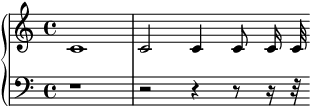
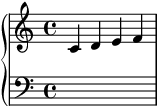
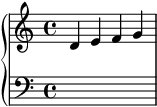
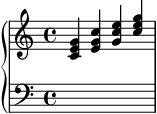
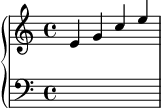
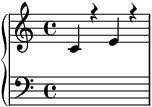
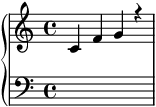
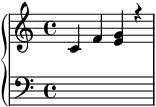
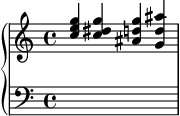
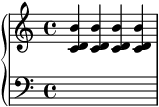
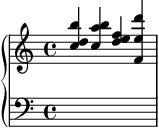
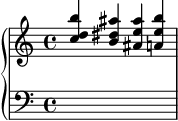
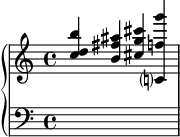
 </noscript>
 </noscript>
 </noscript>
 </noscript>
 </noscript>
 </noscript>
 </noscript>
 </noscript>
 </noscript>
 </noscript>
 </noscript>
 </noscript>
 </noscript>
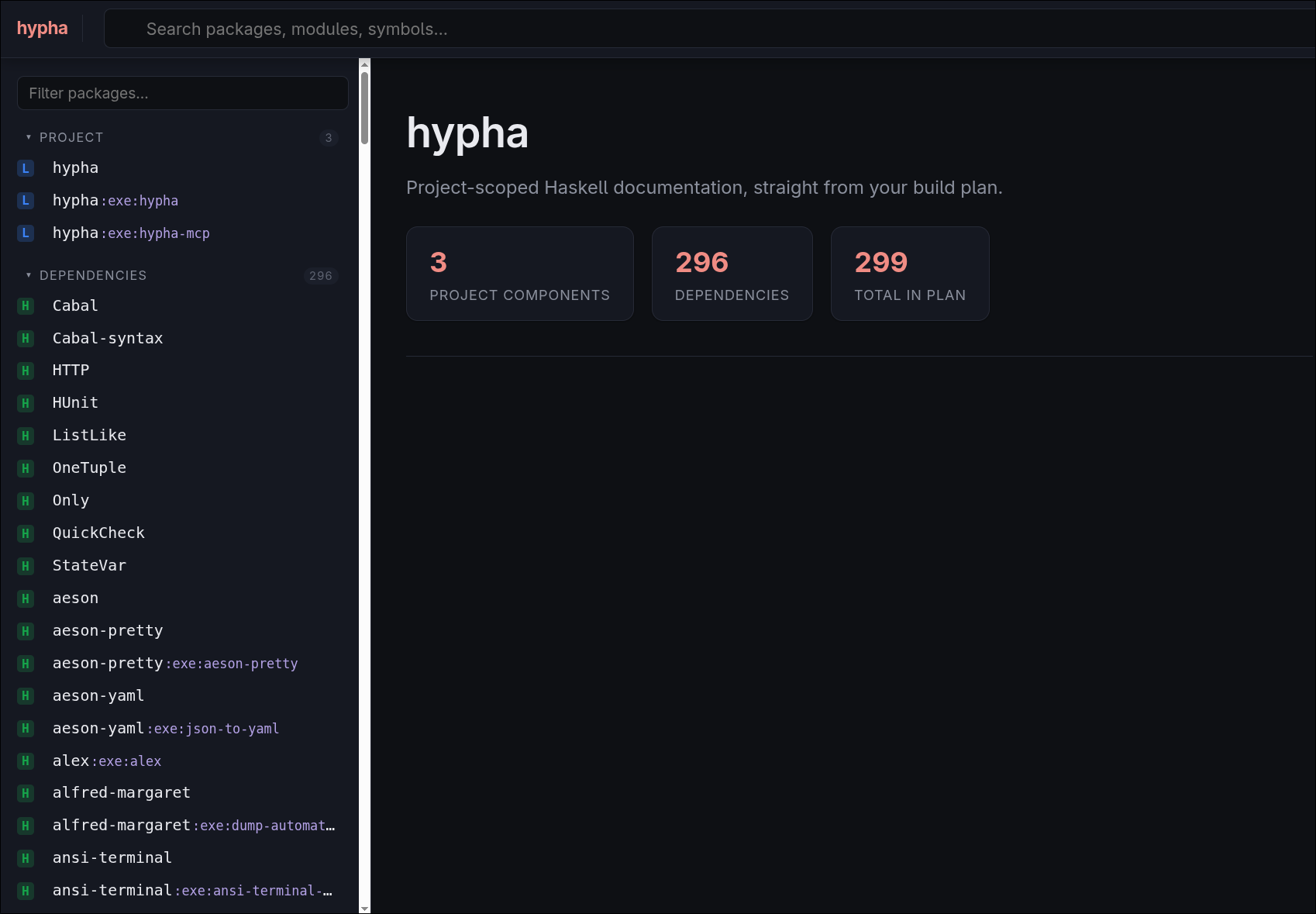
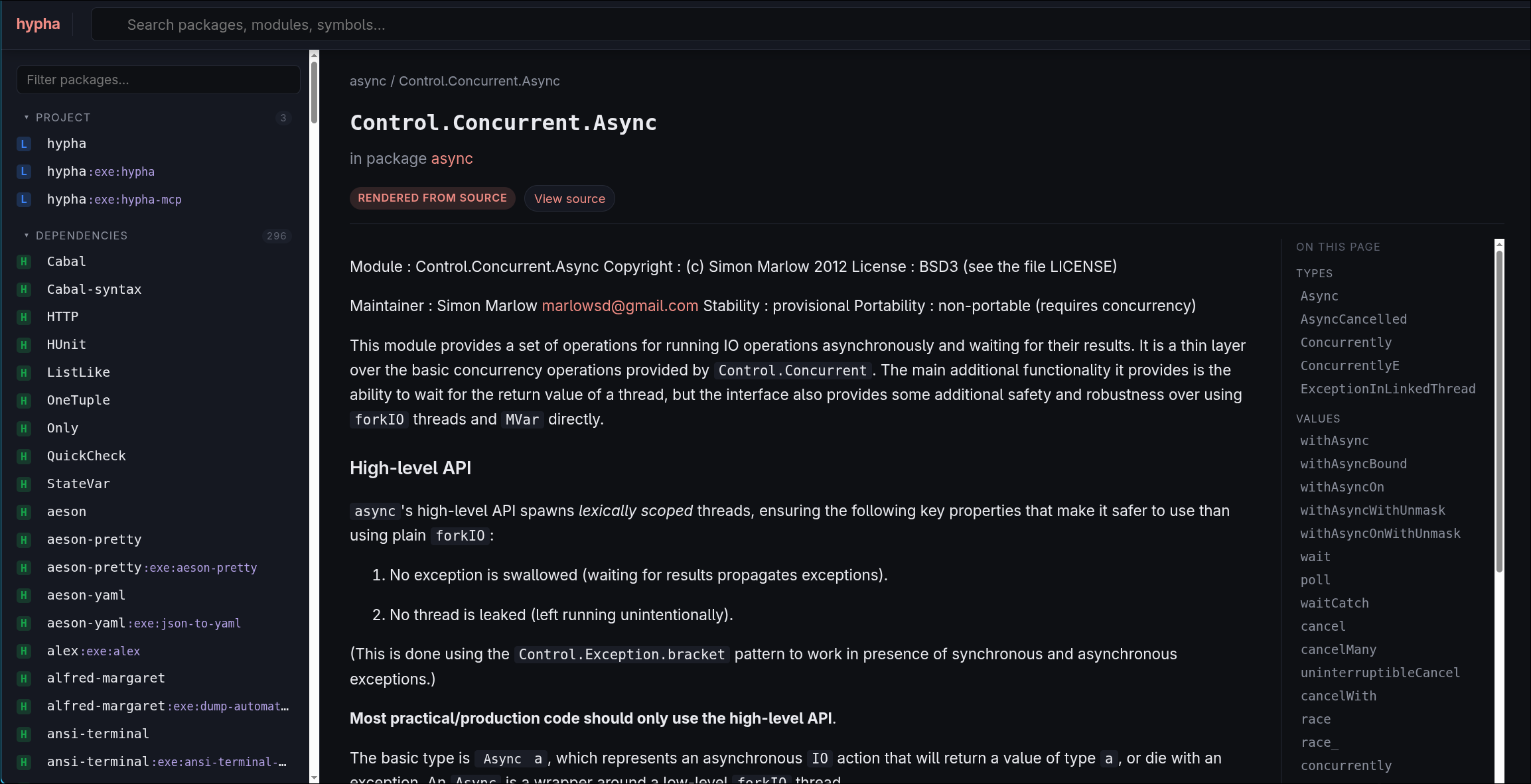
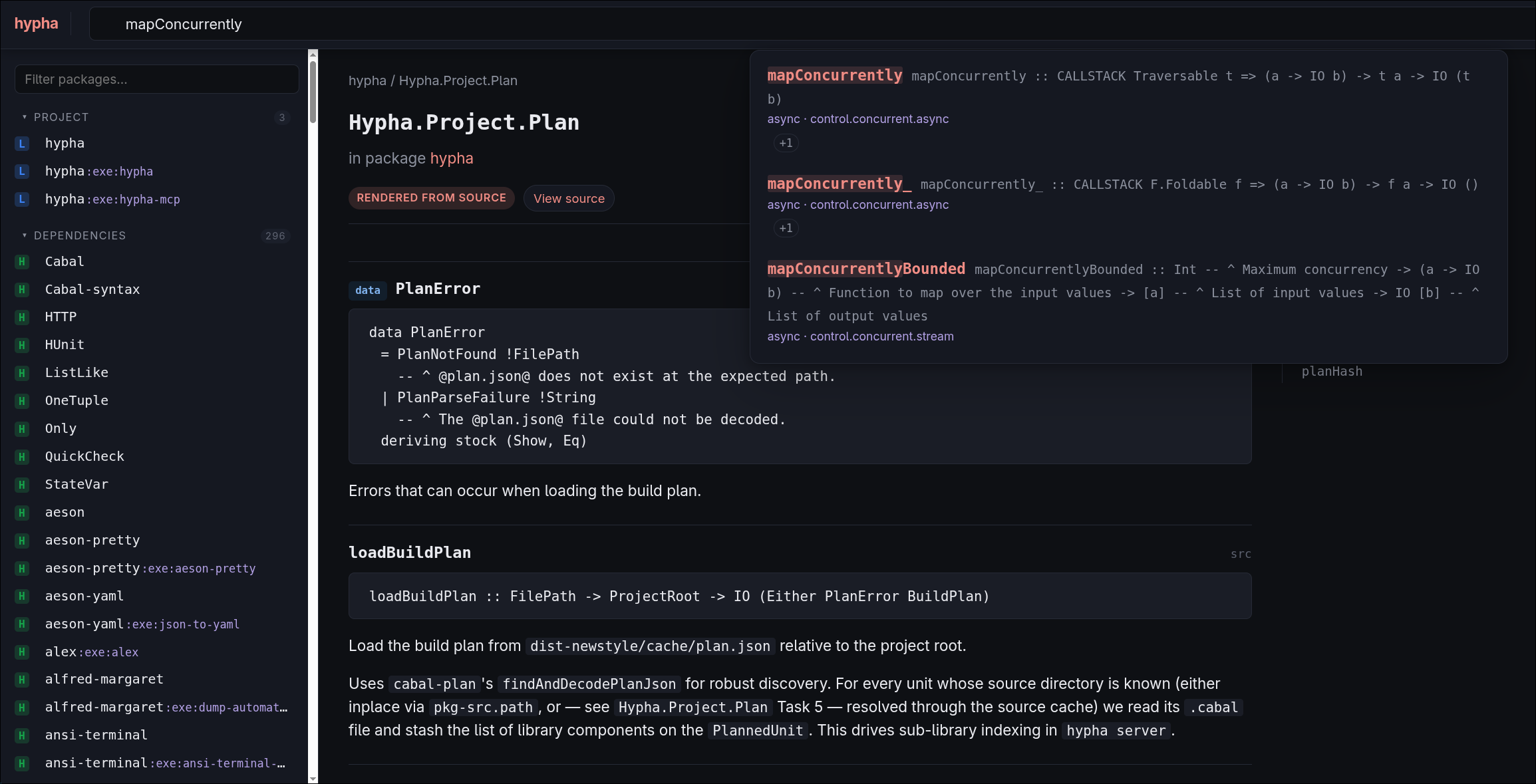
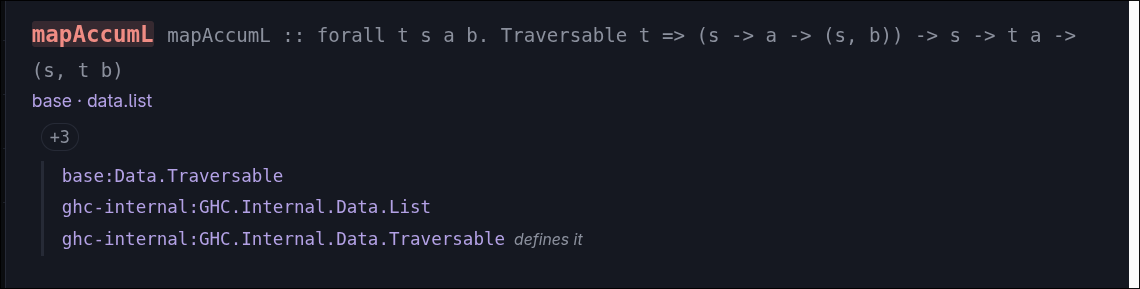
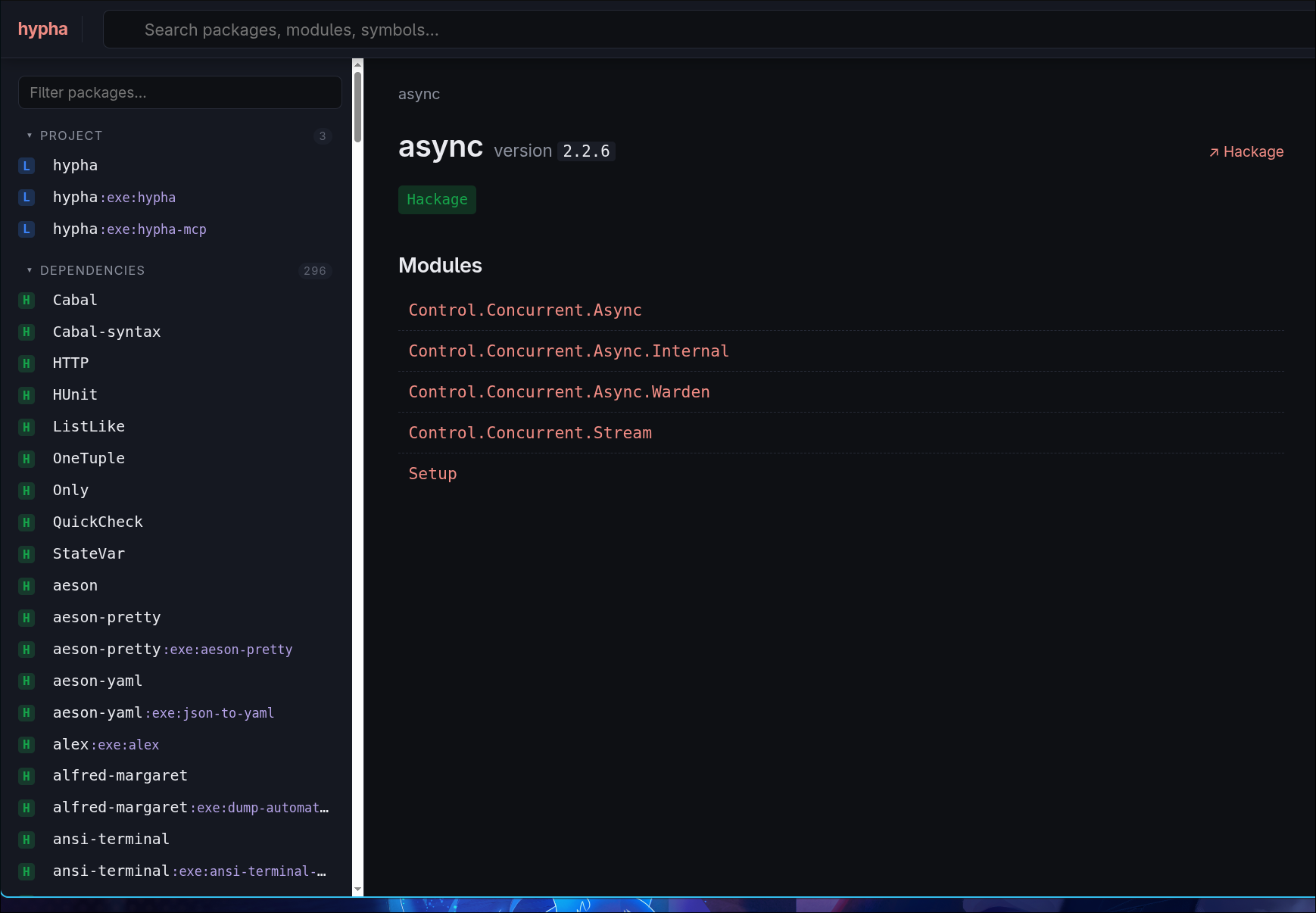
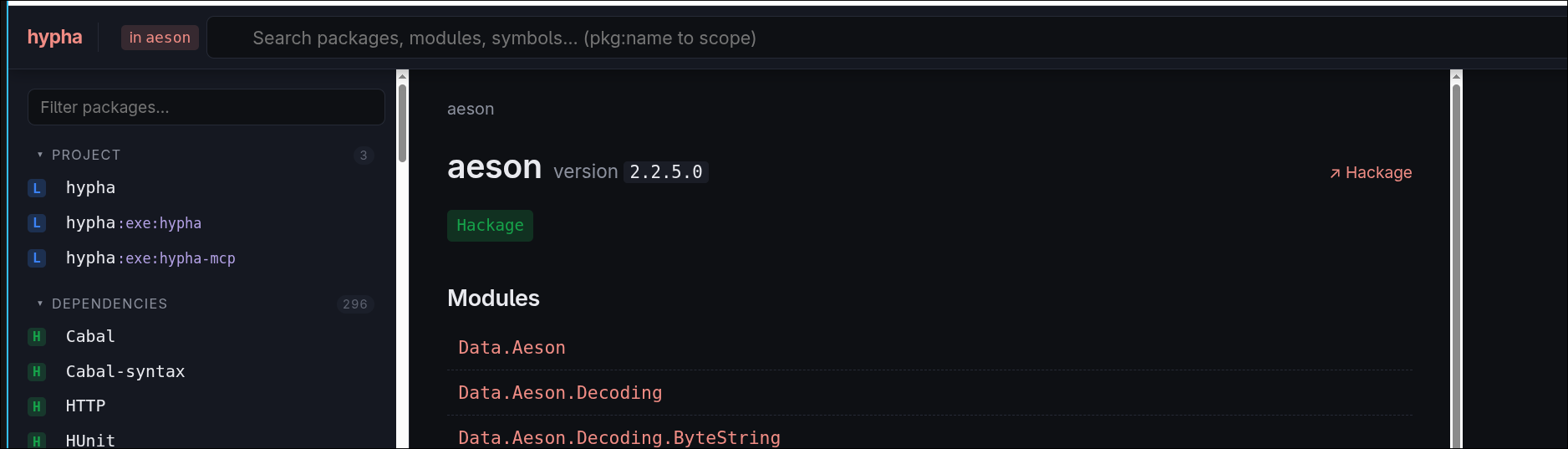
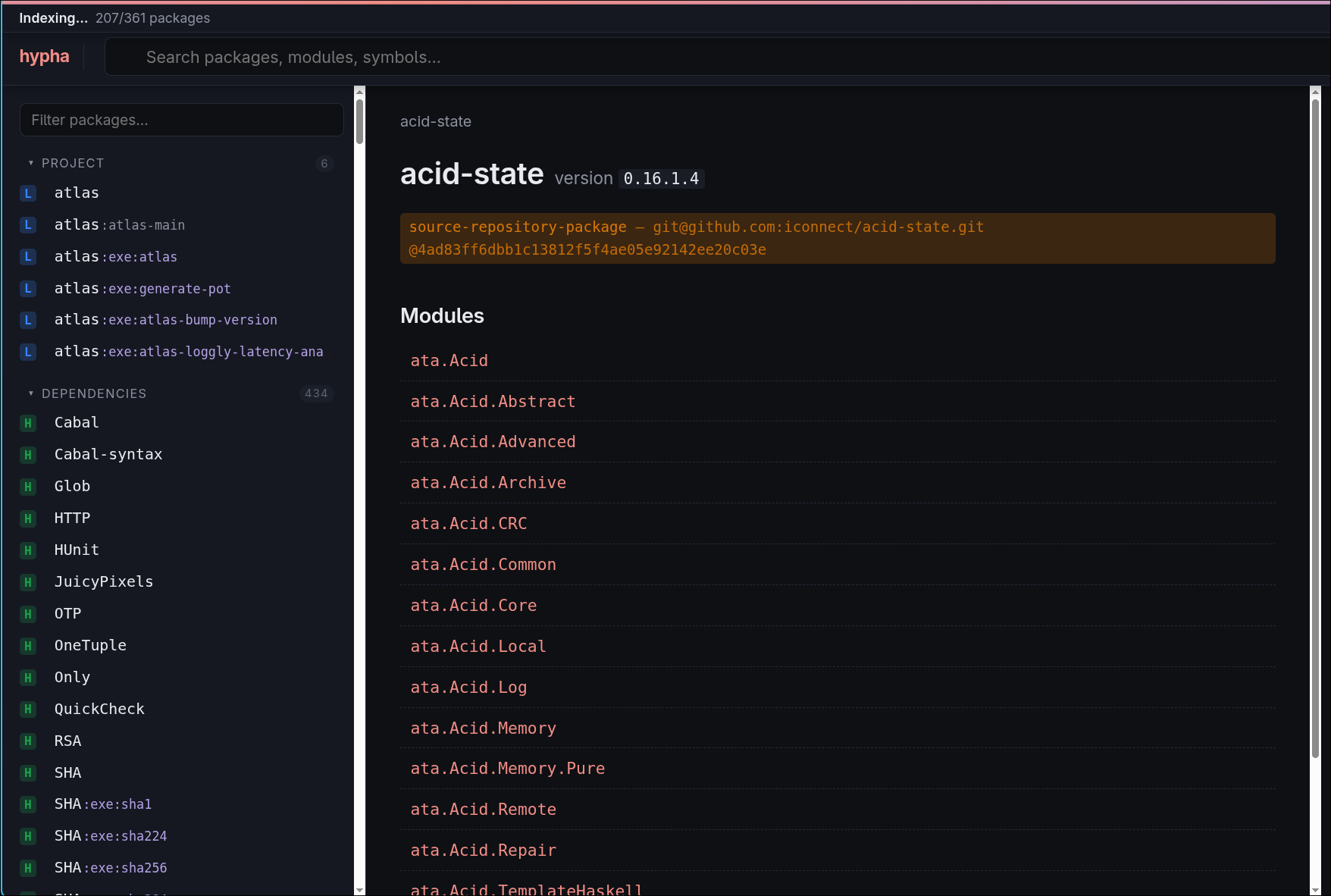

 The leaves of this graph are source code files, and the loaders write them to custom object storage.
Intermediate nodes represent things such as releases, revisions, or directories, and the loaders write them to distinct topics in a Kafka journal.
From the Kafka journal, a custom-written “deduplicator” component reads topics and exports the graph data into two sets of Optimized Row Columnar (ORC) files:
one appropriate for CodeCommons use, and one that will be used to update the existing Software Heritage archive.
The leaves of this graph are source code files, and the loaders write them to custom object storage.
Intermediate nodes represent things such as releases, revisions, or directories, and the loaders write them to distinct topics in a Kafka journal.
From the Kafka journal, a custom-written “deduplicator” component reads topics and exports the graph data into two sets of Optimized Row Columnar (ORC) files:
one appropriate for CodeCommons use, and one that will be used to update the existing Software Heritage archive.
 (a tenth of a full turn). If the shorter edges are of length 1, then the longer edges are of length
  , where
  is the golden ratio.
 times the scale of the former, to reflect the change in scale.


 ,
,  , and
, and  operations along with some proofs.


 in these cases. Forcing the decomposition also results in an empty composition. Clearly there is something special about the depicted cases and it is not merely that they are wholetile complete because the decompositions are not wholetile complete. [Wholetile complete means there are no join edges on the boundary, so every half-tile has its other half.]
 and
and  are both valid


 meaning:


 composes perfectly if all faces of

 is a perfect composition if
  composes perfectly.


 is a forced, correct
 using figure 12 (plus an extra case for the forced star). For boundary vertices we check the local context cases shown in figure 9.


 and
and  lies in faces round the boundary dart wings of the former which have come from decomposing at boundary joins of

 we have
 contains both the new halftile and its other half. [A separate proof is needed to show that the ordering of applying force rules makes no difference to a final correct






 for
for 
 , we have

 for which the composition is defined we have
  so we get
 to get


 , the right hand side is equivalent to

 (so
(so  ) in the theorem.
  .]
.]


 and so

 and
and  .
. which has lost the leftmost dart of the
 where
where  , so
, so  ). By the perfect composition theorem we have



 so we have


 is wholetile complete and hence a perfect composition. This means that
  composes perfectly and it is also a generator for
 .
.








![An animated GIF that shows a screen recording of a terminal session. The terminal is split into three screens. On the left, taking up the majority of the terminal, is a screen labelled 'otel-tui'. On the right, split vertically, are two screens labelled 'oddball' and 'eventlog-live-otlp'. The 'otel-tui' screen is itself split into three subscreens. A narrow column on the left, labelled 'Metrics', lists all incoming metrics by name. These names correspond to the names described under Heap Profile by Closure Type, except formatted in camel-case and prefixed with 'ghc_eventlog_'. Currently, the metric named 'ghc_eventlog_HeapLive' is selected. The wide column on the right is split vertically. The top row, labelled 'Details', shows the exact structure of the selected OTLP message for the selected metric. The bottom row, labelled 'Chart', shows a text rendering of a line chart that shows the values of the 'ghc_eventlog_HeapLive' metric. This shows a spiky line, which jumps between 10-30MB, though the Y-axis is labelled in bytes rather than megabytes. The 'oddball' screen shows the output of the oddball program, which consists of many lines saying 'Generating X random numbers' and 'Sum: Y' for ever-changing values of X and Y. The 'eventlog-live-otlp' screen shows the debug output of Eventlog Live, which consists of many lines saying '[DEBUG] Received X events.', '[DEBUG] Exported Y metrics.', and '[DEBUG] Exported Z logs.', for ever-changing values of X, Y, and Z.](https://well-typed.com/blog/aux/images/real-time-telemetry-with-eventlog-live/oddball-with-otel-tui-2026-09-22.webp)




 and so
 ,
,  and
and  .
.


 but we can rescale at any time.)